Three ways to get form leads into Telegram
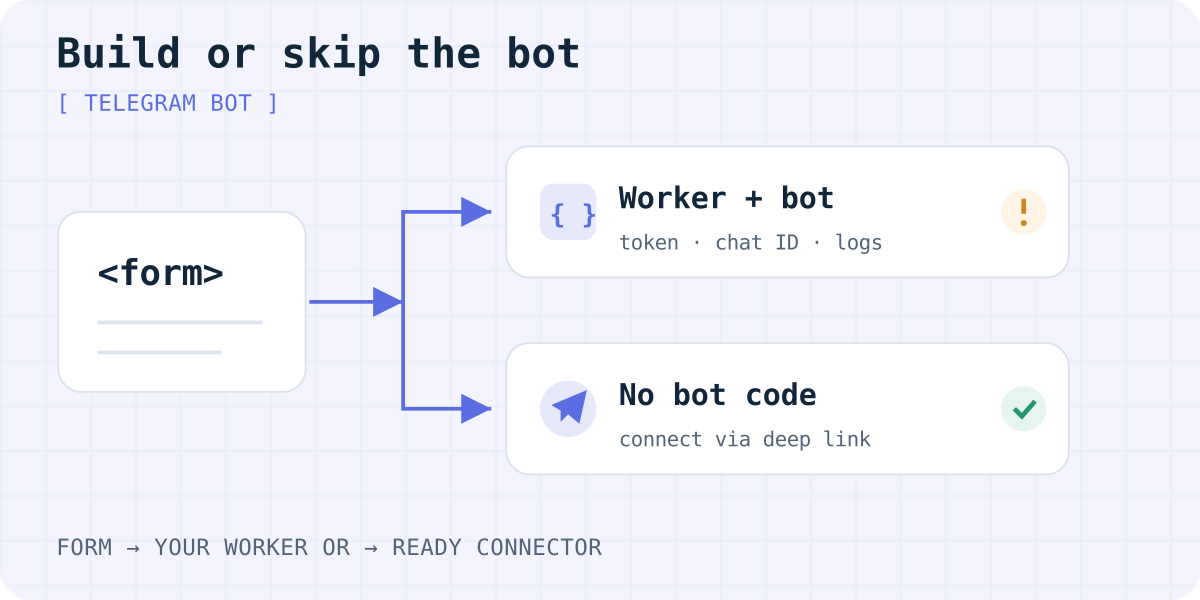
Ask Bolt, Lovable or ChatGPT how to send a contact form to Telegram, and the usual answer is “build your own bot”. That works. But it is only one of three options:
- Your own bot and a small server function. Free on most hosts and fully yours. You write and maintain about 25 lines of code.
- An automation tool such as Zapier, Make or n8n. A webhook step receives the form, a Telegram step posts it. No code, but one more account and its own pricing.
- A form backend with Telegram built in. You change the form's
actionand connect a chat. No bot and no server code. Formgong works this way, and so does Formspree with its Telegram plugin.
This guide builds the first option end to end. Then it shows what the code does not cover, so you can choose with open eyes.
1. Create the bot and find your chat ID
- Open @BotFather in Telegram and send
/newbot. Pick a name and a username that ends inbot. - BotFather replies with a token like
123456789:AAH…. Treat it like a password. - Open your new bot and press Start. A bot cannot write to you before you do this.
- In a browser, open
https://api.telegram.org/bot<TOKEN>/getUpdates. Find"chat":{"id":…}. That number is your chat ID.
For a team group, add the bot to the group and send /start@your_bot there. Group IDs are negative numbers, such as -1001234567890. Keep the minus sign.
2. Forward the form with a Cloudflare Worker
The form needs a server that holds the token and calls the Bot API. A Cloudflare Worker is the smallest option. The Workers Free plan includes 100,000 requests a day (checked 03.10.2026). The same code also fits a Supabase Edge Function or a Netlify Function.
The Worker reads the form, drops bot traffic caught by a hidden honeypot field, trims long values, and sends plain text. Plain text avoids escaping problems with names like O'Brien <3. A Telegram message holds up to 4,096 characters, so the message field is cut at 3,000.
// src/index.js: receives the form and posts it to Telegram
export default {
  async fetch(request, env) {
    if (request.method !== "POST") return new Response("POST only", { status: 405 });
    const form = await request.formData();
    // Honeypot: people never see this field, bots fill it in.
    if (form.get("botcheck")) return Response.redirect(env.THANK_YOU_URL, 303);
    const name = String(form.get("name") ?? "").slice(0, 200);
    const email = String(form.get("email") ?? "").slice(0, 200);
    const message = String(form.get("message") ?? "").slice(0, 3000);
    if (!email || !message) return new Response("Email and message are required", { status: 400 });
    const text = `New enquiry\nName: ${name}\nEmail: ${email}\n\n${message}`;
    const sent = await fetch(`https://api.telegram.org/bot${env.TELEGRAM_BOT_TOKEN}/sendMessage`, {
      method: "POST",
      headers: { "Content-Type": "application/json" },
      body: JSON.stringify({ chat_id: env.TELEGRAM_CHAT_ID, text }),
    });
    if (!sent.ok) return new Response("Could not deliver the message", { status: 502 });
    return Response.redirect(env.THANK_YOU_URL, 303);
  },
};
Deploy commands and secrets
npm create cloudflare@latest contact-to-telegram
cd contact-to-telegram
# paste the Worker code into src/index.js, then:
npx wrangler secret put TELEGRAM_BOT_TOKEN
npx wrangler secret put TELEGRAM_CHAT_ID
# add to wrangler.jsonc: "vars": { "THANK_YOU_URL": "https://example.com/thanks" }
npx wrangler deploy
The HTML form that posts to the Worker
<form action="https://contact-to-telegram.YOUR-SUBDOMAIN.workers.dev" method="POST">
  <label>Name <input name="name" autocomplete="name"></label>
  <label>Email <input type="email" name="email" required autocomplete="email"></label>
  <label>Message <textarea name="message" required></textarea></label>
  <input type="text" name="botcheck" tabindex="-1" autocomplete="off" hidden>
  <button type="submit">Send</button>
</form>
Never put the bot token in the browser
Some generated code calls api.telegram.org straight from the page. It seems to work in the preview. But anyone can open the page source, copy the token and use your bot: send messages in its name, read its updates, or change its webhook.
Keep the token in a server secret, as in the commands above. If a token has already shipped in frontend code, send /revoke to BotFather and set the new token as a secret. The same applies to Bolt and Lovable projects: ask the builder to move the call into a backend function and store the token in its secrets.
What a home-made bot does not do
The Worker above is a working minimum. Before you rely on it for real leads, know its gaps:
- No copy of the lead. If Telegram is down or the chat ID is wrong, the visitor sees an error and the message exists nowhere else. Add storage or an email step if leads matter.
- Thin spam protection. A honeypot stops simple bots only. Add Cloudflare Turnstile or rate limits when spam starts.
- One chat, no status. Several chats, “done” buttons or reminders about leads nobody answered mean more code.
- Limits. Telegram asks bots to send no more than about one message per second to one chat and 20 messages a minute to a group. A contact form rarely gets close.
- Maintenance. Token rotation, error alerts and updates are now your job.
Skip the bot: connect Telegram to the form
If you only need each submission in a chat, a form backend saves you the bot and the Worker. With Formgong:
- Get a free form key on formgong.com and confirm your email.
- Point the form at Formgong: set
action="https://formgong.com/submit"and add the key as a hidden field. Your design stays the same. - In the form settings, open Telegram and press connect. The Formgong bot opens; press Start. For a group, add the bot and send the
/connectcode shown in settings.
Each lead is also saved in your inbox and sent by email. Spam is filtered before it reaches the chat. Telegram is included on the Free plan with 300 submissions a month; see pricing. The step-by-step guide is how to send website form submissions to Telegram. To compare services that offer Telegram, see the form backend comparison.
Frequently asked questions
Is it safe to put a Telegram bot token in website code?
No. Anyone who views the page source can copy the token and control the bot. Keep it in a server secret and call the Bot API from a server function. If it has leaked, revoke it in BotFather.
How do I find my Telegram chat ID?
Press Start in a chat with your bot, then open the getUpdates URL with your token in a browser. The chat id in the response is the one to use. For a group, send /start@your_bot in the group; group IDs are negative.
Can the bot post form submissions to a group?
Yes. Add the bot to the group, read the group ID from getUpdates, and use it as chat_id. Telegram limits bots to about 20 messages a minute in one group.
Is a Cloudflare Worker free for a contact form?
For most sites, yes. The Workers Free plan includes 100,000 requests a day, as checked on 3 October 2026. A contact form uses one request per submission.
Do I need my own bot to get leads in Telegram?
No. Form backends such as Formgong connect a chat to the form through their own bot. You only change the form's action and press connect in the settings.
Sources and documentation
Official references for this guide: Telegram Bot API: sendMessage, Telegram Bot FAQ: limits, Telegram: BotFather, Cloudflare Workers pricing, Cloudflare Workers secrets. Formgong documentation, where data is stored.
Read this article as Markdown