Why React and AI-built forms break Netlify Forms
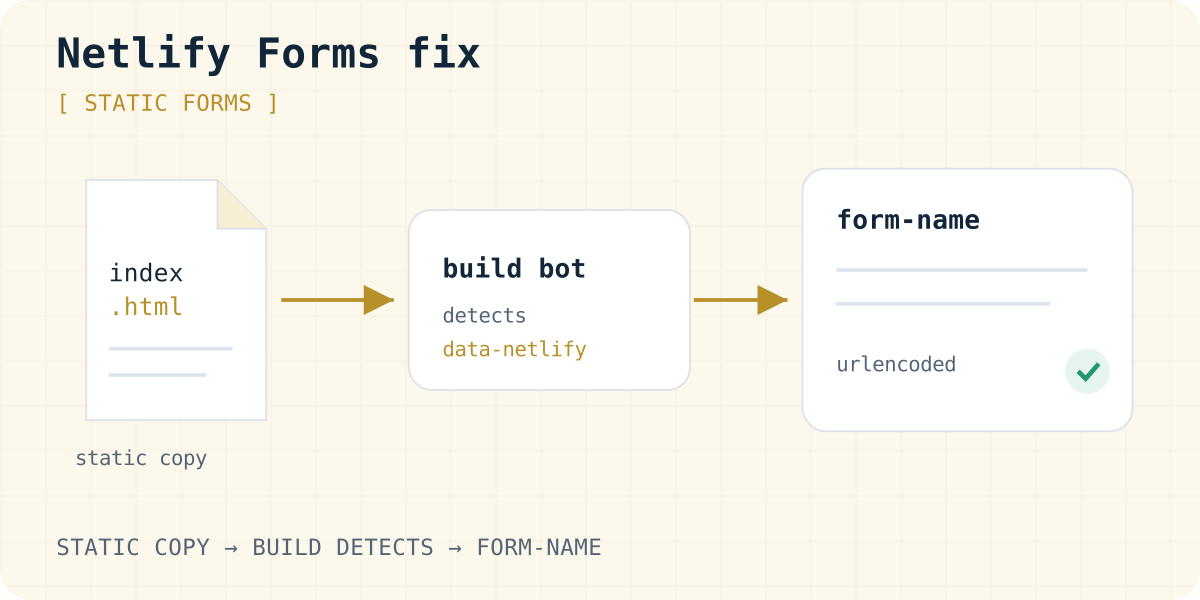
Netlify does not watch your page in the browser. At deploy time, its build system scans the finished HTML files for forms with a data-netlify or netlify attribute. It registers those forms and accepts posts for them.
A React or Vite app ships an almost empty index.html. The form appears later, when JavaScript runs. So the scan finds nothing, and posts to the form are ignored. Most AI builders, including Bolt, Lovable and v0, generate exactly this kind of app.
There is a second trap. Since 14 August 2025, new Bolt projects publish to Bolt hosting on bolt.host by default. Netlify Forms only run on sites that Netlify serves. If your Bolt site is on bolt.host, a data-netlify attribute does nothing. The same is true for lovable.app, Vercel and GitHub Pages.
Fix it in five checks
- Is the site on Netlify? Check the address and your Bolt settings under Domains & Hosting. If it is not on Netlify, skip to the alternatives below.
- Is form detection on? In the Netlify UI, open Forms and enable form detection. Then redeploy: detection only applies from the next deploy.
- Is there a static copy? Add a hidden HTML form to
index.htmlwith the samenameand the same field names as your React form. - Does every post carry
form-name? Add a hidden input namedform-namewhose value matches the form'sname. - Is the body URL-encoded? Netlify Forms does not accept JSON. Encode
FormDatawithURLSearchParamsand post it to a path on your site, such as/.
The component below does all five in code. Ask your AI builder to apply the same pattern, and to keep the static copy in index.html.
export default function ContactForm() {
  async function handleSubmit(event) {
    event.preventDefault();
    const body = new URLSearchParams(new FormData(event.target)).toString();
    const response = await fetch("/", {
      method: "POST",
      headers: { "Content-Type": "application/x-www-form-urlencoded" },
      body,
    });
    alert(response.ok ? "Thanks, we got your message." : "Sending failed. Please try again.");
  }

  return (
    <form name="contact" method="POST" data-netlify="true" netlify-honeypot="bot-field" onSubmit={handleSubmit}>
      <input type="hidden" name="form-name" value="contact" />
      <p hidden><label>Leave empty: <input name="bot-field" /></label></p>
      <label>Name <input name="name" required /></label>
      <label>Email <input type="email" name="email" required /></label>
      <label>Message <textarea name="message" required /></label>
      <button type="submit">Send</button>
    </form>
  );
}
The static copy for index.html
<!-- index.html, inside <body>: a static copy Netlify can detect at deploy time -->
<form name="contact" data-netlify="true" netlify-honeypot="bot-field" hidden>
  <input name="bot-field">
  <input name="name">
  <input type="email" name="email">
  <textarea name="message"></textarea>
</form>
Submissions missing? Check the spam list
Netlify filters every submission with Akismet. Test messages like “asdf” from test@test.com often land in Spam submissions, not in Verified. Switch the list above your submissions to check.
For tests, Netlify suggests a real email address, full sentences, and not sending many posts in a row from one IP address. A honeypot field, as in the example, quietly rejects simple bots before they reach either list.
Next.js and server-rendered sites
On Next.js with Netlify's current runtime, forms need the same idea in a stricter form. Put the form definition in a dedicated static HTML file, and submit with AJAX instead of a full page navigation. Netlify's Next.js notes describe the details.
The rule is the same everywhere. Netlify must see a plain HTML form at deploy time, and the live form must post the same field names.
Is Netlify Forms free?
On Netlify's current credit-based plans, Forms are free and unlimited (as of 03.10.2026). Older legacy plans meter submissions per site and have a limit on the free tier. Check Forms → Usage to see which applies to you.
If your site is on Netlify, Netlify Forms is often the simplest choice. Our Formgong vs Netlify Forms comparison lists where each one is stronger.
When to use something else
Netlify Forms is tied to Netlify hosting. Use a form backend instead when:
- your site runs on Bolt hosting, Lovable, Vercel, GitHub Pages or any other host;
- you want leads in Telegram, not only by email;
- you need submissions stored in the EU, or visitor pages in your site's language.
A form backend works on any host because the form posts to the service, not to your site. With Formgong the form posts to https://formgong.com/submit with a public key, and Telegram is included on the free plan. The Bolt contact form guide has a ready prompt, and the form backend comparison covers other services.
Frequently asked questions
Why does Netlify not detect my React form?
Netlify scans the deployed HTML at build time. A React form is rendered later by JavaScript, so the scan cannot see it. Add a hidden static copy of the form with the same field names to index.html and redeploy.
Do Netlify Forms work on Bolt hosting?
No. Netlify Forms only run on sites served by Netlify. New Bolt projects publish to bolt.host by default since 14 August 2025, so use a form backend there or publish the project to Netlify.
Can I send JSON to Netlify Forms?
No. Netlify Forms does not support JSON. Send URL-encoded data, for example with new URLSearchParams(new FormData(form)).toString(), and include form-name.
Where are my Netlify test submissions?
Often in the Spam submissions list, because Akismet flags short test messages and fake addresses. Use a real email and a full sentence when testing.
Is Netlify Forms free in 2026?
On credit-based plans, yes: Forms are free and unlimited, as checked on 3 October 2026. Legacy plans meter submissions per site.
Sources and documentation
Official references for this guide: Netlify: Forms setup, Netlify: Forms troubleshooting, Netlify: Spam filters, Netlify: Forms usage and billing, Bolt: Netlify for hosting, Bolt: Hosting FAQs. Formgong for Bolt, where data is stored.
Read this article as Markdown