Hidden on purpose, or broken?
A blank product page under Loox has two very different meanings. Either the product has no published reviews and Loox hides itself by design, or the reviews exist and something keeps the widget off the page. This table sorts them:
| What you see | Likely cause | Fix |
|---|---|---|
| Nothing on products with no reviews | Loox hides empty widgets | “Show empty stars when there are no reviews” and Widget visibility |
| Nothing on a product that has reviews | Its template has no Loox blocks | Add the blocks to that template |
| Nothing on any product after a theme change | Loox Core Script is off in the new theme | Turn it on in App embeds |
| A new review is missing | It is Pending or Unpublished | Publish it in Manage Reviews |
| Stars in the theme editor, none live | Sample data in the editor | Nothing, until a review is approved |
| Missing on a PageFly, GemPages or Shogun page | The builder page has no Loox element | Turn on the Loox integration in the builder |
Products with no reviews show nothing by default
Loox's docs say it directly: “By default, the widget is hidden when a product has 0 reviews.” That sentence is about the Star Rating Widget, and its block has a switch called “Show empty stars when there are no reviews”. If you add the widget with code, the same thing is the attribute data-show-empty-stars="true".
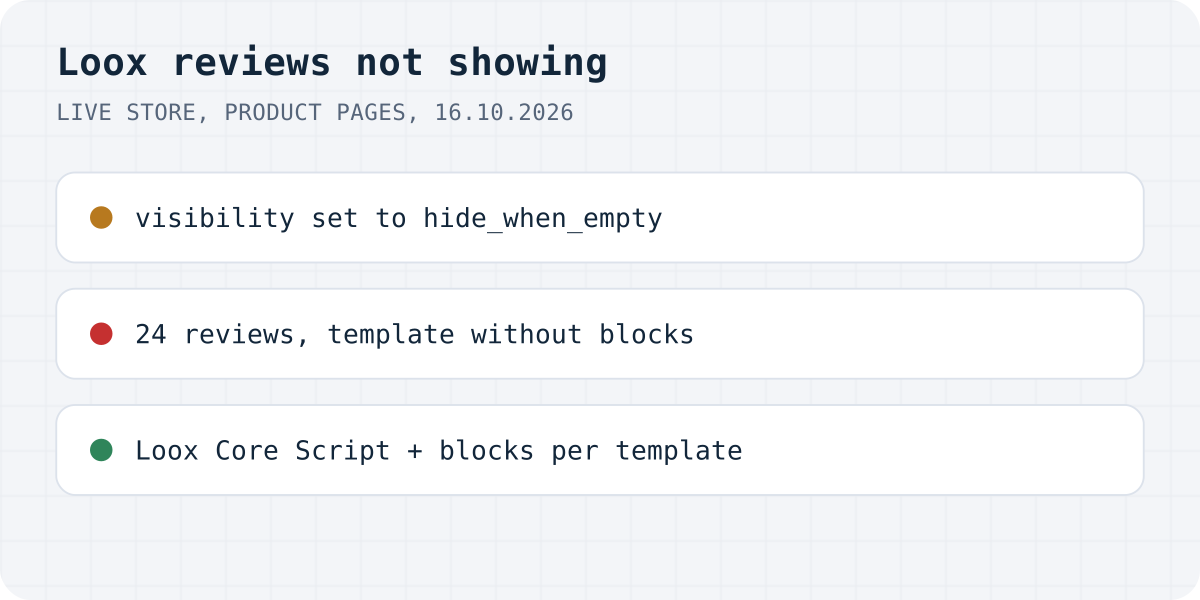
The Reviews Widget has a preference called “Widget visibility”, which can hide the widget when the product has no reviews yet. We saw it at work on a live store: the product page loads Loox's reviews frame, Loox's server fills it with a page titled “Loox reviews - widget visibility set to hide_when_empty”, and the frame stays 0 pixels tall. The same request with visibility=always brought back the widget and its “Be the first to write a review” button. So if you want new products to invite reviews, change Widget visibility rather than hunting for a bug.
A product with reviews shows nothing: check its template
We ran into this on the same live store, where a product with 24 Loox reviews showed no stars and no reviews. Loox's script was running on the page, and the reviews were real: the page's own data said 24, and the widget request for that product returned them. The product simply used a different template, built with Shogun, where the Loox section was empty. A shopper saw a product with no reviews.
Shopify assigns a template to each product, in the product's admin page under Theme template, and a block you add to one template does not appear on another. Loox's docs confirm that each template keeps its own Reviews Widget settings. So when one product is missing reviews and others are fine:
- Open that product in Shopify admin and note the template under Theme template.
- Open the theme editor, switch to that template and add the Reviews Widget and Star Rating Widget blocks.
- If the product page is built with a page builder, add the Loox element inside the builder instead (see below).
The Loox Core Script is off
Loox's app embed is called Loox Core Script, and Loox says: “If you change your live theme, activate the Loox Core Script again to continue displaying your reviews.” Open the theme editor, click the App embeds icon and toggle on the Loox Core Script, then save. Loox also has an “Add Loox to your theme” button in its General preferences that does the same work for a new theme.
A tell from Loox's own troubleshooting list: if you see the number of reviews but no star icons, “the Loox script isn't running on the page”. When the theme editor shows no Loox widgets at all, Loox suggests that you “re-integrate Loox with your theme and try again.”
The review is Pending or Unpublished
Loox publishes reviews according to the rule under Publishing reviews: all reviews, 3 stars and up, 4 stars and up, 5 stars only, or “Publish all reviews 14 days after submission”. Reviews that do not meet the rule wait as Pending and are published after 14 days unless you unpublish them. An unpublished review, in Loox's words, “won't appear on your widgets or count towards your average product rating.” Filter Manage Reviews by status to see what is waiting.
Stars that appear in the theme editor and not on the store are usually not a bug. A Loox team member explained on the Shopify Community in 2024 that the rating “only appears on the live store for products with at least one approved review” and that the editor shows a sample. In Loox's script, the editor replaces an empty rating with 5 stars and 1,234 ratings.
Page builders and hand-pasted code
Loox works with GemPages, PageFly, Shogun and Zipify, each through the builder's own element. In PageFly you enable the Loox integration under “Add third-party elements”; in GemPages you drag in the Loox (Widget) element; in Shogun you enable the Loox integration in its settings. A theme block cannot reach a page the builder draws.
On vintage themes, or anywhere a block cannot go, Loox gives code. It only works inside a product: Loox warns that if you paste it where {{ product.id }} is not valid, “the widget will render empty.” View the page source and look at the loox-rating div; empty data-id, data-rating and data-raters mean the code is in the wrong place. If the code sits inside a {% raw %} tag, Loox's script logs this in the console: LOOX reviews - product id is set to "{{ product.id }}" which is not a real product Id.
The same problems with Formgong Reviews
The template case would catch our app as well; it is a property of Shopify themes. Here is the full list with Formgong Reviews, checked on 16.10.2026.
| Problem | With Formgong |
|---|---|
| Hidden on products with no reviews | Our Shopify block shows “Be the first to write a review” and the form. The plain script widget shows only a “Write a review” link until your first approval. |
| Product on another template | Same, because this is how Shopify templates work. Add our block to every product template you use. |
| Review waiting for approval | Same idea. Written reviews wait for you by default; a bare star rating can publish itself. |
| Page builder page | Our script widget is one div and one script tag, so it goes into any builder element that takes HTML. |
Formgong Reviews is the review tool we build. Approved reviews show as stars and cards on each product page, Pro adds an AI summary written from the approved reviews, and you can bring old reviews in from a Judge.me, Yotpo, Loox or Shopify Product Reviews export. To collect new ones you send customers a review link after the order. Our Shopify app, which also publishes a Google product reviews feed, has been in Shopify's App Store review since 14.10.2026; until it is listed, the widget goes into a Custom Liquid section with one script line, as the review widget page shows.
The same account covers the rest of a small shop's site: contact forms that email you and post to Telegram, an AI help chat that answers visitors from your own pages, and free templates with the form already connected.
Did it come back?
Was it one of these, or something we have not seen yet? Write to support@formgong.com and tell us what you see on the page. If it is a case we have not covered, we will check it and add it here.
Frequently asked questions
Why are Loox reviews not showing on my product page?
If the product has no published reviews, Loox hides its widgets by default. If it has reviews, the product probably uses a template without the Loox blocks, or the Loox Core Script app embed is off after a theme change.
How do I show Loox stars on products with no reviews?
Turn on Show empty stars when there are no reviews in the Star Rating Widget block, or add data-show-empty-stars="true" to the code.
Why do I see Loox stars in the theme editor but not on my store?
The editor shows sample ratings. On the live store the rating appears only for products with at least one approved review.
Do I lose my Loox reviews if I change themes?
No. Turn on the Loox Core Script in the new theme and add the Loox blocks again.
Sources and documentation
Official references for this guide: Loox: Activating the Loox Core Script, Loox: Customizing the Reviews Widget's appearance, Loox: Adding the Star Rating Widget via code, Loox: Managing reviews, Shopify Community: Loox stars visible in the editor, not live. Shopify, where data is stored.