Why your form mail looks like spam to a machine
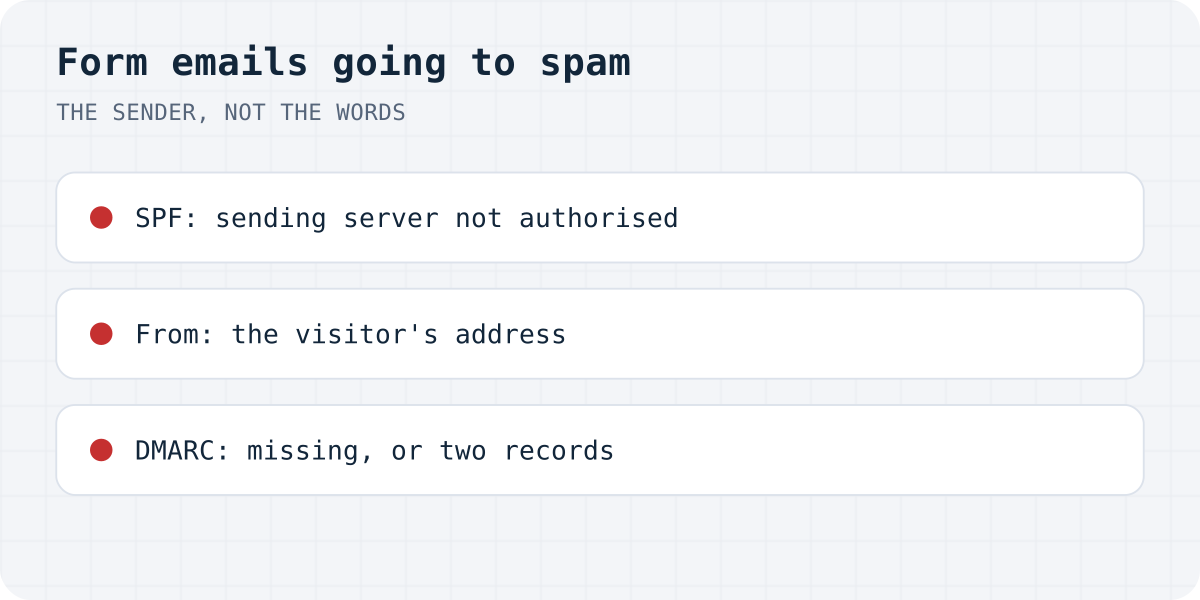
Spam filters stopped reading for “free offer” years ago; today the deciding questions are about identity. Google's sender guidelines, which Yahoo mirrors, spell them out: every sender must authenticate with SPF or DKIM, bulk senders need both plus DMARC, and the spam-complaint rate in Postmaster Tools must stay under 0.3%. A contact form notification fails these checks in four standard ways:
| Cause | Fix |
|---|---|
| The sending server is not authorised for your domain | SPF and DKIM records, step 1 |
| From is the visitor's address or your Gmail | From on your own domain, step 2 |
| No DMARC, or DMARC that does not align | One DMARC record, step 3 |
| The mail is fine and one filter disagrees | Train the mailbox, step 4 |
Step 1: authorise the server that actually sends
SPF and DKIM are DNS records on your domain that answer one question for the receiving server: is the machine that sent this message allowed to send mail for this domain? SPF lists the allowed servers; DKIM signs each message with a key the DNS record publishes. Google's guidelines make at least one of them a requirement for all senders, and both for anyone sending in volume.
The practical catch for contact forms is knowing which server sends. A WordPress site on shared hosting sends through the host's PHP mailer; a form backend or SMTP service sends through its own servers. The SPF and DKIM records must cover that sender. Your mail provider or SMTP service shows the exact records to add; after adding them, send a test to a Gmail address and use “Show original” in Gmail's message menu, which prints the SPF, DKIM and DMARC verdicts for that very message. That one screen replaces most guesswork.
Step 2: never put the visitor's address in From
The oldest form-mail habit is the most harmful one: sending the notification “from” whatever address the visitor typed, so you can hit Reply. When your server sends a message from customer@gmail.com, it claims to be Gmail, fails Gmail's authentication automatically, and gets filed or refused. The same applies to using your own Gmail or Yahoo address as the site's sender.
The pattern that survives: From is a fixed address on your own domain (forms@your-site.com), and the visitor's address goes in Reply-To. Replying works exactly as before, and the From domain is one you can authenticate. Every serious form plugin and backend has a Reply-To setting; if yours does not, that is the feature to look for.
Step 3: add one DMARC record, and only one
DMARC ties the other two records to the visible From address: it tells receivers what to do when a message fails, and its alignment check means the From domain must match the domain SPF or DKIM vouched for. Google requires DMARC for bulk senders and recommends it broadly; a policy of p=none satisfies the requirement while you watch the reports.
Two mistakes dominate here. The first is having no DMARC at all, which some providers now treat as a negative signal on its own. The second is having two: DNS tolerates multiple TXT records, but Google's docs are blunt that multiple DMARC records make validation fail, so a record added by an agency years ago plus the one you add today equals none. Check with any DMARC lookup tool before and after.
Step 4: when DNS is right and one mailbox still disagrees
Authentication earns delivery, not placement; a mailbox that marked your form mail as spam for months keeps doing it from habit. Open the spam folder, mark the notifications as Not spam, and, in Gmail, add the sending address to Contacts or create a filter with “Never send it to Spam”. On Google Workspace and Microsoft 365, check the admin quarantine too: messages held there never reach the user's spam folder, which is why “it's not even in spam” reports happen.
If placement degrades again later, look at volume and complaints rather than DNS: Google's threshold is a spam rate under 0.3%, and a form that forwards every submission to a shared inbox where colleagues hit “spam” on junk leads is quietly building that rate.
Or let the form's mail come from someone whose job that is
All four steps maintain one fact: the server sending your form mail must be authorised and well-behaved. A form backend moves that job off your site. Formgong sends notifications from its own authenticated domain, stores every submission in a dashboard inbox so a misfiled email is never the only copy, and delivers to Telegram instantly on every plan. Your form keeps its design; only the action changes. The free plan takes 1,000 submissions a month, and the not-sending-email guide covers the neighbouring failure, where the mail does not go out at all.
Inbox or spam now?
Did the authentication records move your form mail to the inbox, or does one provider still file it? Write to support@formgong.com and tell us what you tried. The cases readers send are how these guides get better.
Frequently asked questions
Why do my contact form emails go to spam?
Because the receiving server does not trust the sender: the sending server is not authorised in your domain's SPF or DKIM records, or the From address is on a domain (like gmail.com) your server cannot authenticate. Gmail's sender guidelines require authentication from all senders; fix the records and the From address, and the same messages arrive normally.
Should the From address be the visitor's email?
No. Sending from the visitor's address makes your server impersonate their mail provider and fail authentication automatically. Use a fixed From on your own domain and put the visitor's address in Reply-To, so replying still works.
How do I check SPF, DKIM and DMARC for one message?
Send a test submission to a Gmail address, open the message and choose Show original. Gmail prints the SPF, DKIM and DMARC verdicts for that exact message, which tells you which record is failing.
Do I need DMARC for contact form emails?
Google requires it for bulk senders and recommends it generally; some providers treat a missing DMARC as a negative signal. One record with p=none is a valid start. Make sure it is exactly one record: Google's docs state that multiple DMARC records make validation fail.
Sources and documentation
Official references for this guide: Google: Email sender guidelines, Shopify Help: Setting up your store email (domain authentication). HTML contact form, where data is stored.