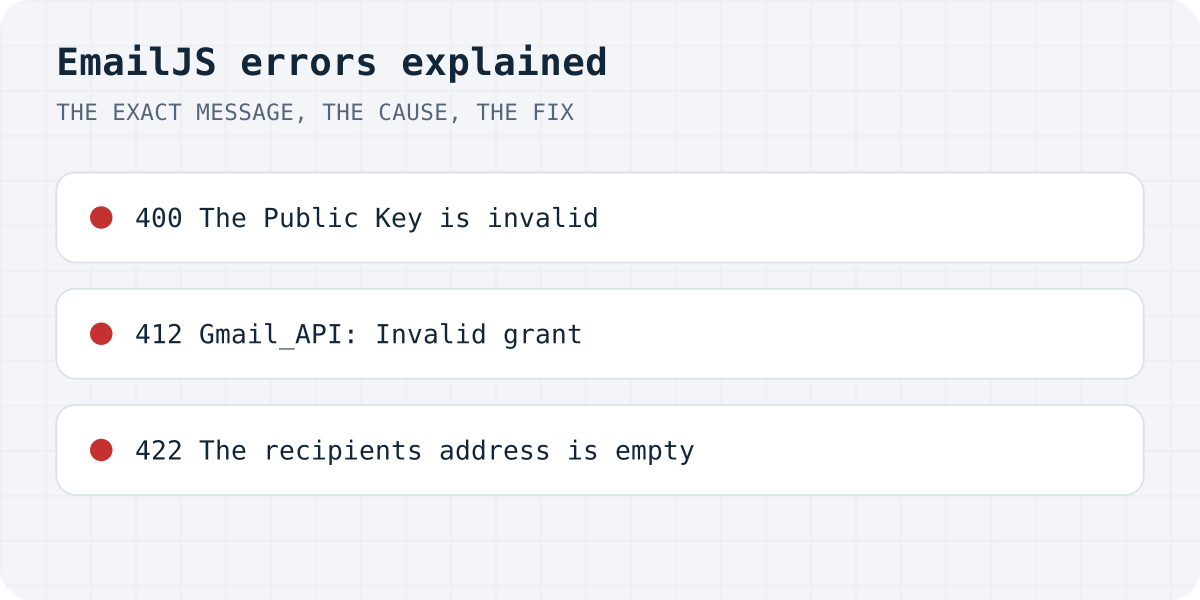
The errors at a glance
Messages as EmailJS returned them on 09.10.2026. The first two were reproduced against the live API with made-up IDs; nothing was sent.
| Status | Message | What it means | Fix |
|---|---|---|---|
| 400 | The Public Key is invalid. To find this ID, visit https://dashboard.emailjs.com/admin/account | The key you send is not an EmailJS public key | Copy the key again from your EmailJS account page (the error links to it); check for spaces and old keys |
| 400 | The Public Key is required. (the SDK says The public key is required.) | No key at all, usually an environment variable that is empty in production | Set the variable on your host and rebuild |
| 412 | Gmail_API: Request had insufficient authentication scopes. | Google did not give EmailJS permission to send mail | Reconnect the Gmail service and allow sending on Google's consent screen |
| 412 | Gmail_API: Invalid grant. Please reconnect your Gmail account | Google revoked or expired EmailJS's access | Reconnect the Gmail service |
| 422 | The recipients address is empty | The template's To Email field is blank or uses a variable you never send | Put your address in To Email, or send that variable |
The 412 and 422 texts are not in EmailJS's documentation; they are quoted from developers' reports linked under Sources.
First, see the real error
Most broken EmailJS forms hide the error. The code calls emailjs.send(), shows “Message sent” straight away, and never looks at the answer. In our test of 105 AI-built sites, 27 forms showed success and sent nothing (the study).
Open the browser's DevTools, go to the Network tab, submit the form and click the request to api.emailjs.com. The response body is the error text. In code, wait for the promise and read the error. One detail trips people up: a wrong key or ID rejects with an object that has status and text, but a missing key rejects with a plain string, so err.text prints undefined. We checked both with @emailjs/browser 5.0.2.
import emailjs from "@emailjs/browser";

async function handleSubmit(event) {
  event.preventDefault();
  const form = event.currentTarget;
  try {
    await emailjs.sendForm(
      import.meta.env.VITE_EMAILJS_SERVICE_ID,
      import.meta.env.VITE_EMAILJS_TEMPLATE_ID,
      form,
      { publicKey: import.meta.env.VITE_EMAILJS_PUBLIC_KEY },
    );
    showSuccess(); // only after EmailJS answered 200
    form.reset();
  } catch (err) {
    // A wrong key or ID rejects with { status, text }.
    // A missing key rejects with a plain string, so err.text would be undefined.
    const message = typeof err === "string" ? err : `${err.status} ${err.text}`;
    console.error("EmailJS:", message);
    showError("Your message was not sent. Please try again or email us.");
  }
}
400: “The Public Key is invalid” or “is required”
EmailJS checks the public key before anything else. With a wrong key it does not even look at the service or template ID, so fix the key first and only then check the IDs.
- Invalid: copy the key again from the dashboard (the error message links to the page). Keys are short strings, not the private key and not your account email.
- Required: the key is undefined. If the form works on your computer and fails after deploy, the environment variable exists in your local
.envbut not on the host. In Vite, Lovable and Bolt projects only variables that start withVITE_reach the browser, and they are read at build time, so set them on the host and build again.
The public key is meant to be in the browser; it is not a secret. Anyone who reads your page can use it to send through your template, which is why EmailJS limits requests (its REST docs give 1 request per second).
# .env (Vite, Lovable, Bolt): only VITE_ variables reach the browser
VITE_EMAILJS_SERVICE_ID=service_xxxxxxx
VITE_EMAILJS_TEMPLATE_ID=template_xxxxxxx
VITE_EMAILJS_PUBLIC_KEY=xxxxxxxxxxxxxxxxx
412 “Gmail_API”: reconnect the email service
A 412 comes from the email service behind EmailJS, most often Gmail. “Insufficient authentication scopes” means that when you connected Gmail, Google's consent screen did not grant the right to send email. “Invalid grant” means Google no longer accepts the token: it expired, you changed your Google password, or you removed EmailJS's access.
- In EmailJS, open Email Services and select the Gmail service.
- Disconnect it and connect it again with the same Google account.
- On Google's screen, keep the permission to send email on your behalf checked.
- Send a test from the EmailJS dashboard before you test the site.
If “Invalid grant” comes back every few days, open your Google Account's list of third-party connections, remove EmailJS there, and connect it once more.
422 “The recipients address is empty”
EmailJS sends to whatever the template's To Email field says. If that field is empty, or holds a variable such as {{to_email}} that your form never sends, there is no recipient.
For a contact form you almost always want the messages yourself, so type your own address into To Email. Put the visitor's address in Reply To as {{reply_to}} (or the name of your email field) so you can answer with one click. If you do use a variable, check that the form field or templateParams key has exactly the same name.
When to stop fighting EmailJS
EmailJS is a good fit when you want messages to leave from your own Gmail or Outlook. Its weak spots are the ones above: a public key in the page, a mail account that can disconnect, and templates that have to match your fields.
A form backend avoids all three. The form posts to one URL (https://formgong.com/submit for Formgong) with a public access key, any field names are accepted, and nothing depends on your mailbox staying connected. With Formgong the free plan takes 300 submissions a month and sends each one to Telegram at once and to email. The HTML guide shows the form, and the form checker tells you whether a public page's form really sends.
Frequently asked questions
Why does EmailJS work locally but not after deploy?
The public key is usually missing in production. Local .env files are not uploaded. In Vite, Lovable and Bolt projects set VITE_EMAILJS_PUBLIC_KEY and the IDs on the host and rebuild, because they are read at build time.
How do I fix EmailJS 412 Gmail_API?
Reconnect the Gmail service in EmailJS under Email Services. When Google asks, keep the permission to send email on your behalf. “Invalid grant” also means reconnecting: the old token expired or was revoked.
Why does EmailJS say the recipients address is empty?
The template's To Email field is empty or uses a variable your form does not send. Type your own address there, or make sure the variable name matches a form field.
Is the EmailJS public key a secret?
No. It is meant to be used in the browser. Keep the private key out of your site code, and remember that anyone can send through your public template within EmailJS's limits.
Why is err.text undefined when EmailJS fails?
With a missing public key, @emailjs/browser rejects with a plain string, not an object. Read typeof err === "string" ? err : err.text to always show the reason.
Sources and documentation
Official references for this guide: EmailJS: REST API, send, EmailJS: SDK send method, EmailJS: SDK options, Stack Overflow: Error 400 when using EmailJS, GitHub issue: 412 Gmail_API: Invalid grant, Vite: env variables and modes. HTML contact form, where data is stored.
Read this article as Markdown