Side by side
Free plans as published by both companies on 09.10.2026.
| Cloudflare | Netlify | |
|---|---|---|
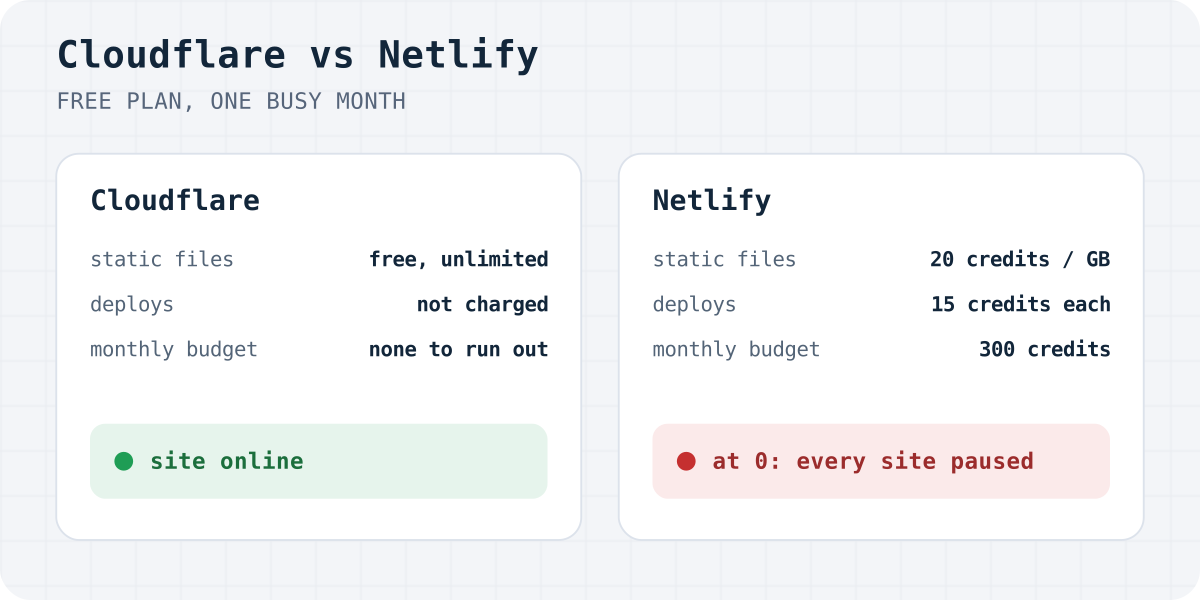
| Static files | Free and unlimited | 20 credits per GB, 2 credits per 10,000 requests |
| Deploys | Not metered; 3,000 build minutes a month | 15 credits for each production deploy |
| Monthly budget | No monthly budget for static files | 300 credits, hard limit, no top-ups on Free |
| Code on the server | 100,000 Worker requests a day, reset at midnight UTC | Counted in the same 300 credits |
| At the limit | Only Worker requests are refused, until midnight UTC | Every site on the account is paused until the next cycle |
| First paid step | Workers Paid: $5 a month, 10 million requests | Personal: $9 a month, 1,000 credits |
A site built from plain HTML, CSS and images never runs a Worker on Cloudflare, so none of its visits are counted at all.
What 300 Netlify credits buy for a real site
We loaded the live demos of our four free templates in Chrome and added up every byte and request of a first visit. Then we priced that visit in Netlify credits: 20 per gigabyte and 2 per 10,000 requests.
| Template | First visit | No deploys | After 10 deploys |
|---|---|---|---|
| Craftline | 0.08 MB, 7 requests | 100,000 | 50,000 |
| Orrery | 0.07 MB, 8 requests | 100,000 | 50,000 |
| Lattice | 0.08 MB, 7 requests | 100,000 | 50,000 |
| Lattice Estate | 1.50 MB, 14 requests | 9,100 | 4,500 |
A light page like Craftline lasts a long time on traffic alone. Photos change that. Lattice Estate shows a house at four stages of the build, like any builder, salon or restaurant site with real pictures, and a first visit costs 1.5 MB. About 9,100 first visits a month use up the whole free plan.
Deploys are the bigger trap. Every published change costs 15 credits, so 20 deploys in a month use up all 300 with no visitors at all. Setting up a new site means fixing a phone number, swapping a photo, correcting a typo, and each fix is one deploy. Ten of those leave half the budget, and the Lattice Estate site then fits about 4,500 first visits.
Netlify counts a web request whenever “a user or system accesses content”. Going by that definition, search crawlers, uptime monitors and spam bots that hit your pages draw on the same 300 credits. Returning visitors cost less, because the browser keeps images in its cache.
When the credits run out on Netlify
Netlify’s free plan has a hard limit and no way to buy more credits. When the balance reaches zero, Netlify pauses all projects on the account at once, not only the busy one. Each address then shows a “Site not available” page.
While the account is paused:
- visitors see no site, on every project of the account;
- deploys stop, including Deploy Previews and branch deploys, so you cannot even publish a lighter page;
- Netlify Forms stop taking submissions, so the people who still find you have no way to write.
Netlify says paused projects resume on their own when the next billing cycle starts, or sooner if you upgrade to a paid plan. On its community forum, several Free-plan teams have reported projects that stayed paused after the credits reset. Those are user reports, not a confirmed Netlify issue, but they show what a pause can cost a business that depends on its contact page.
What Cloudflare does instead
Cloudflare serves static files from Workers static assets, and requests to static assets are free and unlimited. HTML, CSS, JavaScript, fonts and photos are all static files. A busy month costs nothing and changes nothing.
Cloudflare meters only code that runs on its servers, called a Worker: 100,000 requests a day on the free plan. Our two Astro templates use a small Worker so that the Deploy to Cloudflare button can put your access key into the form. It runs for pages only, so CSS, scripts and images stay free. That allows about 100,000 page views a day. If a viral day goes past it, the extra page requests are refused until midnight UTC, and the next day starts from zero. The two HTML templates run no Worker and have no request limit.
Deploys are not charged. Workers Builds, which builds the site when you push to GitHub, includes 3,000 build minutes a month on the free plan. Cloudflare also lists unmetered DDoS protection on its free plan.
The form works the same on any host
A Formgong form posts to https://formgong.com/submit, not to your host. The same form works on Cloudflare, Netlify, Vercel, GitHub Pages or a shared server. Moving the site to another host changes nothing for the form: the access key, the inbox, Telegram alerts and webhooks stay where they are.
Netlify Forms work differently. They exist only on sites that Netlify serves, and they stop with the site when the account is paused. On credit-based plans, Netlify Forms are free and unlimited, but only while the site is on Netlify and the account has credits left. Our Formgong vs Netlify Forms comparison covers the forms in detail.
The Formgong free plan takes 300 submissions a month, sends each one to Telegram at once and by email in a daily digest, and stores submissions in the EU.
Free templates with a Deploy to Cloudflare button
Our free website templates are complete sites with a contact form that already posts to Formgong and shows success only after the message is stored. Each GitHub repository has a Deploy to Cloudflare button.
- Craftline: a first visit of 0.08 MB.
- Orrery: a first visit of 0.07 MB.
- Lattice: a first visit of 0.08 MB.
- Lattice Estate: a first visit of 1.50 MB.
Each one is MIT-licensed, has a live demo, and can also be downloaded as plain HTML for any other host.
Frequently asked questions
Does Netlify’s free plan pause sites?
Yes. The free plan has 300 credits a month and a hard limit. When they are used up, every project on the account is paused and shows “Site not available” until the next billing cycle, unless you upgrade.
How many visits does Netlify’s free plan allow?
It depends on page weight and deploys. In our measurement, a 1.5 MB page with photos fits about 9,100 first visits a month with no deploys; an 80 KB page fits about 100,000. Each production deploy takes 15 of the 300 credits.
Should I use Cloudflare Pages or Workers?
Workers. The Deploy to Cloudflare button supports Workers applications only, and Workers static assets serve plain HTML, CSS and images free and without a limit.
Is Netlify Forms free?
On Netlify’s credit-based plans, form submissions are free and unlimited, but Netlify Forms only run on sites Netlify serves and stop while the account is paused. A form backend such as Formgong works on any host.
Do Formgong forms work on Netlify?
Yes. The form posts to Formgong, not to the host, so it works the same on Netlify, Cloudflare, Vercel or GitHub Pages. It cannot keep a paused Netlify site online, though: visitors need the page to reach the form.
Sources and documentation
Official references for this guide: Netlify: How credits work, Netlify: Resume paused projects, Netlify: Pricing, Cloudflare: Workers pricing, Cloudflare: Static assets billing and limitations, Cloudflare: Workers Builds limits and pricing, Cloudflare: Deploy to Cloudflare buttons, Cloudflare: Network and CDN plans. Free website templates, where data is stored.
Read this article as Markdown