Most missing reviews are about the order
Etsy reviews are not something a seller installs, so there is no widget to break. When a review seems to be missing, one of Etsy's rules about the order or the review is almost always the reason:
| What happens | Cause | What to do |
|---|---|---|
| Buyer: no Review this item button yet | The delivery date has not passed | Wait for the date shown in Purchases |
| Buyer: the button is gone | Over 100 days, an open case or a canceled order | See below; the window cannot be reopened |
| Buyer: bought as a guest | Guest orders need an Etsy account | Connect the order on Etsy.com |
| Buyer: cannot edit the review | The seller replied, or a case is open | Ask Etsy to remove the original |
| Seller: a review disappeared | Etsy removed it for a policy reason | Removed reviews cannot be reinstated |
| Seller: the rating changed with no new review | Older reviews count for less each year | Nothing to fix; see the rating section |
| Seller: in-person sale has no review | Sales through Square cannot be reviewed on Etsy | Nothing to fix |
Buyer: when the review option appears and when it ends
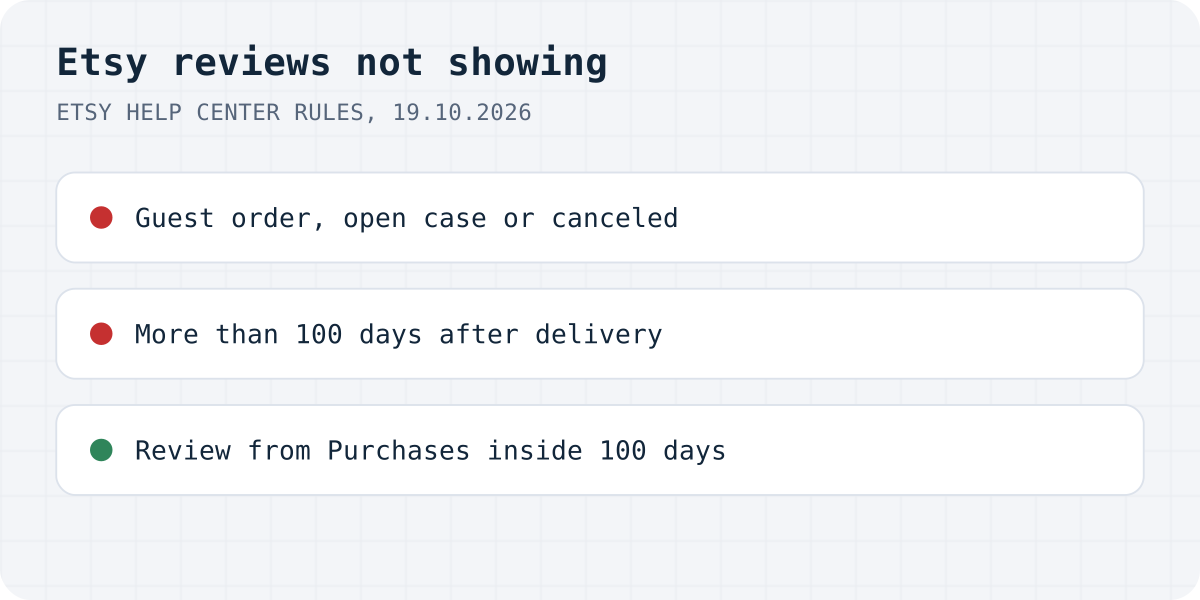
Etsy opens reviews after the order should have arrived, not when it ships. On the Purchases page the order shows “Leave a review or report an issue on [date]”, and from that date, Etsy says, “you have 100 days to leave a review and 30 days to open a case.” Etsy's seller article fills in which date counts: with tracking, it is the day the carrier marks the order Delivered; without tracking, the purchase date plus processing time plus shipping days. Digital items work differently. The 100 days start when the buyer downloads the files.
If the button is missing, Etsy's buyer article lists the reasons:
- the order was placed as a guest and is not connected to an Etsy account yet;
- it is more than 100 days after the estimated delivery date;
- the item was not bought on Etsy.com or in the Etsy app;
- there is an open case on the order (the 100 days keep running while it is open);
- the order or the transaction was canceled.
The guest case is easy to fix on the website: connect the order to an Etsy account, then review. Etsy notes that an account cannot be connected to a completed guest order in the Etsy app, so do it on Etsy.com. If none of these applies and you are inside the window, Etsy's advice for technical problems is to update the browser or try a different one.
Buyer: the review cannot be changed any more
A buyer can edit the star rating, photo and text “any number of times during the 100-day review period”, but not while a case is open on that order and not on a canceled transaction. The rule that surprises people is about replies: “If the seller responded to your review, you won't be able to edit the review, even if the seller deletes their response.” Etsy's way out is to ask Etsy Support to remove the original review.
We found no private review in Etsy's help pages: a review is public. The buyer article says the buyer's display name and a link to their public profile are shown with the review in the seller's reviews. For anything meant only for the seller, Etsy points to Messages.
Seller: where to see reviews and how to answer
Sellers find reviews in Shop Manager: select your shop name under Sales Channels, then the star rating or the Reviews section. In the Etsy Seller app it is More, then Reviews under Shop. Etsy also lets you download your reviews as a JSON file from Shop Manager, Settings, Options, Download data.
A public reply appears in the Reviews section of your listing pages and on your Shop Reviews page. You have 100 days from the buyer's last edit, one reply per review, and Etsy is strict about it: “Although you can delete your response at any time, you can't edit it or leave another response.” Replying also freezes the buyer's review. Etsy says a quick private answer in Messages “may lead a buyer to edit their review”, so if you are still sorting a problem out with the buyer, a public reply first takes that chance away.
Seller: a review was removed, or will not be
Etsy removes a review only when it breaks Etsy's policies. Its list includes private information, obscene, racist or harassing content, discrimination, prohibited medical drug claims, advertising or spam, threats or extortion, shilling, and reviews only about things outside the seller's control, such as a named shipping carrier, Etsy or a third party. A review that mentions the carrier alongside the item or the service may still stay up.
Two rules work against sellers here. Etsy Support cannot remove a review just because the seller asks; the route is the Report this review link under the review, available until 100 days after the estimated delivery date. And reviews removed by Etsy “cannot be reinstated”, so a review that disappeared after a report is gone for good. Etsy also explains why it cannot take down negative reviews that follow the rules: laws in various markets prevent it from interfering with consumer opinion.
Seller: the rating changed and no review is missing
Etsy changed how the shop rating is calculated in March 2026. Its update notes call it “Updated review rating calculation”: ratings now cover the shop's full history, with more weight on recent reviews. The seller article describes the maths: each rating keeps its star value, but its weight in the average halves every year, and reviews from the past 12 months count the most. So a shop's average can move without a new review, as older reviews lose weight.
One thing to know when you read Etsy's help pages: the buyer article on leaving reviews still says a shop's rating is the average of the past 12 months, which is the old rule. The seller article and the March 2026 notes describe the new one.
The rating also counts toward Etsy's Star Seller badge. Etsy reviews eligibility on the 1st of every month, using the past 3 months, and one of the criteria is “Average review ratings: 4.8+”.
Reviews on your own site
Etsy reviews stay on Etsy. If you also sell from your own website, the reviews there are a separate thing, and that is where we come in. Formgong Reviews does not connect to Etsy. It can import Etsy's JSON download, but those reviews show in their own “Reviews from Etsy” box and do not count toward your rating. It also does not work the way Etsy does: there is no review window, only reviews left from the email after an order are checked against a purchase, and you approve reviews before they appear. Our guide on adding reviews to a website goes through the options.
Formgong Reviews is the review tool we build. It works on any site where you can paste HTML: one div and one script tag, and approved reviews show as stars and cards. Pro adds an AI summary written from the approved reviews. Reviews come from a link you send customers, and old ones can come in from a Judge.me, Yotpo, Loox or Shopify Product Reviews export or a CSV. If your shop sends us its orders (our WordPress plugin does it for WooCommerce), reviews left from the email we send after an order are marked “Verified buyer”, and the publishing rules never look at the star rating. The review widget page shows the code.
The same account covers the rest of a small shop's site: contact forms that email you and post to Telegram, an AI help chat that answers visitors from your own pages, and free templates with the form already connected.
Still missing?
Is your Etsy review back, or is it something these rules do not explain? Write to support@formgong.com and tell us what you see on the page. If it is a case we have not covered, we will check it and add it here.
Frequently asked questions
Why can't I leave a review on Etsy?
The order may not qualify: reviews open on the estimated delivery date and close 100 days later, guest orders need an Etsy account, and an open case or a cancellation blocks reviews.
How long do I have to leave a review on Etsy?
Etsy gives 100 days from the estimated delivery date. For digital items the 100 days start when you download the files.
Why can't I edit my Etsy review?
Once the seller responds, the review can no longer be edited, even if they delete the response. Reviews also cannot be edited while a case is open. You can ask Etsy to remove the original review.
Why did a review disappear from my Etsy shop?
Etsy removes reviews that break its policies, for example spam, private information or reviews only about the shipping carrier. Reviews removed by Etsy cannot be reinstated.
Why did my Etsy shop rating change?
Since March 2026 Etsy averages your full review history with more weight on recent reviews, and each rating's weight halves every year. The average can move without a new review.
Sources and documentation
Official references for this guide: Etsy Help Center: How to Leave a Review on Etsy, Etsy Help Center: When Can I Leave a Review for My Order?, Etsy Help Center: How the Review System Works for Sellers, Etsy Help Center: What to Do if You Receive a Negative Review, Etsy Help Center: How to Report a Review, Etsy Help Center: Newly Crafted, Etsy Updates for Your Shop. Formgong docs, where data is stored.