What we saw
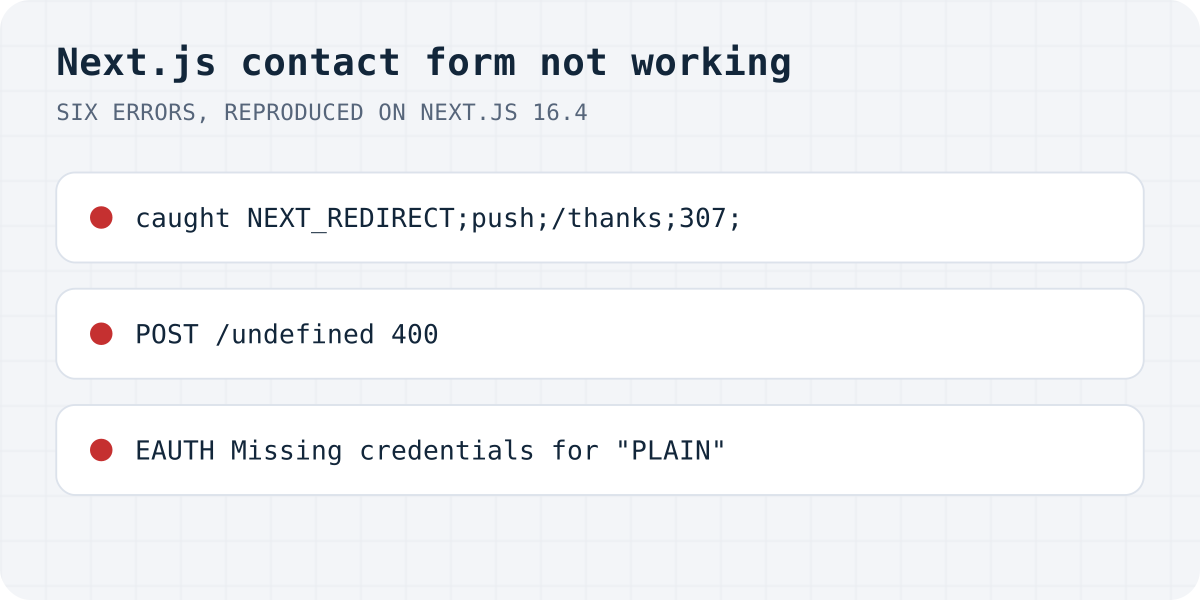
next start. redirect() works by throwing an error. Inside try, your own catch gets it first and returns the error message.We built a small App Router project on 11.10.2026 with Next.js 16.4.0, ran next build and next start, and broke the contact form in six ways. Every message below is copied from the browser or the terminal.
| What you see | Where | What happened |
|---|---|---|
“Something went wrong”, but the message was saved; log shows NEXT_REDIRECT;push;/thanks;307; | Page and terminal | redirect() called inside try, and catch caught it |
500, TypeError: Content-Type was not one of "multipart/form-data" or "application/x-www-form-urlencoded". | Terminal | The client sent JSON, the route reads request.formData() |
500, SyntaxError: No number after minus sign in JSON at position 1 | Terminal | The client sent FormData, the route reads request.json() |
| 405 Method Not Allowed | Network tab | The request was GET; the route only exports POST |
POST /undefined, 400 “Invalid Server Action request.” (404 without a body) | Network tab | A NEXT_PUBLIC_ variable was empty during next build |
EAUTH Missing credentials for "PLAIN" | Terminal or function log | The SMTP user and password variables are not set on the live site |
A seventh case gave no error at all: with output: "export" the build finished without a warning, and the out folder had no API routes in it.
With Formgong, six of these seven cannot happen
Every error above lives in the server part you write yourself: the Server Action, the route, the SMTP login, the build-time variable. A form backend removes that part. Here is what is left of the list when the form posts to Formgong instead, checked against our live endpoint on 11.10.2026.
| Problem | With Formgong |
|---|---|
NEXT_REDIRECT caught, visitor sees an error | Gone. No Server Action: the form posts to Formgong, or your fetch reads "success": true or false. |
| 500 because the body format does not match | Gone. /submit reads FormData, URL-encoded and JSON. We sent the same request both ways and got the same answer. |
| 405 Method Not Allowed | Still possible. /submit takes POST only, so the form needs method="POST". |
POST to /undefined | Gone. The access key is public by design, so it goes in the form itself. No build-time variable. |
Missing credentials for "PLAIN" | Gone. There is no SMTP password in your project. Formgong sends the email. |
| Static export drops the API route | Gone. The form posts to https://formgong.com/submit, not to a route in your out folder. |
| Vercel ends the function before the email | Gone. There is no function of yours to end. |
When something is wrong, Formgong says so with a real status: a wrong key gets HTTP 404 and {"success":false,"code":"unknown_access_key"}, so even a plain response.ok check shows the visitor an error instead of a false “sent”.
The visitor sees an error, but the message arrived
This one is the hardest to spot, because everything works on the server. In a Server Action, redirect() does not return. It throws a special error called NEXT_REDIRECT, and Next.js catches it higher up to change the page. If you call it inside your own try, your catch sees that error first and returns your error message. In our test the action saved the message, the log printed caught NEXT_REDIRECT;push;/thanks;307;, and the page showed “Something went wrong. Please try again.”
The visitor then presses Send again, and you get the same message twice. The Next.js docs say it directly: call redirect outside the try block. If you need a catch-all, Next.js also exports unstable_rethrow from next/navigation to pass its own errors through.
"use server";
import { redirect } from "next/navigation";

export async function send(prev, formData) {
  try {
    await saveMessage(formData);
  } catch {
    return { error: "Something went wrong. Please try again." };
  }
  // redirect() throws on purpose. Keep it outside try/catch.
  redirect("/thanks");
}
500: the route and the form disagree about the body
A route handler has to read the body in the same format the browser sent it. new FormData(form) sends multipart/form-data; JSON.stringify(…) with a JSON header sends JSON. Mix them and the route throws before your code runs, and the visitor gets a 500.
The JSON error looks unrelated to forms: a multipart body starts with -- and a boundary, so JSON.parse complains about a minus sign. Pick one format and use it on both sides.
// Client: sends FormData (multipart/form-data)
await fetch("/api/contact", { method: "POST", body: new FormData(form) });

// app/api/contact/route.js: read it the same way
export async function POST(request) {
  const data = await request.formData(); // not request.json()
  // …
}
405 Method Not Allowed
An App Router route answers only the methods it exports. If route.js exports POST and the request is GET, Next.js answers 405. Two common ways to send GET without meaning to: a <form action="/api/contact"> with no method attribute, and opening the API URL in the browser to “check that it works”. Add method="POST". The function name must be uppercase: export async function POST.
The request goes to /undefined
Variables that start with NEXT_PUBLIC_ are written into the JavaScript bundle during next build. If the variable was not set when the site was built, the bundle contains undefined, and fetch(undefined) posts to /undefined on your own domain. On our test the browser got 400 with “Invalid Server Action request.”, because Next.js 16 treats a form POST to an unknown page as a broken Server Action. A POST with no body got 404.
Adding the variable on Vercel later is not enough: redeploy, so the build runs again with the value. A check at the top of the handler turns a silent wrong URL into an error you can see.
// Wrong on the live site: process.env.NEXT_PUBLIC_FORM_URL was empty at build time
await fetch(process.env.NEXT_PUBLIC_FORM_URL, { method: "POST", body });
// → POST https://yoursite.com/undefined

// Fail loudly instead of posting to "undefined"
const url = process.env.NEXT_PUBLIC_FORM_URL;
if (!url) throw new Error("NEXT_PUBLIC_FORM_URL is not set for this build");
“Missing credentials for PLAIN”
Nodemailer prints this when the SMTP server asks for a login and the user or password is empty. On our test the route read process.env.SMTP_USER and process.env.SMTP_PASS, both unset, and got EAUTH Missing credentials for "PLAIN" from smtp.gmail.com. Locally it works because .env.local is on your computer. It is not in Git, so it never reaches Vercel. Add the variables in the Vercel project settings for Production and redeploy.
With Gmail, use an app password, not your normal one. If mail still does not arrive once the login works, go through why a contact form does not send email.
Static export: the API route quietly disappears
With output: "export" in next.config.js, our build finished with no warning, and the out folder had pages but no api folder. On a static host, GitHub Pages for example, the form posts to a file that does not exist. The Next.js docs list this: in a static export, route handlers support only GET. A Server Action is stricter: with one in the project, the build stopped with “Server Actions are not supported with static export.”
If the site must stay static, the form has to post to something outside it: a form backend, or a function hosted elsewhere.
On Vercel: work after the response
This one comes from Vercel's documentation, not our test. If a route returns the response and sends the email without waiting for it, the function can finish before the email leaves. Vercel's docs say to use after() from next/server on Next.js 15.1 and later, or waitUntil() on older versions, for work that continues after the response. For a contact form the simplest fix is to await the send before you answer, so the visitor's “sent” is true.
Skipping the route entirely
Formgong takes the server part off your hands: the form posts straight to https://formgong.com/submit with an access key, and the message goes to your email and Telegram. There is no API route, SMTP password or environment variable on the server, so it works the same in next dev, on Vercel and in a static export. Errors come back with a real status and "success": false. The free plan has 300 submissions a month. See the Next.js guide.
Frequently asked questions
Why does my Next.js contact form work locally but not on Vercel?
Usually because something exists only on your computer: .env.local with the SMTP password or the form URL. Add the variables in the Vercel project settings and redeploy. NEXT_PUBLIC_ values need a new build.
Why do I get NEXT_REDIRECT in my catch block?
redirect() throws an error on purpose so Next.js can change the page. Inside try, your catch receives it. Call redirect() after the try block, or rethrow with unstable_rethrow.
Why does my Next.js API route return 405?
The request method does not match an exported function. A form without method="POST" sends GET. Export POST in uppercase and set method="POST" on the form.
Can a static-exported Next.js site have a contact form?
Yes, if the form posts to a service outside the site. Route handlers only support GET in a static export, and POST routes were left out of our build without a warning.
Sources and documentation
Official references for this guide: Next.js: redirect, Next.js: environment variables, Next.js: static exports, Vercel: @vercel/functions (waitUntil, after). HTML contact form, where data is stored.