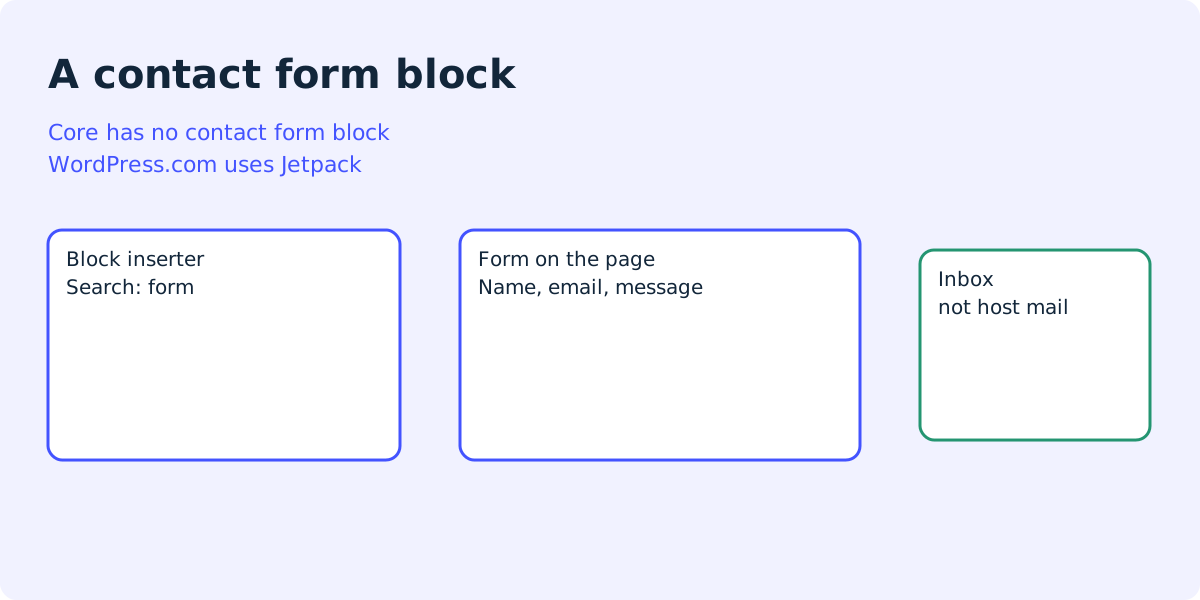
Two blocks share this search
WordPress contact form block is two products in one search. People also type wordpress contact form block spam, and wordpress form block missing.
- Jetpack’s Form block is the one WordPress.com documents. You search the inserter for “form”. Responses stay in WordPress.
- A plugin block is a block from the plugin directory. Contact Form Block, Flinkform, and Forming Forms were the first directory pages for this query on 11 October 2026.
- The Formgong block is named Formgong form. The block name in code is formgong/form. It posts to a form backend. It is not Jetpack.
Pick Jetpack when the replies should live in wp-admin and you already accept Jetpack. Pick a small directory plugin when you want host mail and a form that stays on the server. Pick Formgong when host mail is the part that fails and you want Telegram on the free plan.
Add the Formgong block
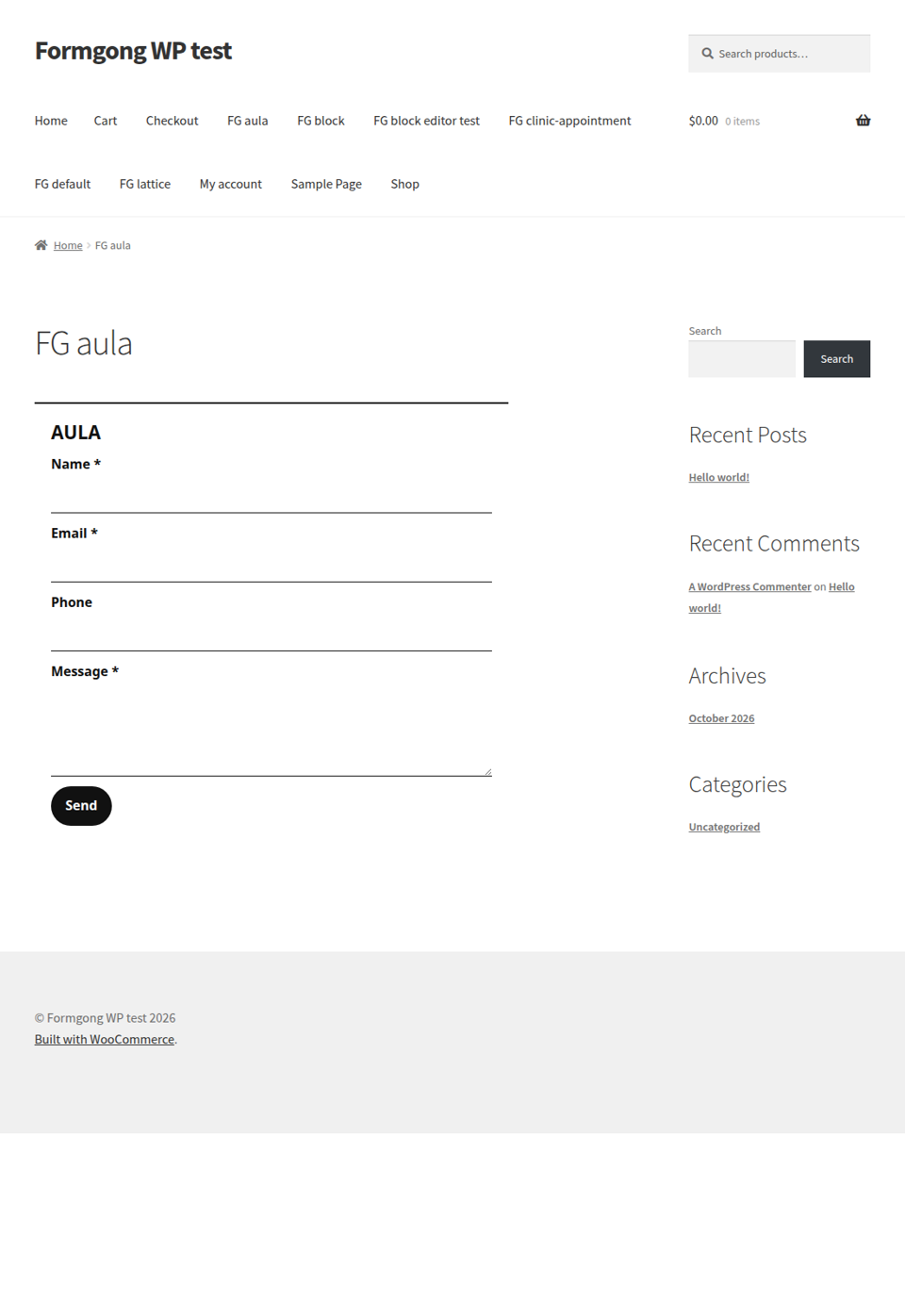
The picture is a published page on a test store that uses the plugin. It is the aula template, not a screenshot of the block inserter. We did not open wp-admin on that store for this article.
- Upload the formgong folder and activate the plugin.
- Open Settings, then Formgong, and paste the access key from the dashboard.
- Add the Formgong form block, or the shortcode with a template such as aula.
- Submit from the published page and check the inbox, not only the thank-you line.
The block has one setting in the editor: the template. Leave it empty for name, email, and message. Set it to aula, lattice, or another slug from the catalog when you want that layout. The same choice works as a shortcode. On a product page, use the WooCommerce checkbox instead. That job is the product enquiry form.
The key is public. Anyone can submit with it. It cannot open the inbox. Connect Telegram in the form settings when you want the same message on your phone. Free is 300 submissions a month, with Telegram at once and an email on every submission, to one recipient. There is no auto-reply on Free. Prices are on the pricing page: Pro is $9 a month for 5,000, Business is $15 a month for 25,000.
[formgong template="aula"]
When the core Form block is the right one
WordPress.com’s Form block guide was last reviewed on 14 August 2026. The steps there are: open the page, click the inserter, search for “form”, and pick a layout. The layouts named on that page are Contact, RSVP, Registration, Appointment, Feedback, and Multistep. You can also pick an existing form, or describe one in a text field so their AI builds it. We did not run that AI.
The same guide says email notifications can go to more than one address. Responses are listed at Jetpack, then Forms. If you do not see the block, the guide says you may be on WordPress.org and should install Jetpack.
A later page in that help center, reviewed on 21 August 2026, says each response shows the sender’s name, the date, the form, and an IP address. That storage is inside the site. Formgong does not put the entry there, and it does not log the visitor’s IP in the form markup.
Use Jetpack when you want that dashboard. Use the plugin below when you do not want Jetpack on the site.
Directory plugins checked on 11 October 2026
These are the first plugin pages for this query. Facts are from those pages on that date. We installed them on 12 October 2026, and the next section shows the results.
| What you are comparing | Formgong block | Contact Form Block | Flinkform |
|---|---|---|---|
| Where the message is kept. | Formgong inbox, outside WordPress. Email and Telegram as well. | The page says the default is an email to the site admin. It does not describe an entry list. | The page says email, and a list under Flinkform, then Submissions. |
| What it loads on the page. | Scoped styles for the form. The honeypot is a field, not a captcha script. | The page says no JS or CSS files unless you turn on reCAPTCHA. | The page says under 15 KB of frontend JavaScript, gzipped. That is their claim. |
| Spam tools the page describes. | Honeypot named botcheck. A filled field is treated as spam. | Honeypot and signed timestamp, on by default. Version 1.1.1 rejects posts under 3 seconds. reCAPTCHA v3 is optional. | Honeypot, signed time check, and proof of work. A maths question if JavaScript is off. |
| What the directory listed. | Not a WordPress.org listing. The plugin ships with this product. | Version 1.1.1, modified 10 October 2026, 600+ active installations, PHP 8.1, tested up to WordPress 7.1.3. | Version 1.15.0, “2 weeks ago” on the day we opened it, 30+ active installations on 11 October 2026 and 20 on 12 October 2026 (WordPress.org API), PHP 8.1, WordPress 6.5 or newer. |
Contact Form Block’s block name is contact-form-block/contact-form-block. The shortcode is [contact-form-block]. Fields start as name, email, and message. Flinkform’s page says conditional logic and multi-step forms are in the free plugin, and that it needs WordPress 6.5 and PHP 8.1. Formgong does not do conditional logic.
Forming Forms was the next directory page. It says the form is a block with no shortcode, starts with name, email, message, and a button, and that you set recipients in the sidebar. We installed it on 12 October 2026 (see the next section). This article does not quote an install count for it.
Pick Contact Form Block when you want the smallest mailer and you trust host mail. Pick Flinkform when you want entries in WordPress and logic in the free plugin, and you accept their stack. Pick Formgong when the copy should not depend on host mail.
WordPress contact form block test with broken mail
On 12 October 2026 we put four contact form blocks on a local WordPress 7.1.3 test site that had no mail server, so every call to wp_mail failed. The plugins were Jetpack 16.3, Contact Form Block 1.1.1, Flinkform 1.15.0 and Forming Forms 1.0.3. We sent one message through each block as a logged-out visitor: name Test Visitor, email test.visitor@example.com, message “Formgong test 2026-10-12”.
- Jetpack: installing it did not add the Form block on our site. Jetpack ran in Offline Mode with no WordPress.com connection, and the block appeared only after we turned on the Forms module under Jetpack, then Modules. The visitor saw “Thank you for your response.” The response was kept under Jetpack, then Forms. The email went to the admin user’s account address, not the address under Settings, then General, and it failed without any notice.
- Contact Form Block showed “An error occurred.” Nothing was saved.
- Flinkform showed “Thank you! Your message has been sent successfully.” It kept the entry under Flinkform, then Submissions, marked “Mail failed”.
- Forming Forms showed “Thanks! Your submission has been received.” It saved the entry in the database, but version 1.0.3 has no screen in wp-admin to read it.
wp_mail_failed: Could not instantiate mail function.Three of the four blocks thanked the visitor while the email failed. Send a test and check the inbox.
What the form posts
The browser posts to your Formgong endpoint. The default is https://formgong.com/submit. Hidden fields carry the access key, the language, and the page URL. A template can replace the visible fields. The honeypot stays.
Host mail is still what Contact Form Block and Flinkform use, according to their pages. If that mail never arrives, a new block that also calls the host mail does not fix it. Send one test and read the inbox. A button that says thanks is not proof.
Full install notes are in the WordPress guide. A form with no plugin is the Custom HTML route. If you are choosing between Contact Form 7 and WPForms, use that comparison instead of this page.
Fields the contact form posts
POST https://formgong.com/submit
Content-Type: application/x-www-form-urlencoded

access_key=fk_your_access_key
_lang=en
_page_url=https://example.com/contact/
name=Ada
email=ada@example.com
message=The aula template posted this.
botcheck=
Frequently asked questions
Why is the WordPress form block missing?
WordPress.com’s guide, last reviewed on 14 August 2026, says the Form block may be missing on a WordPress.org site. You need the free Jetpack plugin for that block. On our unconnected test site, the block appeared only after we also turned on Jetpack’s Forms module, under Jetpack, then Modules. The Formgong block is a different block. It appears after you activate the Formgong plugin.
How does a contact form block stop spam?
Contact Form Block’s page says a honeypot and a signed timestamp are on by default, and that version 1.1.1 rejects posts sent in under 3 seconds. Flinkform’s page says a honeypot, a signed time check, and a proof-of-work task, with a maths question if JavaScript is off. Formgong uses a honeypot named botcheck. Leave it empty.
Does the block store entries in WordPress?
Jetpack’s Form block stores responses under Jetpack, then Forms. Flinkform’s page says submissions are also under Flinkform, then Submissions. The Formgong block does not write the entry into the WordPress database. The copy is in the Formgong inbox.
Can I use a shortcode instead of the block?
Yes. [formgong template="aula"] prints the same form. Contact Form Block documents the shortcode [contact-form-block]. WordPress.com’s Form block guide also offers a shortcode from Jetpack, then Forms, for the Classic Editor.
Is this the same as Contact Form 7?
No. Contact Form 7 is a separate plugin with its own tag editor. A comparison of that plugin and WPForms is a different page. This page is about a block you insert in the editor.
Sources and documentation
Official references for this guide: WordPress.com: Form block, Contact Form Block, Flinkform, Forming Forms. Formgong on WordPress, where data is stored.