What a form without a backend means
HTML can pack the fields and send them. It cannot open your mailbox or save a lead. Something else has to receive the POST.
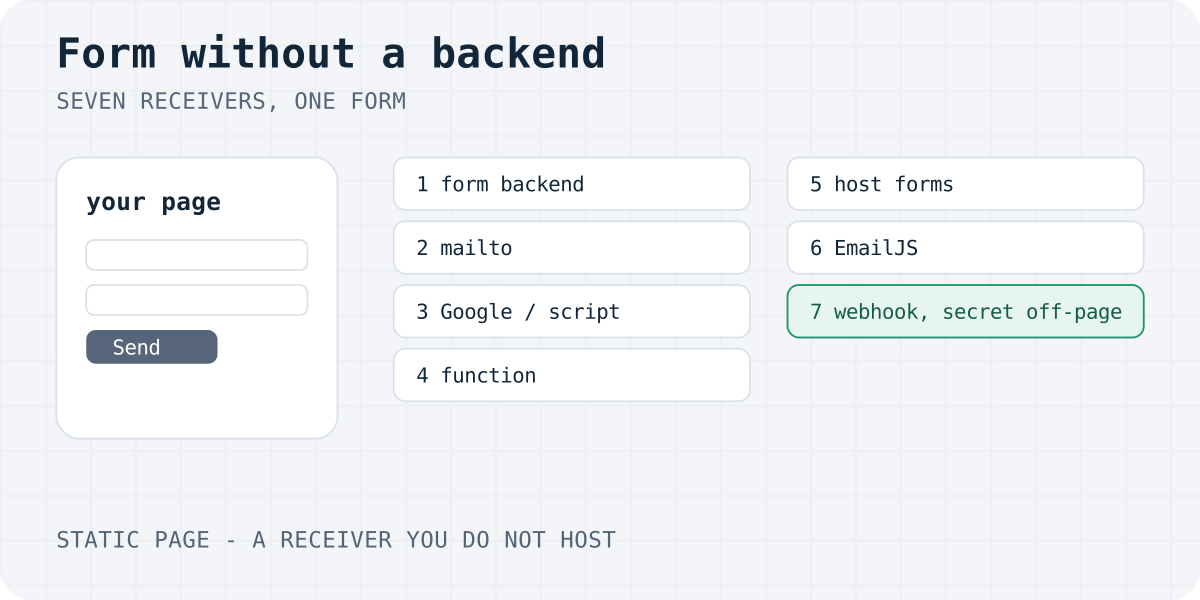
"Without a backend" means you do not run that receiver yourself. The page can stay a file on GitHub Pages, Netlify, Cloudflare Pages, or a static export. The receiver lives somewhere else.
A static site can have a contact form. The form is still a normal <form method="POST">. Only the action URL changes.
This page compares the ways. The copy-paste HTML walkthrough is HTML contact form without a backend. Setup pages: HTML contact form that sends email, a JavaScript contact form, and a contact form on a static website.
We build Formgong, one of the hosted options below. The other six are real, and some of them are the better fit.
Seven ways, side by side
Numbers below were read from the vendor's own page on 6 October 2026, or from Formgong's product code. Web3Forms and Make returned HTTP 403 that day, so they have no price here.
| Way | Setup | Spam | Delivery | Privacy | Cost and cap |
|---|---|---|---|---|---|
| Form backend | Minutes. Paste an action URL and a public key. | The service filters. Formgong uses a honeypot and an optional Turnstile check, with no cookie. | Depends on the plan. Formgong Free sends Telegram at once. Email is one daily digest, not one letter per lead. | Formgong stores submissions in the EU (Cloudflare D1, EU jurisdiction). | Formgong Free is $0 for 300 submissions a month, one email address, 30-day retention, one webhook. Pro is $9 a month for 5,000. Business is $15 for 25,000. |
| mailto | Minutes. No account. | None. Your address is in the page. | Only if the visitor has a mail app and presses Send. Many phones do nothing. | The text stays on their device until they send it. You get no copy. | Free. No inbox. |
| Google Forms or Apps Script | Minutes to embed Google's form. A script takes longer to deploy. | Google applies its own checks to Google Forms. A script has none until you add them. | Rows land in that Google account. MailApp on a consumer account can mail 100 recipients a day. | The sheet lives in the Google account. This page does not claim an EU region for it. | Free with a Google account. You maintain the sheet and the script. |
| Serverless function | You write, deploy and watch a function, plus mail DNS. | Only what you code. | Your email provider. SPF and DKIM are your job. | The region is the one you choose for the function. | The host's plan plus the email API. No single price. |
| Host forms | Netlify: add data-netlify and redeploy. The site must be on Netlify. Cloudflare Pages has Functions, not a form inbox. | Netlify filters with Akismet, and documents a honeypot and optional reCAPTCHA 2. | Netlify can email you. A Cloudflare Function must call an email API. | Netlify holds the submissions. A Function stores only what you code. | On Netlify credit-based plans, form submissions are free and unlimited. Legacy plans are metered. That page does not print the cap. |
| EmailJS | A template in their dashboard, then a script on the page. | The monthly quota is the cap. The public key is in the page, so anyone can call it until the quota ends. | They send the email. It is not a lead inbox. Over the cap, extra requests are dropped. | Free includes limited contacts history. The pricing page does not name an EU region. | Free is $0 for 200 requests a month. Personal is $9 a month for 2,000. |
| No-code webhook | A scenario in Make, Zapier or n8n. | A webhook URL in the HTML is public. Bots will post to it. | Whatever the scenario does. If the tool is down, the lead is gone unless something else saved it. | The vendor's region, plus every app in the chain. | That tool's own plan. Make's pricing page returned HTTP 403 on 6 October 2026, so there is no price here. |
Hosted backends are not the same product. These numbers were on each vendor's page on 6 October 2026.
- Formspree Free is 50 submissions a month. A custom thank-you page starts on Personal, at $15 a month or $120 a year.
- FormSubmit Free is 1 form and 50 submissions a month.
- FormPost's first 100 submissions are free, then $10 per 1,000, with no monthly fee.
- SimpleForm Free is 100 submissions a month, 3 forms and 7 days of storage. Their page says email is sent per submission.
- Formgong Free does not send one email per lead.
Which way to pick
Use the list in order. Stop at the first row that matches.
- Name the job. Decide if you need a saved inbox, an email, a spreadsheet, or only a mail app on the visitor's phone.
- Pick one receiver. Use one row from the comparison: a form backend, mailto, Google Forms or Apps Script, a serverless function, host forms, EmailJS, or a webhook.
- Keep secrets off the page. The page may hold a public form key. It must not hold an email API secret or a webhook URL.
- Send one test. Submit from the live site. Check the inbox or sheet, not only the thank-you text.
- Pick a form backend when you want an inbox, spam filtering, and no server to patch. Pick Formgong when you want Telegram at once and EU storage, and you can wait for the daily email on Free.
- Pick mailto when a real mail app is enough and a lost message is acceptable. A button that only opens mail is often clearer than a form. See why a mailto form fails.
- Pick Google Forms when you are fine with Google's layout and a Google Sheet. Pick Apps Script when the HTML must be yours and a sheet is the database. See HTML form to Google Sheets.
- Pick a function when the form must write to your own database or use your own mail domain.
- Pick Netlify Forms when the site is already on Netlify and you do not want another account. See when Netlify Forms does not send.
- Pick EmailJS when you only need an email and you already accept a public key in the page. See EmailJS alternatives if you also want an inbox.
- Pick a webhook when a form backend, or your function, calls Make, n8n or Zapier. Do not put the hook URL in the HTML. Formgong Free includes one webhook. Recipes are on the integrations pages.
Minimal code for each way
The form below is way 1, a hosted backend. Replace fk_your_access_key. Leave botcheck empty. It posts with no JavaScript. The other six samples are in the collapsed blocks.
Field name attributes are required. An id alone is not sent. method must be POST for a contact form.
<form action="https://formgong.com/submit" method="POST">
  <input type="hidden" name="access_key" value="fk_your_access_key">
  <input type="hidden" name="_lang" value="en">
  <label>Name <input name="name" autocomplete="name" required></label>
  <label>Email <input type="email" name="email" autocomplete="email" required></label>
  <label>Message <textarea name="message" required></textarea></label>
  <div aria-hidden="true" style="position:absolute;inset-inline-start:0;top:0;width:1px;height:1px;overflow:hidden;clip-path:inset(50%)">
    <label>Leave empty <input name="botcheck" tabindex="-1" autocomplete="off"></label>
  </div>
  <button type="submit">Send</button>
</form>
mailto: opens the visitor's mail app
<form action="mailto:you@example.com" method="POST" enctype="text/plain">
  <label>Name <input name="name" required></label>
  <label>Message <textarea name="message" required></textarea></label>
  <button type="submit">Send</button>
</form>
Google Forms embed
<iframe
  src="https://docs.google.com/forms/d/e/YOUR_FORM_ID/viewform?embedded=true"
  width="640"
  height="800"
  title="Contact form">
  Loading the form…
</iframe>
Apps Script doPost into the active sheet
function doPost(e) {
  var sheet = SpreadsheetApp.getActive().getSheets()[0];
  var data = (e && e.parameter) || {};
  sheet.appendRow([new Date(), data.name || "", data.email || "", data.message || ""]);
  return ContentService.createTextOutput("ok");
}
Cloudflare Worker that answers with 303
export default {
  async fetch(request, env) {
    if (request.method !== "POST") return new Response("Use POST", { status: 405 });
    const form = await request.formData();
    const name = String(form.get("name") || "").trim();
    const email = String(form.get("email") || "").trim();
    const message = String(form.get("message") || "").trim();
    if (!name || !email || !message) return new Response("Missing fields", { status: 400 });
    // Send the mail with env.EMAIL_TOKEN on the worker. Never put that token in the HTML.
    return Response.redirect("https://shop.example/thanks.html", 303);
  },
};
Netlify Forms with a honeypot
<form name="contact" method="POST" action="/thanks.html" data-netlify="true" netlify-honeypot="bot-field">
  <p hidden>
    <label>Leave empty <input name="bot-field"></label>
  </p>
  <label>Name <input name="name" required></label>
  <label>Email <input type="email" name="email" required></label>
  <label>Message <textarea name="message" required></textarea></label>
  <button type="submit">Send</button>
</form>
EmailJS sendForm from the browser
<form id="contact" method="POST">
  <label>Name <input name="name" required></label>
  <label>Email <input type="email" name="email" required></label>
  <label>Message <textarea name="message" required></textarea></label>
  <button type="submit">Send</button>
</form>
<script>
  document.getElementById("contact").addEventListener("submit", async function (event) {
    event.preventDefault();
    // Recipient is locked in the EmailJS template, not chosen by this page.
    await emailjs.sendForm("YOUR_SERVICE_ID", "YOUR_TEMPLATE_ID", "#contact", {
      publicKey: "YOUR_PUBLIC_KEY",
    });
  });
</script>
A webhook URL in the page, which you should not ship
<!-- Do not publish a webhook URL. Anyone who can read the page can post to it. -->
<form action="https://hook.example/SECRET" method="POST">
  <input name="message">
  <button type="submit">Send</button>
</form>
Pitfalls that waste a launch
- Success text is not delivery. Show it after the receiver answers, not on the button click. The checks are in contact form not sending email.
- mailto looks done and is not. Desktop may open a mail app. A phone often does nothing, and you have no record.
- Google's embed is not your HTML. You cannot restyle the fields. An Apps Script web app runs as you if you deploy it that way, so a bug can act as you. Do not send the script's OAuth token to the browser.
- Apps Script from the browser is awkward. A page POST may not be able to read the reply. Test the deployed URL. The consumer MailApp cap is 100 recipients a day.
- A function still needs mail setup. The Worker sample redirects. It does not send mail until you add a token in the worker, not in the page.
- Netlify's thank-you path is relative. Their docs say
actionmust start with/, such as/thanks.html. The form is detected on the next deploy. - EmailJS is not storage. If their request fails, you have no second copy unless you added one.
- A public webhook is an open inbox. Put the hook on the server side. Formgong signs its webhook body. The page never sees the secret.
The bytes of a normal POST are in how HTML forms work. After a good submit, use a thank-you page so refresh does not send the form again.
Where Formgong fits, and where it does not
Formgong is a free form backend for static and AI-built sites. It delivers submissions to Telegram and email, stores data in the EU, and works in 12 languages.
On Free, Telegram is instant. Email is a daily digest to one address. There is no auto-reply on Free. Pro and Business email you for each lead. The cap is 300 submissions a month on Free, then 20 percent extra that still delivers. After that, further leads are stored and not sent, up to another 300, until you upgrade or the month resets. Past that cap, new posts are refused.
Use something else when you need one email per lead on a free plan and you do not want Telegram. SimpleForm's page says they email each submission on Free, with a lower cap and a 7-day history. Use Google Forms when a spreadsheet and Google's layout are enough. Use Netlify Forms when the site already lives there and you want their inbox.
The public key may sit in the HTML. It cannot read the inbox. Set the thank-you URL in the form, or in the dashboard. A URL from the page must stay on your site. Details are in the thank-you article and the HTML docs. Plans are on pricing. Storage is on where data is stored.
Frequently asked questions
Can a static website have a contact form?
Yes. The page stays a file. The form posts to a receiver you do not host: a form backend, Google Forms, a serverless function, or your host's form feature. A mailto link is the weak version, because it needs the visitor's mail app.
How do I submit a form without a server?
Point the form action at a hosted endpoint and use method POST. You do not install PHP. On Formgong, paste the public access key, leave the honeypot empty, and test on the live URL.
Can an HTML form send email with no PHP?
Not by itself. HTML only sends the fields. A form backend, EmailJS, Apps Script, or your own function sends the mail. On Formgong's free plan the mail is a daily digest. Telegram arrives at once.
What is a form backend?
A form backend is a hosted receiver for HTML form posts. It stores the submission, filters spam, and notifies you. You keep the form's HTML. You do not run the server.
Is a mailto form a real backend?
No. action mailto opens the visitor's email program, if one exists. You get no spam filter and no saved copy. Use it only when a lost message is acceptable.
Sources and documentation
Official references for this guide: HTML Standard: mailto submission, Formspree plans, FormSubmit pricing, FormSubmit: HTML contact form without a backend, FormPost, SimpleForm, EmailJS pricing, EmailJS sendForm, Apps Script quotas, Apps Script web apps, Netlify Forms setup, Netlify Forms spam filters, Netlify Forms usage and billing, Cloudflare Pages Functions, Formgong llms.txt. Formgong HTML docs, where data is stored.
Read this article as Markdown