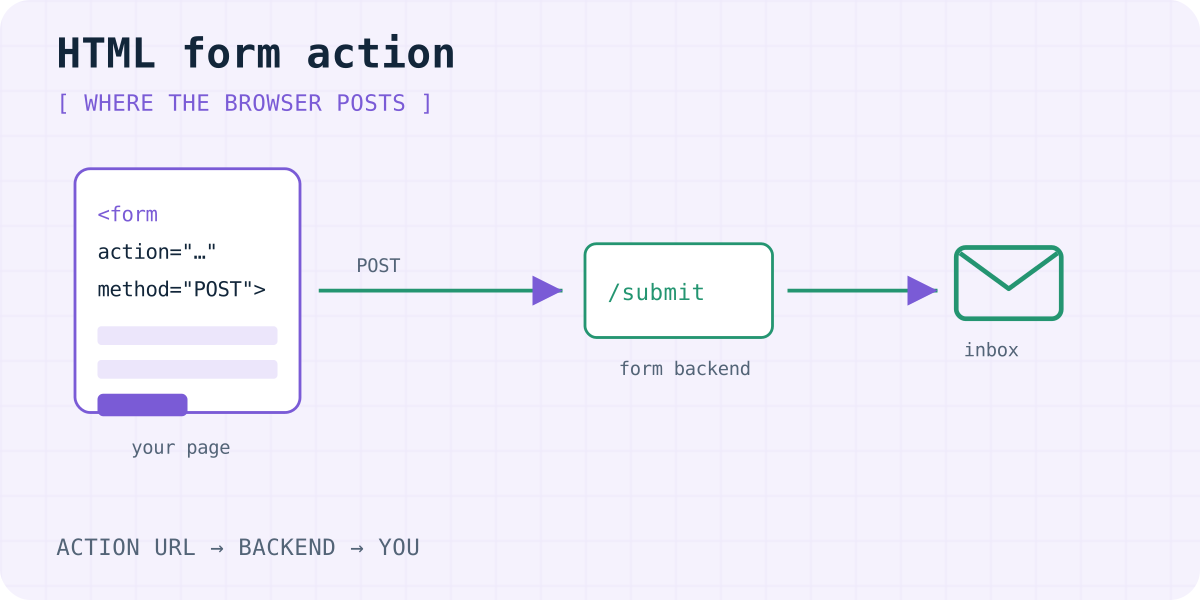
What the form action attribute does
When a visitor submits an HTML form, the browser builds a request from the field values and sends it to the URL in the form's action attribute. MDN describes the same idea on the <form> element and on HTMLFormElement.action.
- If
actionis missing or empty, the browser posts back to the current page URL. - Relative URLs resolve against the page URL. Absolute
https://…URLs are clearer for a third-party endpoint. methodchooses GET or POST. Contact forms almost always wantPOSTso field values stay out of the address bar and out of server logs that store query strings.
The HTML standard calls this form submission. Nothing “magic” happens on your static host: the browser is the client that sends the request.
This page stays on the attribute: which URL receives the post. Encoding, redirects, Origin and the rest of the wire contract are in how an HTML form actually reaches your backend.
Which action URLs work (and which do not)
- https URL to a form endpoint. Works from static sites, GitHub Pages, and most builders. The service stores the submission and notifies you.
- https URL to your own script. A PHP file, Cloudflare Worker or serverless function. You own delivery and spam handling.
- Same-page relative URL. Only useful if that page runs server code that reads the post.
mailto:. Opens a draft in the visitor's mail app. Many people never press Send, and webmail users may see nothing. Details: mailto form vs a form backend.- javascript:… Avoid it. It is fragile, blocked in places, and bad for accessibility.
If the action points at a different origin, the browser still sends a normal form POST. CORS only matters when you submit with fetch or XHR and read the JSON response.
Pointing action at a form backend
A form backend accepts the POST, stores the fields, and delivers email (and often chat) for you. The pattern is the same across vendors: set action to their submit URL and add a public access key as a hidden field.
Formspree popularised this for static sites and still ranks for many how-to queries around “html form action”. That ranking reflects documentation and age, not a claim that it is the only correct choice. Web3Forms, Basin, Forminit and Formgong use the same idea with different free limits, data locations and integrations. An honest side-by-side is on the comparison hub.
With Formgong the action is https://formgong.com/submit. Replace the placeholder key. The honeypot botcheck field catches simple bots. Optional _subject sets the notification subject; _redirect sends visitors to your thank-you page.
<form action="https://formgong.com/submit" method="POST">
  <input type="hidden" name="access_key" value="fk_your_access_key">
  <input type="hidden" name="_lang" value="en">
  <input type="hidden" name="_subject" value="New message from the website">
  <label>Name <input type="text" name="name" required autocomplete="name"></label>
  <label>Email <input type="email" name="email" required autocomplete="email"></label>
  <label>Message <textarea name="message" required></textarea></label>
  <div aria-hidden="true" style="position:absolute;inset-inline-start:0;top:0;width:1px;height:1px;overflow:hidden;clip-path:inset(50%)">
    <input type="text" name="botcheck" tabindex="-1" autocomplete="off">
  </div>
  <button type="submit">Send</button>
</form>
When you use fetch instead of a full-page post
Single-page apps often call fetch(action, { method: "POST", body: formData, headers: { Accept: "application/json" } }) and keep the visitor on the page. The URL you pass to fetch is still the “action” in practice. Keep the same field names and the honeypot.
Framework examples live under /for — for example React, Next.js and plain HTML. A longer walkthrough without a backend of your own is HTML contact form without a backend.
Check the action before you publish
Paste your form HTML into the free form checker. It flags empty actions, mailto:, and missing keys. Then send a real test from the published URL on a phone and a laptop.
We build Formgong, so it is listed among the options. Pick the backend that matches your limits, data location and integrations — not the one that happens to rank first today.
Frequently asked questions
What is the HTML form action attribute?
It is the URL the browser sends the form to on submit. MDN documents it on the form element and on HTMLFormElement.action.
Should form action be POST or GET?
Use POST for contact forms so values are not put in the URL. GET is for search boxes and filters where a shareable query string is useful.
Can form action be another domain?
Yes. A normal form POST to another origin works without CORS. CORS matters when JavaScript reads the response with fetch.
Why do people recommend Formspree for form action?
Formspree documented the hosted-endpoint pattern early and still ranks for many tutorials. Other backends use the same action-and-key idea; compare limits and data location before you choose.
Is mailto a valid form action?
Browsers accept it, but it only opens a mail draft. It is not a reliable way to collect contact messages.
Sources and documentation
Official references for this guide: MDN: the form element, MDN: HTMLFormElement.action, HTML Standard: form submission, Formspree: HTML forms. Formgong HTML integration, where data is stored.
Read this article as Markdown