What Formgong sends
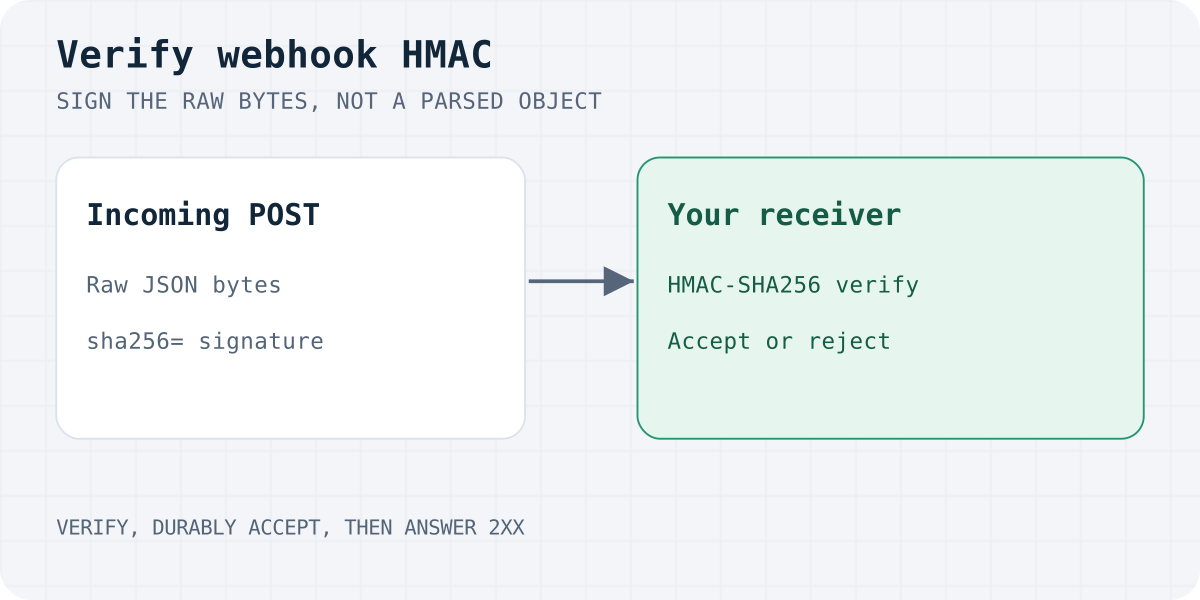
A webhook to your own endpoint is a POST with the submission JSON below. Slack and Discord incoming-webhook URLs receive their chat-specific JSON instead. Both formats carry these headers:
X-Signature: sha256=<hex>, the HMAC-SHA256 of the raw bodyX-Formgong-Event: submission.created
The secret is in the form's settings in the Formgong dashboard. The body looks like this:
If Formgong gets no 2xx answer it retries up to five times, waiting 30 seconds, 2 minutes, 10 minutes and 30 minutes. After the last failure Formgong attempts to alert the owner through linked Telegram chats, or by email when no Telegram chat is linked. Alerts are limited to one per 24 hours for each form and delivery channel; alert delivery can fail too.
{
  "event": "submission.created",
  "form": { "id": "…", "name": "…" },
  "submission": {
    "id": "…",
    "created_at": "2026-09-29T12:00:00.000Z",
    "page_url": "https://example.com/",
    "fields": { "name": "Olena", "email": "olena@example.com" },
    "is_spam": false
  }
}
Rule one: sign the bytes, not the object
The signature covers the exact bytes Formgong sent. If your framework parses the JSON first and you serialize it again, whitespace, key order and Unicode escapes can change, and the HMAC will never match, even with the right secret. Read the raw body before anything parses it.
You can see the effect in a test: the same payload pretty-printed with different spacing and sent with the original signature returns 401, while the untouched bytes return 200.
Node.js
The core check, using only node:crypto:
It compares bytes with timingSafeEqual, so the time it takes does not leak how many characters matched. The length check comes first because timingSafeEqual throws on buffers of different sizes.
In Express, use express.raw on the webhook route only, so the handler receives a Buffer:
Do not put express.json() in front of this route. If you use it globally, mount the webhook route before it.
import { createHmac, timingSafeEqual } from "node:crypto";

export function verified(rawBody, signature, secret) {
  if (typeof secret !== "string" || !secret) return false;
  if (typeof signature !== "string" || (signature.length !== 71 || !/^sha256=[0-9a-f]{64}$/i.test(signature))) return false;
  const digest = createHmac("sha256", secret).update(rawBody).digest();
  const got = Buffer.from(signature.slice(7), "hex");
  return got.length === digest.length && timingSafeEqual(got, digest);
}
Complete js example
import express from "express";
import { createHmac, timingSafeEqual } from "node:crypto";

const SECRET = process.env.FORMGONG_WEBHOOK_SECRET;

function verified(rawBody, signature, secret) {
  if (typeof secret !== "string" || !secret) return false;
  if (typeof signature !== "string" || (signature.length !== 71 || !/^sha256=[0-9a-f]{64}$/i.test(signature))) return false;
  const digest = createHmac("sha256", secret).update(rawBody).digest();
  const got = Buffer.from(signature.slice(7), "hex");
  return got.length === digest.length && timingSafeEqual(got, digest);
}

const app = express();

// Raw body for this route only: the signature is over the exact bytes.
app.post("/formgong", express.raw({ type: "application/json" }), (req, res) => {
  if (!verified(req.body, req.get("X-Signature"), SECRET)) {
    return res.sendStatus(401);
  }
  let payload;
  try { payload = JSON.parse(req.body.toString("utf8")); }
  catch { return res.sendStatus(400); }
  if (payload.event !== "submission.created") return res.sendStatus(200); // e.g. the dashboard test
  // ...dedupe on payload.submission.id, then do your work
  console.log("lead from", payload.submission.fields.email);
  res.sendStatus(200);
});

app.listen(3000);
Python (Flask)
request.get_data() returns the raw bytes. hmac.compare_digest is the constant-time comparison; never use == on signatures.
import hmac
import hashlib
import os
import re

from flask import Flask, abort, request

SECRET = os.environ["FORMGONG_WEBHOOK_SECRET"].encode()
app = Flask(__name__)


def verified(raw_body: bytes, signature: str | None) -> bool:
    if not SECRET:
        return False
    if not signature or not re.fullmatch(r"sha256=[0-9a-fA-F]{64}", signature):
        return False
    expected = hmac.new(SECRET, raw_body, hashlib.sha256).hexdigest()
    got = signature[7:].lower()
    return hmac.compare_digest(got, expected)


@app.post("/formgong")
def formgong():
    raw = request.get_data()  # the exact bytes; read them before parsing JSON
    if not verified(raw, request.headers.get("X-Signature")):
        abort(401)
    payload = request.get_json(force=True)
    if payload["event"] != "submission.created":
        return "", 200  # e.g. the dashboard test event
    # ...dedupe on payload["submission"]["id"], then do your work
    return "", 200
PHP
php://input is the raw body, and hash_equals is the timing-safe comparison.
<?php
$secret = getenv('FORMGONG_WEBHOOK_SECRET');
if (!is_string($secret) || $secret === '') {
    http_response_code(503);
    exit;
}
$raw = file_get_contents('php://input');            // the exact bytes
$header = $_SERVER['HTTP_X_SIGNATURE'] ?? '';
if (!preg_match('/\Asha256=[0-9a-fA-F]{64}\z/', $header)) {
    http_response_code(401);
    exit;
}
$got = strtolower(substr($header, 7));
$expected = hash_hmac('sha256', $raw, $secret);

if (!hash_equals($expected, $got)) {
    http_response_code(401);
    exit;
}

$payload = json_decode($raw, true);
if (json_last_error() !== JSON_ERROR_NONE) {
    http_response_code(400);
    exit;
}
if (($payload['event'] ?? '') !== 'submission.created') {
    http_response_code(200);                        // e.g. the dashboard test event
    exit;
}
// ...dedupe on $payload['submission']['id'], then do your work
http_response_code(200);
Cloudflare Workers
Workers support Web Crypto directly; node:crypto is also available with Node.js compatibility enabled. This example uses the native crypto.subtle.verify operation:
Store the secret as a Worker secret, for example with wrangler secret put FORMGONG_WEBHOOK_SECRET.
export default {
  async fetch(request, env) {
    if (request.method !== "POST") return new Response("Method not allowed", { status: 405 });

    const raw = await request.arrayBuffer(); // the exact bytes Formgong signed
    if (!(await verified(raw, request.headers.get("X-Signature"), env.FORMGONG_WEBHOOK_SECRET))) {
      return new Response("Invalid signature", { status: 401 });
    }

    let payload;
    try { payload = JSON.parse(new TextDecoder().decode(raw)); }
    catch { return new Response("Invalid JSON", { status: 400 }); }
    if (payload.event !== "submission.created") return new Response("ok"); // e.g. the dashboard test
    // ...dedupe on payload.submission.id, then do your work
    return new Response("ok");
  },
};

async function verified(raw, header, secret) {
  if (typeof secret !== "string" || !secret) return false;
  if (!header || header.length !== 71 || !/^sha256=[0-9a-f]{64}$/i.test(header)) return false;
  const hex = header.slice(7);
  const sig = Uint8Array.from(hex.match(/../g).map((h) => parseInt(h, 16)));
  const key = await crypto.subtle.importKey(
    "raw",
    new TextEncoder().encode(secret),
    { name: "HMAC", hash: "SHA-256" },
    false,
    ["verify"],
  );
  return crypto.subtle.verify("HMAC", key, sig, raw); // constant-time compare
}
Test it before going live
Use the dashboard's Send test button. It delivers an event named webhook.test, so your handler must answer 200 for events other than submission.created (as the examples above do).
You can also test locally with curl and openssl. Save a payload as payload.json, then:
Use --data-binary, not -d: plain -d can alter newlines and break the signature. A correct signature should return 200; change one character in the payload or the header and you should get 401.
SECRET="your_webhook_secret"
SIG=$(openssl dgst -sha256 -hmac "$SECRET" payload.json | sed 's/^.*= //')

curl -i -X POST http://localhost:3000/formgong \
  -H "Content-Type: application/json" \
  -H "X-Signature: sha256=$SIG" \
  --data-binary @payload.json
After the signature is valid
Accept work durably before answering 2xx. Verify the signature, then persist or enqueue the event before returning success. Run slow CRM calls or emails from a durable worker. Responding before storage can lose the event if your process stops. Formgong times out a webhook request after 10 seconds.
Do not redirect. Formgong counts a redirect as a failure. If your endpoint moves from http to https or adds a trailing slash, put the final URL into the form settings. This is why the Google Sheets recipe replies with an HTML output and not a redirect.
Deduplicate on submission.id. Retries carry the same submission id. Store the ids you have processed (a unique column is enough) and skip repeats. HMAC authenticates the body; it does not make a request fresh. Use durable idempotency keyed by the form and submission ID, and commit it atomically with accepting the work. The snippets above show signature verification only; their dedupe comments must be implemented before processing real events.
Check the event. Handle submission.created, and answer 200 to anything else so tests and future event types do not cause retries.
Know the spam behavior. Formgong stores spam for review but does not deliver it to webhooks. Delivered submission payloads therefore have is_spam: false. Verify the signature before trusting any field.
Keep the secret out of code and logs. Use an environment variable or your platform's secret store. If it leaks, replace it and update your handler at the same time.
When a header is not available
Some platforms cannot read request headers. Google Apps Script is the usual example. For those, Formgong's Google Sheets recipe puts a shared key in the webhook URL (?key=…) and checks it in the script. It is weaker than a signature, because the key appears in the URL, so use it only where headers are unavailable and keep that URL private. The full recipe is in HTML form to Google Sheets.
Frequently asked questions
What does the X-Signature header contain?
It contains sha256= followed by the hex HMAC-SHA256 of the raw request body, computed with your form's webhook secret.
Why does my HMAC not match even with the correct secret?
Almost always because the body was parsed and re-serialized before hashing, or because a proxy changed it. Hash the raw bytes. Also check that you are not trimming the body and that you are comparing hex with hex.
Do I need constant-time comparison?
Yes. A normal string comparison stops at the first different character, which leaks timing information. Use timingSafeEqual (Node), hmac.compare_digest (Python), hash_equals (PHP) or crypto.subtle.verify (Web Crypto).
Does Formgong retry failed webhooks?
Yes: up to five attempts, with waits of 30 seconds, 2 minutes, 10 minutes and 30 minutes. The submission stays in your Formgong inbox regardless, and Formgong attempts an owner alert if the last attempt fails, through linked Telegram or otherwise email.
Is a signature required for Slack, Discord, Make, n8n or Zapier?
Slack and Discord need only the webhook URL. For Make and n8n there are optional signature checks described in the integration recipes; Zapier can verify it with a Code step. Verification matters most when the receiver is your own public endpoint.
Sources and documentation
Official references for this guide: Node.js crypto, Web Crypto API: SubtleCrypto.verify(), Python hmac, PHP hash_equals. Formgong webhook documentation, where data is stored.
Read this article as Markdown