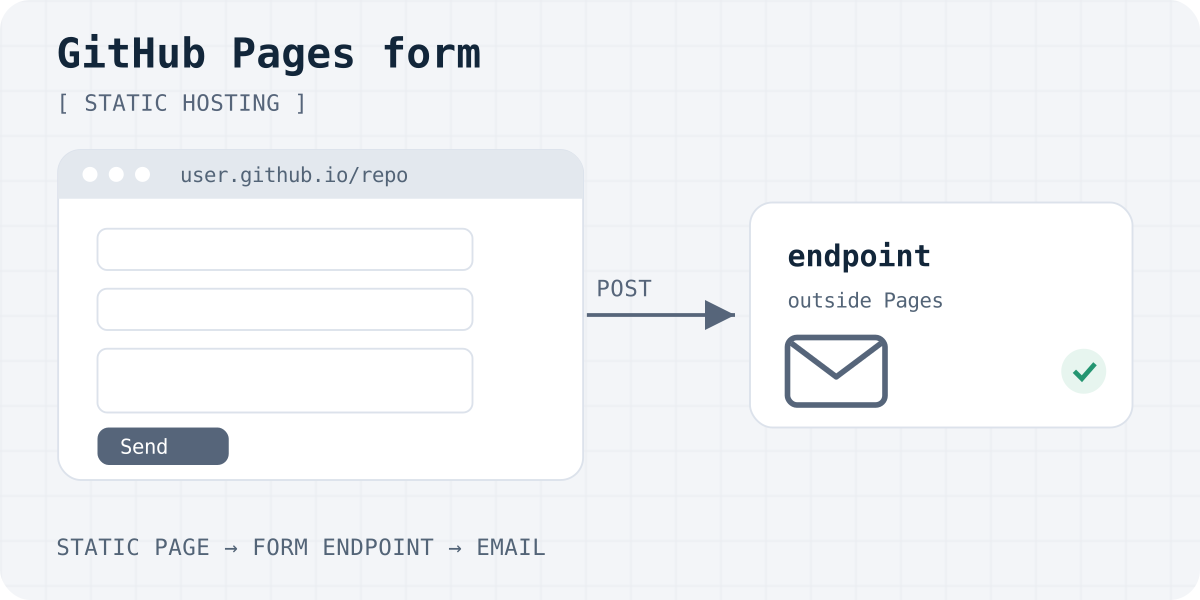
Why a form on GitHub Pages does nothing by itself
GitHub Pages takes HTML, CSS and JavaScript from a repository and publishes them. There is no server code: no PHP, no Node and no mail server. A form that posts to your own site has nowhere to go.
A mailto: link is the old workaround. It opens the visitor's mail app, if they have one set up, and many do not. So a real form needs an endpoint that lives somewhere else.
One rule to know: GitHub says Pages is not meant to run an online business, an e-commerce site or SaaS. It should also not handle sensitive data such as passwords or card numbers. A portfolio, docs site or small project page with a contact form is a normal use.
Three ways to make the form work
- A form backend. Change the form's
actionto the service's URL. Nothing to deploy, and you get email notifications and an inbox. Formgong, Formspree and FormPost all work with static hosts like GitHub Pages. - Your own serverless function. A Cloudflare Worker or similar receives the post and sends it on. You control everything and maintain everything. Our Telegram bot guide shows a complete Worker you can adapt.
- An embedded Google Form. Quick and free, but it looks like Google, not like your site, and responses live in Google's systems.
The rest of this guide uses a form backend, because it needs no extra deploy.
The form code
Paste this form into your page and replace fk_your_access_key with the key from your Formgong dashboard. The form posts to Formgong, which stores the submission and sends it to your email and, if you connect it, Telegram.
The hidden botcheck field is a honeypot against simple bots. The _redirect field sends visitors to your own thank-you page after a successful post. Without it, they see Formgong's thank-you page in the site's language.
<form action="https://formgong.com/submit" method="POST">
  <input type="hidden" name="access_key" value="fk_your_access_key">
  <input type="hidden" name="_lang" value="en">
  <!-- Project site: include the repository name in the thank-you URL -->
  <input type="hidden" name="_redirect" value="https://USERNAME.github.io/REPOSITORY/thanks.html">
  <label>Name <input type="text" name="name" required autocomplete="name"></label>
  <label>Email <input type="email" name="email" required autocomplete="email"></label>
  <label>Message <textarea name="message" required></textarea></label>
  <div aria-hidden="true" style="position:absolute;left:-10000px">
    <input type="text" name="botcheck" tabindex="-1" autocomplete="off">
  </div>
  <button type="submit">Send</button>
</form>
Project sites: mind the repository path
GitHub Pages has two kinds of sites. A user site lives at https://USERNAME.github.io/. A project site lives at https://USERNAME.github.io/REPOSITORY/. The redirect URL must be absolute, so on a project site it must include the repository name.
This is the most common reason a thank-you page shows a 404. Open the thank-you URL in your browser before you put it in the form. If you later add a custom domain, update the URL, because the repository path usually disappears.
On a Jekyll site, put the form in an include and let Jekyll build the absolute URL from your url and baseurl settings.
Jekyll include and an absolute thank-you URL
<!-- _includes/contact-form.html holds the form above. In any page or layout: -->
{% include contact-form.html %}

<!-- Build the thank-you URL from your config instead of hard-coding it: -->
<input type="hidden" name="_redirect" value="{{ '/thanks.html' | absolute_url }}">
Test it after the site is published
- Push the change and wait for the Pages build to finish in the repository's Actions tab.
- Open the published site, not a local file, and send a test message you can recognise.
- Check the submission in your Formgong inbox and the notification email, including spam.
- If nothing arrives, open the browser's Network tab and look at the response to the post.
If you limit your form to certain domains, list both USERNAME.github.io and your custom domain. The full checklist is in why a contact form is not sending email. Plain HTML details are in the HTML docs, and plans are under pricing.
Frequently asked questions
Can GitHub Pages send email from a form?
No. GitHub Pages only serves static files and runs no server code. Use a form backend or your own serverless function to receive the form and send the email.
Does GitHub Pages support PHP?
No. Pages publishes HTML, CSS and JavaScript only. A PHP mail script will be downloaded or ignored, not run.
Is it allowed to use a form backend on GitHub Pages?
Yes. The form is plain HTML that posts to another service. GitHub's limits are about the site's purpose, such as no online shops or SaaS, and no passwords or card numbers.
Why does my thank-you page show a 404?
On a project site, the URL must include the repository name, for example https://USERNAME.github.io/REPOSITORY/thanks.html. The redirect must be a full URL, not a relative path.
Will the form keep working with a custom domain?
Yes. Update the thank-you URL and, if your form service has a domain allow list, add the custom domain.
Sources and documentation
Official references for this guide: GitHub Docs: What is GitHub Pages?, GitHub Docs: GitHub Pages limits, Jekyll: Includes, FormPost. Formgong HTML integration, where data is stored.
Read this article as Markdown