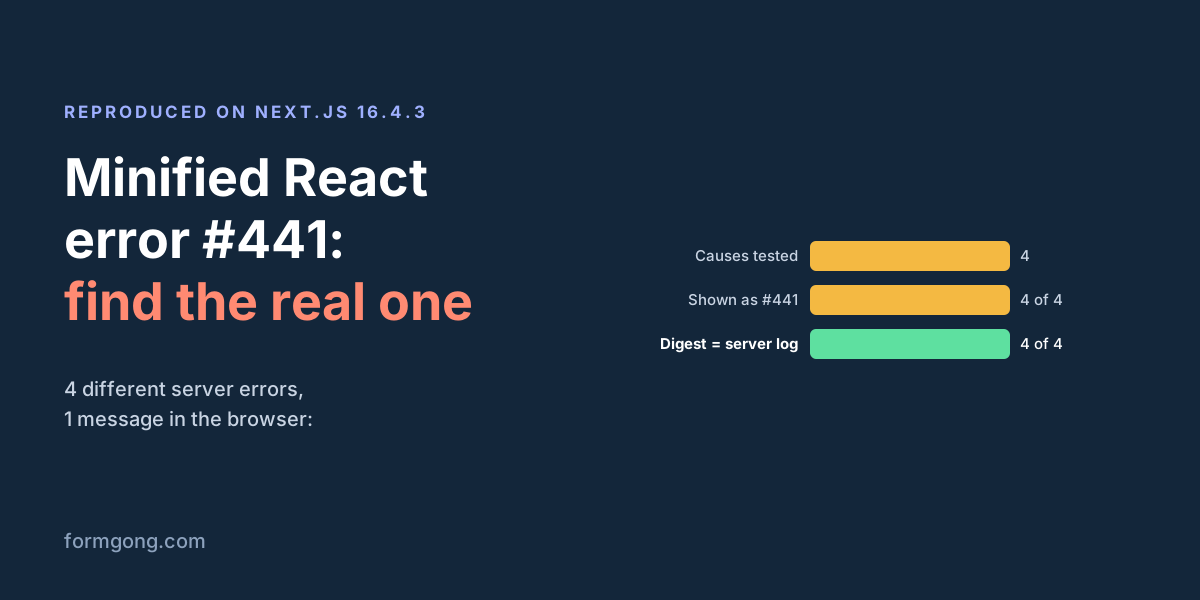
What happened on our test
next build and next start: a Server Action that throws when an environment variable is missing.On 31.10.2026 we made a small Next.js 16.4.3 app with a contact form handled by a Server Action through useActionState. The action read process.env.CONTACT_TO and threw new Error("CONTACT_TO is not set") when it was empty. We built it with next build, started it with next start without that variable, and pressed Send in Chromium 153.
The browser got a 500 for the POST and threw this, with nothing about the variable:
Minified React error #441; visit https://react.dev/errors/441 for the full message or use the non-minified dev environment for full errors and additional helpful warnings.
Nothing caught it, so Next.js replaced the whole page with “This page couldn’t load. A server error occurred. Reload to try again.” and a line reading ERROR 1430768279. What the visitor had typed was gone. The terminal running next start had the real message, Error: CONTACT_TO is not set, and below it digest: '1430768279': the same number.
What error #441 means, from React's source
React's error decoder gives #441 as: “An error occurred in the Server Components render. The specific message is omitted in production builds to avoid leaking sensitive details. A digest property is included on this error instance which may provide additional details about the nature of the error.”
The number is not a kind of bug. It is the one message React uses for every error that happens on the server side of Server Components, which in Next.js includes Server Actions. You can see why in React's own code. When the server sends an error to the browser in a production build, emitErrorChunk in ReactFlightServer.js keeps only the digest: errorInfo = {digest}. The development build sends the name, message and stack as well. In the browser, resolveErrorProd in ReactFlightClient.js creates a new error with the generic text and attaches the digest to it. In React's published production build that sentence is replaced at build time by its code number, so the browser prints “Minified React error #441” and a link to the decoder instead. The copy of React that Next.js 16.4.3 ships calls formatProdErrorMessage(441) at that spot.
We saw exactly that on the wire. The 500 answer to our failed Server Action, with content type text/x-component, ended in the line 1:E{"digest":"3994855477"}. There was no message in it to show. Under next dev the same line also carried "name":"Error","message":"Email is required" and a stack, which is why development shows you the real text.
Four ways we got #441
We broke the app in four ways. Every one gave the same browser error, and the cause was only in the server log:
| What failed on the server | Server log | What the visitor saw |
|---|---|---|
| Server Action threw on an empty field | Error: Email is required, digest: '3994855477' | POST 500, the page replaced by “This page couldn’t load”, ERROR 3994855477 |
| Server Action threw on a missing environment variable | Error: CONTACT_TO is not set, digest: '1430768279' | The same error page with ERROR 1430768279 |
| A 2 MB file sent to a Server Action | Error: Body exceeded 1 MB limit., statusCode: 413, digest: '3814322777' | About 6 seconds of nothing (3 runs out of 3), then POST 500 and the same error page |
| A Server Component threw while rendering the page | Error: CONTACT_TO is not set, digest: '2215982132' | GET 500 and the same error page instead of the page |
The first two are the usual ones in forms: an action that throws for a validation failure, or for a setting that exists on your machine but not on the host. The third is covered step by step in our Body exceeded 1 MB limit guide; on 16.4.3 we added one detail, the six-second wait before the error page, which looks to a visitor like a slow upload. The fourth is not a form at all, just a page whose Server Component throws, and it explains why #441 also shows up on pages with no form on them.
Find the real error with the digest
The browser will never show you the message in production, so go to where the server writes its output. With next start that is the terminal or the process log. On a host it is the function or runtime log for the request that failed.
Take the number from the error page (ERROR 1430768279 in our case), or from error.digest in your own error boundary, and search the log for it. The Next.js docs describe error.digest as “an automatically generated hash of the error thrown”, meant for matching server-side logs. In our runs the number stayed the same for the same error on repeat requests and after a restart of the same build, so one digest found many times in the log is one bug, not many. The development server gave the same error a different number, so do not compare digests across next dev and a production build.
If you can run the app locally, next dev is quicker. On our test it threw Error: Email is required in the browser console and printed the source line with a code frame in the terminal, where production said only #441.
Fix it in a Server Action: return the error
For anything you expect to fail sometimes, such as an empty field or a mail provider that is down, do not throw. The Next.js error handling guide says the same: “model expected errors as return values”. Return an object with the message, and let useActionState show it next to the form. Return what the visitor typed as well: React 19 clears a form after its action finishes, even when the action returns an error, and in our first try the email field came back empty under the error. Passing the value back as defaultValue kept it.
We ran the version below against the same two failures. Both POSTs came back as 200. The empty field showed “Please enter your email.”, the missing variable showed “Sorry, the message could not be sent. Please try again later.”, and the form stayed on screen with the email the visitor had typed still in the field. The variable's name stayed in the server log, where it belongs.
"use server";

export async function sendMessage(prevState, formData) {
  const email = formData.get("email");
  if (!email) return { error: "Please enter your email.", email };

  if (!process.env.CONTACT_TO) {
    console.error("CONTACT_TO is not set"); // stays in the server log
    return { error: "Sorry, the message could not be sent. Please try again later.", email };
  }

  // … send the message …
  return { ok: true };
}
app/contact/contact-form.js
"use client";
import { useActionState } from "react";
import { sendMessage } from "./actions";

export default function ContactForm() {
  const [state, formAction, pending] = useActionState(sendMessage, null);
  return (
    <form action={formAction}>
      {/* React resets the form after an action; defaultValue puts the typed text back */}
      <input name="email" placeholder="Email" defaultValue={state?.email ?? ""} />
      <button disabled={pending}>Send</button>
      {state?.error && <p role="alert">{state.error}</p>}
      {state?.ok && <p>Sent, thank you.</p>}
    </form>
  );
}
Fix a missing environment variable
Of the four causes, the missing variable is the one most likely to work on your machine and fail after deploy, because .env.local is not deployed. Add the variable in your host's settings and restart or redeploy. When we started the same build again with CONTACT_TO set, the form answered “Sent” and the page that had failed rendered normally.
Two details from the Next.js environment variables guide matter here. Variables without the NEXT_PUBLIC_ prefix exist only on the server, so a Server Action can read them but a client component cannot. And values read during next build, for example in a page that is prerendered, are fixed at that moment, so changing them later needs a new build. Our action read the variable on each request, so a restart was enough.
For pages: add an error.js
Errors you do not expect should still be thrown, but caught before they take the whole page. An error.js file next to page.js is a client component that Next.js shows in place of the route segment that failed. We added the one below to a route whose Server Component threw. Instead of “This page couldn’t load”, the visitor saw our text, the code 2084620474, which matched the digest in the server log, and a Try again button. With the same file on a route with a throwing Server Action, it caught that error too.
Showing the digest to visitors is optional. It helps when a visitor writes to you, because the number points to the exact log line.
"use client";

export default function Error({ error, reset }) {
  return (
    <div role="alert">
      <p>Something went wrong. Please try again.</p>
      <p>Error code: {error.digest}</p>
      <button onClick={() => reset()}>Try again</button>
    </div>
  );
}
Or skip the Server Action for a contact form
If the action exists only so a contact form can email you, it is one more server error that the visitor can hit. A form that posts straight to Formgong at https://formgong.com/submit does not run on your Next.js server, so nothing in your build can turn it into #441, and there is no mail key or environment variable for it in your project. With JavaScript off it still sends, and Formgong can send the visitor to your own thanks page with _redirect. Our Server Actions vs form backend comparison counts what each way takes, and when a Server Action is the better choice.
Still seeing #441?
Did the server log show a message from our table, or something else, or nothing at all? Write to support@formgong.com and send us the log line with the digest, your Next.js version and where you host the app. If it is a case we have not covered, we will try to reproduce it and add it here. And if something on this page sent you down the wrong path, we want to hear that too.
What Formgong's free plan includes
- Build the form or bring your own. The form builder takes the colours and fonts from your site's address, with no sign-up; ready form templates copy into your account; AI writes the fields from one sentence. Any hand-written HTML form works too.
- Websites with the form already connected. 28 free website templates post to Formgong out of the box.
- 250 submissions a month on unlimited forms. Spam does not count. Once a year, a busy month keeps delivering on credit until the 7th instead of stopping.
- Everywhere you work. Email to up to 3 people at once, Telegram with Reply and Handled buttons, Google Sheets, Notion, and 3 signed webhooks for Slack, Discord, Zapier, Make or n8n.
- Emails to your customers in your business's name. Formgong sends them under your business name and replies come back to you, with no email service of your own to set up: a review request to every lead, a reminder a visitor asked for, and review emails after an order with your logo and colours. People who agree can also go straight into your Mailchimp, Klaviyo, Brevo, MailerLite or Kit list. An automatic reply to each visitor is on Pro.
- No captcha needed. A server-side spam filter, a honeypot, allowed domains and a block list; add your own Turnstile key if you want one.
- Files and voice. Visitors can attach files, or record a voice message that arrives transcribed.
- Made for AI-built sites. A hosted form page and a contact button; step-by-step guides for sites built with Lovable, Bolt, v0, Replit and Base44; an MCP server lets Cursor or Claude wire the form for you.
- See what the form does. Analytics for views, starts, conversion and where each lead came from, and an alert when a form goes quiet.
- One account for the rest. Customer reviews and an AI help chat that answers visitors from your own pages, with every message in one inbox. Data is stored in the EU.
Frequently asked questions
What is Minified React error #441?
It is React's production message for an error thrown on the server while rendering Server Components, which in Next.js includes Server Actions. The real message is left out of the browser on purpose and printed in the server log, with a digest number to find it.
How do I see the full error message for React error #441?
Read the server log and search it for the digest that Next.js shows on its error page or in error.digest. Or run the app with next dev, which shows the original message in the browser console and in the terminal.
Why does my Next.js form work locally but give #441 in production?
Often a server-only setting such as an environment variable exists in .env.local but not on the host, so the Server Action throws there. In our test a missing variable gave exactly #441, and setting it and restarting fixed it.
Is error #441 a bug in React or Next.js?
Usually not. It is how React reports an error from your own server code in production. The cause is the error printed in your server log under the same digest.
How do I stop a Server Action error from replacing my page?
Return an error object from the action and show it with useActionState instead of throwing, and add an error.js file for errors you do not expect. In our test both kept the visitor on a page with a readable message.
Sources and documentation
Official references for this guide: React: error decoder #441, React source: ReactFlightServer.js (emitErrorChunk), React source: ReactFlightClient.js (resolveErrorProd), Next.js: Error handling, Next.js: error.js (error.digest), Next.js: Environment variables. HTML contact form, where data is stored.