What a product enquiry form is
A product enquiry form is a private question about one product. It is not checkout. It is also not a public list of questions and answers on the page. The shopper writes to you. You reply from the inbox or by email.
WooCommerce does not include this form. Shops add a plugin, or they place another form plugin on the product template and pass the product name themselves. People also search for a popup, for Contact Form 7 on the product, and for a button that replaces add to cart. Those are related jobs. They are not the same switch.
The Formgong plugin adds the question with one checkbox. The WooCommerce setup page is the short version. This page is the choice between that checkbox and the enquiry plugins people actually compare.
Add the form on the product page
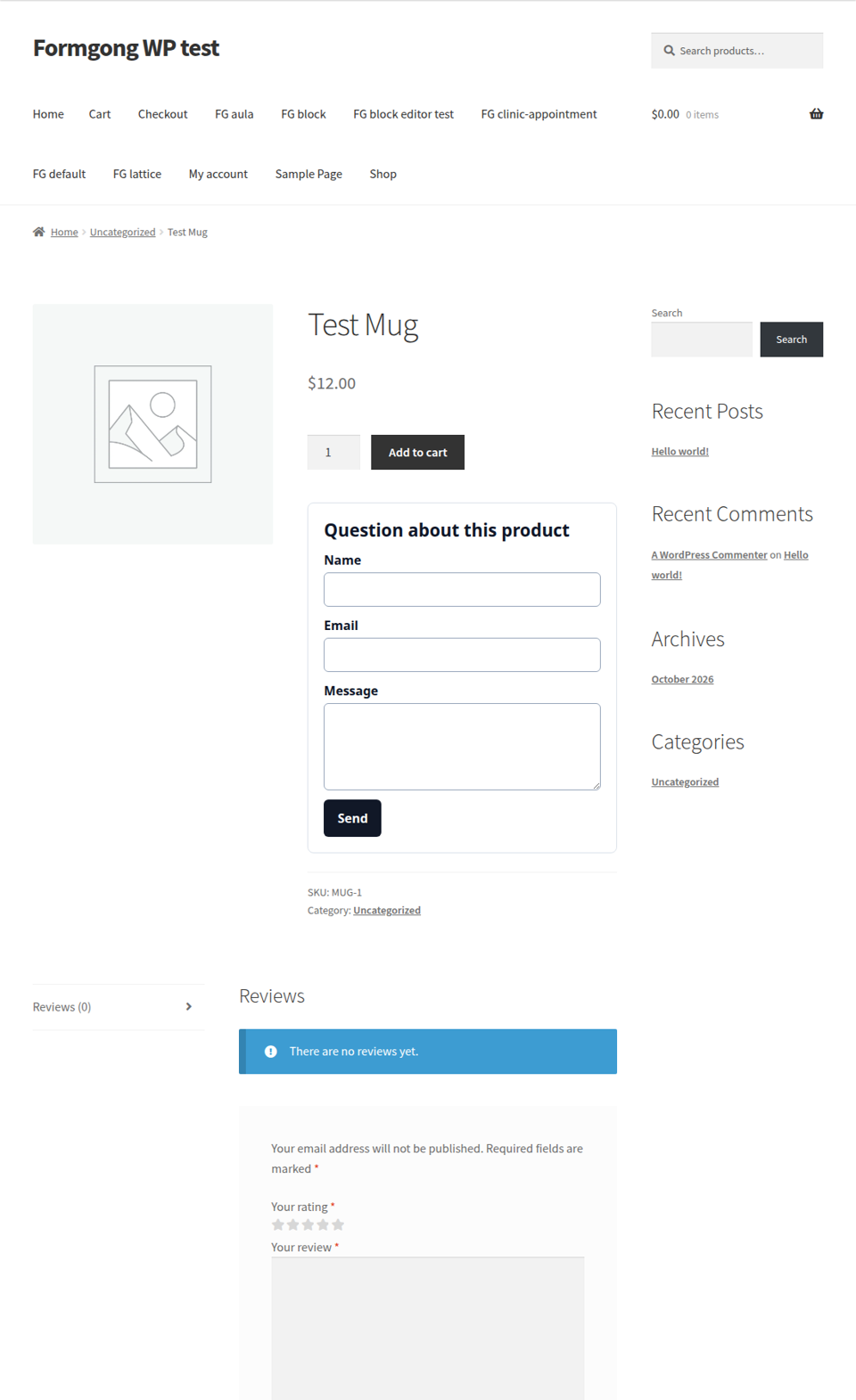
Install the plugin, then open Settings and Formgong. Paste the access key from the form in your dashboard. The key is public. Anyone can submit with it. It cannot open the inbox.
- Upload the formgong folder and activate the plugin.
- Open Settings, then Formgong, and paste the access key from the dashboard.
- Tick the product question and save. The form appears on the product page.
- Submit from a live product page and check the inbox, not only the button.
The form is attached to the product summary, under the add-to-cart button. The heading defaults to “Question about this product”. Send the test from the published product, not from a preview that never posts.
On a custom product template, the shortcode adds the current product. On a normal page, skip the product attribute and use the checkbox, or the form will not know which product the shopper is looking at.
Connect Telegram in the form settings when you want the same message on your phone. The free plan includes Telegram at once, and an email for every submission, to one recipient. There is no auto-reply on Free. Prices and limits are on the pricing page: Free is 300 submissions a month, Pro is $9 a month for 5,000, and Business is $15 a month for 25,000.
[formgong product="1" template="aula"]
What the enquiry posts
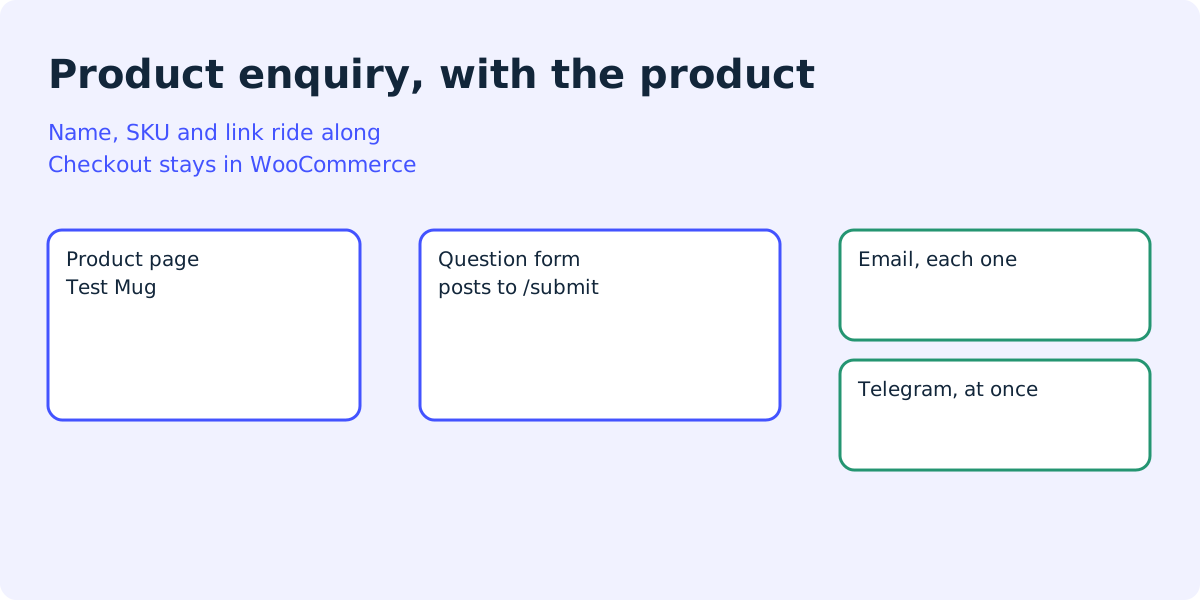
The browser posts the form to your Formgong endpoint. The default is https://formgong.com/submit. Hidden fields name the product. The shopper fills in name, email, and message. A honeypot named botcheck is in the form for bots. Leave it empty. A filled honeypot is treated as spam.
You can pick a template on the same screen, such as aula or lattice. The product question can use a different template from the contact form on other pages. The styles are scoped so common themes do not restyle the fields.
The sample below uses a made-up mug. Replace the key. Do not put a real key in a public tutorial.
Fields a product enquiry posts
POST https://formgong.com/submit
Content-Type: application/x-www-form-urlencoded

access_key=fk_your_access_key
_lang=en
_page_url=https://example.com/product/blue-mug/
product_id=16
product_name=Blue mug
product_sku=MUG-1
product_url=https://example.com/product/blue-mug/
name=Ada
email=ada@example.com
message=Is this mug dishwasher safe?
botcheck=
Enquiry plugins checked on 11 October 2026
These are the pages that come up for this query. Facts below are from those pages on that date, plus the Formgong plugin in this repository.
| What you are comparing | Formgong plugin | GPE Product Enquiries | WooCommerce.com extension |
|---|---|---|---|
| The shopper can ask without leaving the product. | Yes. The form is on the product page. | Yes. A button opens a modal. | Yes. The page describes an on-page form and a popup. |
| The product name is included without extra code. | Yes. Name, SKU, id, and URL are hidden fields. | The email includes a product link. A field builder is included. | The extension is built around the product. |
| You can hide the price or the add-to-cart button. | No. Both stay. | Hiding add to cart is a setting, off by default. | Yes. The page says you can hide the price and the button. |
| WhatsApp, SMS, or a one-click WooCommerce order. | No. Delivery is the inbox, email, and Telegram. | Not described. Mail goes to an address you set. | Yes. The page lists WhatsApp, SMS, and turning an enquiry into an order. |
| What it costs. | The plugin is free to install. Formgong Free is 300 submissions a month. | Free on WordPress.org. The page listed 30+ active installs. | The product page shows $98 and $78.40, and 200+ active installs. |
GPE emails the address you set. The default is the site admin email. It does not describe Telegram or a separate inbox. Product Enquiry for WooCommerce, by WisdmLabs, is also free on WordPress.org. That page listed 10,000+ active installs. Its FAQ says the free plugin does not let you change the inquiry form, and that a Pro version adds a form builder. The page advertises an AI assistant. We did not install that assistant, so this article does not rate it.
Pick the WooCommerce.com extension when you sell by quote and you want WhatsApp, a popup, and an enquiry dashboard inside WordPress. Pick GPE when a modal and one email are enough, and you are fine relying on host mail. Pick Formgong when you want the product name in the message, Telegram on the free plan, and a copy that does not depend on the host’s mail.
If the form you already have is Contact Form 7, do not rebuild it only to get Telegram. Use the Contact Form 7 webhook guide. If you want no plugin at all, use the contact form without a plugin.
WooCommerce product enquiry plugin test with broken mail
On 12 October 2026 we tested the two free enquiry plugins from this page on a local store: WordPress 7.1.3, WooCommerce 11.2.1, and the default Twenty Twenty-Five theme. The store had no mail server, so every call to wp_mail failed. We made one simple product, Test Mug, SKU TEST-MUG-1. With one plugin active at a time, we sent one enquiry as a logged-out visitor: name Test Visitor, email test.visitor@example.com, message “Formgong test 2026-10-12”.
- GPE Product Enquiries 1.0.1 added a “Make an Enquiry” button above Add to cart, which opens a modal. The email named the product and linked to it. When it failed, the visitor saw “There was a problem sending your enquiry. Please try again.” The enquiry was not saved anywhere in WordPress.
- Product Enquiry for WooCommerce 3.2.5.3 added a “Make an enquiry for this product” button. On a fresh install, before anyone had saved its settings, it called WordPress mail with no recipient. After we saved the settings page unchanged, it sent to the admin address, and that failed too. Both times the visitor saw “Unfortunately, a server issue prevented delivery of your message.” Nothing was saved.
wp_mail_failed: You must provide at least one recipient email address.
wp_mail_failed: Could not instantiate mail function.
Both plugins tell the visitor that sending failed. Neither keeps a copy, so a failed email loses the question. Open the plugin settings and save them once, then send a test enquiry from a real product page.
A question after the order
The same screen has a second checkbox, for a question on the customer’s order page. It shows only to the customer who can already view that order. The order number is included. Checkout, payment, and WooCommerce order emails are not changed.
That form can use its own template. A separate NPS survey form page covers the 0 to 10 question. This article does not repeat it. People search for post-purchase surveys mostly around Shopify apps, not around a WooCommerce order page, so the order checkbox is a feature here, not a second article.
Full install notes are in the WooCommerce guide.
Frequently asked questions
Does a WooCommerce product enquiry form replace checkout?
No. Checkout, payment, and WooCommerce order emails stay as they are. The enquiry form only sends a question about the product.
Can I keep the add-to-cart button?
Yes. The Formgong product question sits under the button. It does not hide the price. GPE can hide add to cart if you turn that setting on. The WooCommerce.com extension can hide the price and the button.
Where does the product enquiry go?
To the Formgong inbox. Email is sent for every submission, including on the free plan, to the one recipient that plan allows. Telegram is instant when you connect it. This plugin does not store the enquiry in the WordPress database.
Do I need Contact Form 7 on the product page?
No. Contact Form 7 can send entries to a webhook, and that setup is a separate guide. The product question in this plugin does not use Contact Form 7.
How does the shortcode know which product it is?
On a product template, [formgong product="1"] reads the current product and adds its name, SKU, id, and URL as hidden fields. On a normal page there is no product to read, so use the settings checkbox instead.
Sources and documentation
Official references for this guide: WooCommerce.com: Product Enquiry Form, GPE Product Enquiries, Product Enquiry for WooCommerce. Formgong on WooCommerce, where data is stored.