The short comparison
Prices and limits as published by each vendor on 05.10.2026.
| Cloudflare Turnstile | Google reCAPTCHA | hCaptcha | |
|---|---|---|---|
| Free use | Unlimited challenges, up to 20 widgets | Up to 10,000 assessments a month (Essentials) | Basic plan is free |
| Paid | Enterprise only | Premium: $8 flat for 10,001–100,000, then $1 per 1,000 | Pro: $99 a month yearly or $139 monthly, 100K evaluations included |
| What visitors see | Managed, Non-Interactive or Invisible mode | v2 checkbox or invisible; v3 shows no challenge | Checkbox and image tasks; passive mode on paid plans |
| Risk score | No, pass or fail | Yes, v3 scores from 0.0 to 1.0 | Enterprise plan |
| Best for | Most contact forms | Sites already on Google Cloud | A non-Google option with image tasks |
None of them is a complete spam filter. People who type spam by hand pass all three. Combine any of them with a honeypot and server rules, as in stopping spam without a CAPTCHA.
Cloudflare Turnstile
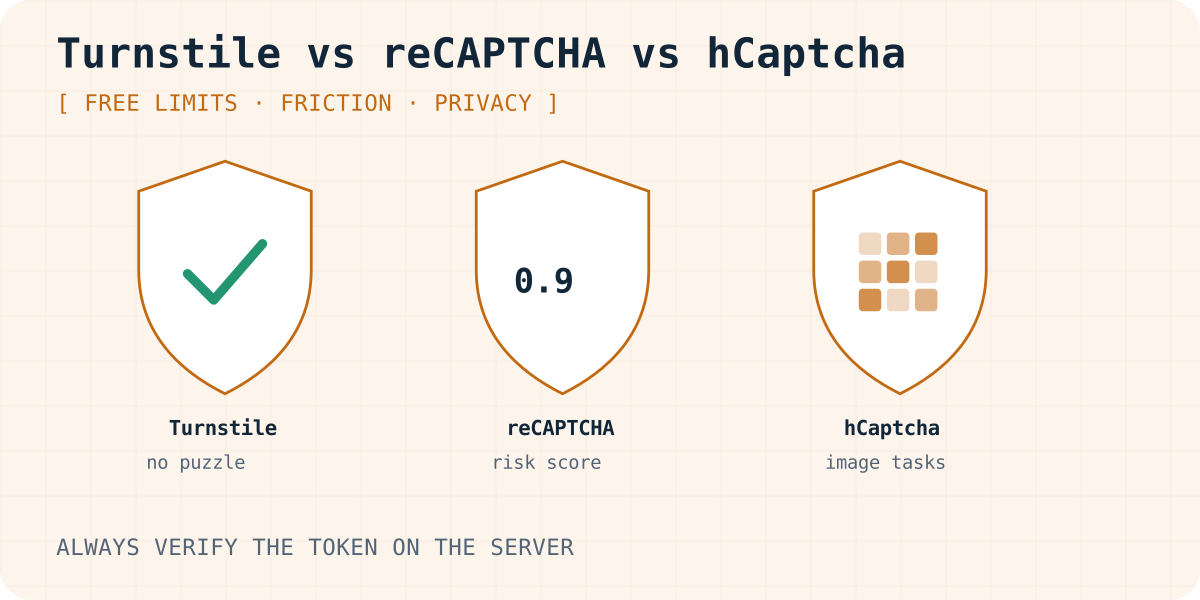
Turnstile runs small checks in the browser and decides without a puzzle in most cases. You pick one of three modes: Managed, Non-Interactive or Invisible. The free plan includes up to 20 widgets, unlimited challenges and 10 hostnames per widget. You do not need to move your site to Cloudflare to use it.
Cloudflare says Turnstile does not access, store or transmit form entries, and that the widget meets WCAG 2.2 AA. Each token is valid for 300 seconds and can be checked only once. A second check of the same token fails with timeout-or-duplicate.
Where it is weaker: there is no risk score to tune, and the analytics on the free plan cover seven days.
Google reCAPTCHA
reCAPTCHA is now part of Google Cloud, with Essentials, Premium and Enterprise tiers. Essentials is free up to 10,000 assessments a month for each organisation. Above that, Premium costs $8 flat up to 100,000, then $1 per 1,000.
Version 3 never shows a challenge. It returns a score from 0.0 to 1.0, and Google suggests 0.5 as a starting threshold. You decide what to do with low scores. Tokens expire after two minutes, so a visitor who writes a long message may need a fresh one.
Two practical notes. Google asks you to show the reCAPTCHA badge, or a line saying the site is protected by reCAPTCHA with links to Google's terms. And the script loads from Google, which belongs in your privacy notice.
hCaptcha
hCaptcha works much like the reCAPTCHA v2 checkbox, and its own switching guide lists only a few changes. The Basic plan is free. Pro costs $139 a month billed monthly, or $99 a month billed yearly, with 100,000 evaluations included and $0.99 per 1,000 after that. Pro adds a low-friction passive mode, and Enterprise adds risk scores.
On the free plan, visitors are more likely to see image tasks than with Turnstile. That costs some real messages, especially on phones. hCaptcha says it complies with GDPR, CCPA and other privacy laws; read its privacy policy for the details that matter to you.
Always verify the token on the server
All three widgets put a token into a hidden form field. The token proves nothing until your server sends it to the vendor and gets a success answer back. A form that only shows the widget is not protected, because a bot can post straight to your endpoint and skip the page.
The example below checks a Turnstile token in a Cloudflare Worker. reCAPTCHA and hCaptcha work the same way with their own verify URLs and secrets.
// A Cloudflare Worker (or any server with fetch) that receives the form.
export default {
  async fetch(request, env) {
    const form = await request.formData();
    const check = new FormData();
    check.append("secret", env.TURNSTILE_SECRET_KEY); // keep the secret on the server
    check.append("response", form.get("cf-turnstile-response") || "");
    check.append("remoteip", request.headers.get("CF-Connecting-IP") || "");

    const result = await fetch("https://challenges.cloudflare.com/turnstile/v0/siteverify", {
      method: "POST",
      body: check,
    }).then((response) => response.json());

    // A token works once and expires after 300 seconds.
    if (!result.success) return new Response("Please try again.", { status: 403 });

    // The visitor passed: store the form or send it on here.
    return new Response("Thanks, we got your message.");
  },
};
The widget code for each service
<!-- Cloudflare Turnstile: adds a cf-turnstile-response field -->
<script src="https://challenges.cloudflare.com/turnstile/v0/api.js" async defer></script>
<div class="cf-turnstile" data-sitekey="YOUR_TURNSTILE_SITE_KEY"></div>

<!-- reCAPTCHA v2 checkbox: adds a g-recaptcha-response field -->
<script src="https://www.google.com/recaptcha/api.js" async defer></script>
<div class="g-recaptcha" data-sitekey="YOUR_RECAPTCHA_SITE_KEY"></div>

<!-- hCaptcha: adds an h-captcha-response field -->
<script src="https://js.hcaptcha.com/1/api.js" async defer></script>
<div class="h-captcha" data-sitekey="YOUR_HCAPTCHA_SITE_KEY"></div>
Common mistakes
- Putting the secret key in the page. Only the site key is public.
- Checking the token in the browser instead of on the server.
- Checking the same token twice, for example on a retry. Turnstile rejects the second check.
- Forgetting a second domain, such as a staging site, in the widget's hostname list.
- Showing a hard puzzle on every visit. If spam is low, a honeypot may be all you need.
When the form suddenly stops delivering after you add a CAPTCHA, the token check is a common cause. The steps in why a contact form is not sending email help you find it.
Which one works with Formgong
Formgong verifies Cloudflare Turnstile on the server for you. Turn on Require Cloudflare Turnstile in the form settings and enter your own Turnstile site key and secret there. Then add the widget to your form, and Formgong checks the token on each post. This works on the Free plan.
Formgong does not verify reCAPTCHA or hCaptcha tokens. If your form uses one of them, Formgong stores the token as an ordinary field and relies on its own honeypot, timing and content checks. Web3Forms lists Turnstile and reCAPTCHA on paid plans only; if that is why you are switching, the Web3Forms alternatives page compares free spam options. For data protection questions, see choosing a GDPR-friendly form backend. This article is not legal advice.
Frequently asked questions
Is Cloudflare Turnstile really free?
Yes. As checked on 05.10.2026, the free plan includes unlimited challenges and up to 20 widgets. You do not need other Cloudflare services.
Is reCAPTCHA still free?
Up to 10,000 assessments a month per organisation on the Essentials tier. Above that, Google charges under the Premium tier.
Can I switch from reCAPTCHA to hCaptcha or Turnstile easily?
Usually, yes. Swap the script and the widget, then change the server check to the new field name, verify URL and secret. hCaptcha publishes a short guide for moving from reCAPTCHA.
Do I need a CAPTCHA on a contact form at all?
Often not at first. A honeypot field, a minimum fill time and server rules stop most bot spam. Add Turnstile when bots get through.
Sources and documentation
Official references for this guide: Cloudflare Turnstile, Turnstile plans, Turnstile widget modes, Turnstile server-side validation, Google Cloud: compare reCAPTCHA tiers, reCAPTCHA v3, reCAPTCHA FAQ (badge), hCaptcha pricing, hCaptcha: switch from reCAPTCHA. Formgong HTML integration, where data is stored.
Read this article as Markdown