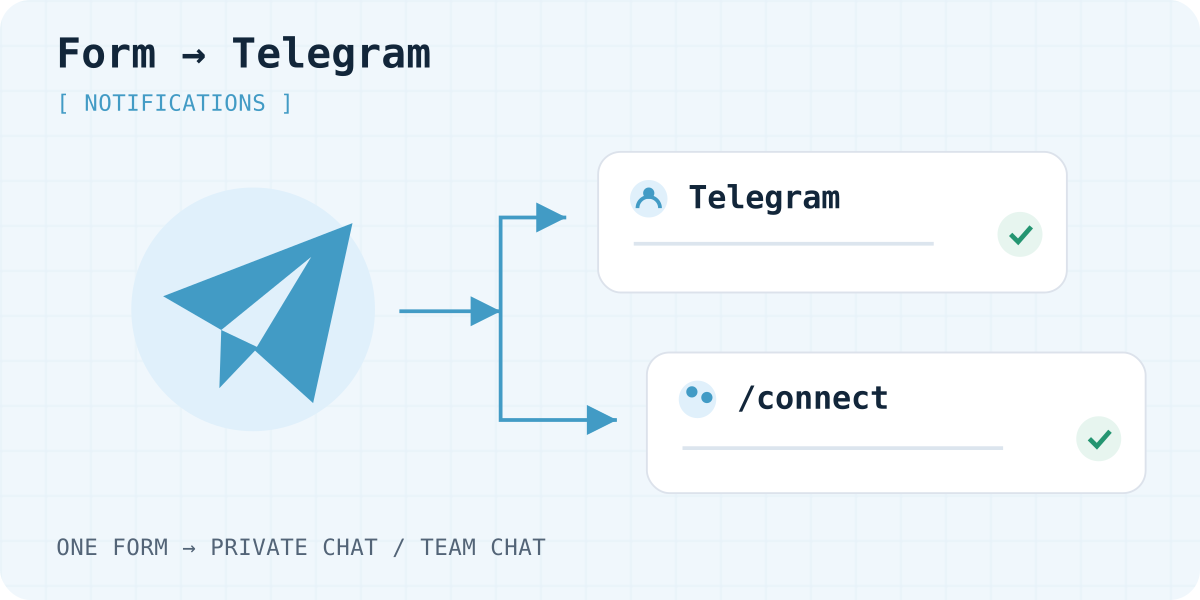
How a submission reaches Telegram
Your website sends a form to Telegram through Formgong. The form posts the fields. Formgong saves the submission and alerts a connected chat. The design stays on your site. Telegram is the alert. The full record stays in your inbox.
This covers a contact form to Telegram, an HTML form to Telegram, and other form submissions to Telegram. A form to telegram bot does the same job. People also search for telegram forms. Both mean a website form, then a chat alert. The form telegram bot here is the shared Formgong bot. You do not create a token or a chat ID.
It fits consultation requests, contact forms, and landing-page enquiries. If you already run a server and need your own bot, call the Telegram Bot API from that server. The steps below do not ask you to create a bot.
Contact Form 7 and Elementor have their own walkthrough in Contact Form 7 and Elementor to Telegram. A Webflow form to Telegram is on the Webflow form page. Formgong does not connect to Google Forms. Use Google Form to Telegram with Apps Script for that.
Spam checks, including a honeypot and optional Turnstile, are in contact form spam without a CAPTCHA. If the site has no server yet, start with a form without a backend.
These are the connect steps.
- Connect the website form. Get a Formgong key, verify your email, and confirm a test submission is saved.
- Connect a private chat. Open the form's Telegram settings, follow the link, and press Start.
- Connect a group. Add the bot to the group and send /connect with the code from the dashboard.
- Test the published form. Send one recognizable message and check the inbox and that chat.
1. Connect the website form first
Get a key at Formgong, verify your email, and connect the site using Connect website. For plain HTML, use the complete form example. For Lovable, follow the prompt-based setup. Field names for a plain HTML form are in the HTML integration documentation.
Send a test message and check that it appears in Submissions. If it does not, fix the website connection first. Linking Telegram cannot fix an incorrect key or submission URL.
2. Connect a private chat
- Open the relevant form in the dashboard and its Telegram settings.
- Generate a connection link if you do not already have one, then use the button to open Telegram.
- Press Start in the chat with the Formgong bot. Opening the chat alone is insufficient.
- Wait for the connection confirmation. Return to the form settings and check the connected chats.
The link is a deep link with a single-use code for that form. The code lasts 30 minutes. If it has been used or has expired, generate a new one in the dashboard. Do not publish a connection link on your website.
3. Or send enquiries to a group
For a shared workflow, add the Formgong bot to your Telegram group. Get a fresh connection code in the form settings and send the command in the group itself. This is a sample. Replace YOUR_CONNECTION_CODE with the issued code, not your access_key.
When the bot joins, it posts a hint: send /connect and the code from the Formgong dashboard. Send that command in the group. A private chat with the bot does not link the group.
/connect YOUR_CONNECTION_CODE
Check which form the group belongs to
The bot should confirm that the form is connected. The group name should appear among that form's chats in the dashboard. Send a new submission from the website and check both the group and the inbox.
The public form key and the connection code do different jobs. The key accepts submissions. The code links a chat. Do not share connection codes with people who should not connect their chats.
Group members can see the notifications sent there. Choose a group according to who needs the customer details. Use a private chat for private enquiries.
What the Telegram message looks like
Each telegram bot form submission arrives as an HTML message. It shows the form name, then each field name and its value. Files are listed by name under Attachments. The text is clipped at 3,500 characters. This sample uses placeholders only.
Contact

name
PLACEHOLDER

email
visitor@example.com

message
PLACEHOLDER

Attachments
file-name.pdf
Four buttons sit under the message. They work only from a chat linked to that form. The button callbacks are signed.
- Reply opens your mail app to the visitor when they left an email. The link is a signed redirect. If there is no email, the button tells you to open the dashboard.
- Mark handled marks the submission handled in the dashboard.
- Mark as spam marks the submission as spam.
- Open in the dashboard opens that submission.
Several chats and who gets what
A form can be linked to several chats. Every linked chat receives each submission. A group is the simple way for a team to see the same enquiries. People in the group can read the customer details, so choose the group with that in mind.
Routing rules can send one submission to one chat or one email recipient. Those rules are on Pro only. Free has no routing rules. On Free, every linked chat still gets every submission.
Use a group, not a channel. A channel is not supported. The connection reads private chats and groups. It does not read channel posts.
Limits and delivery
| Limit | What happens |
|---|---|
| Message length | 3,500 characters. Longer text is clipped. |
| Files | Names only in Telegram. Open the files from the dashboard. |
| Submissions | Free 250 a month. Starter 1,000. Pro 25,000. The cap is per account. |
| Rate limit | 30 submissions a minute per form, and 20 a minute per IP address. |
| Retries | 5 attempts. The waits are 30 seconds, 2 minutes, 10 minutes, and 30 minutes. That is about 42 minutes. Each try times out after 10 seconds. |
| If Telegram fails | After the 5th try, Formgong emails the form owner once. The note names the problem. The submission stays in the inbox. |
Uploads allow 3 files, 5 MiB each, and 10 MiB per submission. Turnstile is required when uploads are on. File storage is 1 GiB on Free and Starter, and 10 GiB on Pro. The files themselves are not sent into the chat.
If the bot was removed or blocked, the chat does not get the message. Formgong still tries 5 times. After the last try, it emails the form owner. The email says what went wrong in plain words. Examples are a bot removed from the group, a chat that was not found, or a user who blocked the bot. It also explains how to reconnect. Create a new code in the form settings. Then open the bot link, or add the bot to the group and send /connect with that code. You get at most one of these emails a day for that form and channel. Every plan gets it, including Free. The submission stays in your inbox.
Telegram and email on the Free plan
On the Free plan, Telegram and email both arrive for every submission, right away. Email goes to up to 3 recipients. There is no auto-reply.
The Free plan includes 250 submissions per account per month, and three webhooks per form.
Pro is $19 a month. It includes 25,000 submissions, email to up to 5 recipients, and routing rules. Yearly prices are on the Formgong pricing page.
Want your own bot or custom logic?
This page uses the shared Formgong bot. If you looked up how to create a Telegram bot without coding, you can skip BotFather. There is no bot token and no chat ID to paste into the site.
Want your own bot instead? Follow a Telegram bot for a contact form. That page is for a bot you control.
A telegram form n8n setup is for custom bot logic. Formgong can send the same submission to n8n with a signed webhook. See the n8n integration. Other webhook recipes are on the integrations page.
Also send to Slack or Discord
You can also notify Slack or Discord. Paste a Slack incoming-webhook URL, or a Discord channel webhook URL, into the form's webhook field. Formgong then sends a short chat message instead of raw JSON. There is no separate Slack or Discord app to install. The format and the test button are in the webhooks documentation. The Slack and Discord guide walks through creating a channel webhook and checking the delivered message.
4. Test from the published website
Use a recognizable message such as “Telegram test from website.” After submitting, check the correct form in Formgong and the specific chat you connected. Enable Telegram notifications for that chat if needed. A muted chat can still receive messages.
Email and Telegram are separate channels. Disabling email notifications does not remove a connected chat. To stop delivery to a group, disconnect that group in Telegram settings.
If the bot is not sending messages
- The submission is missing from Formgong
- Check the POST to
https://formgong.com/submitand the correct form key. Start with the submission troubleshooting guide. - The submission exists but the chat is empty
- Check email verification, spam status, and the chats linked to this form. The bot must not be blocked or removed from the group.
- The connection code does not work
- The code works once and expires after 30 minutes. Generate a new code, then use the new private-chat link or send the new command in the group.
- The enquiry arrived in the wrong group
- Check the form's connected chats. Disconnect the unwanted group and connect the intended one with a fresh code.
- The bot is in a channel, not a group
- Use a group, not a channel. Channel posts are not delivered.
- The bot was removed or blocked
- After five tries, Formgong emails the form owner. The email names the problem in plain words and how to reconnect. Create a new code, then open the bot link or send /connect in the group. You get at most one email a day for that form, on every plan including Free. The submission stays in your inbox.
- The same enquiry arrived twice
- A double click, or JavaScript that sends the form twice, creates two submissions. Formgong does not merge them. The rate limits slow a burst. They do not remove a duplicate. Make one click send one request.
Duplicate Telegram messages from one form submit
If one submit gives you two identical messages in Telegram, the browser almost always sent the form twice. Formgong then delivers both, because each one arrived as its own submission. We reproduced the two usual causes on 22.10.2026 in Chrome 155, with a local test server that logged every POST:
- A double-click on Send. A script that sends the form with
fetch()and does not disable the button posted twice on one double-click. The same script with the button disabled on submit posted once. - A submit handler without
event.preventDefault(). One click sent the form twice: once by the script'sfetch(), then again by the browser's own form post, 55 ms later. The page moved on, but the server already had both.
Check the submission list in your Formgong inbox. Two entries with the same text less than a second apart mean the page posted twice. If the inbox has one entry and the chat has two messages, look at who sent them: a second bot or a Zapier or n8n step that also posts to the chat is a different cause.
As a safety net, open the form's settings in Formgong and, under Filters, tick “Treat the same submission sent again within 24 hours as spam”. A second submission with the same content to the same form within a day then goes to the Spam tab: kept and restorable, but not sent to Telegram or email and not counted toward your limit. The check compares what the visitor typed in every field, so leave it off if two real visitors could send exactly the same answers on the same day.
The page itself still needs the fix. Stop the browser's own post when a script sends the form, and lock the button until the answer comes back:
const form = document.querySelector("#contact");
form.addEventListener("submit", async (event) => {
  event.preventDefault(); // the script sends the form, so the browser must not
  const button = form.querySelector("button[type=submit]");
  if (button.disabled) return; // a second click while sending does nothing
  button.disabled = true;
  try {
    const response = await fetch(form.action, { method: "POST", body: new FormData(form), headers: { Accept: "application/json" } });
    // show your success or error message here
  } finally {
    button.disabled = false;
  }
});
Keep the bot token out of frontend code
Your frontend needs only the public Formgong key. You do not need a bot token or a chat ID in the page. Calling the Telegram Bot API from a browser would expose a token that visitors could read. Here, the service sends the message. Your website never receives the token.
A search for how to create a Telegram bot token and chat ID does not apply here. Those values belong to a bot you create yourself.
When you add another form, check its connection separately. Telegram is configured per form, not for every form in the account.
Frequently asked questions
Do I need to create my own Telegram bot?
No. This workflow uses the shared Formgong bot. You do not create a bot token or a chat ID. Connect a chat in the form settings with a link or a /connect command.
Can submissions go to a Telegram group?
Yes. Add the Formgong bot to the intended group and send /connect there with a fresh code from the form settings. Check the connection confirmation.
Can access_key be used as the /connect code?
No. access_key accepts website submissions. A separate code, valid for 30 minutes and usable once, connects a chat.
Is Telegram included in the Free plan?
Yes. On the Free plan, Telegram is instant. Email is also sent for every submission, to up to 3 recipients, with no auto-reply. The Free plan includes 250 submissions per account per month. Connect the chat to the form.
Can a Telegram channel receive form submissions?
No. Use a group, not a channel. The connection reads private chats and groups. It does not read channel posts.
Are uploaded files sent into the Telegram chat?
No. The message lists file names only. Open the files from the dashboard. A submission can include up to 3 files, 5 MiB each and 10 MiB combined in a plain form post, or 100 MiB each with the files.js script. Turnstile is required when uploads are on.
Why does one form submit send a duplicate message to Telegram?
Usually the page posted the form twice: a double-click on a button that is not disabled, or a submit handler that calls fetch() without event.preventDefault(), so the browser posts the form a second time. Fix the page, and turn on the filter that treats the same submission within 24 hours as spam.
What if the bot is removed or blocked?
After five failed tries, Formgong emails the form owner. The email says what went wrong in plain words, and how to reconnect with a new code and /connect. You get at most one email a day for that form and channel. Every plan includes it, including Free. The submission stays in your inbox.
Sources and documentation
Official references for this guide: Telegram: bot deep links, Telegram Bot API: sendMessage, Telegram Bot API: inline keyboards. Formgong documentation, where data is stored.