Product ratings, in Google's words
Product ratings are the 1 to 5 stars and review count under a product in Google Shopping and in Shopping ads. Google's help page says they show the aggregated rating “compiled from multiple sources”, so the stars can combine your reviews with reviews of the same product from other places. They are not the stars that can appear next to an ordinary search result. Those come from structured data on the product page, which our guide to review stars not showing in Google covers.
Seller ratings are a different program, with stars for the shop as a whole, mostly in ads, built from store reviews. Everything below is about product ratings.
What Google requires
| Requirement | What Google says |
|---|---|
| Number of reviews | At least 50 across all your products. With fewer, no stars show in Shopping or ads. |
| How you join | Through a supported review aggregator, or by signing up for Product Ratings yourself and submitting reviews in Merchant Center. |
| How often | The reviews data source must be uploaded at least once a month. |
| How long it takes | A data quality and policy review, typically 2 to 4 weeks, and up to 2 to 4 more weeks before ratings go live. |
| Account | A standalone Merchant Center account or a sub-account, not a multi-client account. Review URLs must match your registered domain. |
For a small shop the 50-review threshold is the hard part. It counts reviews across all your products together, so a shop with 25 products and two reviews each qualifies, while a shop with one bestseller needs 50 reviews of that product. Until you reach it, the stars stay off however good the feed is.
What the feed looks like
The feed is one XML file with every review in it. Google's schema documentation is clear that it always wants the whole set: “Our system always expects a full feed”, and a review missing from the next upload is deleted. So a feed that only lists the last 100 reviews slowly erases the older ones from Google.
Each review needs an id, a reviewer name, a timestamp, the text, a URL, the overall rating and the product it is about. The product part is what lets Google match your review to the listing in Shopping, through the GTIN (the barcode number), the SKU, the brand and the product URL. Three optional fields tell Google how the review was collected: whether the purchase was verified, whether the reviewer got something for it, and whether you asked after delivery.
<review>
<review_id>r1</review_id>
<reviewer><name>Emma W.</name></reviewer>
<review_language>en</review_language>
<review_timestamp>2026-10-27T09:12:00Z</review_timestamp>
<content>Holds heat well & the glaze is lovely <3</content>
<review_url type="group">https://glyna.formgong.com/product/morning-mug/</review_url>
<ratings><overall min="1" max="5">5</overall></ratings>
<products><product>
<product_ids>
<gtins><gtin>4006381333931</gtin></gtins>
<skus><sku>MUG-01</sku></skus>
<brands><brand>Glyna</brand></brands>
</product_ids>
<product_name>Morning Mug</product_name>
<product_url>https://glyna.formgong.com/product/morning-mug/</product_url>
</product></products>
<is_verified_purchase>true</is_verified_purchase>
<collection_method>post_fulfillment</collection_method>
</review>How we checked our own feed
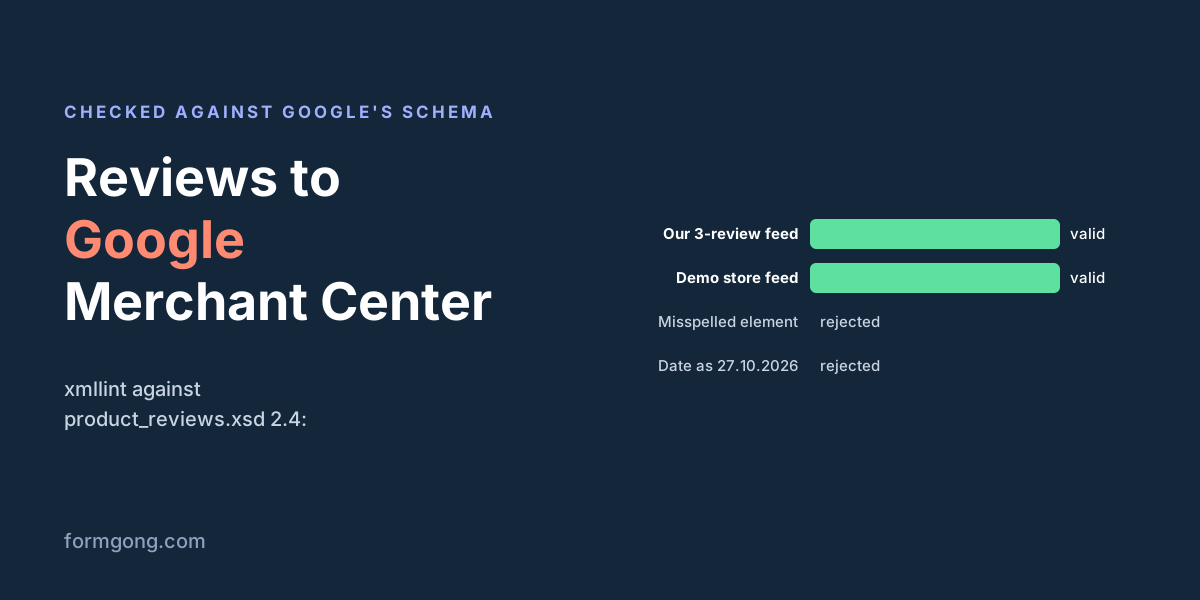
Before writing this page we checked the feed Formgong produces against Google's XSD, version 2.4, with the standard xmllint tool. We built a three-review feed with our real generator: one verified review with an ampersand and a < in the text, one anonymous review with no barcode, and one German review with an emoji that was both verified and incentivized. It validated. So did the live feed of our demo store, which is still empty because we do not invent reviews for it.
A validator that passes everything proves nothing, so we also broke two copies on purpose, one with a misspelled element and one with a date written as 27.10.2026. The validator rejected both, with the messages shown below. Run the same check on your own feed if you build it yourself.
xmllint --noout --schema product_reviews.xsd your-feed.xml # your-feed.xml validates # or, for example: # Element 'review_timestamp': '27.10.2026' is not a valid value of the atomic type 'xs:dateTime'.
Submitting it
If your review app is one of Google's supported aggregators, it can submit for you and you only switch the program on. If not, request Product Ratings in Merchant Center and add the feed as a reviews data source. A scheduled fetch from a URL is easier than uploading a file each month, because your app keeps the URL up to date and Google collects it on its own. Then wait for the review. Google's policies for the program are short and worth reading first: “You must collect and own the reviews you share with Google”, and each review may appear only once, in one feed. Incentives are allowed, but they “cannot be dependent on the sentiment of the review”.
The feed in Formgong Reviews
Formgong Reviews gives every Shopify and WooCommerce store a feed address under Settings → Sites, on the free plan too. We get each product's page, name, brand, GTIN and SKU from the store itself, through Shopify's API or our WordPress plugin, never from what a reviewer typed, so nobody can attach a review to someone else's product. The feed lists approved written reviews collected on your site. Imported reviews stay out, because you did not collect them, and Google wants text in every review. Reviews sent through an order email are marked as verified purchases collected after fulfilment, and reviews written while you offered a coupon are marked as incentivized.
The feed always has every eligible review in it, with no cap. Other sites, such as a plain HTML shop, have no trusted product data, so they get no feed. We do not send seller ratings.
Have you been through Merchant Center review?
If Google turned down your reviews feed, or accepted it after a fix, tell us what it said at support@formgong.com. Real rejection messages are the part of this process that is hardest to find written down.
What Formgong Reviews includes for free
- Unlimited review sites and reviews. Text, photo, video and voice reviews on Free.
- A widget with no view limit. The review widget, carousel, badge and stars in product lists load as often as your pages do.
- Review emails in your store's name. Sent after each order with your logo and colours, replies to you, no email service to set up; buyers can rate inside Gmail without leaving the email, and get one reminder (how it works).
- Bring your old reviews. Import from Judge.me, Yotpo, Loox, Shopify Product Reviews, WooCommerce, Etsy or a CSV.
- You decide what shows. Approve each review or choose a publishing mode, reply in public or in private, and let shoppers ask the author a question.
- Google. A Merchant Center review feed, and product rating markup through the WordPress plugin.
- Reviews from your form. People who filled in your contact form can get a review request automatically.
- One account for the rest. Contact forms with Telegram and Google Sheets, an AI help chat, and free website templates.
Frequently asked questions
How many reviews do I need for Google product ratings?
At least 50 across all your products, according to Merchant Center help. With fewer, your product ratings do not show in Google Shopping or Google Ads.
How long until stars show in Google Shopping?
Google reviews the feed first, which typically takes 2 to 4 weeks, and it can take another 2 to 4 weeks after that for ratings to go live.
Do I have to upload the reviews feed every month?
Google requires an upload at least once a month. A scheduled fetch from your review app's feed URL does that for you.
Are product ratings the same as seller ratings?
No. Product ratings are stars for a product from product reviews. Seller ratings are stars for the shop itself, from store reviews, and are a separate program.
Sources and documentation
Official references for this guide: Google Merchant Center Help: Product Ratings eligibility, Google Merchant Center Help: Product Ratings basics, Google: Product review feed schema, Google Merchant Center Help: Product Ratings policies. Google stars and the product reviews feed, where data is stored.
Related guides
- Lovable form submissions to email and Telegram
- HTML contact form without a backend: a working example
- How to send website form submissions to Telegram
- Contact form not sending email? Check where it stops
- Managing website leads in Telegram without a CRM
- Form backend for Lovable, Bolt, v0, Cursor
- Telegram bot for a contact form: build or skip?
- GDPR form backend: 7 checks before you choose
- Lovable form not sending email? 6 fixes
- Netlify Forms not working? React and Bolt fixes
- Stop contact form spam without a CAPTCHA
- GitHub Pages contact form: a working setup
- Mailto Form in HTML: Why It Fails and What to Use
- HTML form to Google Sheets: 2 free methods
- Webflow form submission limit: what to do at 50
- Turnstile vs reCAPTCHA vs hCaptcha for forms
- Contact Form 7 and Elementor forms to Telegram
- Squarespace contact form not sending email?
- Shopify contact form: where do messages go?
- Google Form to Telegram: free Apps Script way
- Wix contact form not sending email? Fixes
- EU / GDPR Formspree alternatives compared
- HTML form action attribute explained
- How do HTML forms work? The HTTP request
- Types of Injection Attacks on Web Forms (2026)
- Indirect Prompt Injection in MCP
- MCP Rug Pull Attack: Detect Tool Changes
- Form without a backend: 7 ways that work
- Thank-you page after form submission (HTML)
- Indirect Prompt Injection Examples (2023–2026)
- Indirect Prompt Injection via Email
- What Is Tool Poisoning in MCP?
- WordPress contact form without a plugin
- Send email from frontend JavaScript
- How to Prevent Indirect Prompt Injection
- Honeypot Form Field: How to Add One That Works
- Contact Form with File Upload (HTML, No PHP)
- Angular contact form without a backend
- Send form submissions to Slack or Discord without Zapier
- Verify a form webhook signature (HMAC-SHA256)
- Contact forms that send nothing: 793 AI-built sites tested
- v0 contact form that actually sends: 3 ways
- How we tested AI-built contact forms, and 12 bugs we hit
- Cloudflare vs Netlify free plan: hosting that never pauses
- EmailJS 412 “Gmail_API: Invalid grant”: reconnect Gmail
- Resend “You can only send testing emails”: verify a domain
- Supabase Edge Function blocked by CORS policy: 3 causes
- Formspree “Form not found” and other errors: fixes
- Web3Forms errors: “Invalid access key” and 403 explained
- How to add customer reviews to your website for free
- Getform not working? “This form has been deleted” and more
- Next.js contact form not working? 6 errors, reproduced
- Webflow form not sending email? What to check, tested
- FormSubmit not working? “This form needs Activation” fix
- Contact form “TypeError: Failed to fetch”: causes and fixes
- WooCommerce product enquiry form
- Contact Form 7 vs WPForms
- Gravity Forms alternative free
- WordPress contact form block
- 535-5.7.8 Username and Password not accepted (Gmail)
- 535 5.7.3 Authentication unsuccessful: Office 365 SMTP
- Nodemailer “Missing credentials for "PLAIN"”: the fix
- Nodemailer “Greeting never received”: port 465 fix
- Nodemailer SSL “wrong version number”: the port fix
- Nodemailer “self-signed certificate in certificate chain”
- Nodemailer ECONNREFUSED 127.0.0.1:587: missing SMTP host
- SendGrid “authorization grant is invalid”: 401 fix
- Mailgun 401 Forbidden: why the API rejects your key
- “Edge Function returned a non-2xx status code”: the fix
- Next.js “Body exceeded 1 MB limit”: Server Action fix
- Unexpected token '<', "<!DOCTYPE "... is not valid JSON
- “TypeError: Body is unusable”: body has already been read
- Turnstile “timeout-or-duplicate” and other siteverify errors
- Turnstile vs hCaptcha vs reCAPTCHA: speed and size tested
- Judge.me reviews not showing on Shopify: how to fix it
- Judge.me review carousel not showing: how to fix it
- Yotpo reviews not showing on Shopify? Check the app embed
- Loox reviews not showing on product page: how to fix
- Shopify reviews not showing: what to check first
- How to show reviews on Shopify
- GDPR for website forms: what each type of form needs
- WooCommerce reviews not showing: how to fix it
- Stamped.io reviews not showing on Shopify: how to fix it
- Etsy reviews not showing: why and what to do
- Trustpilot widget not loading: how to fix TrustBox
- Yotpo problems in 2026: what merchants report
- Contact Form 7 “error trying to send your message” fix
- Elementor form “Your submission failed because of an error”
- Framer form not sending email or not working: what to check
- Carrd contact form not working: plans, spam and errors
- Google review link not working: what customers see and why
- tawk.to widget not showing on your website: causes and fixes
- How to add questions and answers to your product page
- “Failed to send a request to the Edge Function”: fixes
- Next.js “Failed to find Server Action”: what it means
- Brevo “unauthorized: Key not found” 401: the fix
- Amazon SES “Email address is not verified”: the fix
- Shopify contact form not working: how to fix it
- Judge.me alternative for WooCommerce after the 2025 shutdown
- Free WooCommerce review plugins compared on the free version
- WooCommerce review reminder emails without a paid plugin
- Add Voice Recording to a Website Form
- Contact Form 7 spam: how to stop it
- WPForms not sending email: how to fix it
- Contact form emails going to spam: how to fix it
- HTML form not submitting: how to fix it
- Contact form not working: how to find the fault
- Webflow form spam: how to stop it
- Website form to Notion: how to set it up
- Website form to WhatsApp: what works and what does not
- What 1-star reviews say about AI support chatbots
- Which free form backend gives you the most submissions?
- Elfsight reviews widget not showing? Check the view limit
- Next.js contact form backend vs Server Actions
- Review stars not showing in Google search results
- How to stop duplicate form submissions
- How to see which form leads came from ChatGPT
- What happens when a form webhook fails
- When to send a review request email after an order
- How to collect video testimonials for free
- Add contact form sign-ups to Mailchimp or Klaviyo
- How to migrate from Formspree without losing submissions
- How to get a Google review link for your business
- What is a headless form backend?
- Is it safe to put a form access key in your HTML?
- AI chatbot that answers only from your website
- Minified React error #441 in Next.js
- Squarespace product reviews after Judge.me
- Accessible contact form checklist for WCAG 2.2
- How to ask a client for a testimonial by email
- How to respond to negative reviews, with examples
- 429 Too Many Requests on a contact form
- MCP server for forms in Cursor and Claude
- Can you offer a discount for a review?
- Do EU stores have to say if reviews are verified?
- Webflow form backend options compared
- How to add review schema JSON-LD to a product page
- How to turn a customer review into an Instagram post
- How to make a QR code for Google reviews
- Live chat or chatbot for a small business website
- Why people abandon your contact form halfway
- Which form backend do AI assistants pick? 54 answers
- PHP mail() not sending email, even when it returns true
- What “Failed to fetch” means, tested in three browsers
- 405 Method Not Allowed when you submit a form
- Send a contact form to more than one email address
- What is review syndication, and who needs it?
- How to save HTML form data to a database
- NetworkError when attempting to fetch resource
- PHPMailer not working on a live server
- AI review reply generator: does it help?
- React 19 contact form with useActionState
- Astro Actions or a form backend?
- Is no-reply@wixsiteautomations.com legit?
- Where to find the Judge.me review widget code
- AI review summaries: what shoppers actually see
- Photo reviews for WooCommerce, and the GPS inside them
- Review request email templates you can copy
- Reviews in AI search: what ChatGPT and Perplexity cite
- Lead capture form with UTM tracking, built and tested
- Form design best practices, with our own form data
- Client intake form template with file upload
- What is social proof? Meaning and examples
- What is user-generated content (UGC)?
- Benefits of negative reviews for your store
- How to get your first reviews as a new store
- How to use customer reviews in your marketing
- How to get more customer reviews
- React form validation without a library, tested
- jQuery submit form with validation
- reCAPTCHA v3 setup with the server score check
- Shopify social proof that shoppers can check
- HTML file input: accept, multiple, capture and size checks
- How to add hCaptcha to a form, with the server check
- How to add invisible reCAPTCHA to a form
- Bug report form template with browser details
- What the FTC fake reviews rule bans for online stores
- How to show reviews on your homepage
- Do reviews increase sales? What the studies show
- HTML input types and what each one sends
- HTML textarea, tested in a real form
- HTML dropdown menu in a form, tested
- Do reviews help SEO? What Google says and shows
- How to add a review carousel people can read
- Product review examples that help shoppers decide
- Which trust badges actually mean something
- Customer satisfaction survey with CSAT and NPS
- JavaScript FormData and what fetch actually sends
- JavaScript form validation without a library
- Server-side form validation and what it catches
- Email validation in JavaScript, tested on 33 addresses
- Zod form validation with FormData, tested
- Store reviews vs product reviews
- How to send review requests through Klaviyo
- How to tag customer reviews by topic and mood
- Custom review form questions worth asking
- Online reputation management for small businesses
- HTML radio button groups and what they send
- HTML label tag and what screen readers hear
- HTML autocomplete attribute, tested with Chrome autofill
- HTML fieldset and legend, and what disabled leaves out
- HTML button tag and what a form button sends
- Vite contact form that still works after the build
- How to test a contact form, end to end
- How to embed a Google Form, and what it loads
- Customer feedback questions that get real answers
- How to convert a file to base64 in JavaScript
- FilePond with a form backend, and when to skip it
- Bootstrap form validation and server errors
- Tailwind form validation, tested in three browsers
- Donation form in HTML, and where the payment goes
- How to ask for a review in person or by text
- Which review sites matter for your business
- What are customer reviews, and which kinds count
- Online review statistics, checked at the source
- Best review app for Shopify and WooCommerce
- Why Gmail sends your self-hosted mail to spam
- htmx contact form that sends to another domain
- AI form builders tested, from prompt to sent form
- Headless WordPress forms with Contact Form 7, tested
- React Hook Form watch vs useWatch, and what gets sent
- Elfsight widget not working? It vanishes when views run out
- Jotform not sending emails? Check Jotform's bounce list
- Typeform not working? A white box means a blocked script
- Positive review response examples that don't sound copied
- How to remove a Google review when you can't delete it
- Google reviews not showing up? 8 causes to check in order
- Is buying Google reviews illegal? Even a review swap counts
- Which reviews can you hide? A review moderation checklist
- Average star rating: what 4.8 from 5 reviews means
- Reviews on a product page: where and how many to show
- SaaS testimonials: 3 of 27 had a number in them
- Do reviews reduce returns? Not when they're too good
- Testimonial examples for business: what makes one believable
- Testimonial questions to ask clients, by type of business
- Testimonial page design: a page or a section?
- Testimonial advertising rules: what the FTC requires
- Form submission canceled because the form is not connected
- Input type date format dd/mm/yyyy: what you can change
- How to disable textarea resize, or allow only vertical
- How to prevent Enter from submitting a form
- form.submit() vs requestSubmit(): what submit() skips
- Custom HTML checkbox CSS that doesn't break required
- How to reset a form after submit, and what reset() keeps
- Input type number maxlength not working? What to use
- How to create an HTML form, step by step
- Best form builder: free plans and branding, checked
- Best WordPress contact form plugin: 10 free ones compared
- How to increase form conversion rate: start with the count
- Form backend vs form builder: which one do you need?
- WordPress contact form not sending email? 3 plugins tested
- Contact Form 7 webhook? Turning it on switched our email off
- Gravity Forms webhook: what it sends and the URLs it rejects