Two ways to send Gravity Forms entries to a URL
You want each Gravity Forms entry to land somewhere else as well: in a Zap, a Make scenario, an n8n workflow, your CRM, or a script of your own. Gravity Forms does this with its Webhooks add-on. You add a feed to the form, tell it where to send the entry and in what shape, and from then on every submission makes a request to that address. If you don't have the add-on, a short piece of PHP on the gform_after_submission hook does a simpler version of the same thing.
We couldn't check everything ourselves. Gravity Forms has no free version, and the Webhooks add-on comes only with its Elite and Nonprofit licences. We didn't buy one for this article, so we haven't run the add-on, and its behaviour below comes from Gravity Forms' own documentation, which we read on 10 November 2026. The parts that belong to WordPress itself we did test, on the same throwaway WordPress 7.1.3 we used for our Contact Form 7 webhook test. That covers the URL check that decides whether the add-on makes a request at all, and what wp_remote_post() does when your endpoint is slow or down.
Setting up a webhook feed
Install and activate the Webhooks add-on from Forms → Add-Ons. Then open the form, go to Settings → Webhooks and click Add New. Each feed is one request, and a form can have several, for example one to your CRM and one to a Slack workflow.
The feed has a handful of settings, and each one changes what your endpoint has to deal with. The Name is only for you. The Request URL is the address from your automation tool or your own server, and it accepts merge tags. Request Method should almost always be POST; GET, PUT, PATCH and DELETE exist for APIs that ask for them. Request Format is JSON or FORM. Pick JSON unless the receiving service asks for form fields. With JSON, Gravity Forms sets Content-Type: application/json for you. Its docs say it does that for POST and PUT, so with PATCH add the header yourself under Request Headers. That same Request Headers list is where an API key or a shared secret goes.
Request Body decides what your endpoint has to parse. All Fields sends the whole entry as Gravity Forms stores it. Select Fields lets you add one row per key and fill each from a form field, an entry property such as the entry ID, or a custom value with merge tags. Choose Select Fields if anything downstream reads the keys by name, for reasons the next section shows. Finally, Webhook Condition limits the feed to entries that match rules you set, such as only the “Sales” choice of a drop-down. Without a condition, the docs say, the webhook runs for every submission.
Save the feed and send a real test entry from the live page. Zapier, Make and n8n all show the sample they caught, and you map fields from that sample.
What your endpoint receives
With All Fields, Gravity Forms sends what its docs call the entire unformatted entry. That is the entry object, keyed by field ID rather than by label. Gravity Forms' documentation of the entry object shows this example; it is from their docs, not a capture of ours, since we couldn't run the add-on:
{
  "1": "Third Choice",
  "2": "This is text content",
  "id": "1",
  "form_id": "1",
  "date_created": "2016-03-22 19:13:19",
  "is_starred": 0,
  "is_read": 0,
  "ip": "192.168.50.1",
  "source_url": "http:\/\/local.wordpress.dev\/?gf_page=preview&id=1",
  "post_id": null,
  "currency": "USD",
  "created_by": "1",
  "user_agent": "Mozilla\/5.0 (Macintosh; Intel Mac OS X 10_11_1) …",
  "status": "active"
}
Several things in there trip up a Zap. Fields are numbered, so a simple contact form arrives as "1", "2" and "3", and a name field splits into "1.3" for the first name and "1.6" for the last. Going by the docs, a checkbox field is stored as one key per choice, and a List field is stored serialized, so expect a string that needs unpacking. The entry also carries the visitor's IP address and browser string, so with All Fields those go to every service in the chain, and your privacy notice may need to say so.
Select Fields avoids most of that. You decide the keys, such as email and message, only the fields you map are sent, and editing the form doesn't rename anything. Map the entry ID in too. It gives the receiving side something to spot duplicates with, and it lets you find the entry in Gravity Forms later. If you're a developer and need a shape the feed screen can't build, the gform_webhooks_request_data filter lets you change the data just before it's sent; its documentation has an example that renames the numeric keys.
URLs that never get a request
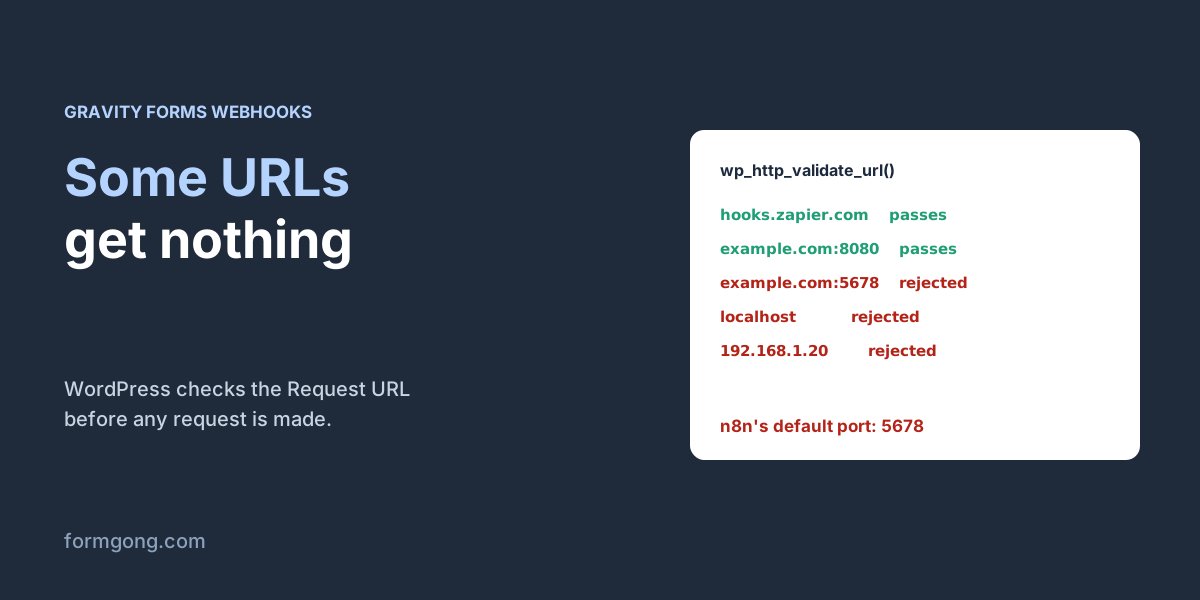
Gravity Forms' docs say the Request URL has to pass WordPress's own URL check, wp_http_validate_url(), and that processing is aborted if the URL uses a custom port or redirects to a URL that fails the check. That check isn't specific to Gravity Forms, so we ran it on our test WordPress against the kinds of address people paste into a feed:
| Request URL | Result |
|---|---|
https://hooks.zapier.com/hooks/catch/123456/abcdef/ | Passes |
https://hook.eu1.make.com/abc123 | Passes |
https://example.com/webhook/contact | Passes |
http://example.com:8080/webhook/contact | Passes |
https://example.com:5678/webhook/contact | Rejected (port 5678, n8n's default) |
https://example.com:8443/webhook/contact | Rejected (port 8443) |
http://localhost:5678/webhook/contact | Rejected |
http://127.0.0.1/webhook/contact | Rejected |
http://192.168.1.20/webhook/contact | Rejected |
The public addresses from Zapier and Make pass, and so does a normal HTTPS address on your own domain. Any port other than 80, 443 and 8080 fails, and so does anything on a private network: localhost, 127.0.0.1, a 192.168.x.x address in your office, or a container on the same server. That explains a self-hosted n8n that never hears from the form. n8n listens on port 5678 by default, so a Request URL like https://n8n.example.com:5678/webhook/… is refused before any request is made. Put n8n behind a proxy on a plain HTTPS address and use that URL instead.
If the endpoint is on the same WordPress site, use the {rest_api_url} or {admin_ajax_url} merge tags that Gravity Forms provides for local requests. And if your endpoint redirects, say from http to https or to a new path, paste the final URL, so a redirect can't send the request somewhere the check refuses.
When a request fails
Gravity Forms' table of add-ons that support background feed processing lists the Webhooks add-on as enabled since version 1.0. That means the request isn't made while the visitor waits. The entry is saved, the visitor sees the confirmation, and the feed is processed in a separate request afterwards. A slow endpoint therefore doesn't slow your form down. That is the opposite of the code hook further down, and of Contact Form 7's webhook plugin, which kept our visitor waiting 30 seconds when the endpoint was slow.
The flip side is that background processing needs your site to be able to call itself. Gravity Forms starts the work with a request to your own admin-ajax.php. Basic-auth protection on a staging site, or a security plugin or firewall that blocks that request, can hold your feeds up. Forms → System Status shows “Background tasks” as Yes or No, and the docs list the response codes, 401, 403 and 404, with what each one usually means.
What happens after a failed request is less clear. The documentation for the Webhooks feed says nothing about retries. The feed framework processes each feed once per entry by default, and its debugging guide sends you to a third-party plugin, Feed Forge, if you need to process feeds again for entries that failed or never ran. So plan as if a request that fails because your endpoint was down is not sent again. Keep entries stored in Gravity Forms, which is the default, so you can find and resend what was missed.
Three more cases send nothing, and all three are documented. Feeds don't run for entries marked as spam. Marking a spam entry as “Not spam” later doesn't run them either. And a feed you create today doesn't process entries that came in before it existed. If you'd like to hear about a failure instead of discovering it a week later, Gravity Forms documents the gform_webhooks_post_request action, which runs after every webhook request. Its example, below, emails you when the request returns an error. Note that it catches failed connections and timeouts; an endpoint that answers with a 500 returns a response rather than an error, so check the status code too if you need that.
<?php
// wp-content/mu-plugins/gf-webhook-alert.php
// From Gravity Forms' gform_webhooks_post_request docs: email someone when a webhook request fails.
add_action( 'gform_webhooks_post_request', function ( $response, $feed, $entry, $form ) {
	if ( is_wp_error( $response ) ) {
		wp_mail( 'you@example.com', 'Webhook failed!',
			"Webhook for entry #{$entry['id']} failed. Error: " . $response->get_error_message() );
	}
}, 10, 4 );
Find out why a webhook didn't fire
Gravity Forms has its own log, and it's the fastest way to see where a feed stopped. Go to Forms → Settings and turn on Logging, then open the Logging tab and choose to log all messages for Gravity Forms Core and for the Webhooks add-on. Submit a test entry that should trigger the feed and open the add-on's log from the same tab.
The docs list the lines to look for. “Adding feed (#…) to the processing queue for entry #…” means the feed matched and was queued. If that line never appears, the feed is inactive, its condition didn't match, or the entry was spam. “Starting to process feed” followed by “Completed processing of feed” means the request was made. “Aborting. Error occurred during processing of feed” carries the reason, and “Unable to dispatch tasks to Admin Ajax” followed by a cURL error means the background request never started, which sends you back to the loopback check in the previous section.
Turn logging off when you're done. Gravity Forms' own docs warn that the log files can contain personal information, and turning logging off deletes them.
Make sure the request came from your site
Gravity Forms doesn't sign webhook requests, and the feed has no secret setting, so anyone who learns the URL can send fake entries to it. A Zapier or Make URL is long and hard to guess, which is usually enough. For your own endpoint, add a header under Request Headers with a long random value, such as X-Webhook-Secret, and have the receiving side refuse any request without it. Serve the endpoint over HTTPS so the header can't be read on the way.
A shared header proves the sender knows the secret, but it doesn't prove the body wasn't changed. Services that sign their webhooks with a hash of the body give you that; our guide to verifying a form webhook signature shows how the check works.
Without the add-on: gform_after_submission
If your licence doesn't include the Webhooks add-on, Gravity Forms' developer docs show the plain way: hook gform_after_submission and post the entry yourself. The version below is ours, based on their example. Save it as wp-content/mu-plugins/gf-webhook.php, change the form ID in the hook name, the field IDs and the URL. We checked that the PHP is valid but, without a Gravity Forms licence, haven't run it inside Gravity Forms.
The spam check at the top is there because the docs say this hook also runs for entries marked as spam, unlike the add-on's feeds. Without it, every spam entry goes to your CRM too. The keys are your own names, so the receiving side doesn't depend on field IDs.
This hook runs during the submission, so unlike the add-on's background feed, your visitor waits for the request. That's the part we could measure, because it's plain WordPress: the same wp_remote_post() call on our test site kept the visitor waiting 5.17 seconds when the endpoint took 30, because the code gives up after 5. Keep the timeout short. Adding 'blocking' => false, which you'll see suggested, didn't shorten the wait in our test, and it hides the answer that tells you whether the request worked. Failures land in PHP's error log, with lines like cURL error 28: Operation timed out after 5002 milliseconds or cURL error 7: Failed to connect. And because wp_remote_post() doesn't run the URL check from the table above, this version can reach n8n on port 5678 or a server on your own network.
There are also free third-party plugins on WordPress.org that add a webhook to Gravity Forms without the official add-on. We haven't tested any of them.
<?php
// wp-content/mu-plugins/gf-webhook.php
// Sends each entry of form 3 to a URL as JSON. The field IDs (1.3, 1.6, 2, 3) are examples:
// look yours up in the form editor.
add_action( 'gform_after_submission_3', function ( $entry, $form ) {
	if ( rgar( $entry, 'status' ) === 'spam' ) {
		return; // this hook also runs for entries marked as spam
	}
	$data = array(
		'entry_id'   => rgar( $entry, 'id' ),
		'first_name' => rgar( $entry, '1.3' ),
		'last_name'  => rgar( $entry, '1.6' ),
		'email'      => rgar( $entry, '2' ),
		'message'    => rgar( $entry, '3' ),
		'page'       => rgar( $entry, 'source_url' ),
	);
	$response = wp_remote_post( 'https://hooks.example.com/gravity-forms', array(
		'headers' => array( 'Content-Type' => 'application/json' ),
		'body'    => wp_json_encode( $data ),
		'timeout' => 5,
	) );
	if ( is_wp_error( $response ) || wp_remote_retrieve_response_code( $response ) >= 300 ) {
		error_log( 'Gravity Forms webhook failed for entry ' . $entry['id'] . ': ' . ( is_wp_error( $response )
			? $response->get_error_message() : wp_remote_retrieve_response_code( $response ) ) );
	}
}, 10, 2 );
If you'd rather have retries and a copy of every message
Another option is to keep Gravity Forms for the form and let a form backend handle delivery. With Formgong, the same hook posts to https://formgong.com/submit with one extra key, 'access_key' => 'fk_your_access_key', and the header Accept: application/json. In a Webhooks feed that would be a Select Fields row named access_key with your key as a custom value, plus the Accept header; we couldn't try that without the add-on. Formgong keeps each submission in an inbox, emails you, and sends its own signed webhook to Zapier, Make, n8n or your endpoint, retrying a failed one up to five times over about 40 minutes. The payload and the signature check are in the webhook docs.
We tested this kind of server-side post from WordPress, through Contact Form 7 rather than Gravity Forms: Formgong answered 200 with {"success":true,…} and the message reached the inbox. Two form settings matter for posts that come from a server. With Turnstile switched on for the form they fail, because a server has no Turnstile token to send. With allowed domains set, add an Origin header with your site's address. If you're thinking of leaving Gravity Forms altogether, our Gravity Forms alternative guide compares the options, and the Formgong plugin for WordPress adds a form block and a shortcode.
Did your webhook behave differently?
If you run the Webhooks add-on and saw a retry, a log line or a payload that differs from what we describe here, write to support@formgong.com. We'd especially like a real All Fields request from your endpoint's log, with personal data removed, so we can show one on this page instead of the docs' example.
Frequently asked questions
Does Gravity Forms have webhooks?
Yes, through the official Webhooks add-on, which comes with Gravity Forms' Elite and Nonprofit licences. You add a webhook feed under Form Settings → Webhooks. Without the add-on, a developer can post entries from the gform_after_submission hook with wp_remote_post.
Why is my Gravity Forms webhook not firing?
Check the feed is active and its condition matches, and that the entry wasn't marked as spam. Then check the URL: WordPress refuses ports other than 80, 443 and 8080 and private addresses, so n8n on port 5678 or localhost gets no request. Gravity Forms' logging shows which step stopped.
Does Gravity Forms retry failed webhooks?
Its documentation doesn't describe any retry for webhook feeds, and feeds are processed once per entry by default. Gravity Forms' own debugging guide points to the third-party plugin Feed Forge for processing feeds again on entries that failed.
Can I resend a Gravity Forms webhook for old entries?
Not from the add-on itself. A feed only runs when an entry is submitted, a new feed doesn't process older entries, and marking spam as “Not spam” doesn't run feeds. Gravity Forms' docs suggest the third-party plugin Feed Forge for reprocessing existing entries.
What data does a Gravity Forms webhook send?
With All Fields, the whole entry keyed by field ID, such as “1.3” for a first name, plus entry properties like id, form_id, date_created, source_url, ip and user_agent. With Select Fields, only the keys you add, named the way you choose.
Sources and documentation
Official references for this guide: Formgong: Contact Form 7 webhook test, Formgong: form webhook fails, Formgong: Gravity Forms alternative. Webhooks, where data is stored.