Why send a Webflow form somewhere else
Webflow handles forms well while you stay inside its limits. You go looking for a backend when one of them gets in the way:
- The submission cap. A site on the free Starter plan collects 50 submissions in total, and the count never resets. We covered that in what to do at 50.
- Who gets the email. On Starter, notifications go to at most five people, and all of them must be members of your Workspace. If emails stop arriving, start with why a Webflow form is not sending email.
- Spam. Webflow's own tools are covered in Webflow form spam.
- Files and other places. Webflow's file field takes up to 10 MB per file, and sending a submission to a chat, a spreadsheet or your own server means an app or a webhook.
- An exported site. Webflow processes forms only on sites it hosts. On exported code an outside service is the only way to receive anything.
Five ways to connect a Webflow form
| Setup | Webflow plan | Visitor stays on the page | Copy in Webflow's Forms list | Webflow's Starter cap applies | Code you add |
|---|---|---|---|---|---|
| Webflow only (Send to Webflow and email) | Any; Starter stops at 50 submissions in total | Yes, Webflow's success block | Yes | Yes | None |
| Webflow form plus a webhook to Formgong | Any (Webflow does not name a plan for webhooks) | Yes, Webflow's success block | Yes, if you keep Webflow under Send to | Yes, Webflow handles the submission first | None, you paste a link |
| Custom action to Formgong | Paid site plan or paid Workspace, for the Code Embed | No, a thank-you page | No | No | A small Code Embed with the key |
| Whole form in a Code Embed, with a script | Paid site plan or paid Workspace | Yes, Webflow's success block | No | No | The form and a script (ready code) |
| A button that opens a hosted Formgong form | Any, Starter included | No, the form opens on formgong.com | No | No | None, a link |
Webflow's help center lists the first options itself. Under Send to you can pick Webflow, Email notifications, a Webhook, connected Apps or a Custom action, and combine all of them except one: a custom action cannot sit next to Webflow or Email notifications. So the choice that matters is whether Webflow still handles the submission. With a webhook it does, and with a custom action it does not.
If your site is on Starter and you want to stay there, the webhook and the hosted form are the two that need no code. The webhook still stops at 50 because the submission goes through Webflow first. The hosted form does not, but the visitor leaves your design for a page on formgong.com.
If you also want customer reviews on the same site, the review widget has its own Webflow guide.
The form HTML Webflow writes
This is the form from the contact page of a published Webflow template, exactly as Webflow serves it. We only removed the wrapper around each field.
Four things in it decide where the form goes:
- No
actionandmethod="get". That is Webflow's default. Webflow's script takes the submit and sends it to Webflow itself, so the method in the HTML never matters while the form is native. - The
nameof each field is the Name you typed in the field settings. Whatever backend you use, that is the label you will see. - The two blocks after the form,
w-form-doneandw-form-fail, are the success and error messages. Webflow's script shows one of them after it gets an answer. data-wf-siteon the<html>tag (not shown) tells the script which site the form belongs to.
We read Webflow's form script, as a public Webflow site served it on 31 October 2026. It looks at the form's action. Empty means Webflow handles it. An address on Mailchimp's list-manage.com gets a Mailchimp handler. Any other address gets no handler at all, and the browser posts the form the ordinary way and opens whatever that address returns. Everything that changes with a custom action follows from that.
<div class="contact-form-wrapper w-form">
  <form id="contact-form" name="wf-form-Contact-Form" data-name="Contact Form" method="get" class="form"
        data-wf-page-id="639833fcf858cf4ace3042e0" data-wf-element-id="a3d42a22-f85a-3070-62c4-a7f9b089bd3c">
    <input class="form-input w-input" maxlength="256" name="Name" data-name="Name"
           placeholder="Your Name" type="text" id="name" required="">
    <input class="form-input w-input" maxlength="256" name="Email" data-name="Email"
           placeholder="Your Email" type="text" id="Email-2" required="">
    <input class="form-input is-text-area w-input" maxlength="256" name="Message" data-name="Message"
           placeholder="Your Message" type="text" id="Message">
    <input type="submit" data-wait="Please wait..." class="button primary w-button" value="Send Message">
  </form>
  <div class="form-message-success w-form-done"><div>Thank you! Your submission has been received!</div></div>
  <div class="form-message-error w-form-fail"><div>Oops! Something went wrong while submitting the form.</div></div>
</div>
What changes for a custom action to Formgong
Here is the same form pointed at Formgong. Webflow writes the action and method for you when you choose Custom action under Send to. Choose POST: with GET the answers go into the address, and Formgong only shows a page that explains forms must post to it.
The rest goes in a Code Embed element dropped inside the form: the access key from your Formgong dashboard and an empty botcheck field that people never see and bots tend to fill in. Formgong also accepts _gotcha, _honeypot and _honey, so a form moved from another service keeps working.
Your fields stay as they are. Formgong uses a field called Email or email as the reply-to address, which matches Webflow's default Email field. Setting its type to Email in Webflow gives you the browser's own address check for free. The full click-by-click steps are on the Webflow setup page.
<div class="contact-form-wrapper w-form">
  <!-- 1. Webflow writes action and method when you choose Send to > Custom action, POST -->
  <form id="contact-form" name="wf-form-Contact-Form" data-name="Contact Form"
        action="https://formgong.com/submit" method="post" class="form"
        data-wf-page-id="639833fcf858cf4ace3042e0" data-wf-element-id="a3d42a22-f85a-3070-62c4-a7f9b089bd3c">

    <!-- 2. A Code Embed element inside the form -->
    <input type="hidden" name="access_key" value="fk_your_access_key">
    <div aria-hidden="true" style="position:absolute;width:1px;height:1px;overflow:hidden;clip-path:inset(50%)">
      <input type="text" name="botcheck" tabindex="-1" autocomplete="off">
    </div>

    <!-- 3. Your Webflow fields stay as they are. The Name setting of each field is its label in Formgong. -->
    <input class="form-input w-input" maxlength="256" name="Name" data-name="Name" type="text" id="name" required="">
    <input class="form-input w-input" maxlength="256" name="Email" data-name="Email" type="email" id="Email-2" required="">
    <input class="form-input is-text-area w-input" maxlength="256" name="Message" data-name="Message" type="text" id="Message">
    <input type="submit" data-wait="Please wait..." class="button primary w-button" value="Send Message">
  </form>

  <!-- 4. With a custom action these two blocks never appear -->
  <div class="form-message-success w-form-done"><div>Thank you! Your submission has been received!</div></div>
  <div class="form-message-error w-form-fail"><div>Oops! Something went wrong while submitting the form.</div></div>
</div>
Webflow native or a custom action to Formgong
| Webflow native | Custom action to Formgong | |
|---|---|---|
| Where submissions are kept | Site settings > Forms, with CSV export | The Formgong inbox. Webflow stores nothing: a custom action bypasses its form handling |
| How many | Starter: 50 in total, never resets. Paid site plans: unlimited | Free plan: 250 a month on unlimited forms. Spam does not count |
| Who gets an email | Starter: up to five recipients, all Workspace members. Sent by Webflow | Up to 3 addresses on Free, plus Telegram, Google Sheets, Notion and 3 signed webhooks. Webflow sends no email |
| Success and error message | Shown in place | Not shown. Webflow's script leaves the form to the browser, which loads the reply of the action URL |
| Webflow's Redirect URL setting | Works | Ignored. Set the thank-you page in Formgong, or send _redirect to a page on the same site |
| reCAPTCHA | Checked by Webflow when it is on in Site settings | Not checked. Formgong does not verify reCAPTCHA, so remove the element from this form |
| Other spam protection | Webflow's spam filtering and bot blocking | Server-side spam filter, honeypot, allowed domains and a block list; your own Turnstile key if you want one |
| Files | A file upload field, up to 10 MB per file; files stay in Webflow and show as links | A plain file input: 3 PDF, JPEG or PNG files, 5 MiB each, or 100 MiB each with files.js. Needs uploads and Turnstile turned on |
| Exported site | Webflow does not process the form | Works on any host |
| Hidden fields | Not needed | The access key goes in a Code Embed, which needs a paid site plan or paid Workspace |
The first five rows are the same branch in Webflow's script seen from different sides. Webflow no longer touches the submission, so it cannot store it, email it, show its message, follow its redirect or check its reCAPTCHA. Whatever you need from that list, the backend has to do instead.
Where the visitor lands after sending
With a custom action the visitor's browser opens Formgong's reply. What that reply is depends on what you set:
- Nothing set. A Formgong thank-you page in the visitor's language. On the free plan it carries a small Formgong link.
- A thank-you page in the form's settings in Formgong. The visitor goes there. Build the page in Webflow and paste its full address. This needs no hidden field at all.
- A
_redirecthidden field. Formgong follows it only to a page on the same site the form was sent from, or on one of the allowed domains you list. It will not send visitors to a stranger's site._nextandredirectwork too. - Errors. A
_error_redirectfield, or the error page in the settings, receives the error code as?formgong_error=, so your page can say what went wrong.
Webflow's own Redirect URL setting does nothing here. Its script reads it, but only uses it when Webflow sends the form. More on building the page in a thank-you page after a form.
Keeping the visitor on the page
If a jump to a thank-you page feels wrong, the fix is to send the form yourself. Formgong answers with JSON when the request asks for it, with an Accept: application/json header or a _format=json field, and it allows the request from any site. A short script can then post the form with fetch and show Webflow's own w-form-done or w-form-fail block with Formgong's message.
The script has to stop the submit event before Webflow's script sees it, and it must live next to the form. The simplest way is to put the whole form in one Code Embed with Webflow's class names, so it keeps your site's form styles. We published that form and script on Webflow contact form code. It needs a paid site plan or Workspace, like any Code Embed, and it only runs on the published site, not in the Designer.
Keeping Webflow's form and copying each submission to Formgong
The webhook is the gentlest change. The visitor sees exactly what they saw before: Webflow's success message, your redirect, your reCAPTCHA. Webflow then posts each submission to an address you give it.
- In Formgong, open the form's setup wizard, choose Webflow, and press Get my link under "Keep your Webflow form, no code".
- In Webflow, select the form, open the Settings panel and click + next to Send to. Choose Webhook, paste the link and save.
- Publish the site and send a test from the live page.
Webflow shows a secret key once after you add the webhook. Formgong does not need it: the link itself identifies your form, so keep it private, and make a new one if it leaks. The old link stops working the moment you do. The free plan allows 3 such links per form. If Webflow sends the same submission again, Formgong uses Webflow's submission ID to keep the retry from becoming a second lead.
Two things to know. The submission still goes through Webflow, so on Starter the cap of 50 applies as before; this route helps with where submissions go, not with how many. And Formgong gets them from Webflow's server, not from the visitor's browser, so it applies its content checks and your block list, but there is no visitor address or honeypot to look at.
reCAPTCHA, spam and files with a custom action
reCAPTCHA. Webflow's reCAPTCHA element belongs to Webflow's own processing. Formgong does not verify reCAPTCHA, and if the element stays in the form its token arrives as one more field in your inbox. Remove it from the form that uses a custom action. Webflow's site-wide reCAPTCHA setting makes forms without the element fail, but that check runs when Webflow handles the form, which it no longer does here.
Spam. Formgong filters on the server without a captcha: the honeypot field above, content checks, allowed domains and a block list. If you want a challenge, add your own Cloudflare Turnstile keys in the form's Protection settings, on any plan. Turnstile versus the others is compared in Turnstile, reCAPTCHA and hCaptcha.
Files. Use a plain <input type="file"> in a form built in a Code Embed, with enctype="multipart/form-data". Turn on file uploads in the form's settings, verify your account email and add Turnstile, which every post with files needs. A plain post takes up to 3 PDF, JPEG or PNG files of 5 MiB each. Add <script src="https://formgong.com/files.js" defer></script> to the page and each file can be up to 100 MiB, on the free plan too. Details are in contact form with file upload.
What public Webflow pages actually post to
We opened the source of public Webflow pages on 31 October 2026, read-only.
- 18 template previews from Made in Webflow, home page and contact page. 5 of the 18 had a form. Every one of those forms had no
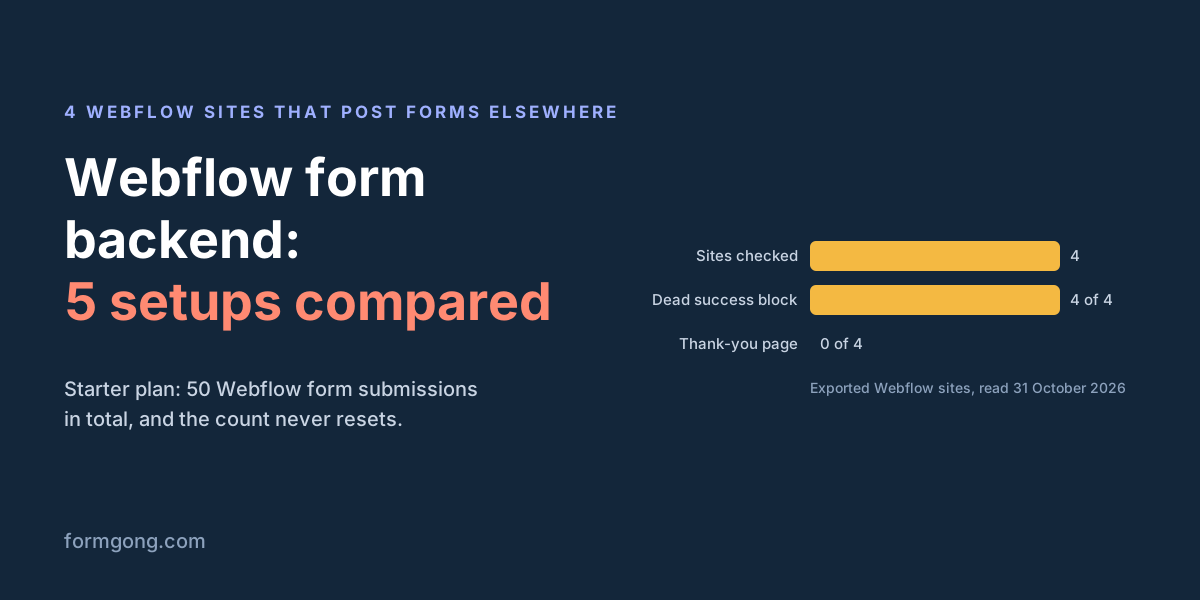
actionandmethod="get", Webflow's default. None posted anywhere else. - 4 exported Webflow sites on GitHub Pages that we found by searching for a form service's address next to Webflow's markup. 2 posted to Formspree, 1 to Getform and 1 to Web3Forms, all with POST. 0 of the 4 sent the visitor back with a redirect field. 0 of 4 had a reCAPTCHA. 4 of 4 still carried Webflow's success block, which can never appear on them.
The second group was picked because it posts elsewhere, so it says nothing about how common that is. It does show the usual leftovers of a custom action: a success message nobody will see, and no thought about where the visitor lands. Both are small fixes, a thank-you page and deleting the dead block.
Tell us what you hit
Did a Webflow form behave differently for you, or is a setting in this article named differently in your Designer? Write to support@formgong.com with what you saw. If a Webflow fact here has changed, we will check it and correct this page.
What Formgong's free plan includes
- Build the form or bring your own. The form builder takes the colours and fonts from your site's address, with no sign-up; ready form templates copy into your account; AI writes the fields from one sentence. Any hand-written HTML form works too.
- Websites with the form already connected. 28 free website templates post to Formgong out of the box.
- 250 submissions a month on unlimited forms. Spam does not count. Once a year, a busy month keeps delivering on credit until the 7th instead of stopping.
- Everywhere you work. Email to up to 3 people at once, Telegram with Reply and Handled buttons, Google Sheets, Notion, and 3 signed webhooks for Slack, Discord, Zapier, Make or n8n.
- Emails to your customers in your business's name. Formgong sends them under your business name and replies come back to you, with no email service of your own to set up: a review request to every lead, a reminder a visitor asked for, and review emails after an order with your logo and colours. People who agree can also go straight into your Mailchimp, Klaviyo, Brevo, MailerLite or Kit list. An automatic reply to each visitor is on Pro.
- No captcha needed. A server-side spam filter, a honeypot, allowed domains and a block list; add your own Turnstile key if you want one.
- Files and voice. Visitors can attach files, or record a voice message that arrives transcribed.
- Made for AI-built sites. A hosted form page and a contact button; step-by-step guides for sites built with Lovable, Bolt, v0, Replit and Base44; an MCP server lets Cursor or Claude wire the form for you.
- See what the form does. Analytics for views, starts, conversion and where each lead came from, and an alert when a form goes quiet.
- One account for the rest. Customer reviews and an AI help chat that answers visitors from your own pages, with every message in one inbox. Data is stored in the EU.
Frequently asked questions
Can I use a custom action on Webflow's free Starter plan?
You can set the action, but a form service needs a hidden access key, and hidden fields go in a Code Embed, which Webflow allows only with a paid site plan or a paid Workspace. On Starter, a webhook link or a button to a hosted form needs no code.
Do custom action submissions count toward Webflow's 50?
Webflow says a custom action bypasses its form handling and nothing is sent to or stored in Webflow, so they are not Webflow submissions. A webhook is different: the submission goes through Webflow first, so the Starter cap still applies.
Why does Webflow's success message not show with a custom action?
Webflow's form script attaches no handler to a form whose action points to another service (we read the script on 31 October 2026). The browser posts the form and opens the reply. Use a thank-you page, or send the form with a script that shows the success block itself.
Does Webflow's reCAPTCHA work with a custom action?
No. reCAPTCHA is checked by Webflow's own form processing, which a custom action skips. Formgong does not verify reCAPTCHA either, so remove the element and rely on Formgong's spam filter, or add your own Turnstile keys.
Can I keep submissions in Webflow and also send them to Formgong?
Yes. Leave Webflow under Send to and add a Webhook with the link from Formgong's setup wizard. Each submission is then stored in Webflow and delivered by Formgong to email, Telegram and your other channels.
Sources and documentation
Official references for this guide: Webflow: How do I add forms in Webflow?, Webflow: Form submissions, Webflow: Collect form submissions on exported sites, Webflow: Custom code embed, Webflow: Add a reCAPTCHA element, Webflow: form_submission webhook, Webflow pricing. Formgong for Webflow, where data is stored.