How we compared them
On 6 November 2026 we read the public pricing page of each builder and wrote down only what it said: the free plan's limits and whether free forms carry the vendor's name. We left out anything we couldn't read on the vendor's own page. Typeform's pricing page showed limits only for paid plans, Google's Forms page doesn't state any limit, and Microsoft's site blocked our request, so those three are not in the table.
We make Formgong, which is in the last row. It is mainly a form backend: you keep the form on your own site and Formgong delivers what people send. Our free builder produces that form as HTML. We list it because it is one of the choices you have, and the table shows it with the same columns as the others.
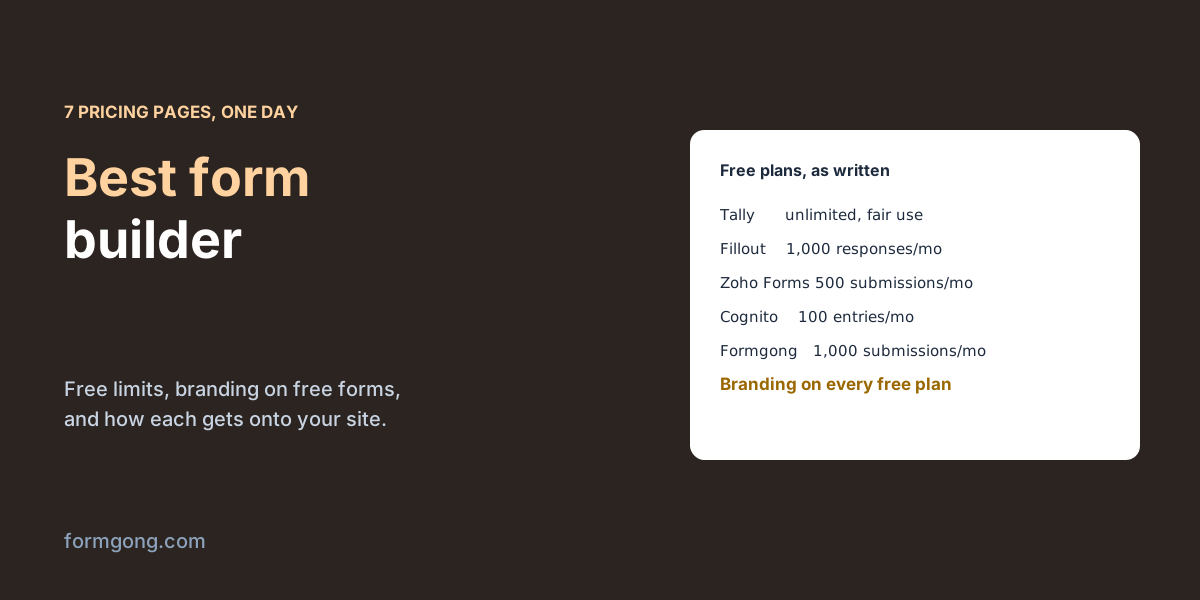
| Builder | Free plan | Their branding on free forms |
|---|---|---|
| Tally | “Unlimited forms and submissions, completely free, as long as you stay within our fair usage” | Yes; removing it is a Pro feature |
| Fillout | Unlimited forms, 1,000 responses a month | Yes, a badge |
| Zoho Forms | 1 user, 3 forms, 500 submissions a month, 200 MB of files | Yes, a “Powered by Zoho” footer |
| Cognito Forms | Unlimited forms, 100 entries a month, 100 MB of storage | Yes |
| Jotform | A free Starter plan; we could not read its limits on the page | Yes |
| Paperform | A free plan; its limits were not in the page text we read | Yes, “a Paperform badge that cannot be turned off” |
| Formgong | 250 submissions a month, up to 3 email recipients | Yes, a “Form by Formgong” line under the form |
Two things stand out. The free limits differ by an order of magnitude, from 100 entries a month at Cognito Forms to unlimited within fair use at Tally. And every free plan puts the vendor's name on your form, so if a badge on a client's site is a problem, budget for a paid plan wherever you go.
How does the form get onto your site?
This matters more than the feature list, and pricing pages rarely say it. Most builders host the form on their own servers and show it on your page in an iframe or through a script. The form then looks like their product inside your page, and it loads their code.
We measured the loader scripts that three of them document for embedding: Typeform's embed script is 14,556 bytes compressed, Tally's 15,126 and Paperform's 11,357. That is only the loader. The form itself then loads inside it from their servers: one Typeform-hosted form page we downloaded was 75,655 bytes compressed, HTML alone, before any images or other scripts.
The other approach is a form written in your page's own HTML. Our builder reported 3.5 KB of HTML and CSS for a contact form, no script required, and 1.5 KB of optional script if you want the thank-you message to appear without leaving the page. It copies your site's colour, corners and font from your home page, so the form looks like the rest of the site. The trade-off is that the form is yours to edit and keep: there is no hosted editor to change it later, you paste new code.
Our article on form backend vs form builder goes through that choice in detail.
Which form builder fits which job?
A survey, a sign-up list or a quiz, shared as a link. Tally or Google Forms. Nobody needs the form to match a website, and Tally's free plan had no hard limit on the page we read. Google's own page highlights charts of the answers that update as responses come in, which suits internal surveys.
A contact, quote or booking form on your own website. A form in your page's HTML plus a backend. It loads fastest, looks like your site, and works with any site builder that accepts code. Formgong's free form builder has eight starting points, from contact to job application, and each submission goes to your email and, if you want, Telegram.
Long forms with payments, signatures, multi-page logic and many integrations. Jotform, Fillout, Paperform or Zoho Forms. These are the jobs full builders exist for, and Formgong doesn't do payments or multi-page forms. Read the free limit against your expected volume: 100 entries a month is plenty for a small clinic's intake form and not enough for a busy shop.
A form an AI site builder made for you. The form is already HTML; it only needs somewhere to send. Our guide to forms in AI website builders covers Lovable, Bolt and v0.
What to check before you choose
Most “best form builder” lists judge the same handful of things. Here they are as questions to ask any builder's pricing and help pages, with Formgong's answers so you can see what a straight answer looks like.
Is it a free plan or a free trial? A trial ends and the forms stop; a free plan keeps working within its limits. The pricing page usually says which, sometimes only in the small print.
What makes the bill grow? Builders charge by submissions, by forms, by team seats, or by a mix. Work out which one you will run out of first. A clinic with one busy intake form and a marketing team with forty small forms hit different walls.
What happens on the day you pass the limit? New responses can be refused, hidden until you pay, or kept. Formgong keeps delivering on credit for one busy month a year, until the 7th of the next month, instead of stopping.
Where do the submissions live, and for how long? Check the export and how long answers are kept. Formgong's free plan keeps each submission for 30 days, or not at all after delivery if you choose that; longer storage is on the paid plans. Every submission is also emailed, so the inbox is your copy.
Are webhooks and integrations on the free plan? This is where many free plans stop. Formgong's free plan sends each submission by email to up to three people, to Telegram and Google Sheets, and to three webhooks for tools like Zapier or n8n.
How far does the logic go on the plan you'll use? Showing a question only for some answers, skipping pages and calculating totals are often split between free and paid. Formgong has no visual logic editor and no multi-page forms, so a form that branches a lot belongs in a full builder.
How does it stop spam, and what does that cost your visitors? A captcha puzzle stops bots and some people with them. Formgong filters on the server and with a hidden honeypot field, can accept posts only from your own domains, and lets you add a Turnstile check if you want one.
Can people attach files, and how much? Look for the size per file and the total storage. On Formgong's free plan a submission can carry three files, 5 MiB each and 10 MiB together, with 1 GiB of storage.
Where is the data stored, and is there a data processing agreement? If your visitors are in the EU, you need an answer to both. Formgong's database is created with EU jurisdiction, so it is stored in the EU, and our standard DPA is on the legal page.
Will it handle health data? In the US that usually means a vendor who will sign a business associate agreement under HIPAA, typically on a higher plan. Formgong makes no HIPAA claim, so don't use it for patient records.
Can you see who saw the form and who gave up? Response charts are common; views and starts are rarer. Formgong counts views, starts, submissions and spam per form on every plan.
Will the badge be acceptable, and does the form need to match the site? The table above covers the first. For the second, a form in your own HTML matches by itself; a hosted one matches as far as its theme options go.
Whichever builder you choose, test the form from a phone and send yourself a real message before you publish; our contact form testing checklist lists what to try. If you go the Formgong way, the same account also gives you an AI help chat and a reviews widget for the same site.
Did we miss your builder?
If you use a form builder that isn't here, or one of the free plans changed, tell us at support@formgong.com. We will read its pricing page and add it in the same way.
Frequently asked questions
What is the best free form builder?
It depends on the job. Of the pricing pages we read, Tally's free plan was the most generous: unlimited forms and submissions within fair use. For a form inside your own website, a builder that gives you HTML plus a backend fits better.
Do free form builders show their branding?
Every free plan we read on 6 November 2026 did, Formgong's included. Removing it needs a paid plan.
Is Google Forms a good form builder for a website?
It is good for surveys shared as a link. On a website it shows as an embedded Google form that doesn't match your design.
What is the difference between a form builder and a form backend?
A builder hosts the form and its editor; a backend receives a form you put on your own page and delivers the submissions.
Sources and documentation
Official references for this guide: Formgong: form builder. HTML forms, where data is stored.