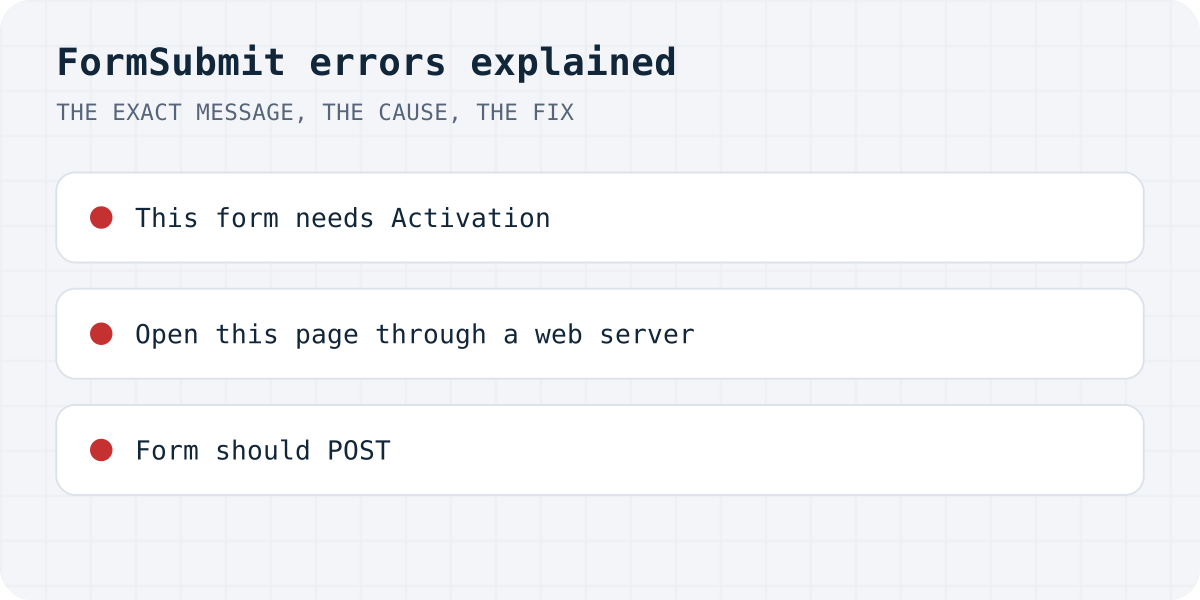
Every message at a glance
"false" is a non-empty string, so if (data.success) runs the thank-you branch for a refused submission.We sent requests to formsubmit.co on 11.10.2026 using only reserved addresses like nobody@example.com, so nothing reached a real inbox. A normal form gets an HTML page; the /ajax/ endpoint gets JSON with the same text. Every answer below, except the last two, came back as HTTP 200.
| What you see | HTTP status | Cause |
|---|---|---|
| “This form needs Activation. We've sent you an email containing an 'Activate Form' link.” | 200 | The address in the action has not been confirmed yet |
| “Unable to submit form. Make sure you open this page through a web server, FormSubmit will not work in pages browsed as HTML files.” | 200 | The request carried no Referer |
| “Form should POST. Make sure your form has the method="POST" attribute” | 200 | The browser sent GET |
| “Check email address. Email address … is not formatted correctly” | 200 | The part after formsubmit.co/ is not an email or a valid form string |
{"message": ""} | 405 | GET to the /ajax/ endpoint |
| “Whoops, looks like something went wrong.” | 405 | The action is just https://formsubmit.co/ with no address |
In JSON every error looks like {"success":"false","message":"…"}. The AJAX version of the activation message even spells it “will be actived”, so if you searched for that exact text, it is the same error.
“This form needs Activation”
The first time a form posts to a new address, FormSubmit does not deliver the message. It emails that address a link called Activate Form and shows this page instead. Until you click the link, every submission sends another activation email. FormSubmit's help page says submissions made before activation are delivered once you confirm and kept for 30 days, but uploaded files are not kept.
If the email never arrives, look in Spam and Promotions, and check the address in the action for typos: FormSubmit sends the link to exactly what is written there. Changing the address later, or switching to the random-string endpoint FormSubmit offers after activation, is treated as a new form. Some users report that posting from a different page address also asks for activation again; we could not test that without a real inbox.
<form action="https://formsubmit.co/you@yourdomain.com" method="POST">
  <input type="hidden" name="_next" value="https://yourdomain.com/thanks.html">
  <label>Email <input type="email" name="email" required></label>
  <label>Message <textarea name="message" required></textarea></label>
  <button type="submit">Send</button>
</form>
“Make sure you open this page through a web server”
The message talks about HTML files, but on our test the trigger was a missing Referer header. With a Referer the same request passed this check; without one it failed every time. That happens when:
- you open
contact.htmlstraight from your disk, with an address starting withfile://; - the request comes from a server rather than a browser, for example a Netlify or Vercel function that forwards the form;
- the page sends
Referrer-Policy: no-referrer.
For local testing, serve the folder, for example with npx serve, and open it over http. For the other two, add a hidden field <input type="hidden" name="_url" value="https://yourdomain.com/contact">; FormSubmit accepts it in place of the header, and our test confirmed it.
“Form should POST” when the form already has method="POST"
The plain cause is a form tag without method="POST". If yours already has it, check two other things. A trailing slash in the action, like https://formsubmit.co/you@yourdomain.com/, gets a 301 redirect on our test, and the browser repeats the request as GET, which lands on this page. And a relative _next such as thanks.html causes the same error after the message is sent, according to FormSubmit's help page and the accepted answer on Stack Overflow; use the full URL with https://.
“Email address … is not formatted correctly”
FormSubmit reads whatever follows formsubmit.co/ as an email address or as the random string it gives you after activation. A made-up string, an address without a domain ending, or a placeholder left from a tutorial all get this answer. Copy the address or the string again from the activation email.
AJAX: success is the string "false"
The /ajax/ endpoint answers every error above with HTTP 200 and "success":"false", with false written as a string. In JavaScript a non-empty string is truthy, so both if (response.ok) and if (data.success) show your thank-you message for a submission that was refused. Compare with "true" explicitly and show data.message otherwise.
Two more AJAX notes from FormSubmit's docs and user reports: posting to the plain endpoint with fetch does nothing visible, so use /ajax/; and files sent through the AJAX endpoint do not arrive, so use a normal form with enctype="multipart/form-data" for uploads. Separately, a form with enctype="text/plain" delivers blank emails.
In our test of 105 AI-built sites, 27 forms said “sent” when nothing was sent (the study).
const response = await fetch("https://formsubmit.co/ajax/you@yourdomain.com", {
  method: "POST",
  headers: { "Content-Type": "application/json", Accept: "application/json" },
  body: JSON.stringify({ email, message }),
});
const data = await response.json();
// FormSubmit answers 200 for errors too, and sends success as a string.
// "false" is truthy in JavaScript, so compare with "true" explicitly.
if (String(data.success) !== "true") throw new Error(data.message);
showSuccess();
If you are switching anyway
Formgong works the same way, without the activation step: you get a key when you sign up, a form posts to one URL with it, and a wrong key gets a real error status with "success": false as a boolean. The free plan has 300 submissions a month with email on every one, Telegram alerts, data stored in the EU, and errors and thank-you pages in 12 languages. Switching means changing the action to https://formgong.com/submit and adding <input type="hidden" name="access_key">. See the HTML guide and how Formgong compares with other form backends.
Frequently asked questions
Why does FormSubmit say “This form needs Activation”?
FormSubmit has not confirmed the address in your form's action yet. It emailed that address an Activate Form link; click it, then submit again. Check Spam if the email is missing.
What does “Make sure you open this page through a web server” mean?
The request reached FormSubmit without a Referer header: the page was opened from a file, or a server forwarded the form. Serve the page over http, or add a hidden _url field with the page address.
Why does FormSubmit say “Form should POST” when my form uses POST?
Remove any trailing slash from the action URL and give _next a full https:// address. Both turn the request into GET on the way.
How do I know a FormSubmit AJAX submission really worked?
Check that data.success equals the string "true". Errors come back with HTTP 200 and success set to the string "false", which JavaScript treats as true.
Sources and documentation
Official references for this guide: FormSubmit: help and FAQ, FormSubmit: documentation, FormSubmit: AJAX, Stack Overflow: “FormSubmit says my form should use method=POST but it actually does”, MDN: Referrer-Policy. HTML contact form, where data is stored.