The same error for every cause
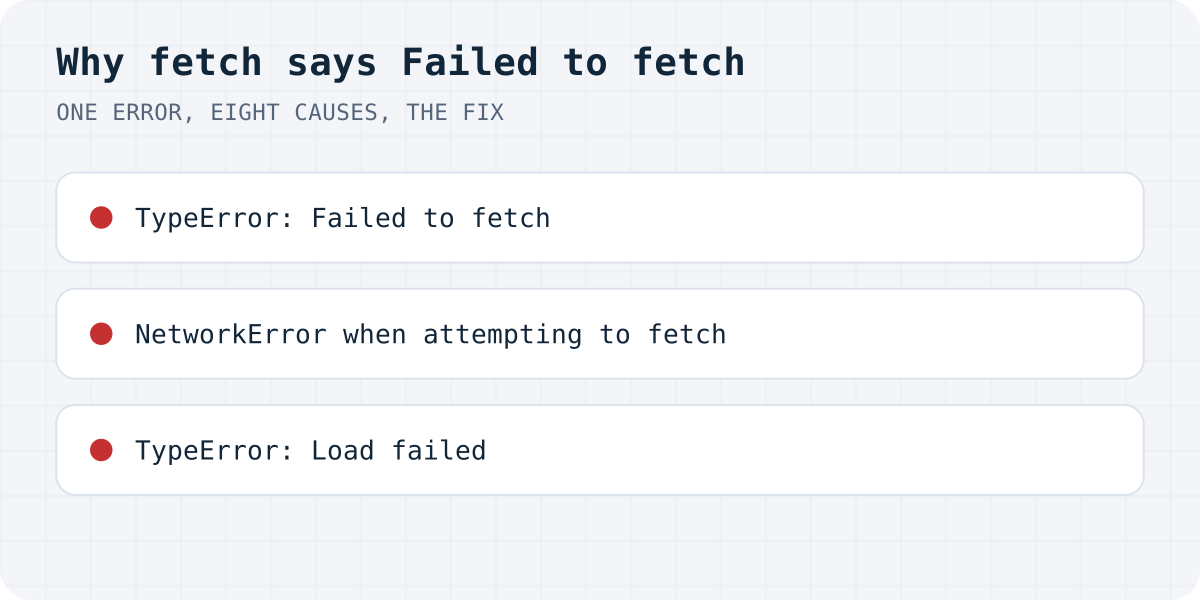
When fetch cannot finish a request, the browser throws a TypeError with one fixed message. On our tests (11.10.2026) every failing case produced exactly the same text per browser:
- Chrome, Edge and other Chromium browsers:
TypeError: Failed to fetch - Firefox:
TypeError: NetworkError when attempting to fetch resource. - Safari:
TypeError: Load failed
Browsers hide the reason from your JavaScript on purpose, so a page cannot probe other sites. The reason is printed separately, in the console, one line above the error. In Chrome open DevTools (F12), go to the Console tab, submit the form again and read the red line before “Failed to fetch”. The Network tab shows the same request in red with its status.
Match the console line to the cause
These are the Chrome console lines from our reproduction. Firefox and Safari print their own wording, covered in the sections below.
| Console line (Chrome) | Cause | Did the server get the message? |
|---|---|---|
| “has been blocked by CORS policy: No 'Access-Control-Allow-Origin' header is present on the requested resource.” | The endpoint does not allow your site, or it crashed and its error page has no CORS header | Often yes |
| “Response to preflight request doesn't pass access control check” | The endpoint does not answer the OPTIONS preflight that a JSON body triggers | No |
net::ERR_NAME_NOT_RESOLVED | The host does not exist: a typo, or https://undefined/… from a missing environment variable | No |
net::ERR_CONNECTION_REFUSED | Nothing is listening at that address, usually a local dev server that is not running | No |
net::ERR_CERT_AUTHORITY_INVALID and similar | The endpoint's certificate is invalid or expired | No |
| “Mixed Content: The page at 'https://…' was loaded over HTTPS, but requested an insecure resource 'http://…'” | An http:// endpoint on an https:// site | No |
| “violates the following Content Security Policy directive: "connect-src …"” | Your page's CSP does not list the endpoint | No |
net::ERR_BLOCKED_BY_CLIENT | An ad blocker or privacy extension (reported by users, not reproduced by us) | No |
“Blocked by CORS policy”: the message may have arrived anyway
CORS is the rule that lets a server decide which websites may read its replies. When your form posts to an API on another domain, the API has to answer with Access-Control-Allow-Origin naming your site (or *). If it does not, the browser throws away the reply and your code gets “Failed to fetch”.
On our test, when the form sent FormData, the server received and stored the POST, answered 200, and only then did the browser block the reply. The visitor saw an error for a message that had in fact arrived, and a visitor who tries again sends it twice. With a JSON body it is different: the browser first sends an OPTIONS “preflight”, and if that fails, the POST is never sent at all.
A crash on the server looks exactly the same. On our test, an endpoint that answered the preflight properly but returned a 500 without CORS headers produced the same “No 'Access-Control-Allow-Origin' header” line, so the real bug was hidden behind a CORS message. Check the server's log before you touch the CORS settings.
The fix belongs on the server: answer OPTIONS and add the header to every response, including errors. mode: "no-cors" is not a fix; it makes the reply unreadable, so your form can no longer tell success from failure.
// Answer the preflight, and add the header to every reply, errors included.
const cors = {
  "Access-Control-Allow-Origin": "https://yourdomain.com",
  "Access-Control-Allow-Methods": "POST, OPTIONS",
  "Access-Control-Allow-Headers": "Content-Type",
};
if (request.method === "OPTIONS") return new Response(null, { status: 204, headers: cors });
A wrong or empty URL
AI builders and frameworks often read the endpoint from an environment variable. If that variable is set on your computer but not on the live host, the URL becomes the word undefined. With an absolute URL, https://undefined/api/submit, the browser cannot find the host and you get ERR_NAME_NOT_RESOLVED and “Failed to fetch”. With a relative one, undefined/api/submit, there is no error at all: on our test fetch quietly got a 404 from your own site. Search the built JavaScript for the literal text undefined/, and add the variable in your host's settings.
ERR_CONNECTION_REFUSED is the local version of the same problem: the form points at localhost:3000 or localhost:8787 and nothing is running there, or the live site still points at your laptop.
Mixed content and CSP
A page served over https may not send requests to an http:// address. All three browsers blocked it on our test for a public host, with the request never sent. Change the endpoint to https://. Chrome did let an https page post to a private network address like http://192.168.1.130, while Firefox and Safari blocked it, so a form that works in Chrome on your office network can still fail elsewhere.
If your site sets a Content Security Policy, its connect-src must include the endpoint's origin. Otherwise every browser refuses the request before it leaves.
Firefox and Safari wording
Firefox prints “Cross-Origin Request Blocked … (Reason: CORS request did not succeed). Status code: (null).” for a missing host, a refused connection and a bad certificate, none of which has anything to do with CORS. If you see that line, check the URL and the server first. A real CORS problem in Firefox says “(Reason: CORS header 'Access-Control-Allow-Origin' missing)” and gives a status code.
Safari prints “Origin … is not allowed by Access-Control-Allow-Origin” for CORS, “A server with the specified hostname could not be found.” for a wrong host, “Could not connect to the server.” when nothing is listening, and “The certificate for this server is invalid.” for certificates.
The form leaves the page before fetch finishes
If the submit handler does not call event.preventDefault(), the browser starts its normal form submission and leaves the page while your fetch is still running. On our test the results differed by browser: in Firefox and Safari the request was cancelled every time and the server never got the message (Safari also showed the error in an alert), while Chrome sometimes let it through. Call preventDefault() as the first line of the handler, and show success only when the reply says so.
In our test of 105 AI-built sites, 27 forms told visitors their message was sent when it was not (the study).
form.addEventListener("submit", async (event) => {
  event.preventDefault(); // without this the browser leaves the page mid-request
  try {
    const response = await fetch(form.action, { method: "POST", body: new FormData(form) });
    const data = await response.json();
    if (!response.ok || data.success !== true) throw new Error(data.message || "Not sent");
    showSuccess();
  } catch (error) {
    // "Failed to fetch" lands here. The console line above it says why.
    showError("Your message was not sent. Please try again or email us.");
  }
});
Ad blockers
Privacy extensions block requests whose URL matches their filter lists, words like track or analytics in particular. Chrome then shows ERR_BLOCKED_BY_CLIENT. We could not reproduce a real extension in an automated browser, so this one comes from user reports and MDN. To check, submit the form in a private window with extensions off. If it works there, rename the endpoint path or tell visitors to allow your site.
A form backend that answers CORS on every reply
Formgong's endpoint, https://formgong.com/submit, sends Access-Control-Allow-Origin: * on every answer, errors included, so a wrong key reaches your code as a readable 404 with "success": false instead of “Failed to fetch”. A plain HTML form needs no JavaScript at all. See the HTML guide or the guide for your builder.
Frequently asked questions
What does TypeError: Failed to fetch mean?
The browser could not complete the request or was not allowed to read the reply. The text is the same for every cause; the console line printed just above it names the actual reason.
Is “Failed to fetch” always a CORS error?
No. It also appears for a wrong or undefined URL, a server that is not running, an invalid certificate, an http endpoint on an https page, a Content Security Policy block, an ad blocker and a page that navigates away mid-request.
My form shows Failed to fetch but the email arrived. How?
With a FormData body and a server that sends no CORS header, the server stores the message and the browser blocks only the reply. Add Access-Control-Allow-Origin on the server so the form can read the answer.
What is the Firefox and Safari version of this error?
Firefox: “NetworkError when attempting to fetch resource.” Safari: “Load failed”. Both have the same causes as Chrome's “Failed to fetch”.
Sources and documentation
Official references for this guide: MDN: CORS errors, MDN: Reason: CORS request did not succeed, MDN: fetch() exceptions, MDN: Mixed content, Chrome: Local Network Access. HTML contact form, where data is stored.