First: did the submission reach Webflow?
“Not sending email” covers two different problems. Submit the form on the published site, then open Site settings > Forms. Webflow's help center suggests the same test.
- The submission is there. The form works. Skip to the email part.
- It is not there. The form never reached Webflow. Start with the custom action.
A custom action turns off Webflow's form handling
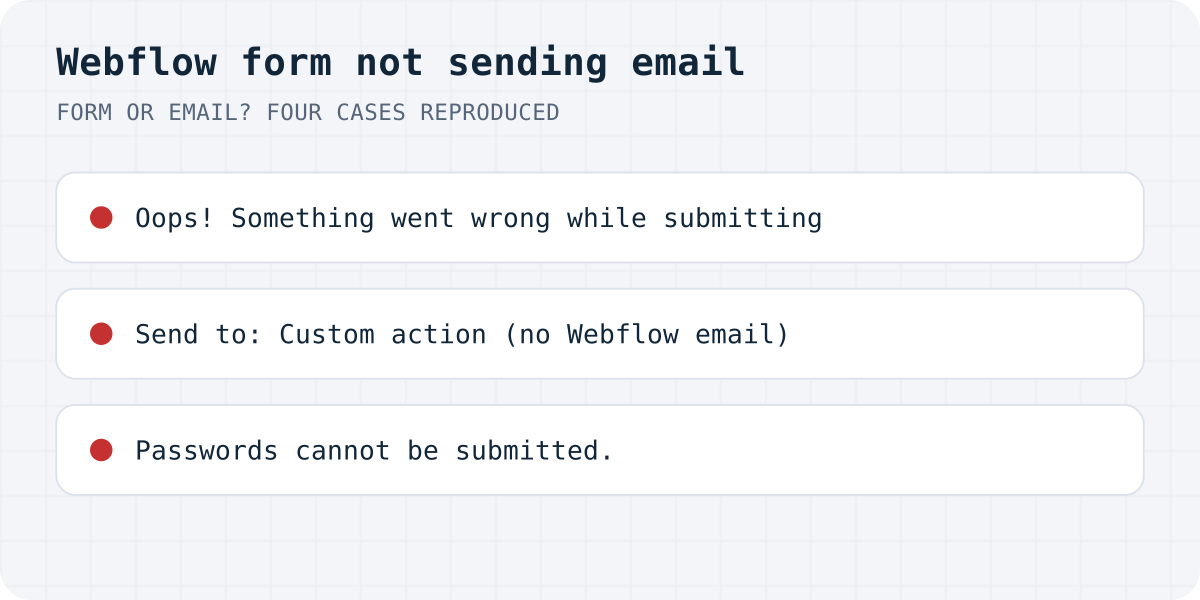
Under Send to a Webflow form can go to Webflow, email notifications, apps, or a custom action. A custom action cannot be combined with Webflow or email notifications. We loaded Webflow's form script on a test page on 11.10.2026 and gave the form an action URL. The script attached no handler to it. The browser submitted the form on its own and left the page for the reply of that URL. Webflow's “Thank you” block never appeared.
Webflow's docs add the rest: the submission is not stored in Webflow and no notification email goes out. The outside service has to send the email and bring the visitor to a thank-you page. If you want Webflow's email, remove the custom action and choose Webflow and Email Notifications under Send to, then republish.
The same form with Formgong as the custom action
A custom action is the only way Webflow offers to send a form somewhere else, and on an exported site it is the only way at all. Here is how the problems in this article change when that action is Formgong.
| Problem | With Formgong |
|---|---|
| Custom action, so no Webflow email | Formgong sends the email on every plan, and a Telegram message too. The visitor lands on your own thank-you page through _redirect. |
| Exported site, “Oops! Something went wrong” | Works on any host. The form posts to https://formgong.com/submit, so Webflow hosting does not matter. |
| Pasted form puts the answers in the URL | Our snippet sets the action and method="POST", so nothing depends on Webflow's script. |
| Send button stays grey behind Turnstile | Spam checks work without a CAPTCHA: a honeypot and cookie-free checks. Turnstile is optional. |
| Notification lands in spam or is blocked | The Telegram message does not depend on email delivery, and every submission is also kept in the Formgong inbox. |
One limit stays: the hidden access key needs a Code Embed, which Webflow allows on a paid site plan or a paid Workspace.
Exported site: “Oops! Something went wrong while submitting the form”
Webflow processes forms only on sites it hosts with an active site plan. On an exported site its docs say to use a custom action that points to a form service. We tested what happens if you skip that: our test page sat outside Webflow hosting and kept the normal Webflow form. The script sent the form to webflow.com/api/v1/form/…, Chrome blocked the reply:
Access to XMLHttpRequest at 'https://webflow.com/api/v1/form/…' from origin '…' has been blocked by CORS policy: No 'Access-Control-Allow-Origin' header is present on the requested resource.
The visitor saw the form's error block, “Oops! Something went wrong while submitting the form.” Our test used a made-up site ID, so it shows what an outside page gets, not every reason for that message.
Webflow form HTML pasted into another page
Copy a Webflow form into a page without Webflow's data-wf-site attribute on the <html> tag, and the script cannot tell where to send it. On our test the console printed:
Oops! This page has improperly configured forms. Please contact your website administrator to fix this issue.
Pressing Send then reloaded the page with the answers in the address bar, ?email=…&message=…, because the form tag Webflow writes has method="get". Nothing was sent anywhere. Set an action and method="POST" for a form service, or rebuild the form inside Webflow.
“Passwords cannot be submitted.”
Webflow's form script refuses any field of type password. On our test it showed the alert “Passwords cannot be submitted.” and sent nothing. Change the field type to text, or better, do not collect passwords in a contact form.
Two more causes from Webflow's help center that stop the form before it sends: a required field that is hidden, and reCAPTCHA turned on in Site settings without a reCAPTCHA element in the form. A regular button instead of a Submit button does not submit either.
The Send button stays grey
This one we read in Webflow's form script rather than reproduced end to end. With Cloudflare Turnstile spam protection on, the script disables the Submit button until Turnstile returns a token. If the Turnstile script is blocked, by a content blocker or a strict Content-Security-Policy, the token never arrives and the button stays disabled. Test the form with extensions off and check the console for blocked requests to challenges.cloudflare.com.
The submission is in Webflow, but no email
These come from Webflow's help center:
- The recipient field is empty. Someone clicked the unsubscribe link in a notification email, and that removes the address. Add it again in the form's settings under Send to > Email Notifications and republish.
- Spam folder. Webflow sends from
no-reply@webflow.com,no-reply@webforms.ioandno-reply-forms@webflow.com. Add all three to your contacts or safe senders. - Role-based address. Webflow recommends a name-based address over
info@,admin@orsupport@, which some providers filter more often. - Starter plan. On the free Starter Site plan, notifications go to at most five recipients, and all of them must be Workspace members.
- Blocklist. If your mail server rejected Webflow's emails before, Webflow can stop sending to that address. Only Webflow Support can remove the block.
If the form stopped after many submissions, it may be the plan limit; we covered that in Webflow form submission limits.
Using a form service as the custom action
On an exported site, or when you need email to more people than the plan allows, a custom action to a form service is the way Webflow documents. With Formgong the action is https://formgong.com/submit with method POST, and a Code Embed inside the form holds the access key and a _redirect to your own thank-you page, since Webflow's success block will not show. Code Embed needs a paid site plan or a paid Workspace. Each submission goes to email and Telegram. The free plan has 300 submissions a month. The full steps are in the Webflow guide.
<!-- Code Embed inside the Webflow form. Send to: Custom action, https://formgong.com/submit, POST -->
<input type="hidden" name="access_key" value="YOUR_ACCESS_KEY">
<input type="hidden" name="_redirect" value="https://yoursite.com/thank-you">
<div aria-hidden="true" style="position:absolute;width:1px;height:1px;overflow:hidden;clip-path:inset(50%)">
  <input type="text" name="botcheck" tabindex="-1" autocomplete="off">
</div>
Frequently asked questions
Why is my Webflow form not sending email notifications?
Check Site settings > Forms first. If the submission is there, re-add the recipient, check spam and allow Webflow's three sender addresses. If it is not there, a custom action or an exported site is the usual reason.
Does a Webflow custom action send email notifications?
No. With a custom action Webflow does not store the submission or send its email. The service at the action URL has to send it.
Do Webflow forms work on an exported site?
Not with Webflow's own processing. Webflow's docs say to set a custom action to a form service before you export. On our test the default form on an outside page failed with a CORS error and the “Oops!” message.
Why did my Webflow notification email address disappear?
Someone clicked the unsubscribe link in a notification email. That removes the address from the form settings. Add it again and republish.
Sources and documentation
Official references for this guide: Webflow: Why am I not receiving form notification emails?, Webflow: Collect form submissions on exported sites, Webflow: Form submissions. HTML contact form, where data is stored.