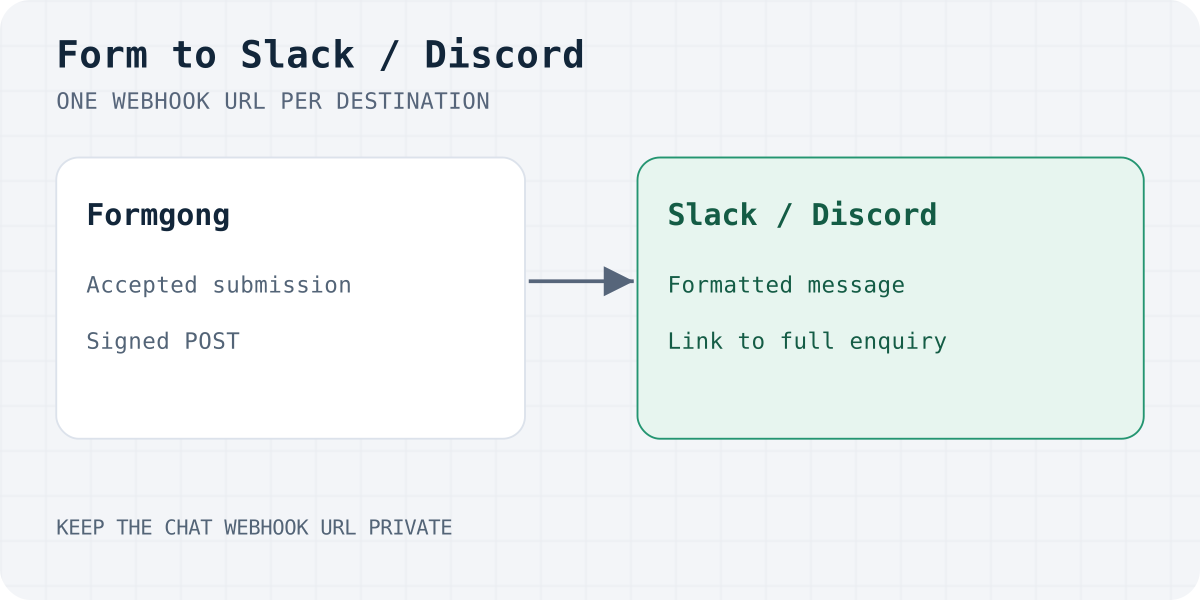
When this is the right setup
Use a direct webhook when the job is "tell my team a lead arrived":
- A sales or support channel should see every new enquiry the moment it comes in.
- You want the same lead in the inbox and in chat, with one place to mark it handled.
- You do not want to maintain a middle layer (a Zap, a scenario, a small server) just to forward text.
Use Make, n8n or Zapier instead when you need logic in between: route by a field value, create a CRM record, add a row to another system. Formgong sends those tools a signed JSON webhook, and the same form can feed them. Native CRM connectors are not part of Formgong.
What you need
- A working form posting to Formgong. If you do not have one yet, start with an HTML contact form without a backend.
- Permission to add an incoming webhook in Slack, or to manage webhooks on a Discord channel. In some Slack workspaces an admin has to approve the app that owns the webhook.
1a. Create the webhook in Slack
- In Slack, create an app (or open one you already have) and turn on Incoming Webhooks.
- Add a new webhook to the workspace and choose the channel, for example
#leads. - Copy the URL. It starts with
https://hooks.slack.com/services/.
Treat that URL like a password: anyone who has it can post to the channel.
1b. Or create the webhook in Discord
- Open the channel's Settings, then Integrations, then Webhooks.
- Choose New Webhook, give it a name and pick the channel.
- Copy the webhook URL. It starts with
https://discord.com/api/webhooks/.
2. Paste it into Formgong
Open your form in the Formgong dashboard, find the webhook setting, paste the URL, and save. Press Send test. A sample message should appear in the channel after a successful delivery, and it shows exactly how real leads will look.
The Free plan includes one webhook; Pro includes five. If you want the same form in both Slack and Discord, that requires two destinations on that form. Webhook limits apply per form; different forms can each have their own destination. Telegram is configured separately, in the form's Telegram settings.
3. Check the message
A delivered lead contains the form's name, the visitor's answers, the page it was sent from and a link to the full submission in the Formgong inbox. When a visitor attaches a file, the message lists the file name.
Formgong also makes the message safe to post into a busy channel:
@everyone,@hereand@channelin a visitor's text are defused, so a stranger cannot ping your whole team through your contact form.- A visitor cannot hide a link behind innocent-looking text.
- Long submissions are cut to the platform's limits, with a link to the full text.
Submit your real form once from your site and compare it with the test message. Check the channel, the order of the fields, and that the link opens the right submission.
If something goes wrong
Webhook delivery is retried. Formgong makes up to five attempts, waiting 30 seconds, 2 minutes, 10 minutes and 30 minutes between them. If the last attempt still fails, Formgong attempts an alert through linked Telegram chats, or by email when no Telegram chat is linked. Alerts are limited to one per 24 hours for each form and channel, on every plan including Free, and are separate from the daily digest.
The usual causes are simple:
- The webhook was deleted or revoked. Someone removed the app or the Discord webhook. Create a new one and paste the new URL.
- The channel no longer exists or the app lost access to it.
- A workspace admin has not approved the app yet (Slack).
- A typo in the URL. Slack addresses start with
hooks.slack.com/services/, Discord addresses withdiscord.com/api/webhooks/.
One exception: Slack Workflow Builder links (hooks.slack.com/triggers/…) and every other URL receive the raw JSON payload instead of a formatted message. That is what you want for a workflow, but it is not what you want for a plain channel, so use a normal incoming webhook for channel messages.
Slack, Discord, Telegram or email?
You do not have to choose one. A typical setup for a small team:
| Channel | Best for | Notes |
|---|---|---|
| Telegram | The owner who wants every lead on their phone | Delivered at once on Free; Reply, Mark handled and Spam buttons |
| Slack or Discord | A team that already works in chat | One webhook on Free, five on Pro |
| A record and replies from your mail app | Daily digest on Free, per submission on Pro and Business |
Read more: send website form submissions to Telegram and manage leads in Telegram without a CRM.
Sending the same form to your own server
Slack and Discord only need the webhook URL. If you also send the form to your own endpoint, Formgong signs that request with an HMAC so you can prove it came from your form. Learn how to check it in Verify a form webhook signature. The X-Signature header is sent with Slack and Discord messages too.
Frequently asked questions
Do I need Zapier to send form submissions to Slack?
No. Paste a Slack incoming webhook URL into the form's webhook field. Formgong posts a formatted message itself. Zapier, Make or n8n are only needed when you want logic between the form and the destination.
Do I need to create a Slack bot or a Discord bot?
No. Slack needs only an incoming webhook, and Discord needs only a channel webhook. Formgong does not require a Formgong Slack app or a Discord bot.
Can one form post to both Slack and Discord?
Yes, on a plan with more than one webhook. The Free plan includes one webhook, and Pro includes five.
Can a visitor spam @everyone through my form?
No. Mentions such as @everyone, @here and @channel are defused before the message is sent.
What happens if Slack or Discord is down?
Formgong retries up to five times over about 43 minutes, and the submission stays in your Formgong inbox the whole time. If every attempt fails, Formgong attempts an owner alert through Telegram or email.
Sources and documentation
Official references for this guide: Slack integration, Discord integration, Slack incoming webhooks, Discord webhooks. Formgong webhook documentation, where data is stored.
Read this article as Markdown