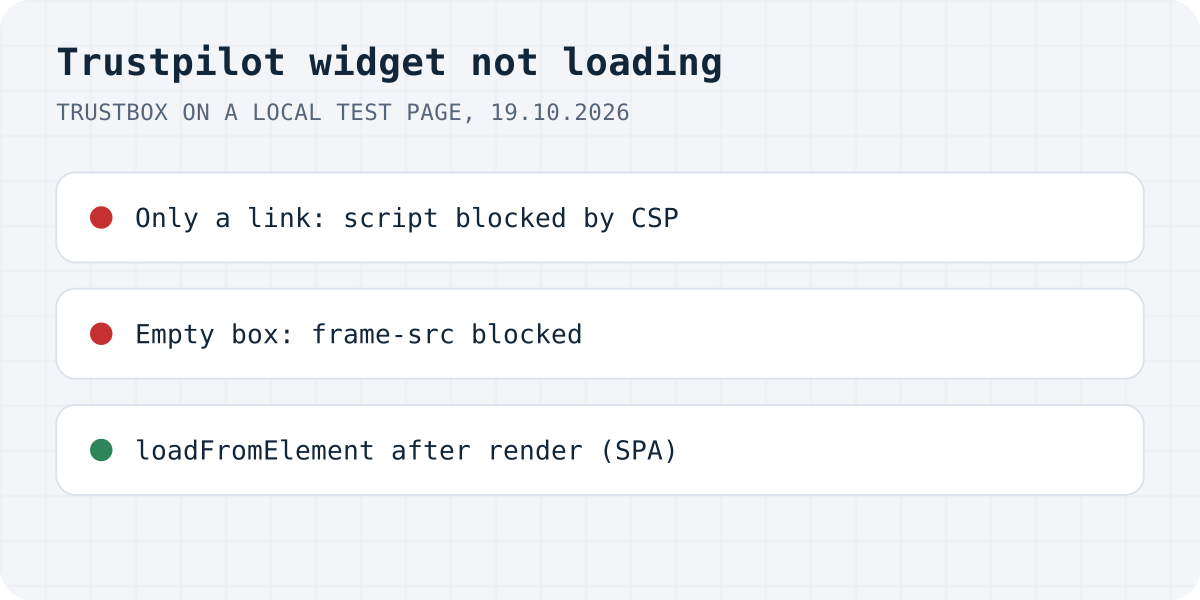
A link, an empty box or a logo
A TrustBox has two parts: a bootstrap script, ideally in the page's <head>, and a div with the class trustpilot-widget where the widget should go. The script finds those divs and replaces the link inside each one with a frame from widget.trustpilot.com. That makes the failures easy to tell apart:
| What you see | Likely cause | Fix |
|---|---|---|
| A plain “Trustpilot” link | The script is missing or was blocked | Add it to the head; check CSP, ad blockers, script delay |
| Empty space where the widget should be | The frame was blocked | Allow widget.trustpilot.com in frame-src |
| Link only on pages your app renders later | The script ran before the widget existed | Call Trustpilot.loadFromElement |
| Works in preview, not on the live site | Not published, a redirecting domain, WP Rocket or an ad blocker | See the preview section below |
| Only the Trustpilot logo | The widget could not get review data | Check the business unit and template IDs |
| The widget you want is not offered | It is not part of your plan | Check the plan list below |
Only a link: the script is missing
Trustpilot's FAQ answers this exact question, “Why doesn't my TrustBox widget load properly? It only shows a link to Trustpilot.”, with “It sounds like the bootstrap script hasn't loaded.” Each TrustBox comes with two snippets, and people often copy only the second one. The first is this:
<script type="text/javascript" src="//widget.trustpilot.com/bootstrap/v5/tp.widget.bootstrap.min.js" async></script>Trustpilot asks for it in the <head>, once per page, even with several widgets. If you cannot edit the head, its FAQ allows the body “just before the widget code”. On WordPress, Trustpilot's FAQ says you need to add the script to the page header, which means editing the theme's header.php. We removed the script from our test page and got exactly the FAQ's picture: the div kept its “Trustpilot” link, and window.Trustpilot did not exist.
If you load the script through Google Tag Manager, Trustpilot's GTM guide lists its own checks: the tag fired in GTM Preview, the trigger is DOM Ready, GTM is on the page, and the business unit and template IDs are correct. It also warns that GTM's Custom HTML tags accept only ES5 JavaScript.
Content Security Policy blocks the script or the frame
We found nothing about Content Security Policy in Trustpilot's help pages, so we tested it. With script-src 'self' on our page, Chrome blocked the bootstrap script and logged the error in the picture above; the visitor saw the plain link. With the script allowed but frame-src 'self', the script ran, removed the link and inserted the frame, and Chrome blocked the frame: “Framing 'https://widget.trustpilot.com/' violates the following Content Security Policy directive: "frame-src 'self'"”. That case is worse than the first, because the visitor sees empty space instead of a link.
So a site with a CSP needs widget.trustpilot.com in both script-src and frame-src (or in default-src if you use only that). One detail from our test: Trustpilot's snippet starts with //, so on a plain http:// page, such as a local test server, it loads over http. A policy that lists only https://widget.trustpilot.com blocked it there. On an https site the same snippet loads over https.
Trustpilot does not support Subresource Integrity for the script. Its FAQ says a fixed hash would break with Trustpilot's frequent updates, so do not add an integrity attribute.
Ad blockers, consent tools and script delay
Trustpilot's FAQ is honest about ad blockers: “we can't guarantee that an adblocker won't be able to block your reviews from being shown.” Before you debug anything else, open the page in a private window with extensions off.
Some cookie banners hold back third-party scripts until the visitor agrees, and if yours holds back the bootstrap script, the widget waits with it. Trustpilot's FAQ says its widgets “don't require cookies to work” and do not use cookies for the impressions, views and clicks they track. If your consent tool blocks the TrustBox script, check how your tool has it categorised.
Speed plugins are the third case. Trustpilot's ecommerce troubleshooting article names WP Rocket: “This plugin delays javascript and prevents TrustBoxes from loading.” If you use a “delay JavaScript” or “load scripts on interaction” option in any speed plugin, exclude tp.widget.bootstrap.min.js from it or test with it turned off.
React, Vue and other single-page apps
The bootstrap script looks for TrustBoxes when the page loads. A widget your app renders later, on another route or after data arrives, is not there at that moment. Trustpilot's guide for single-page apps says the script “doesn't always detect route changes”, and that in that case the widget “may not load”.
We tested it with a page that inserts the TrustBox div three seconds after loading. The script was on the page and window.Trustpilot existed, but the new div kept its plain link. Calling Trustpilot's function after inserting the div turned it into the widget frame:
const trustbox = document.getElementById('trustbox');
window.Trustpilot.loadFromElement(trustbox, true);
Trustpilot's React sample passes true as the second argument and checks if (window.Trustpilot) first, because the async script may not have loaded yet; when it loads, it picks up the widget by itself. In React, remember that the attribute is className, not class.
It works in preview but not on the live site
Trustpilot's ecommerce troubleshooting article has a section with exactly this title, and four checks:
- An ad blocker on your own browser.
- A redirecting domain: if
domain.comredirects todomain.com/en, “a TrustBox installed on domain.com won't show up on domain.com/en.” Add the page you actually land on and install the TrustBox there. - WP Rocket delaying JavaScript.
- The Publish button: “otherwise the TrustBox will remain in preview mode.”
The same article covers product review TrustBoxes that come up empty: product SKUs and names are filled in automatically only on product pages, so a product widget on another kind of page has no product to show. And Trustpilot's integrations do not support installing TrustBoxes on more than 20 custom pages; past that, install them by hand.
A logo instead of reviews, plans and old browsers
When a TrustBox cannot get its data, Trustpilot's FAQ says it falls back to a cache kept for 30 days, and “If the fallback cache is down or has expired, widgets display a fallback logo.” When we opened the widget frame for the example IDs in Trustpilot's FAQ directly, it showed only the Trustpilot logo. If your widget shows just the logo, compare the business unit ID and template ID in your code with the code in Trustpilot Business, under Share & promote, Website widgets.
Not every TrustBox is on every plan. Trustpilot's widget overview lists Review Collector as the Free plan widget and Micro Review Count from Starter; the Micro Star, Micro TrustScore, Mini and other compact widgets from Plus; and the Carousel, Grid, List and other larger layouts from Premium. Product review widgets need the Product Reviews add-on. If code you copied from a tutorial uses a template your plan does not include, generate fresh code from your own account.
Finally, browsers: Trustpilot says TrustBoxes are not compatible with Safari for Windows or Internet Explorer 10 and earlier.
The same problems with Formgong Reviews
Our widget is a script tag and a div too, so some of these failures apply to it. Here is the same list with Formgong Reviews, checked against our widget's code on 19.10.2026. One difference in kind: Trustpilot reviews live on Trustpilot and anyone can post one there, while ours are collected by you and shown on your own site.
| Problem | With Formgong |
|---|---|
| Script blocked by a CSP | Our reviews.js needs formgong.com in script-src and connect-src. It draws in a Shadow DOM on your page, not in a frame, so frame-src does not matter. |
| Widget added after page load | Same limitation. reviews.js looks for widgets once, when it runs, and has no function to call later, so put the div in the page before the script runs. |
| Fails quietly | Partly the same. A wrong key gets a 404 from the reviews JSON, which shows in the Network tab, and the widget stays empty. The dashboard's Check my site button looks for the widget on your page. Our Yotpo guide has another review widget that fails without a word. |
| Widget types tied to a plan | There is one widget, and it is part of the free plan. |
Formgong Reviews is the review tool we build. It works on any site where you can paste HTML: one div and one script tag, and approved reviews show as stars and cards. Pro adds an AI summary written from the approved reviews. Reviews come from a link you send customers, and old ones can come in from a Judge.me, Yotpo, Loox or Shopify Product Reviews export or a CSV. If your shop sends us its orders (our WordPress plugin does it for WooCommerce), reviews left from the email we send after an order are marked “Verified buyer”, and the publishing rules never look at the star rating. The review widget page shows the code.
The same account covers the rest of a small shop's site: contact forms that email you and post to Telegram, an AI help chat that answers visitors from your own pages, and free templates with the form already connected.
Still not loading?
Which of these was blocking your TrustBox, or did you find another cause? Write to support@formgong.com and tell us what you see on the page. If it is a case we have not covered, we will check it and add it here.
Frequently asked questions
Why does my Trustpilot widget only show a link?
The TrustBox bootstrap script did not run. It is missing from the page, or a Content Security Policy, an ad blocker, a consent tool or a script-delaying plugin blocked it. Trustpilot recommends the script in the head.
Why is my TrustBox an empty box?
The script ran but the frame from widget.trustpilot.com was blocked, for example by a Content Security Policy frame-src rule. Allow widget.trustpilot.com in frame-src.
How do I load a TrustBox in React or another single-page app?
Render the div, then call window.Trustpilot.loadFromElement with that element. Trustpilot's React sample passes true as the second argument and checks that window.Trustpilot exists first.
Why does my TrustBox work in preview but not on my site?
Trustpilot lists four checks: an ad blocker, a domain that redirects to another URL, WP Rocket delaying JavaScript, and a TrustBox that was never published.
Sources and documentation
Official references for this guide: Trustpilot: TrustBox widgets FAQ, Trustpilot: Add a TrustBox widget to a single-page application, Trustpilot: Ecommerce integration troubleshooting, Trustpilot: TrustBox widget overview, Trustpilot: Add a TrustBox widget using Google Tag Manager. HTML, where data is stored.