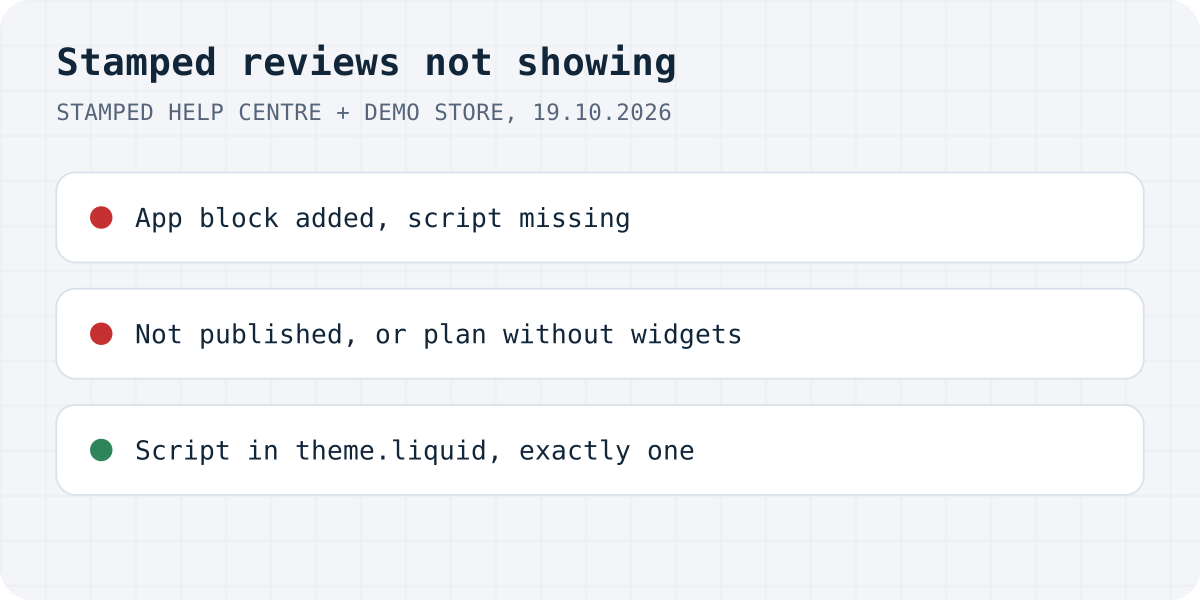
Block and script are two different things
stamped-main-widget div on the page; the script block pasted into theme.liquid is what fills it. Stamped's guide: “Nothing renders until it is in place.”Stamped keeps your reviews on its side, so when they vanish from the store, the cause is almost always in the theme or in Stamped's settings. Find your symptom here:
| What you see | Likely cause | Fix |
|---|---|---|
| App blocks added, nothing renders anywhere | The script is not in theme.liquid | Paste it before </body> |
| Widgets load on some visits, or spin forever | The script is pasted twice | Remove the duplicate |
| Everything gone after a theme change | The new theme has no script and no blocks | Rebuild the install in the new theme |
| Reviews in the dashboard, not on the store | Not published, or a plan without widgets | Publish them; check your plan |
| Carousel or other display widgets show few reviews | They show 5-star reviews only by default | Lower the Minimum Rating |
| Imported reviews missing or on the wrong product | Wrong product ID in the import | Use Shopify's product ID |
| Stamped block in PageFly shows nothing | The page builder block points to nothing | Custom HTML with Stamped's code |
The script is missing from theme.liquid
Judge.me, Yotpo and Loox load their scripts through an app embed that you switch on in the theme editor, as our Judge.me guide shows. Stamped's main widget and star badge work differently. Its install guide is blunt: “You must add the Stamped script to your theme manually. It is not injected automatically, and this applies to Shopify 2.0 and Vintage themes alike.” And about the blocks: “on Shopify 2.0, adding the Stamped app block is placement only. It does not load the script.”
So a store can have the Main Widget section and the Star Rating block in the right places and still show nothing. The fix, from the same guide:
- Copy your public API key and store hash from Stamped's API settings page (go.stamped.io, Settings, API).
- In Shopify admin, open Online Store, Themes, then Edit code on the current theme.
- Open
theme.liquidand paste Stamped's script block just before</body>, with your key and hash in it. Save. - Reload a product that already has reviews.
Test on a product with reviews. Stamped warns that “A product with no reviews displays an empty widget, which appears to indicate a failed installation but is not.” Stamped's App Embeds are for other things: its Display Widgets article lists the Side Drawer, NPS Form Modal and Review Popup there, and Stamped Loyalty has its own app embed.
The script is there twice, or it is not clear
Stamped's check before pasting the script is to view a product page's source and search for widget.min.js: add the script only if it is not there. Pasting it a second time has its own symptom: “a second copy causes widgets to load intermittently or hang on a loading spinner.” Stamped adds that this is timing-dependent, “which is why it can look like it fixes itself.”
On a store that works fine, the search can still find several hits. On Stamped's own demo store we found four. One was Recharge's file, which has the same name. One was the Stamped block pasted into the theme, the one with StampedFn.init. The other two were Stamped URLs ending in ?shop=stamped-demo-store.myshopify.com, inside the loader Shopify adds for app scripts. So before you delete anything, look at where each hit sits. The case Stamped warns about is two pasted script blocks in your theme files.
Everything went away after a theme change
Stamped's install guide puts it plainly: “Themes are independent copies. Publishing a new theme carries nothing over from the old one.” That covers the script in theme.liquid and every block, and the reviews themselves are safe: “Your reviews are stored in Stamped, not in your theme”.
Stamped's order for a theme change is worth copying. Search the old theme's files for stamped and note every placement. Set the new theme up unpublished, add the script first, then the blocks or widget code. Preview it, check the page source, and publish only then. Star badges on collection pages are part of the same rebuild: Stamped installs them in theme files such as product-card.liquid or card-product.liquid, not with a block, on Shopify 2.0 and vintage themes alike. Our guide to Shopify reviews not showing explains why product cards in Dawn-like themes take no app blocks.
The reviews are not published, or the plan has no widgets
Stamped's troubleshooting list has one line for reviews that show in the dashboard but not on the store: “Check the reviews are published. Please note that widgets do not render on the Free plan.”
Publishing first. Auto-publish lives under Settings, Customize, Reviews, Publish Reviews. With Enable Auto-Publish off, Stamped says “new reviews are sent to Reviews → Pending and are not shown on your storefront.” With it on, only verified reviews at or above your minimum star rating go out at once: “Unverified reviews are never published immediately, regardless of star rating.” Stamped counts a review as verified only when the reviewer's email and the product match an order. The rest wait in Pending, and “14 days (including weekends) is the maximum delay permitted”, after which unmoderated reviews are published. To keep a review off the site for good, Archive it. Changes are not instant either: Stamped says status changes “will take some time to reflect in your storefront widgets”, without a number.
Then the plan. Stamped's billing article says it has removed its free plan and that after installing the app “you will need to upgrade to a paid plan in order to display your reviews in our widgets.” If the script is in place and published reviews still do not show, check which plan the store is on before you debug the theme.
Display widgets show only some reviews
Carousels and the other display widgets do not show every review. According to Stamped's FAQ, “Our Display Widgets (except the Main Review Widget) display only 5-star reviews by default.” On Shopify 2.0 the block has a Minimum Rating setting in the theme editor; on vintage themes it is an attribute in the widget code. A shop with mostly 4-star reviews can have a nearly empty carousel because of this default.
The star badge has a catch on pages that are not product pages. Stamped's guide says that for a featured product on the home page you tick “Is Featured Product” in the block's advanced settings and enter the product handle; without it the badge does not know which product to show.
Imported reviews are missing or on the wrong product
Stamped attaches reviews to products by ID, and its guide to product IDs warns: “Make sure you use the product ID, not the variant ID or SKU. Using the wrong identifier is the most common reason imported reviews don't attach to the correct product”. One quiet way to break the IDs is a spreadsheet: Stamped notes that IDs shown in scientific format, like 6.63E+12, put reviews on the wrong products. Format the ID column as text before you save the CSV.
Page builders are the last case. Stamped explains that PageFly and similar builders list Stamped blocks even when Stamped's theme extension is not active, “so the block resolves to nothing.” Its advice is a Custom HTML element with Stamped's raw widget code instead.
The same problems with Formgong Reviews
Some of these causes come from how Shopify themes work, and our app lives under the same rules. Here is where it behaves the same and where it differs, checked against our Shopify block on 19.10.2026.
| Problem | With Formgong |
|---|---|
| Block without the script | Our product reviews block loads its own script, so the block alone is enough. Stars on product cards need our “Star ratings on product cards” app embed. |
| Widgets tied to a paid plan | The review widget is part of our free plan. |
| Display widgets show only 5-star reviews | There is no rating filter. Approved reviews show whatever their stars. |
| Pending reviews | A written review waits for your approval by default and stays pending until you decide; nothing is published after a set number of days. A bare star rating can publish itself if you allow it. |
| Verified reviews | We do not verify buyers, so no review is labelled verified. That is the reason approval is on by default. |
| Theme switch | Same. Blocks live in the theme, so add ours again in the new one. |
Formgong Reviews is the review tool we build. It works on any site where you can paste HTML: one div and one script tag, and approved reviews show as stars and cards. Pro adds an AI summary written from the approved reviews. Reviews come from a link you send customers, and old ones can come in from a Judge.me, Yotpo, Loox or Shopify Product Reviews export or a CSV. If your shop sends us its orders (our WordPress plugin does it for WooCommerce), reviews left from the email we send after an order are marked “Verified buyer”, and the publishing rules never look at the star rating. Our Shopify app has been in Shopify's App Store review since 14.10.2026; until it is listed, the widget goes into a Custom Liquid section with one script line. The review widget page shows the code.
The same account covers the rest of a small shop's site: contact forms that email you and post to Telegram, an AI help chat that answers visitors from your own pages, and free templates with the form already connected.
Still empty?
Did the script fix it, or is your Stamped widget empty for another reason? Write to support@formgong.com and tell us what you see on the page. If it is a case we have not covered, we will check it and add it here.
Frequently asked questions
Why are my Stamped reviews not showing on Shopify?
Usually Stamped's script is missing from theme.liquid. On Shopify 2.0 the Stamped app blocks only mark where the widget goes; the script has to be added by hand. Then check that the reviews are published and that your plan shows widgets.
Do I need an app embed for Stamped reviews?
Not for the main widget or the star badge. Stamped says its script must be added to theme.liquid manually. Stamped's App Embeds cover other widgets, such as the Side Drawer and the Review Popup.
Why do Stamped widgets disappear after a theme change?
A new theme carries nothing over: no script and no blocks. Your reviews stay in Stamped. Add the script to the new theme's theme.liquid, then the blocks, and preview before publishing.
Why does my Stamped carousel show only some reviews?
Stamped's display widgets show only 5-star reviews by default. Lower the Minimum Rating setting in the block, or the attribute on vintage themes.
Sources and documentation
Official references for this guide: Stamped: Shopify, Installing the app, main widget and script, Stamped: Shopify, Troubleshooting & FAQs, Stamped: Auto Publish/Publishing Reviews, Stamped: Understanding Stamped Billing, Stamped: Finding Product IDs in Your E-Commerce Platform, Stamped: Installing Display Widgets. Shopify, where data is stored.