What Brevo answered
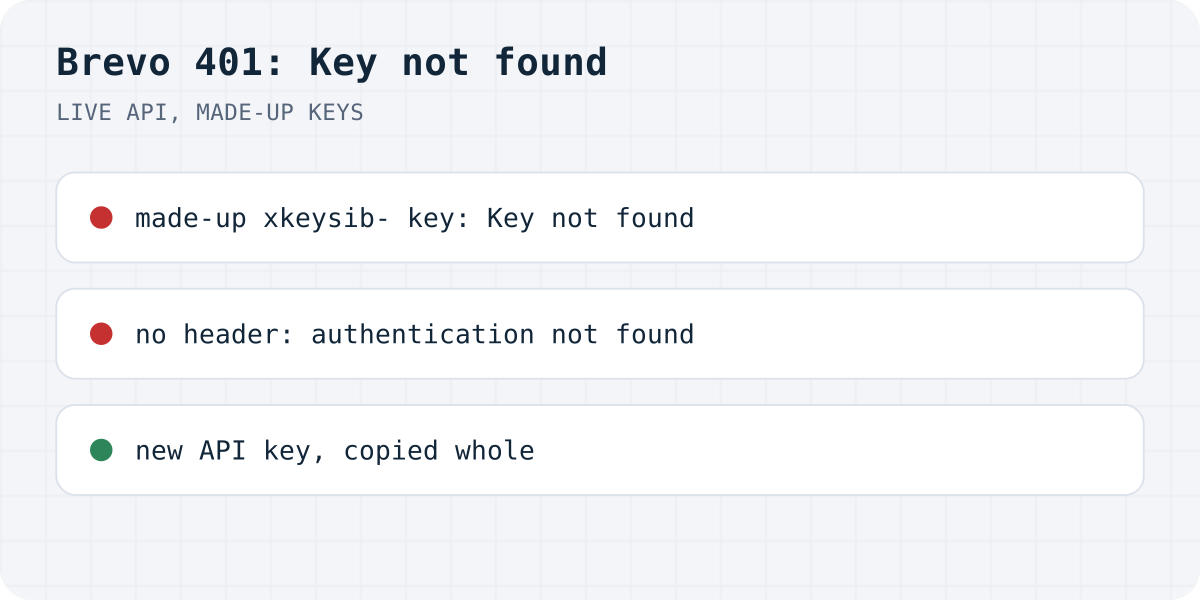
We wanted to know whether Brevo words this error differently for different mistakes, so on 20.10.2026 we sent one email request to its transactional API, POST https://api.brevo.com/v3/smtp/email, several times over. The body never changed; only the key and the header carrying it did. None of the keys were real, so nothing could be sent. Every reply came back as HTTP 401 with a short JSON body, and three different messages turned up:
| What we sent | Brevo's answer |
|---|---|
api-key: xkeysib-…, a made-up API key | {"message":"Key not found","code":"unauthorized"} |
api-key: xsmtpsib-…, an SMTP key in the API header | Key not found |
| The first 40 characters of a key | Key not found |
api-key: undefined | Key not found |
An empty api-key, or no api-key header | {"message":"authentication not found in headers","code":"unauthorized"} |
Authorization: Bearer xkeysib-… | {"message":"token is invalid or expired","code":"unauthorized"} |
GET /v3/account with a made-up key | Key not found |
When Brevo prints “Key not found”, it did find something in the api-key header and could not match it to any key, even when that something was the word undefined. With no header at all you get “authentication not found in headers” instead. The third message, “token is invalid or expired”, showed up only when we used Authorization: Bearer, which many other mail APIs expect. Brevo's API docs ask for the api-key header.
Causes, most likely first
- The key was not copied whole. Brevo's docs say an API key is displayed once and cannot be viewed again after the dialog closes. A key copied from a masked list, or cut off at the end, gets “Key not found”, like our 40-character test.
- The variable is not set where the code runs. Code like
headers: { "api-key": process.env.BREVO_API_KEY }sends the textundefinedwhen the secret exists only on your computer. Brevo answered that with the same “Key not found”. - An SMTP key in place of an API key. Brevo has both, on the same SMTP & API page. API keys start with
xkeysib-, SMTP keys withxsmtpsib-. The API rejected an SMTP key with “Key not found”. - The key was deleted, or belongs to another Brevo account. Plugins such as WP Mail SMTP show this as “Mailer: Brevo unauthorized: Key not found”; the cause is the same.
A different 401 comes from Brevo's IP security. Its help centre describes blocking API and SMTP requests from IP addresses that are not on the account's authorised list, even with a valid key. If your key is right and the message mentions an IP address or “not verified”, look at Settings, Security, Authorised IPs. We could not trigger that one with a made-up key.
Fix it
- In Brevo, open SMTP & API, go to the API keys tab, generate a new key and copy it at once, all of it.
- Put it in your server's secrets as
BREVO_API_KEYand redeploy, so the running code sees it. - Send it as
api-key: xkeysib-…. Check the variable before the request, so a missing secret fails with your own clear message instead of Brevo's. - Keep the call on a server. Brevo's API answered our browser preflight from
https://example.comwith that origin andapi-keyin the allowed headers, so a call from page code would work, and that is the risk: anyone could copy the key from your page and send mail as you.
// Server side only: a route handler, a function or your backend.
const key = process.env.BREVO_API_KEY;
if (!key?.startsWith("xkeysib-")) {
  throw new Error("BREVO_API_KEY is missing or is not an API key (API keys start with xkeysib-)");
}

const response = await fetch("https://api.brevo.com/v3/smtp/email", {
  method: "POST",
  headers: { "api-key": key, "content-type": "application/json", accept: "application/json" },
  body: JSON.stringify({
    sender: { email: "form@yourdomain.com", name: "Website form" },
    to: [{ email: "you@yourdomain.com" }],
    replyTo: { email: visitorEmail },
    subject: "New message from the website",
    textContent: message,
  }),
});
if (!response.ok) {
  const error = await response.json().catch(() => ({}));
  // e.g. 401 { message: "Key not found", code: "unauthorized" }
  throw new Error(`Brevo ${response.status}: ${error.code} ${error.message}`);
}
Over SMTP the message is different
Brevo's SMTP relay does not use the API key. On 20.10.2026 we logged in to smtp-relay.brevo.com:587 with STARTTLS twice: with a made-up SMTP key, and with an API key as the password. Both got 535 5.7.8 Authentication failed. If you use SMTP (Nodemailer, a WordPress SMTP plugin), take the login and the SMTP key shown on the SMTP tab of the same Brevo page. More SMTP errors are in our Nodemailer guide.
Or skip the API key for a contact form
If the Brevo key is in your project only so a contact form can email you, the form does not need it: it can post to https://formgong.com/submit instead.
That is the job Formgong does. The form posts to Formgong, each message lands in a web inbox first, and then goes out by email (and to Telegram or Slack if you want). If an email bounces, the message is still in the inbox. There is no API key in your code and no function to deploy. The same account gives you an AI help chat that answers visitors from your own pages, a review widget, and free templates with the form already connected. The HTML guide shows the form.
Still getting 401?
Which of the three messages do you get, and from the API or SMTP? Write to support@formgong.com and send us the message and the library or plugin you send with (never the key itself). If it is a case we have not covered, we will try to reproduce it and add it here. And if something on this page sent you down the wrong path, we want to hear that too.
Frequently asked questions
What does Brevo unauthorized Key not found mean?
Brevo found a value in the api-key header but no key that matches it. In our tests that happened with a made-up key, a key cut short, an SMTP key and the word undefined, which is what an unset variable turns into.
Can I use a Brevo SMTP key with the API?
No. We put an xsmtpsib- SMTP key in the api-key header and got the same 401 Key not found. The API wants a key that starts with xkeysib-, and the SMTP relay wants the SMTP key.
What does authentication not found in headers mean?
Brevo saw no api-key header, or an empty one. If you send the key as Authorization: Bearer you get yet another message, token is invalid or expired.
Why does Brevo still return 401 with a new key?
Usually the server is still running with the old value, so redeploy after changing the secret. If the key is right, look at Brevo's Authorised IPs list; it can block a valid key when the request comes from an address it does not know.
Sources and documentation
Official references for this guide: Brevo: API key authentication, Brevo: Send a transactional email, Brevo: Authorize and block IP addresses for API security. HTML contact form, where data is stored.