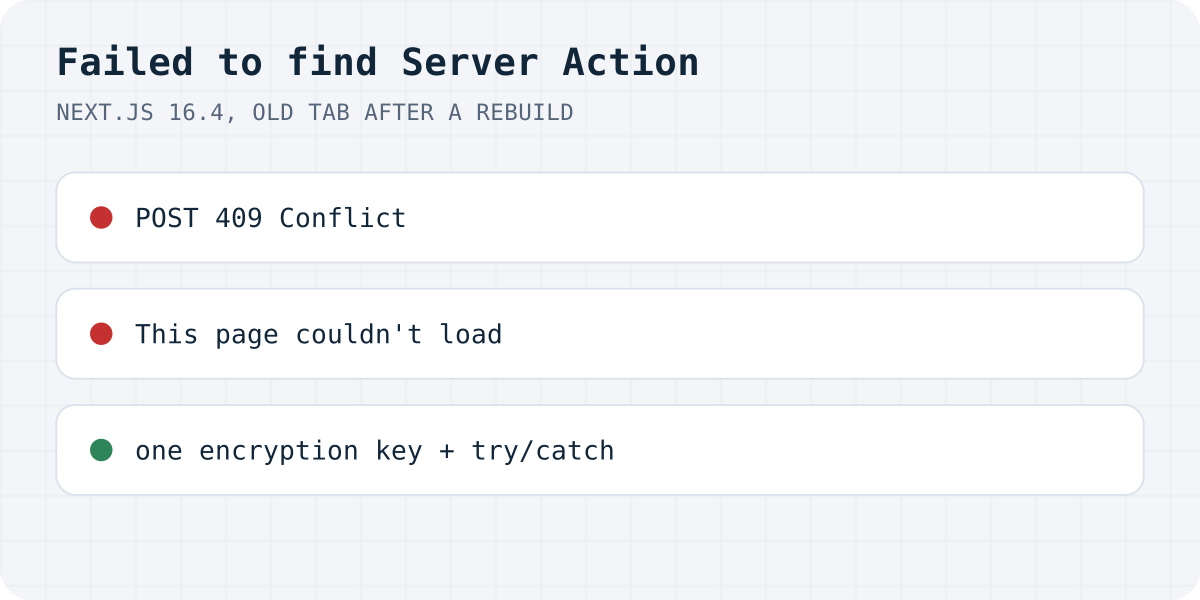
What happened on our test
next build and next start: the tab was opened, the app was rebuilt with a one-character change, then Send was pressed in the old tab.On 20.10.2026 we made a contact form with one Server Action and useActionState, built it with Next.js 16.4.2 and React 19.3.1, and opened it in Chromium 153. Sending from a fresh tab worked. Then we changed one character in the action's file, ran next build again, restarted, and pressed Send in the tab that was still open. The server log printed:
Error: Failed to find Server Action "6067670d17b7d9007bcfb5984b39306de5919d615f". This request might be from an older or newer deployment.
The browser got 409 Conflict and threw Server Action "6067…" was not found on the server. Nothing caught it, so Next.js replaced the whole page with “This page couldn’t load. Reload to try again, or go back.” The text the visitor had typed was gone. After a reload the same form sent normally.
What changes the ID, and what does not
We repeated the test a few ways, rebuilding between page load and Send each time:
| Between the two builds | Result in the old tab |
|---|---|
| One character changed in the action file | 409, “Failed to find Server Action”, page replaced |
Nothing changed at all, just next build again | 409, same error: the ID changed anyway |
| JavaScript off, plain HTML form post | 409 with the text Server Action unavailable. as the whole page |
Same NEXT_SERVER_ACTIONS_ENCRYPTION_KEY for both builds, file changed | Worked: the old ID was accepted and the new code ran |
| A request with a made-up ID (what bots send) | 409 Server Action unavailable. and the same log line |
We did not expect the second row. Running next build on the same code, with no edit at all, broke every tab that was already open. Next.js does document it, in its security guide: action IDs are encrypted and recalculated between builds.
Causes, most likely first
- A deploy while visitors had the page open. Any tab loaded before the deploy holds the old IDs. Long forms are the worst case, because people take minutes to fill them in.
- Several servers built separately. When self-hosting with more than one container or machine, each build gets its own IDs unless they share the key. A request that lands on a different instance from the one that served the page fails.
- Old HTML from a cache. A CDN or a statically generated page served after a deploy still carries IDs from the build that made it.
- The action was renamed, moved or deleted. Then no key helps; the old tab is calling something that no longer exists.
- Bots and scanners. If the log shows the error with IDs you do not recognise and no user complaints, it is often automated traffic sending made-up
Next-Actionheaders. Our made-up ID produced exactly this log line.
Fix 1: one encryption key for every build
Next.js reads NEXT_SERVER_ACTIONS_ENCRYPTION_KEY to encrypt action IDs. Its docs say the value must be a base64-encoded AES key (16, 24 or 32 bytes) and that it must be set when you build. In our test, two builds with the same key kept the same ID even though the file changed, and the old tab's request ran the new code. Use one value for all instances and all deploys. On Vercel, the docs point to Skew Protection, which keeps serving the previous deployment to tabs that were opened on it.
# Generate once, store it with your other build secrets:
openssl rand -base64 32

# Then make it available at BUILD time, the same value everywhere:
NEXT_SERVER_ACTIONS_ENCRYPTION_KEY=<the value> next build
Fix 2: catch it and ask for a reload
The key does not cover a renamed action or a cache that is weeks old, so also handle the failure where the visitor is. We wrapped the action in try/catch inside the client component and ran the same old-tab test. Instead of the replaced page, the form stayed on screen with the message below, and the server log showed the same error.
"use client";
import { useActionState } from "react";
import { sendMessage } from "./actions";

async function send(prev, formData) {
  try {
    return await sendMessage(prev, formData);
  } catch {
    // Usually a deploy happened after this page was loaded.
    return { ok: false, message: "This page is out of date. Reload it and send again." };
  }
}

export default function ContactForm() {
  const [state, action, pending] = useActionState(send, null);
  return (
    <form action={action}>
      <input name="email" type="email" required />
      <button type="submit" disabled={pending}>Send</button>
      <p role="status">{pending ? "Sending…" : state?.message ?? ""}</p>
    </form>
  );
}
Or skip the Server Action for a contact form
A form that posts to https://formgong.com/submit does not depend on your build. Its address and field names stay the same across your deploys, so a tab that has been open since yesterday still sends. Our Next.js contact form guide covers the other errors such a form can hit.
That is the job Formgong does. The form posts to Formgong, each message lands in a web inbox first, and then goes out by email (and to Telegram or Slack if you want). If an email bounces, the message is still in the inbox. There is no API key in your code and no function to deploy. The same account gives you an AI help chat that answers visitors from your own pages, a review widget, and free templates with the form already connected. The HTML guide shows the form.
Still seeing it?
Is it after a deploy, on one instance out of several, or in the logs with no user complaints? Write to support@formgong.com and send us your Next.js version and where you host the app. If it is a case we have not covered, we will try to reproduce it and add it here. And if something on this page sent you down the wrong path, we want to hear that too.
Frequently asked questions
What does Failed to find Server Action mean?
The browser sent a Server Action ID that the running build does not have. In most cases the page was opened before a deploy, and the deploy gave every action a new ID.
How do I fix Failed to find Server Action in Next.js?
Give every build and every instance the same NEXT_SERVER_ACTIONS_ENCRYPTION_KEY, set at build time. Because a renamed action can still fail, also catch the error in the form and ask the visitor to reload.
Does rebuilding without code changes cause it?
It did on our Next.js 16.4.2 test. We built identical code twice, the action got a different ID each time, and the tab opened on the first build got a 409 from the second.
What does the visitor see?
In our test the request failed with 409 Conflict and Next.js swapped the whole page for This page couldn't load, so the typed message was lost. With JavaScript off, the visitor saw a bare page reading Server Action unavailable.
Sources and documentation
Official references for this guide: Next.js: Failed to find Server Action, Next.js: Data security, Server Actions encryption key, Vercel: Skew Protection. HTML contact form, where data is stored.