Where the message comes from
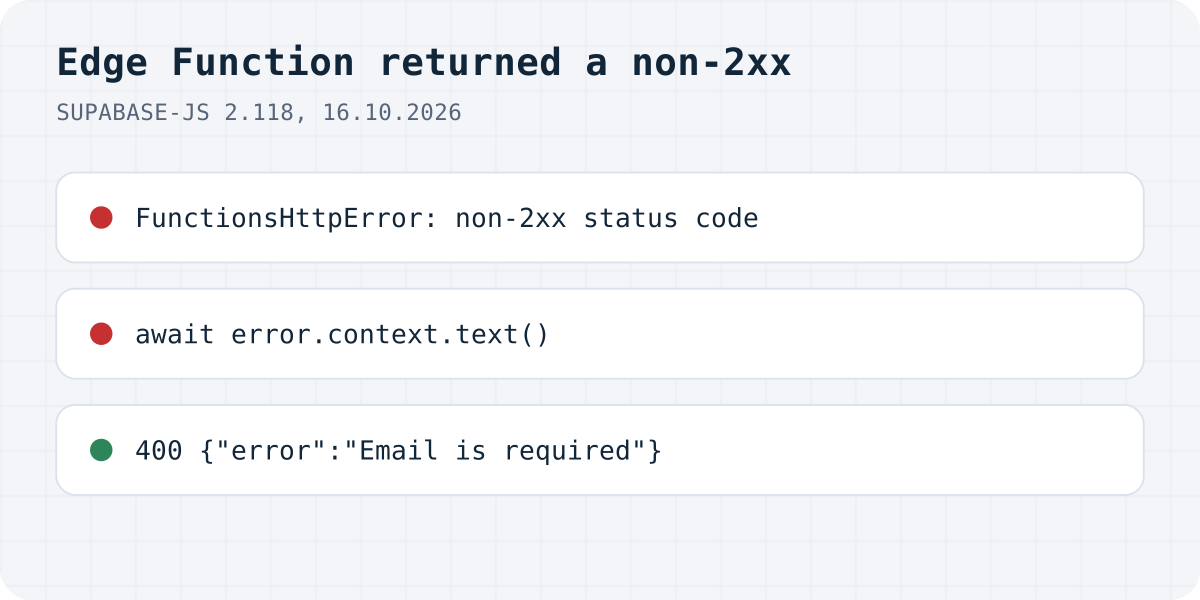
error.context still has it.On 16.10.2026 we called a function with supabase.functions.invoke() from @supabase/supabase-js 2.118.0 and made it fail in different ways. For every 4xx and 5xx answer, error.message was the same sentence, Edge Function returned a non-2xx status code, and error.name was FunctionsHttpError. The function's own answer was in error.context, the raw Response:
| What the function did | Status | await error.context.text() |
|---|---|---|
| Returned a JSON error | 400 | {"error":"Email is required"} |
| Returned a text error | 400 | Email is required (so .json() threw) |
| Threw an uncaught error | 500 | Internal Server Error; the real message was only in the function's log |
Read the real error
Branch on the error class. FunctionsHttpError means the function answered; read the body as text first, because an error page or a crash is not JSON. FunctionsFetchError means there was no answer you can read.
import { FunctionsHttpError, FunctionsFetchError } from "@supabase/supabase-js";
const { data, error } = await supabase.functions.invoke("contact", { body: { name, email, message } });
if (error instanceof FunctionsHttpError) {
// The function answered with 4xx or 5xx. The real reason is in the body.
const text = await error.context.text();
console.error("contact function", error.context.status, text);
} else if (error instanceof FunctionsFetchError) {
// No usable answer at all: network, wrong project URL, or a CORS block in the browser.
console.error("could not reach the function", error.context);
}In the browser a crash looks different
We ran the same three calls in Chromium 152. The 400 answers came back as FunctionsHttpError like above. The crash did not: Deno's 500 answer to an uncaught error carries no CORS headers, so the browser blocked it, and supabase-js reported FunctionsFetchError: Failed to send a request to the Edge Function, with Failed to fetch inside. The console showed “blocked by CORS policy”.
So in a browser app, “Failed to send a request” after a deploy often means the function crashed, not that it is unreachable. Catch errors inside the function and return them with the CORS headers, as below. Our Supabase CORS guide goes deeper into that case. A made-up project URL, for comparison, gave the same FunctionsFetchError with ENOTFOUND underneath.
// supabase/functions/contact/index.ts
import { corsHeaders } from "npm:@supabase/supabase-js@^2/cors";
Deno.serve(async (req) => {
if (req.method === "OPTIONS") return new Response("ok", { headers: corsHeaders });
try {
const { email } = await req.json();
if (!email) return Response.json({ error: "Email is required" }, { status: 400, headers: corsHeaders });
// … send the email …
return Response.json({ ok: true }, { headers: corsHeaders });
} catch (err) {
console.error(err); // shows up in the function's logs
return Response.json({ error: "Could not send the message" }, { status: 500, headers: corsHeaders });
}
});Then look at the function's log
An uncaught error's message never reaches the client. In our test it appeared only in the function's own output: Error: RESEND_API_KEY is not set. On Supabase, open the function in the dashboard and read its logs, or run it locally with the CLI. A missing secret is the cause we would check first, because secrets set in a local .env do not reach the deployed function.
Do you need an Edge Function for a contact form?
If the function exists only to email you the form, it can go: the form can post to Formgong at https://formgong.com/submit, which answers every error with CORS headers and a JSON body that says what went wrong. See the HTML guide.
Frequently asked questions
What does Edge Function returned a non-2xx status code mean?
Your function answered with a 4xx or 5xx status. The sentence comes from supabase-js; the function's own message is in error.context, which you read with await error.context.text().
How do I get the error message from a Supabase Edge Function?
Check error instanceof FunctionsHttpError, then read error.context.text(). If the function crashed, the message is only in the function's logs.
What is FunctionsFetchError: Failed to send a request to the Edge Function?
There was no answer the client could read: a wrong project URL, a network problem, or, in the browser, a crash whose 500 answer had no CORS headers.
Sources and documentation
Official references for this guide: Supabase: Invoking Edge Functions, Supabase: Error handling in Edge Functions, Supabase: CORS for Edge Functions. HTML contact form, where data is stored.
Related guides
- Lovable form submissions to email and Telegram
- HTML contact form without a backend: a working example
- How to send website form submissions to Telegram
- Contact form not sending email? Check where it stops
- Managing website leads in Telegram without a CRM
- Form backend for Lovable, Bolt, v0, Cursor
- Telegram bot for a contact form: build or skip?
- GDPR form backend: 7 checks before you choose
- Lovable form not sending email? 6 fixes
- Netlify Forms not working? React and Bolt fixes
- Stop contact form spam without a CAPTCHA
- GitHub Pages contact form: a working setup
- Mailto Form in HTML: Why It Fails and What to Use
- HTML form to Google Sheets: 2 free methods
- Webflow form submission limit: what to do at 50
- Turnstile vs reCAPTCHA vs hCaptcha for forms
- Contact Form 7 and Elementor forms to Telegram
- Squarespace contact form not sending email?
- Shopify contact form: where do messages go?
- Google Form to Telegram: free Apps Script way
- Wix contact form not sending email? Fixes
- EU / GDPR Formspree alternatives compared
- HTML form action attribute explained
- How do HTML forms work? The HTTP request
- Types of Injection Attacks on Web Forms (2026)
- Indirect Prompt Injection in MCP
- MCP Rug Pull Attack: Detect Tool Changes
- Form without a backend: 7 ways that work
- Thank-you page after form submission (HTML)
- Indirect Prompt Injection Examples (2023–2026)
- Indirect Prompt Injection via Email
- What Is Tool Poisoning in MCP?
- WordPress contact form without a plugin
- Send email from frontend JavaScript
- How to Prevent Indirect Prompt Injection
- Honeypot Form Field: How to Add One That Works
- Contact Form with File Upload (HTML, No PHP)
- Angular contact form without a backend
- Send form submissions to Slack or Discord without Zapier
- Verify a form webhook signature (HMAC-SHA256)
- Contact forms that send nothing: 793 AI-built sites tested
- v0 contact form that actually sends: 3 ways
- How we tested AI-built contact forms, and 12 bugs we hit
- Cloudflare vs Netlify free plan: hosting that never pauses
- EmailJS 412 “Gmail_API: Invalid grant”: reconnect Gmail
- Resend “You can only send testing emails”: verify a domain
- Supabase Edge Function blocked by CORS policy: 3 causes
- Formspree “Form not found” and other errors: fixes
- Web3Forms errors: “Invalid access key” and 403 explained
- How to add customer reviews to your website for free
- Getform not working? “This form has been deleted” and more
- Next.js contact form not working? 6 errors, reproduced
- Webflow form not sending email? What to check, tested
- FormSubmit not working? “This form needs Activation” fix
- Contact form “TypeError: Failed to fetch”: causes and fixes
- WooCommerce product enquiry form
- Contact Form 7 vs WPForms
- Gravity Forms alternative free
- WordPress contact form block
- 535-5.7.8 Username and Password not accepted (Gmail)
- 535 5.7.3 Authentication unsuccessful: Office 365 SMTP
- Nodemailer “Missing credentials for "PLAIN"”: the fix
- Nodemailer “Greeting never received”: port 465 fix
- Nodemailer SSL “wrong version number”: the port fix
- Nodemailer “self-signed certificate in certificate chain”
- Nodemailer ECONNREFUSED 127.0.0.1:587: missing SMTP host
- SendGrid “authorization grant is invalid”: 401 fix
- Mailgun 401 Forbidden: why the API rejects your key
- Next.js “Body exceeded 1 MB limit”: Server Action fix
- Unexpected token '<', "<!DOCTYPE "... is not valid JSON
- “TypeError: Body is unusable”: body has already been read
- Turnstile “timeout-or-duplicate” and other siteverify errors
- Turnstile vs hCaptcha vs reCAPTCHA: speed and size tested
- Judge.me reviews not showing on Shopify: how to fix it
- Judge.me review carousel not showing: how to fix it
- Yotpo reviews not showing on Shopify? Check the app embed
- Loox reviews not showing on product page: how to fix
- Shopify reviews not showing: what to check first
- How to show reviews on Shopify
- GDPR for website forms: what each type of form needs
- WooCommerce reviews not showing: how to fix it
- Stamped.io reviews not showing on Shopify: how to fix it
- Etsy reviews not showing: why and what to do
- Trustpilot widget not loading: how to fix TrustBox
- Yotpo problems in 2026: what merchants report
- Contact Form 7 “error trying to send your message” fix
- Elementor form “Your submission failed because of an error”
- Framer form not sending email or not working: what to check
- Carrd contact form not working: plans, spam and errors
- Google review link not working: what customers see and why
- tawk.to widget not showing on your website: causes and fixes
- How to add questions and answers to your product page
- “Failed to send a request to the Edge Function”: fixes
- Next.js “Failed to find Server Action”: what it means
- Brevo “unauthorized: Key not found” 401: the fix
- Amazon SES “Email address is not verified”: the fix
- Shopify contact form not working: how to fix it
- Judge.me alternative for WooCommerce after the 2025 shutdown
- Free WooCommerce review plugins compared on the free version
- WooCommerce review reminder emails without a paid plugin
- Add Voice Recording to a Website Form
- Contact Form 7 spam: how to stop it
- WPForms not sending email: how to fix it
- Contact form emails going to spam: how to fix it
- HTML form not submitting: how to fix it
- Contact form not working: how to find the fault
- Webflow form spam: how to stop it
- Website form to Notion: how to set it up
- Website form to WhatsApp: what works and what does not