Why Yotpo fails without an error
Yotpo's own troubleshooting page for “Reviews Are Not Showing” has seven checks. On a Shopify store the useful order is this:
| What you see | Likely cause | Fix |
|---|---|---|
| Empty space where reviews and stars should be, on every product | The Yotpo Reviews app embed is off | Theme editor, App embeds, turn on Yotpo Reviews, Save |
| Nothing anywhere, embed is on | Wrong app key or a deleted widget | Compare the key and instance ID with your Yotpo admin |
| “0 Reviews” on a product that has reviews | The product ID in the code does not match | Check data-yotpo-product-id |
| A new review is missing | Not published yet, or published under 4 hours ago | Moderation page; then wait |
| Nothing on products with no reviews | Empty state is off | The Empty State settings |
| Stars missing on collection pages | The grid does not accept app blocks | Yotpo's Star Rating code in the card snippet |
The Yotpo Reviews app embed is off
On an Online Store 2.0 theme, Yotpo's setup guide sends you to the theme editor and adds: “You can verify that Yotpo is enabled by going to Theme Settings > App embeds, and checking that Yotpo Reviews is toggled on.” On a live store we checked, the Yotpo embed contained nothing but the script tag for Yotpo's loader, and the reviews and star blocks were empty yotpo-widget-instance divs waiting for that loader. With the embed off, they stay empty.
Shopify switches app embeds off after an install, and a theme you publish later starts without them. Yotpo's own guide for vintage themes is blunter: “Changing your Shopify theme will cause all of Yotpo's features (and maybe some other apps as well) to disappear, and will require to be manually re-installed on your new theme files.” Your reviews are not lost; Yotpo notes that “All your reviews and modifications made to your account will be saved”.
To fix it, open the theme editor, click the App embeds icon, turn on Yotpo Reviews and save. Then add the Reviews Widget and Star Rating blocks to the product template if the new theme does not have them.
A wrong app key or a deleted widget
Yotpo's troubleshooting page tells you to open the page source and search for Yotpo: “If your app key does not appear among the results, or a different one than yours appears instead, this means that Yotpo was installed either incorrectly or with a different account.” This happens after a store is moved between Yotpo accounts or when an agency pastes code from another project.
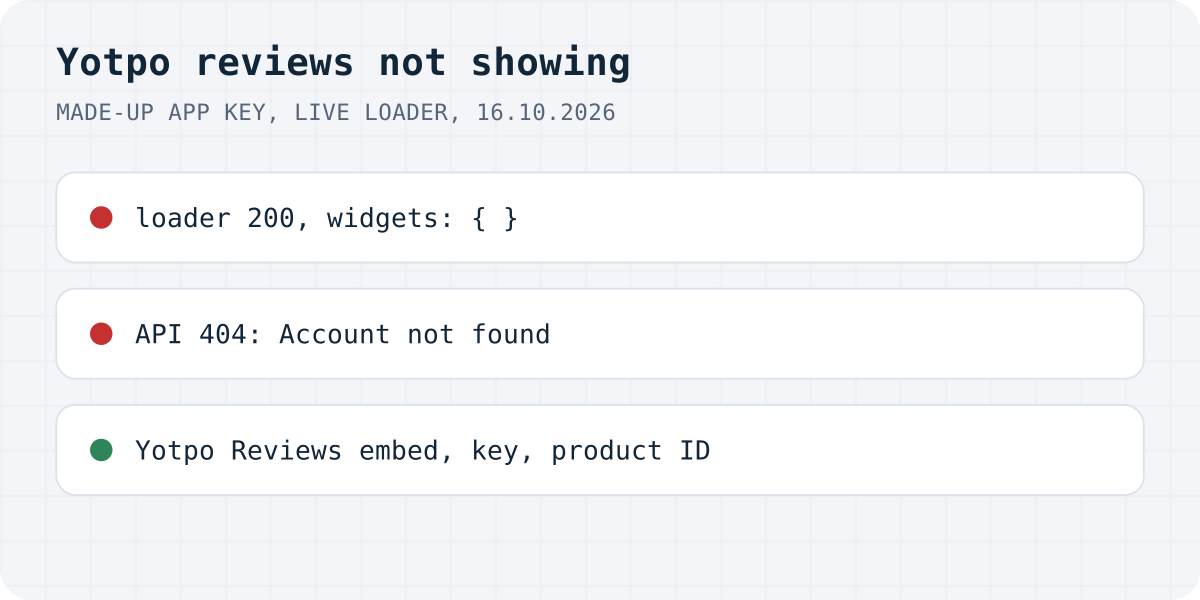
We tried a made-up key on 16.10.2026. Yotpo's loader still answered 200 with valid JavaScript and an empty widget list, so the page loaded no widgets and logged nothing. The review API answered 404 Account not found for the same key, but with the current loader that call is never made, so you will not see it in the Network tab either.
Each block also carries a widget ID in data-yotpo-instance-id. Yotpo's loader starts only the widgets it finds in your account's published list; an ID that was deleted or never published is skipped without a message. Find the current ID under On-site Widgets in Yotpo (Edit, then Get the code) and compare it with the one in your theme.
The product ID does not match
Every Yotpo widget asks for reviews by product ID, which on Shopify is the number Shopify gives the product. Yotpo warns that if you changed a product, “a new product ID might have been generated for it and the reviews are now associated with the old ID.” Duplicated products copy Yotpo's metafields too, which gives wrong counts.
A mismatch is hard to spot because it looks exactly like a product with no reviews. With a real store's key and a made-up product ID, Yotpo's API answered 200 with "totalReviews":0. So when the stars say “0 Reviews” on a product you know has reviews, view the page source, find data-yotpo-product-id and compare it with the product's ID in Shopify. On collection pages, Yotpo notes that some themes need prod.id instead of product.id; with the wrong variable every card shows the store's total.
The review is not published, or not yet
Auto-publish is on by default in Yotpo, but reviews caught by a profanity filter or escalated are never published automatically, and reviews held back by a minimum-star or sentiment rule are published automatically after 14 days. The Moderation page lists unpublished, pending and rejected reviews. Yotpo also says that “Newly published or imported reviews may take up to 4 hours to appear on the Reviews Widget”, and that widget design changes “may take up to three hours to be reflected on-site.” So give a review you approved a minute ago a few hours before you start looking for a bug.
Nothing on products with no reviews
The Star Rating has a setting “Show when there are no reviews”, on by default, and the Reviews Widget has “Empty State”, also on by default, which invites shoppers to write the first review. If someone turned them off, new products show nothing.
We saw one more case on a live store. With a read-only Reviews Widget, a product with zero reviews showed “0 Reviews” in the stars and a reviews widget 0 pixels tall, although Empty State was on in its settings. Yotpo's widget code shows a blank widget when it is read-only and the product has no reviews. If your store collects reviews by email only and the widget looks broken on new products, this is probably why.
Stars missing on collection pages, or blocked scripts
Yotpo's FAQ admits that its app blocks may not appear on collection or home pages “due to Shopify's app block limitations or theme-specific restrictions”. Dawn and similar themes do not accept app blocks inside product cards. Yotpo's fix for Online Store 2.0 themes is to paste its Star Rating code into the product grid file; a Shopify Community thread from October 2024 got it working by pasting the code into card-product.liquid above {%- if show_rating. Cards loaded by infinite scroll need a call to yotpoWidgetsContainer.initWidgets() each time new products appear.
Two blockers sit outside Yotpo. Cloudflare's Rocket Loader rewrites scripts, and Yotpo lists it as something that “may disrupt Yotpo's activity on your site”. A cookie banner can block Yotpo too: one store we checked wraps both Yotpo scripts in type="text/plain" data-cookieconsent="marketing", so they cannot run until a visitor accepts marketing cookies. Test the page after accepting all cookies before you look for other causes.
The same problems with Formgong Reviews
Here is how the same list looks with our widget, checked on 16.10.2026.
| Problem | With Formgong |
|---|---|
| Wrong key, nothing logged | A wrong key in our widget gets a 404 from the reviews JSON, which shows in the Network tab, and the widget stays empty. Our dashboard has a Check my site button that looks for the widget on your page. |
| Product ID mismatch shows as zero | Same risk. Our Shopify block uses Shopify's product ID; with the script widget you choose the value, usually the product handle, and it has to match the reviews you collect. |
| Review not published | A written review waits for your approval unless you change that. Approved reviews reach the widget within about a minute: the JSON is cached for 60 seconds. |
| Theme switch | Same. Add our block again in the new theme. |
Formgong Reviews is the review tool we build. Approved reviews show as stars and cards on each product page, Pro adds an AI summary written from the approved reviews, and you can bring old reviews in from a Judge.me, Yotpo, Loox or Shopify Product Reviews export. To collect new ones you send customers a review link after the order. Our Shopify app, which also publishes a Google product reviews feed, has been in Shopify's App Store review since 14.10.2026; until it is listed, the widget goes into a Custom Liquid section with one script line, as the review widget page shows.
The same account covers the rest of a small shop's site: contact forms that email you and post to Telegram, an AI help chat that answers visitors from your own pages, and free templates with the form already connected.
Still nothing?
Which of these was it on your store, or did we miss the cause? Write to support@formgong.com and tell us what you see on the page. If it is a case we have not covered, we will check it and add it here.
Frequently asked questions
Why are my Yotpo reviews not showing on Shopify?
Usually the Yotpo Reviews app embed is off, often after a theme change. Then check the app key in the page source, the product ID in the widget code, and whether the reviews are published.
Why does Yotpo show 0 reviews when the product has reviews?
The product ID in the widget does not match the one the reviews are stored under, for example after the product was recreated or duplicated. Yotpo's API answers a wrong ID exactly like a product with no reviews.
How long do new Yotpo reviews take to appear?
Yotpo says newly published or imported reviews may take up to 4 hours to appear on the Reviews Widget.
Why are Yotpo stars missing on my collection page?
Many themes, Dawn included, do not accept app blocks inside product cards. Paste Yotpo's Star Rating code into the card or product grid file.
Sources and documentation
Official references for this guide: Yotpo: Reviews widget troubleshooting guide, Yotpo: Installing Yotpo Reviews on Online Store 2.0, Yotpo: Customizing the Star Rating widget, Yotpo: Auto-publishing reviews, Yotpo: Star Rating on category/collection pages. Shopify, where data is stored.