First, check which kind of theme you have
Everything else depends on this. Current Shopify themes (Online Store 2.0, such as Dawn and Horizon) use JSON templates and let apps add blocks wherever a section allows it. Older vintage themes use .liquid templates and do not take app blocks at all; there, a review app can load its script through an app embed, and its widgets go in with code that you or the app paste into the theme.
A quick test: open the theme editor on a product page and click Add block. If you see an Apps group, you can use blocks. Judge.me's sign of a vintage theme is the message “You don't have any apps installed. Find apps built for themes on the Shopify App Store” in that place.
Pick a review app (Shopify no longer has one)
Shopify's own Product Reviews app shut down on May 6, 2024. When it did, Shopify pointed merchants to five apps: Judge.me, Loox, Okendo, Stamped.io and Yotpo. They differ in photo reviews, the emails they send after an order, and which widgets need a paid plan; check the plan page of the one you choose for the widgets you want.
If you are moving from another app, export your reviews first. Most review apps import a CSV from the others, so you do not start from zero.
Turn on the app embed
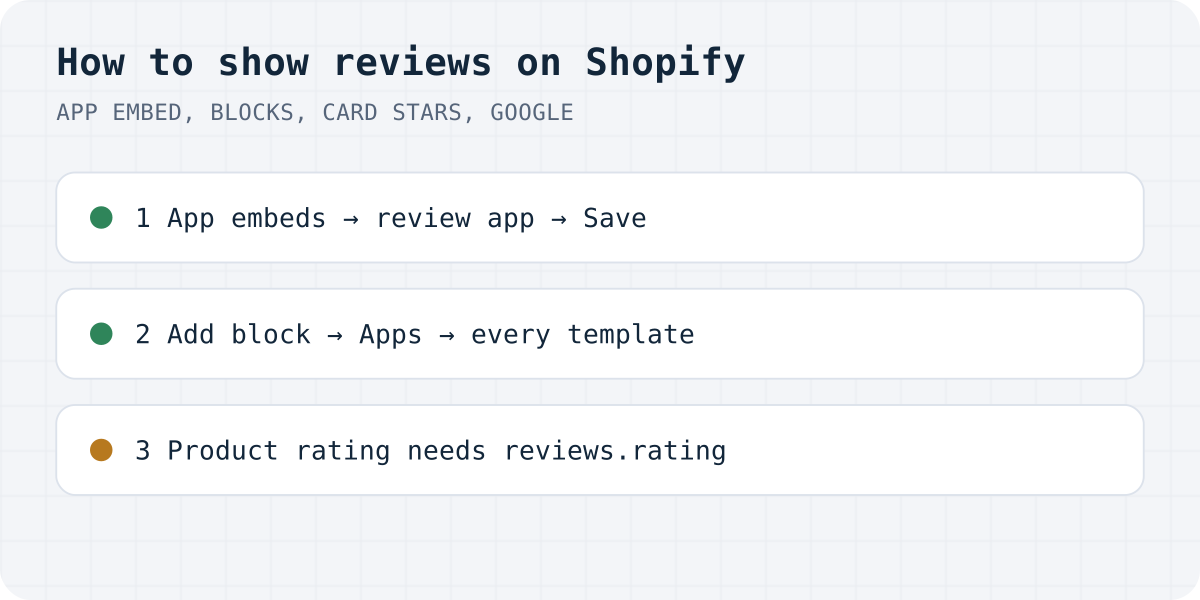
Nothing in the admin tells you the embed is off, so this step is easy to miss. Shopify's developer docs say: “By default, app embed blocks are deactivated after an app is installed.” The embed is what loads the app's script, and without it the blocks you add later stay empty.
- In Shopify admin, go to Online Store, Themes, and open the editor for your live theme.
- Click the App embeds icon in the left sidebar.
- Switch on your review app (Judge.me, Loox Core Script, Yotpo Reviews and so on) and click Save.
Remember this step when you change themes later: a new theme starts with every embed off.
Add the reviews block to the product page
In the theme editor, open a product page and select the Product information section. Click Add block, choose your app's reviews block under Apps, drag it where you want it and save. Most apps also have a small star rating block for under the product title.
If your products use more than one template (a separate one for bundles or a landing-style product, for example), each template needs its own block. A product's template is shown in its admin page under Theme template. This is the most common reason reviews show on some products and not others, as our guide to missing Shopify reviews explains.
Stars on collection and home pages
Here themes like Dawn work differently from the product page. Product cards on collection, search and home grids do not accept app blocks. Dawn draws card stars itself, from Shopify's standard reviews.rating field, and only when you tick Product rating in the Product grid or Featured collection section; the editor notes that “An app is required for product ratings.”
So ask your review app whether it writes reviews.rating and reviews.rating_count. If it does, ticking Product rating is all you need. If it does not, use the app's own collection stars: Judge.me has an Install button for them, Loox and Yotpo give code for the card snippet, and some apps, ours included, add card stars through an app embed.
For a row of reviews on the home page, add an Apps section from Add section and put the app's carousel or reviews block inside it.
Get reviews to show
An empty widget does not convince anyone, and several apps hide their widgets until the first review exists. Most review apps can email customers some days after an order with a link to rate the product. Check that this email is switched on, which products it covers and how long it waits after delivery.
Also check the publishing rule. Some apps publish every review at once, some only 4 stars and up, some only after you approve. Think twice before a rule that quietly hides low ratings. Besides looking too good to be true, it clashes with Google's Product Ratings policy, which asks you “to share all your product reviews with Google, including low-star reviews”.
Stars in Google search and Google Shopping
Stars on your product page and stars in Google are two separate things. For search results, the product page needs Product markup with a review or aggregateRating, which most review apps add for you. Test a product URL in Google's Rich Results Test. Google is clear that markup does not guarantee anything: “Google does not guarantee that your structured data will show up in search results, even if your page is marked up correctly according to the Rich Results Test.” Reviews of the shop itself, as opposed to a product, are not eligible for stars at all.
Stars in Google Shopping come from Merchant Center's Product Ratings programme, which has its own bar: “You must have a minimum of 50 reviews across all of your products.” You send the reviews as a product reviews feed, yourself or through a supported review aggregator, at least once a month. GTINs on your products help Google match the reviews; Google warns that without them it “may not be able to match all of your reviews to products.”
Or use Formgong Reviews
Formgong Reviews is the review tool we build, and it follows the same steps as above. You approve what goes live, approved reviews show as stars and cards on each product page, and Pro adds an AI summary written from the approved reviews. You can import a Judge.me, Yotpo, Loox or Shopify Product Reviews export and send customers a review link after the order. Our Shopify app, with the reviews block, the card stars embed and a Google product reviews feed, has been in Shopify's App Store review since 14.10.2026. Until it is listed, add the widget with a Custom Liquid section on the product template:
<!-- Custom Liquid section on the product template -->
<div data-formgong-reviews="fk_your_access_key" data-product="{{ product.handle }}"></div>
<script src="https://formgong.com/reviews.js" defer></script>
One account for the rest of the site
The access key comes from a free Formgong account, and the review widget page has the details. The same account gives you contact forms that email you and post to Telegram, an AI help chat that answers visitors from your own pages, and free templates with the form already connected. If your store also needs a contact form outside Shopify's built-in one, our Shopify contact form code works the same way.
Tell us what was missing
Which step took longest on your store, or what did this guide leave out? Write to support@formgong.com and tell us what you see on the page. If it is a case we have not covered, we will check it and add it here.
Frequently asked questions
Does Shopify have built-in product reviews?
No. Shopify's Product Reviews app shut down on May 6, 2024. You need a review app such as Judge.me, Loox, Okendo, Stamped or Yotpo, or another review tool.
How do I show reviews on a Shopify product page?
Install a review app, turn on its app embed in the theme editor, then add its reviews block to the product template under Add block, Apps. Repeat for every product template you use.
How do I show review stars on Shopify collection pages?
In Dawn-like themes, tick Product rating in the Product grid section. It works only if your review app fills Shopify's reviews.rating field; otherwise use the app's own collection stars.
How do I get review stars in Google for my Shopify store?
Your product pages need Product markup with ratings, which most review apps add. Google decides whether to show stars. Google Shopping stars need at least 50 reviews sent through Merchant Center.
Sources and documentation
Official references for this guide: Shopify: Theme app extension configuration, Shopify: Standard metafield definitions, Google: Review snippet structured data, Google Merchant Center: Product ratings eligibility, Shopify Help Center: Product Reviews app migration checklist (archived). Shopify, where data is stored.