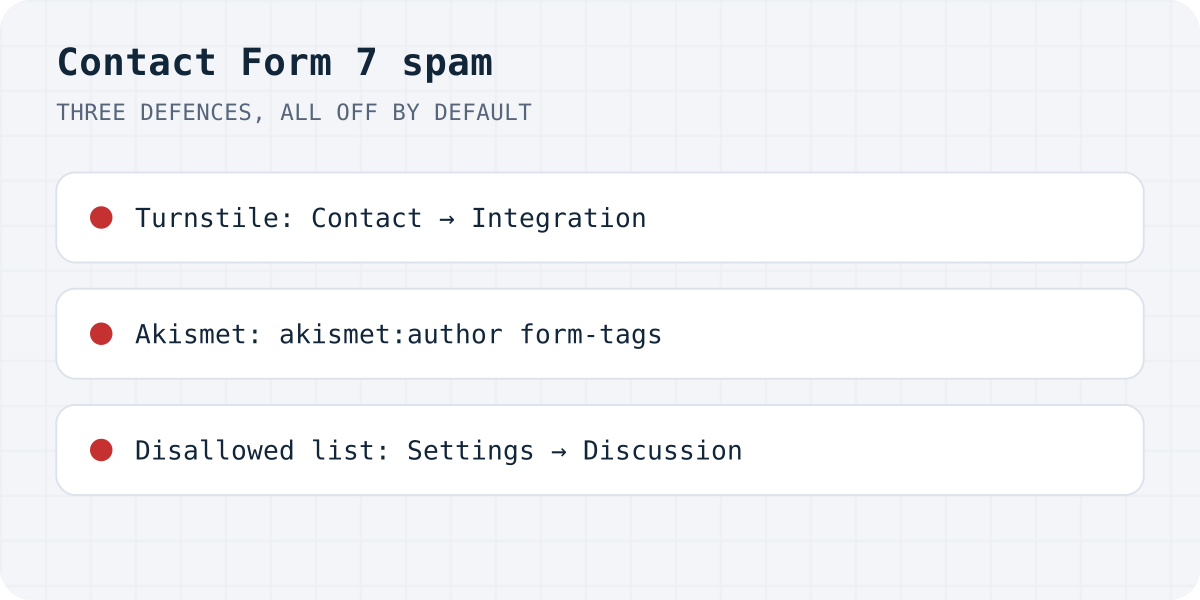
What spam protection looks like from both sides
Contact Form 7 deliberately shows spammers the same sentence as everyone else. Its FAQ calls not revealing the detection “a kind of worldly wisdom”: a real spammer should not learn they were caught, and a wrongly flagged visitor should not be called a spammer. Useful for defence, confusing for debugging, so know the signs:
| What you see | What it means | Where to act |
|---|---|---|
| Bot submissions arriving in your inbox | No spam module is on; all three ship disabled | Turn on Turnstile below |
| Error message with an orange border | A spam module blocked the submission | Fine if it was a bot; check the log if not |
| Error message with a red border | Not spam: the mail itself failed to send | the error guide |
| Real visitors report the orange error | A module is flagging legitimate submissions | Spam logging, below |
Turnstile: the defence Contact Form 7 recommends
Since version 6.1, Contact Form 7 has a built-in Cloudflare Turnstile module, and its documentation is direct about the choice: “We recommend Turnstile unless you have reasons to use reCAPTCHA.” Unlike reCAPTCHA, Turnstile is free, and most visitors never solve a puzzle; it judges them from browser signals.
- Create a Turnstile widget in your Cloudflare account (a free account is enough) and choose the Managed mode, which the plugin's docs recommend. Copy the site key and secret key.
- In WordPress, go to Contact → Integration, find the Turnstile section and select Setup integration.
- Paste both keys and save. In the docs' words: “Now, all of your contact forms automatically have the Turnstile widget.”
By default the widget sits at the top of the form. To move it, put a [turnstile] form-tag where you want it in the form template; options such as size:compact and theme:dark go inside the tag. On an older Contact Form 7, update the plugin first: before 6.1 you needed a separate Turnstile plugin, and two Turnstile widgets on one form is its own source of breakage.
The disallowed list: your own block rules
The third defence reuses WordPress's own comment moderation list. Under Settings → Discussion → Disallowed Comment Keys, one entry per line, you can put words, email addresses and IP addresses; Contact Form 7 checks submissions against the same list. A casino keyword, a repeat offender's IP or a throwaway mail domain each take one line, and the matching submission gets the orange border. To learn a spammer's IP in the first place, the docs suggest adding the special mail-tag [_remote_ip] to the email template.
Treat it as a scalpel, not a shield. Each entry also applies to blog comments, a short word matches inside longer words, and a list built in anger (“free”, “offer”) starts blocking customers. Use it for the specific junk that keeps coming back after Turnstile and Akismet are on.
When real messages start getting the orange border
Every defence above can misfire, and because the visitor sees the generic sentence, your first report of it will be a customer saying the form “doesn't work”. The way to see what actually happened is Contact Form 7's spam logging feature, which the FAQ points to for exactly this: it records which module blocked each submission, so you can tell a Turnstile failure from an Akismet verdict from a disallowed-list match.
Then act on the module, not on the feeling: an overbroad disallowed-list entry gets deleted, Akismet learns when you mark false positives as not spam, and a Turnstile widget in a stricter mode than Managed can be relaxed. One more thing worth knowing: Contact Form 7 does not store submissions, so a blocked message is gone unless you also run Flamingo, the companion plugin that keeps submissions, spam included. Installing Flamingo before you tighten the screws means a false positive is a message you recover, not one you lose.
Or filter spam after the form, not in it
All three defences run inside WordPress, which is also the thing bots probe all day. The other approach is to let the form post to a backend that filters on the server. With Formgong, the form keeps its fields, the action points at our endpoint, and spam is handled there: a honeypot field, a server-side filter, and optional Cloudflare Turnstile you switch on in the form settings without keys in your theme. Flagged submissions land in a Spam folder in the dashboard instead of disappearing, so a false positive is one click to restore. The free plan takes 1,000 submissions a month with email and Telegram delivery.
How the honeypot and the other checks work together is in how to prevent form spam without a captcha; the WordPress setup is on the WordPress integration page.
Did the flood stop?
Which of the three did it for your form, or is spam still getting through all of them? Write to support@formgong.com and tell us what you tried. The cases readers send are how these guides get better.
Frequently asked questions
How do I stop spam in Contact Form 7?
Turn on one of the plugin's three built-in defences: Cloudflare Turnstile under Contact → Integration (recommended by the plugin's own docs, needs a free Cloudflare site key and secret key), Akismet via akismet: options on your form-tags, or the disallowed list shared with WordPress comments.
Does Contact Form 7 have spam protection by default?
No. Turnstile, Akismet and the disallowed list all ship switched off, which is why a fresh form starts collecting bot submissions. Turning on Turnstile is the quickest fix.
Why does Contact Form 7 show an orange border error?
The orange border means a spam module blocked the submission; the FAQ names Akismet, reCAPTCHA and the disallowed list as the possible sources. The plugin shows spam and mail failures the same sentence on purpose, so use the spam logging feature to see which module fired.
Does Contact Form 7 save messages blocked as spam?
Not by itself: Contact Form 7 stores no submissions at all. Install Flamingo, the companion plugin by the same developer, and submissions including spam are kept, so false positives can be recovered.
Sources and documentation
Official references for this guide: Contact Form 7: Cloudflare Turnstile integration, Contact Form 7: Spam filtering with Akismet, Contact Form 7: Comment blocklist, Contact Form 7: FAQ (orange border, spam logging). WordPress, where data is stored.