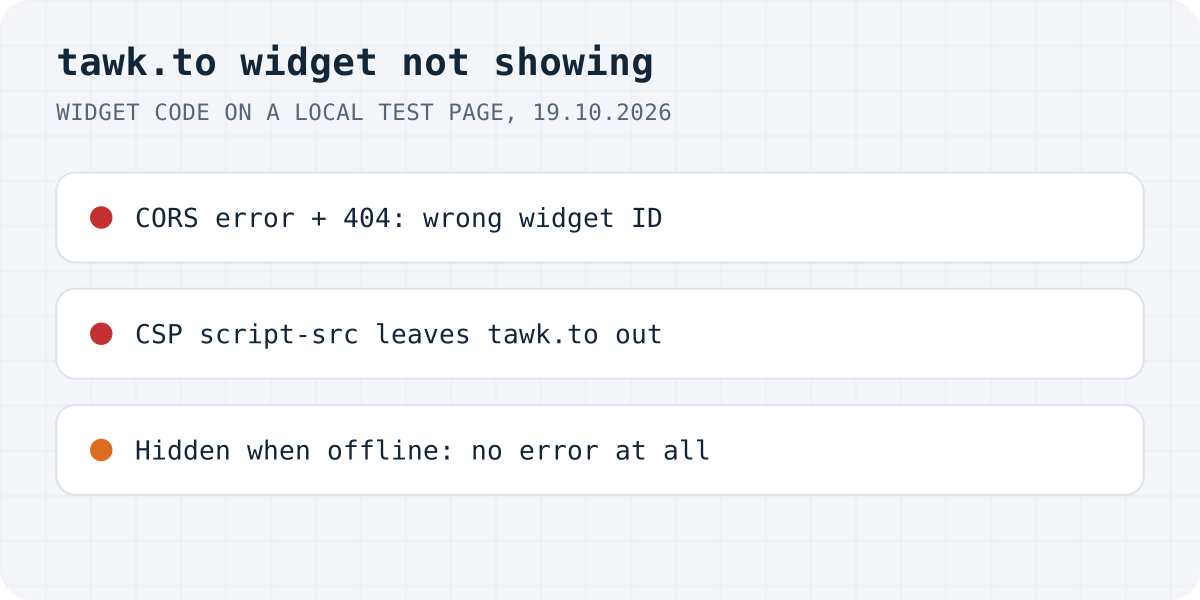
What the console says
crossorigin attribute, Chrome reported the 404 as a CORS block.The widget is one script from embed.tawk.to, and everything else loads from it. When the bubble does not appear, the browser console usually says why, in words that point the wrong way. This is what we saw and what tawk.to's help centre adds:
| What you see | Likely cause | Fix |
|---|---|---|
| CORS error and 404 for embed.tawk.to | Wrong or placeholder property / widget ID | Copy the Widget Code again |
| “violates the following Content Security Policy directive” | Your site's CSP leaves tawk.to out | Add tawk.to's domains |
| The widget loads badly or not at all, no clear error | A strict Referrer-Policy | strict-origin-when-cross-origin |
| Missing when no agent is online | Hide widget when offline, or the Scheduler | Widget Behavior settings |
| Missing only on mobile, or only on desktop | Hide widget on load in mobile / desktop | Widget Behavior settings |
| WordPress plugin installed, nothing shows | Third-party cookies blocked | See tawk.to's plugin note |
| Shows for you but not for others, or the other way round | Page cache | Clear the cache, test in a private window |
A CORS error that really means a wrong ID
tawk.to's snippet builds a script address from two parts: the property ID and the widget ID, as in https://embed.tawk.to/PROPERTY_ID/WIDGET_ID. We gave it an ID that does not exist. tawk.to answered 404, and Chrome logged “Access to script at 'https://embed.tawk.to/…/default' from origin … has been blocked by CORS policy: No 'Access-Control-Allow-Origin' header is present on the requested resource.” A placeholder ID left in the snippet, like PROPERTY_ID, gave the same error.
The snippet sets crossorigin on the script tag, so the browser treats the 404 page as a cross-origin response without permission and reports CORS instead of “not found”. Changing CORS settings on your own server will not help. Copy the snippet again: in tawk.to, select the property, go to Administration, then Chat Widget, and copy the Widget Code field. tawk.to's guide says to paste it just before the closing </body> tag.
If your site has more than one tawk.to property, check that the snippet belongs to the property you are watching in the dashboard.
Your Content Security Policy blocks tawk.to
If your site sends a Content-Security-Policy header, the browser loads scripts only from the sources it lists. On our test page with script-src 'self' 'unsafe-inline', Chrome refused the widget: “Loading the script 'https://embed.tawk.to/…' violates the following Content Security Policy directive”. Nothing appeared, and no request was sent at all.
tawk.to's help centre lists what to allow. Merge these sources into the policy you already have rather than replacing it. The 'self' entries are your own sources; the rest comes from tawk.to's list.
If the bubble shows but the chat window stays blank or images are missing, the script got through and one of the other directives, usually frame-src or connect-src, is still blocking. The console names the directive in each error.
Content-Security-Policy:
  script-src 'self' *.tawk.to cdn.jsdelivr.net;
  style-src 'self' *.tawk.to fonts.googleapis.com cdn.jsdelivr.net;
  frame-src *.tawk.to;
  font-src *.tawk.to fonts.gstatic.com;
  img-src 'self' *.tawk.to cdn.jsdelivr.net tawk.link s3.amazonaws.com;
  connect-src *.tawk.to wss://*.tawk.to;
  form-action *.tawk.to
The Referrer-Policy is too strict
tawk.to has a help article on this one: for the widget to load properly, the site's Referrer-Policy must be strict-origin-when-cross-origin or no-referrer-when-downgrade, so the widget can see which site it is on. A policy of no-referrer or same-origin, set by a security plugin, a firewall or a <meta name="referrer"> tag, hides that.
To check, open DevTools, go to Network, search for tawk.to, click the request with your widget ID and look for Referrer Policy under the General headers. We did not reproduce this case, because it needs a real tawk.to property.
The widget is hidden on purpose
If the console is clean, look at the dashboard before the code. In tawk.to, Administration, Chat Widget, Widget Behavior has visibility switches that remove the bubble without any error:
- Hide widget when offline hides it while the widget is offline.
- Widget offline when all agents offline makes it go offline when nobody is logged in. Together with the first switch, the bubble disappears whenever your team is away.
- Hide widget on load in desktop and Hide widget on load in mobile hide it on one kind of device. That is the usual answer to “tawk.to not showing on mobile”.
The Widget Scheduler sets online hours. tawk.to says the widget stays offline during scheduled offline periods even if an agent is logged in, and that the Scheduler overrides the all-agents-offline switch. So with “Hide widget when offline” on, a schedule in the wrong time zone hides the bubble during your own working day.
Installed with the WordPress plugin, still nothing
tawk.to has a separate note for its WordPress plugin: if the widget does not show after you install the plugin, you may need to enable third-party cookies. Their steps are per browser. After any change, tawk.to's install guide says to open the site in a private window, or clear the cache, and check that the widget appears. A page cache that still serves a copy from before you added the code is a common reason the bubble shows for you and not for visitors.
If you are choosing a chat widget anyway
Formgong's AI help chat is a script tag too, so some of this applies to it. If your site has a Content-Security-Policy, our chat needs the Formgong origin allowed in script-src and connect-src. It answers only on the domains you list for it; anywhere else it gets HTTP 403 and the panel says the chat is offline. The difference is who answers: our chat replies from the pages and text you give it, at any hour, and passes the conversation to you when a visitor asks for a person.
The same account covers contact forms that email you and post to Telegram, a review widget (we do not verify purchases, so you approve each review), and free templates with the form already connected.
Still no bubble?
Which line did your console show, or was the console empty? Write to support@formgong.com and tell us what you see. If it is a case we have not covered, we will check it and add it here.
Frequently asked questions
Why is my tawk.to widget not showing?
Check the browser console. A CORS error with a 404 means a wrong property or widget ID, a Content Security Policy error means your site blocks tawk.to, and no error usually means a setting such as Hide widget when offline.
Why does tawk.to show a CORS error?
On our test, a made-up property ID made embed.tawk.to answer 404, and Chrome reported it as a CORS block because the snippet loads the script with crossorigin. Copy the Widget Code again from Administration, Chat Widget.
Why is tawk.to not showing on mobile?
Check Hide widget on load in mobile under Administration, Chat Widget, Widget Behavior. It hides the bubble when the site loads on a phone.
Which Referrer-Policy does tawk.to need?
tawk.to's help centre says strict-origin-when-cross-origin or no-referrer-when-downgrade, so the widget can detect the page it is on.
Sources and documentation
Official references for this guide: tawk.to: Adding the tawk.to widget to your website, tawk.to: Resolving Content Security Policy issues, tawk.to: How to change the Referrer-Policy setting, tawk.to: Change how the widget behaves on your site, tawk.to: Using the Widget Scheduler. AI help chat, where data is stored.