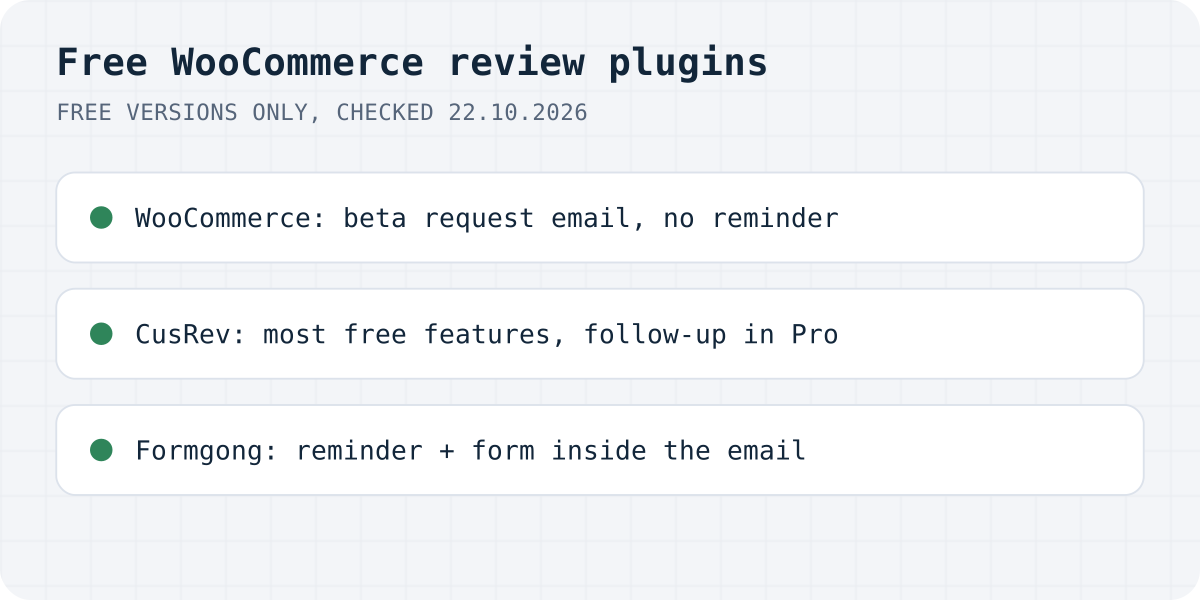
What each free version includes
A review plugin's page usually lists every feature it has, and you find out which ones need a licence after you install it. We looked only at the free versions of four options and checked each cell on the plugin's wordpress.org page, its own pricing page or WooCommerce's docs on 22 October 2026. A dash means the feature is not listed for the free version; it may exist in a paid one.
| WooCommerce reviews | CusRev | ReviewX | Formgong | |
|---|---|---|---|---|
| Active installs on wordpress.org | Part of WooCommerce | 80,000+ | 6,000+ | Fewer than 10 (listed since October 2026) |
| Review request email after an order | Yes, beta, off by default | Yes | Yes | Yes |
| Follow-up reminder if there is no review | – | Pro only | – | Yes, one |
| Review form inside the email | – | – | – | Yes, in mail apps that allow forms |
| Your own logo and sender name in the email | Your store's WooCommerce email | Pro only | Customisable content and design | Store name, logo and colour |
| Photo reviews | – | Yes | Yes | Yes |
| Video reviews | – | Yes | Pro only | Yes |
| Verified buyer label | Yes, “verified owner” | Yes | Yes | Yes, for reviews from the order email |
| Coupon for a review | – | Yes | – | Yes |
| Product questions and answers | – | Yes | – | – |
| Google Shopping reviews feed | – | Yes | – | Yes |
| Import reviews | – | CSV | From Judge.me | Judge.me, Yotpo, Loox, Shopify, Etsy, CSV |
| Switch for German consent rules | – | – | – | Yes |
| Where reviews are stored | WordPress | WordPress | WordPress | Formgong, shown through the plugin |
| Branding or ads on the free version | None | CusRev branding; ads on your store's CusRev.com page | Not stated | “Sent by Formgong for” your store in the email; a Formgong credit under the widget |
CusRev's pricing page shows its free and Pro columns side by side. The follow-up reminder, the custom sender address and footer, your logo in emails and the removal of ads from your page on CusRev.com are in the Pro column. Its wordpress.org page lists the rest of the free features above.
WooCommerce's own reviews
Before adding anything, check what WooCommerce already does. Product reviews, star ratings, a “verified owner” label and a setting that lets only buyers review are all in WooCommerce, Settings, Products. Newer versions also have a “Customer review request (beta)” feature. Once you turn it on under Advanced, Features and enable the Review request email, WooCommerce emails buyers a link to a page where they can rate every product from a completed order. The default wait is seven days, and the email is off until you switch it on.
What it lacks, going by WooCommerce's docs: photos, a reminder for buyers who ignore the first email, coupons and a review feed for Google Shopping. If your store gets a few orders a week and buyers already leave reviews, this may be all you need.
Customer Reviews for WooCommerce (CusRev)
CusRev has the longest record of the four. It has been on wordpress.org since April 2017, has more than 80,000 active installs and an average of about 4.8 stars from more than 1,500 ratings. Its free version covers more than any other plugin here: one review form for the whole order, photos and videos, coupons for reviews (its changelog adds a badge that flags those reviews), product Q&A and an XML reviews feed for Google Shopping. The reviews are saved as normal WooCommerce reviews, so they stay in WordPress if you remove the plugin.
The paid part matters for emails. On CusRev's pricing page, the automatic follow-up after a review invitation, a custom sender address and footer, and your logo in the email are Pro features. If you use its optional verification service, your reviews also get a copy on a page at CusRev.com, and removing the ads from that page is a Pro feature too.
ReviewX
ReviewX focuses on ratings with several criteria, so a buyer can score quality, price and delivery separately and the product page shows a graph. Its free version also sends reminder emails, takes photos, shows a verified badge, has reCAPTCHA, and imports reviews from Judge.me, which helps if you have an old Judge.me export. Video reviews, replies from the admin, voting and anonymous reviews are in Pro. It has more than 6,000 active installs and has been on wordpress.org since 2020.
Formgong Reviews
Formgong is ours, and on wordpress.org it is brand new, with fewer than ten active installs. Weigh that against the table.
After an order is completed, the plugin sends Formgong the order number, the buyer's email and first name, and the products. Formgong emails a review request after the delay you set, then one reminder for the products that still have no review. In Apple Mail, Yahoo, AOL and Thunderbird the buyer rates and writes the review inside the email. Gmail and Outlook show star links instead. A review sent this way is marked “Verified buyer”.
You can thank buyers with a coupon. The plugin creates a single-use WooCommerce coupon tied to the buyer's email, the same for a one-star review as for a five-star one, and the review shows “Received a store coupon for reviewing”. A switch keeps review emails away from buyers in Germany who have not agreed to marketing email. Approved written reviews go into a Google Shopping reviews feed with each product's GTIN.
The email carries your store's name, logo and colour, and one line at the bottom: “Sent by Formgong for” your store. There are no ads in it. The widget on the product page shows a small Formgong credit on the free plan. AI summaries and translations of reviews are part of the paid plan, not the free one.
There are two trade-offs. Your reviews live on Formgong, not in the WordPress database, and the plugin shows them on your pages. That is why the same account can show reviews on a Shopify store or any site where you can paste HTML. It also means the reviews depend on our service. And on the free plan, review emails go out at up to 20 a day per store, which suits a small shop; a held email is retried the next day. The review reminder email guide shows the setup screen by screen.
Which one to pick
If you want everything inside WordPress and a plugin with years of updates behind it, pick CusRev, and plan on Pro if you want the follow-up reminder and your own branding in the email. If multi-criteria ratings matter for your products, look at ReviewX. If a few reviews a month is enough, try WooCommerce's own beta email first, since it costs you nothing to switch on.
Pick Formgong if the reminder, the form inside the email and a store-branded email are what you are missing, or if you sell on more than one platform. If you are moving from Judge.me, our Judge.me guide covers what you can still recover.
The same Formgong account covers the rest of a small shop's site. Contact forms email you and post to Telegram, an AI help chat answers visitors from your own pages and can suggest products, and the free website templates come with the form already connected. Messages from all of them land in one inbox.
Did we miss something?
Plugins change their free versions often. If a cell in the table is out of date, or you use another free review plugin that belongs here, write to support@formgong.com. We will check it and fix the table.
Frequently asked questions
What is the best free review plugin for WooCommerce?
CusRev's free version has the most features, including coupons, photos, videos and Q&A. Formgong's free plan adds a follow-up reminder and a review form inside the email. WooCommerce's own reviews need no plugin at all.
Does WooCommerce send review request emails?
Yes, as a beta. Turn on Customer review request (beta) under WooCommerce, Settings, Advanced, Features, then enable the Review request email. It is off by default and waits seven days after an order is completed.
Is CusRev free?
CusRev has a free version and a Pro version. The free one sends review reminders and coupons and takes photos and videos. Automatic follow-ups, a custom sender address and your logo in emails are in Pro.
Which free WooCommerce review plugin supports video reviews?
CusRev and Formgong take video reviews in their free versions. ReviewX has video reviews in Pro only, and WooCommerce's own reviews take text and stars.
Sources and documentation
Official references for this guide: WordPress.org: Customer Reviews for WooCommerce, CusRev: Pricing and Plans, WordPress.org: ReviewX, WooCommerce: Product Reviews, WordPress.org: Formgong. WooCommerce, where data is stored.