Two messages, one cause
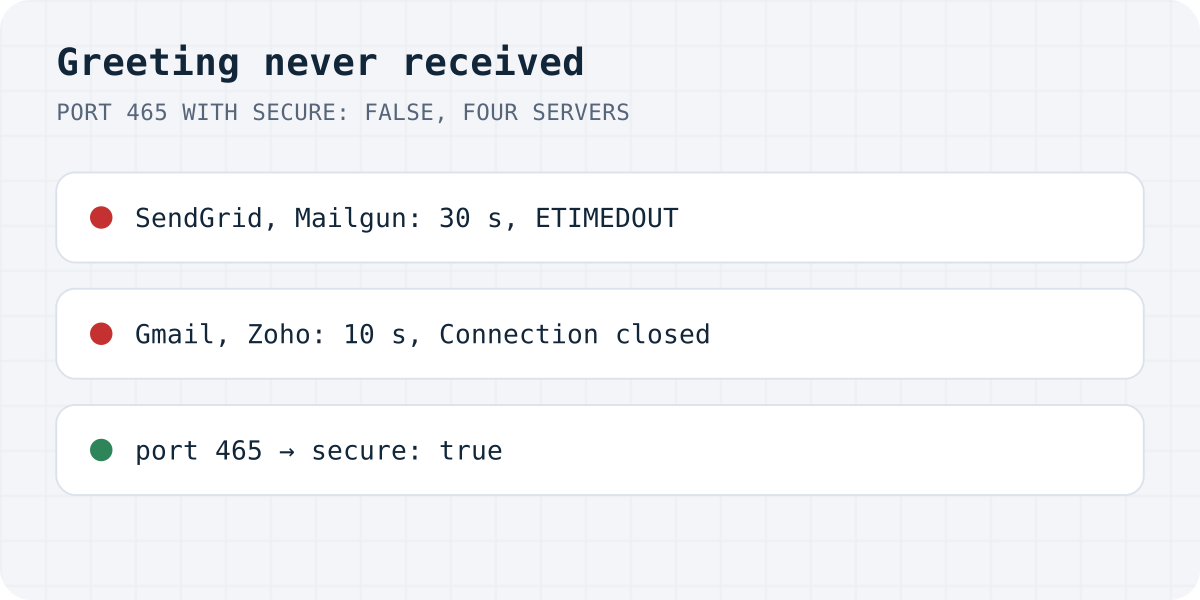
secure: false. Both connections waited 30 seconds.On 16.10.2026 we sent with Node.js 22.23 and nodemailer 10.1.1 to port 465 with secure: false on four real servers, with made-up logins:
| Server | Error | After |
|---|---|---|
| smtp.sendgrid.net | Greeting never received, ETIMEDOUT | 30.2 s |
| smtp.mailgun.org | Greeting never received, ETIMEDOUT | 30.3 s |
| smtp.gmail.com | Connection closed unexpectedly, ECONNECTION | 10.2 s |
| smtp.zoho.com | Connection closed unexpectedly, ECONNECTION | 10.5 s |
The difference is only who gives up first. Nodemailer's greeting timeout is 30 seconds by default; Gmail and Zoho closed the silent connection after about 10. Either way, a visitor who pressed Send waited that long for nothing.
Why the connection goes silent
SMTP servers use two ways to encrypt. On port 465 the TLS handshake comes first, before any SMTP text. On port 587 (and 25) the server first sends a plain greeting such as 220 smtp.gmail.com ESMTP, and the client then upgrades the same connection with STARTTLS.
secure: false tells Nodemailer to expect the plain greeting. On port 465 the server is waiting for the client to start TLS, and the client is waiting for the server to say hello. Nobody speaks until a timeout ends it. The opposite mistake, secure: true on 587, fails instantly with “wrong version number”.
// Port 465: TLS from the first byte
nodemailer.createTransport({ host: "smtp.gmail.com", port: 465, secure: true, auth });

// Port 587: plain connection, upgraded with STARTTLS
nodemailer.createTransport({ host: "smtp.gmail.com", port: 587, secure: false, auth });
When the settings are already right
If you use 465 with secure: true and still time out, the connection is probably blocked before it reaches the server. Many cloud hosts restrict outgoing mail ports, port 25 most of all, and some office networks allow only their own mail server. From the same machine, nc -vz smtp.gmail.com 465 tells you in a second whether the port is reachable at all. If it is not, use the port your host allows or the mail provider's HTTP API instead of SMTP.
Do you need SMTP for a contact form?
If the SMTP login exists only so a contact form can email you, you can drop it: a form that posts to Formgong at https://formgong.com/submit has no SMTP host, port or password in your code, and Formgong sends the notification itself. See the HTML guide.
Frequently asked questions
What does Greeting never received mean in Nodemailer?
Nodemailer connected but the server never sent its 220 greeting within 30 seconds. On port 465 that is almost always secure: false; it can also be a blocked or filtered port.
Should I use port 465 or 587?
Either works with the matching setting: 465 with secure: true, or 587 with secure: false so Nodemailer upgrades with STARTTLS.
Why do I get Connection closed unexpectedly instead?
Same mistake, different server. On our test Gmail and Zoho closed the silent connection after about 10 seconds, before Nodemailer's 30-second greeting timeout.
Sources and documentation
Official references for this guide: Nodemailer: SMTP transport (secure, ports, timeouts), RFC 8314: Cleartext considered obsolete (implicit TLS on 465). HTML contact form, where data is stored.