Empty, or only a header?
The two cases look different on the page and have different causes:
| What you see | Cause | Fix |
|---|---|---|
| Nothing at all where the carousel should be | No review matches the carousel's selection | Change the selection, or feature reviews |
| Only “Let customers speak for us” and the review count | The Judge.me app embed is off | Turn on the embed in App embeds and save |
| Cards Carousel empty on some pages only | A filter such as Current product finds nothing there | Widen Reviews selection |
| Carousel goes blank while scrolling on a right-to-left store | A known RTL layout bug | The CSS fix in Judge.me's docs, below |
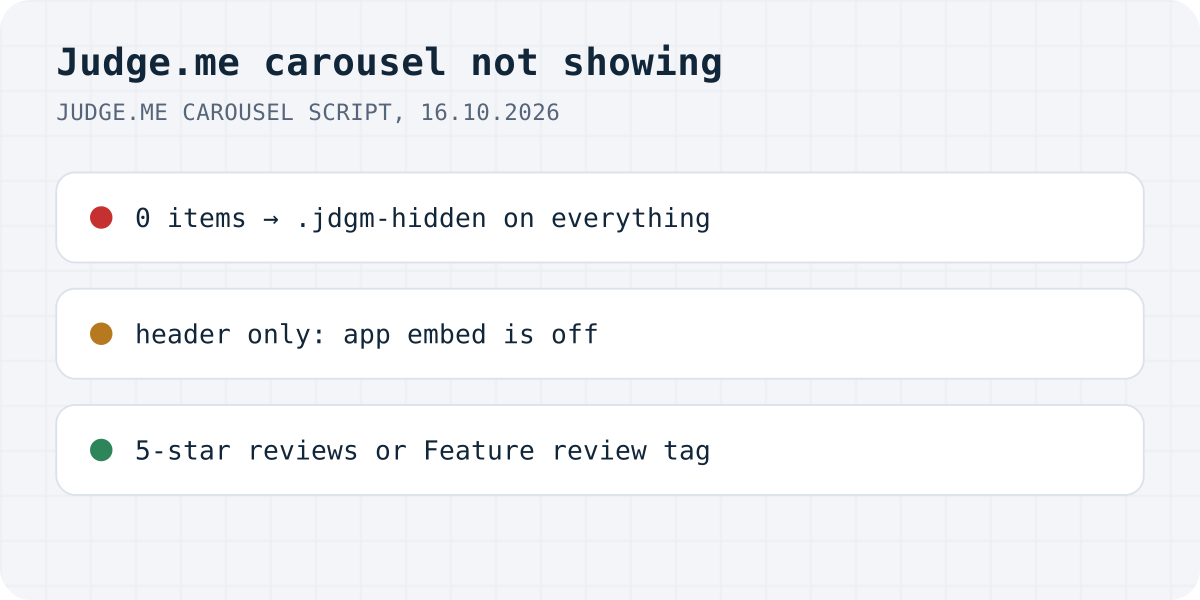
The carousel has no reviews it is allowed to show
Judge.me's docs put it in one line: “The Reviews Carousel only appears if there are reviews to show.” The setting that decides which reviews it may show is called “Set how reviews show in the Carousel”, and it has three options: “Recent 5-star reviews”, “Recent reviews with pictures” and “Choose reviews manually”.
According to Judge.me, the carousel stays hidden when the selection is one of the first two and you have no 5-star reviews yet, or when it is “Choose reviews manually” and you have not featured any. In the script the rule is just as blunt: zero items, and the title and rating line go too, which is why there is not even an empty frame to find.
To feature a review, open Reviews in the Judge.me admin, use Add tags on the review and add the tag Feature review. One limit catches people out: “Reviews with only star ratings can't be featured.” A shop whose customers mostly leave stars without text can have plenty of reviews and still nothing to feature. Switching the selection to “Recent 5-star reviews” is the quick way out, as long as at least one 5-star review exists.
Only the header shows: the app embed is off
If the page shows “Let customers speak for us”, the stars and the “from n reviews” line but no slides, Judge.me's docs say this is “usually because the Judge.me app embed is not enabled in your theme.” The markup explains why. In the store we looked at, the header is plain HTML on the page, while the section with the slides starts with <style>.jdgm-carousel{display: none}</style>. Only Judge.me's script, loaded by the embed, makes the slides visible.
Open the theme editor, click the App embeds icon, turn on Judge.me and save. Shopify turns embeds off by default after an install, and a newly published theme starts without them, so this often follows a theme change. The newer Cards Carousel has the same symptom with a different header: “Customers are saying”, the rating, the count and the Verified badge, and nothing under them.
The Cards Carousel filters its reviews away
Judge.me now calls the Cards Carousel “the new Reviews Carousel”. Its block has a “Reviews selection” setting, and several of the options only work on certain pages: “Current product (only works on product templates)”, “Current collection (only works on collection pages)” and “Cart (only works on cart pages)”. Put a Current product carousel on the home page, or on a product with no reviews, and it has nothing to show. The toggles “Only pinned reviews”, “Only featured reviews” and “Filter by tags” narrow the pool further.
If the carousel is empty on one page and fine on another, set Reviews selection to All and check again before changing anything else. Its “Show sample reviews (Preview only)” switch fills the carousel in the editor only, so it does not tell you whether the live store has matching reviews.
After a theme change, on a vintage theme or right to left
Judge.me's widgets do not move to a new theme on their own, so add the carousel block again after publishing a new theme. On a vintage theme, the classic Reviews Carousel can be installed with Liquid code, but Judge.me says the Cards, Testimonials and Videos carousels cannot be installed in a vintage theme at all.
For stores in Arabic, Hebrew or another right-to-left language, Judge.me documents a carousel that “goes blank when scrolling” and gives this CSS: .jdgm-carousel__item-container { direction: ltr !important; }.
It is not a plan limit. Judge.me's pricing page lists the Reviews Carousel as a “Basic version” on Free and the Cards, Testimonial and Video carousels as Free; Awesome adds layouts such as Gallery.
The same problems with Formgong Reviews
A carousel is not something Formgong does, so part of this comparison is a different design rather than a fix. Checked against our live widget on 16.10.2026.
| Problem | With Formgong |
|---|---|
| Carousel hides itself with no matching reviews | We have no carousel. The widget lists your newest approved reviews as cards; with none approved it shows a “Write a review” link. |
| Only star ratings, nothing to feature | A bare star rating counts toward the average and shows as a card with its stars. There is no featuring step. |
| Header shows, slides do not | The product reviews block in our Shopify app loads its own script, so there is no separate embed to forget. |
| Theme switch | Same as Judge.me: add the block again in the new theme. |
Formgong Reviews is the review tool we build. Approved reviews show as stars and cards on each product page, Pro adds an AI summary written from the approved reviews, and you can bring old reviews in from a Judge.me, Yotpo, Loox or Shopify Product Reviews export. To collect new ones you send customers a review link after the order. Our Shopify app, which also publishes a Google product reviews feed, has been in Shopify's App Store review since 14.10.2026; until it is listed, the widget goes into a Custom Liquid section with one script line, as the review widget page shows.
The same account covers the rest of a small shop's site: contact forms that email you and post to Telegram, an AI help chat that answers visitors from your own pages, and free templates with the form already connected.
Still empty?
Is your carousel back, or does it still show nothing? Write to support@formgong.com and tell us what you see on the page. If it is a case we have not covered, we will check it and add it here.
Frequently asked questions
Why is my Judge.me reviews carousel not showing?
It hides itself when no review matches its selection: no 5-star reviews with Recent 5-star reviews, no photos with Recent reviews with pictures, or nothing featured with Choose reviews manually.
Why does the Judge.me carousel show only the header?
Judge.me says this is usually because the app embed is not enabled. The header is plain HTML, while the slides need the script the embed loads.
How do I feature a review in Judge.me?
Open the review in Judge.me's Reviews page, use Add tags and add Feature review. Reviews with only a star rating and no text cannot be featured.
Is the Judge.me carousel a paid feature?
No. Judge.me's pricing page lists a basic Reviews Carousel and the Cards, Testimonial and Video carousels on the Free plan; Awesome adds layouts such as Gallery.
Sources and documentation
Official references for this guide: Judge.me: Reviews Carousel, Judge.me: Featuring a review, Judge.me: Cards Carousel, Judge.me: Customizing the Reviews Carousel, Judge.me: Adding widgets in vintage themes. Shopify, where data is stored.