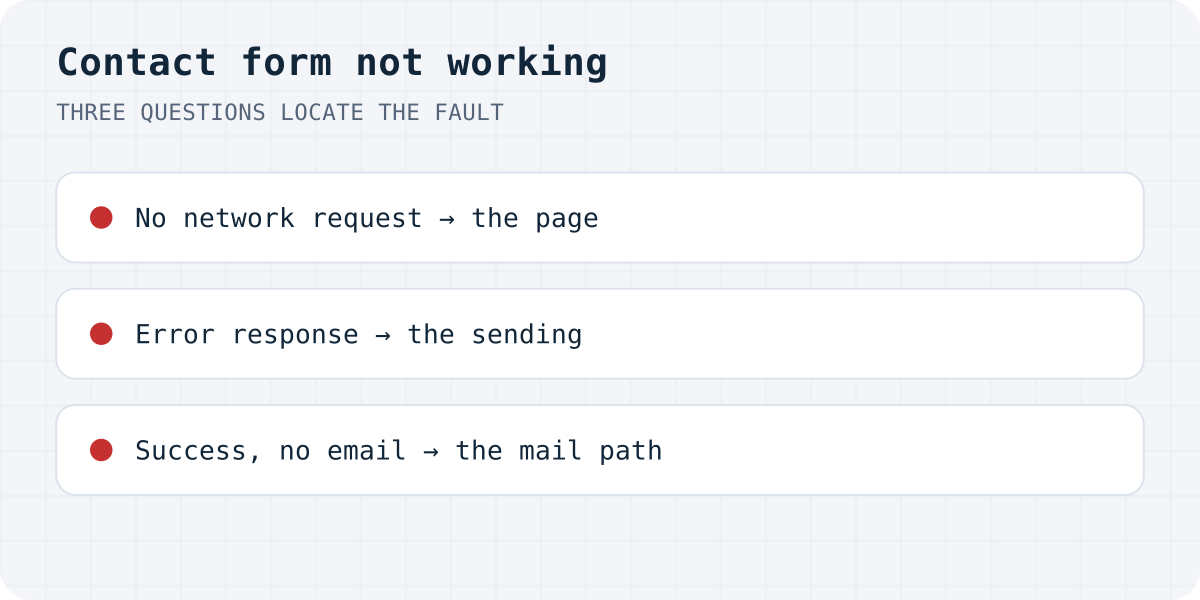
Three questions, three kinds of fault
Open the page in a private window, open DevTools (F12), select the Network tab, fill the form like a visitor and click Send. What happens next sorts the problem:
| What you observe | Fault | Where to go |
|---|---|---|
| No network request at all | Page: button, validation or script | form not submitting |
| Request fails, console blames CORS or fetch | Sending: endpoint or network | “Failed to fetch” |
| An error message with exact wording | Sending: the service names its fault | Search that exact sentence, list below |
| Success message, no email ever | Mail path: address, spam, authentication | not sending email, going to spam |
Fault in the page: nothing is sent
No network request means the browser never tried. The short list: a submit button that is type="button" or disabled, a hidden field with required (the console says “is not focusable”), a field named submit, or a JavaScript handler that prevented the default and then failed. All five, each reproduced with its console line, are in HTML form not submitting.
Builders add one more page-level fault: the form element exists but was never connected, like a Webflow form in a template where form handling moved elsewhere, or two captchas fighting on a Shopify page. If the site runs on a platform, start from that platform's own guide in the list below.
Fault in the sending: an error comes back
If the request goes out and an error returns, the exact wording is the shortest path to the fix, because most services use fixed sentences. We keep guides for the ones that fill our own inbox, each built around the reproduced error text:
- WordPress: Contact Form 7 “error trying to send your message” (red vs orange border), Elementor “submission failed because of an error”, WPForms not sending email.
- Form backends: Formspree, FormSubmit, Getform/Forminit, Web3Forms.
- Platforms: Shopify, Wix, Webflow, Squarespace, Netlify Forms, Framer, Carrd, Next.js.
- Mail APIs behind custom forms: the SMTP and API error guides cover Gmail, Office 365, Nodemailer, SendGrid, Mailgun and friends by exact message.
If your error is in none of these, the browser console plus the service's own logs beat guessing; and if the sentence is generic, searching it in quotes finds the service that prints it.
Fault in the mail path: sent, never seen
A success message plus an empty inbox means the submission worked and the email did not survive the trip. In practice this is one of three: the notification goes to an address nobody reads (platforms like Shopify pick the recipient for you in settings), the mail sits in spam or quarantine, or the sending server fails authentication and providers refuse it. Work through why a contact form is not sending email for the first two and contact form emails going to spam for the third.
One habit prevents most of these surprises: after any change, send a real test from a private window with an outside email address, and search the receiving mailbox including spam. A form you have never tested end to end is a form you do not know works.
Test it like a stranger, regularly
Forms break between visits: a plugin update, a theme switch, an expired key, a mail policy change. The failures are silent by nature, which is why they are found weeks later by the one customer who bothered to email twice. Two cheap defences: our free form checker, which submits a harmless test to your form and reports whether anything actually sends, and a calendar note to send a real test monthly. A quiet form after a plugin update deserves a test, not relief.
The structural fix
Every fault class above shrinks when the form is plain HTML posting to a service whose one job is receiving it. Formgong stores each submission in a dashboard inbox (so the mail path stops being the only copy), delivers to email and Telegram, filters spam server-side, and answers errors with exact statuses instead of silence. Switching an existing form is changing the action and adding an access key, as the HTML guide shows; the free plan takes 1,000 submissions a month.
Did the triage land?
Which of the three faults was yours, and did the linked guide close it? Write to support@formgong.com and tell us what you tried. The cases readers send are how these guides get better.
Frequently asked questions
Why is my contact form not working?
Locate the fault first: with the browser's Network tab open, submit the form. No request means the page blocks submission (button type, hidden required field, broken script); an error response means the sending service failed and its exact wording identifies the fix; success without email means the message went to the wrong address or into spam.
How do I test if a contact form works?
Open the live site in a private window, submit a realistic message with an outside email address, and search the receiving mailbox including spam. Repeat after plugin updates and theme changes; forms fail silently. A form-checker tool automates the submission half.
The form says the message was sent, but I get nothing. Why?
The submission worked; the email died afterwards. The usual causes: the notification address is one nobody reads, the mail is in spam or admin quarantine, or the sender fails SPF/DKIM/DMARC checks and providers refuse it.
Where do I see why a form request failed?
In the browser's DevTools: the Network tab shows the request, its status and the response body, and the Console shows validation and JavaScript errors, including the exact sentences our error guides are organised around.
Sources and documentation
Official references for this guide: MDN: Sending form data, Google: Email sender guidelines. HTML contact form, where data is stored.