Where Framer form submissions go
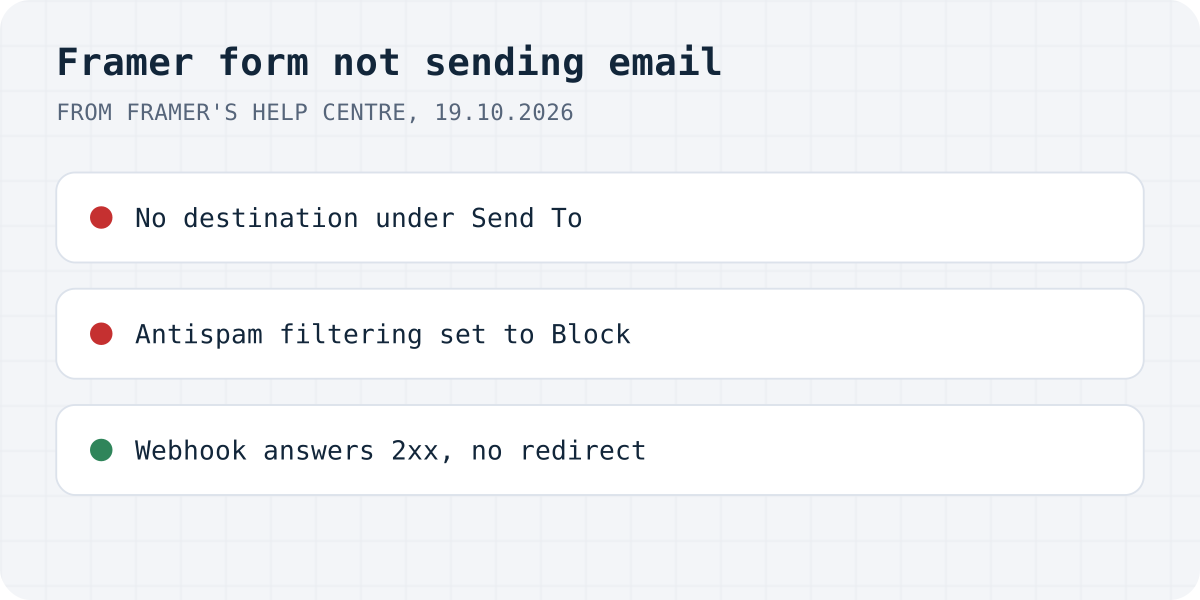
Framer's help article on contact forms says native forms send submissions “to email, Google Sheets, or custom webhooks”. Each form delivers to the destinations listed under Send To in the right sidebar, and nowhere else. So the first question is simple: what is under Send To on this form?
| What you see | Likely cause | Fix |
|---|---|---|
| Nothing arrives anywhere | No destination under Send To, or the change is not published | Add a destination, publish |
| Some messages never arrive | Antispam Filtering is set to Block | Set Filtering to Pass and review |
| Emails arrive with [Spam] in the subject, then vanish | Your mailbox filters on that marker | Check mailbox rules and the spam folder |
| A field is missing in the email or sheet | The field has no name, or two share one | Set a clear name on every field |
| Webhook gets nothing | URL not https, or it redirects | Use the final https URL |
| Webhook gets the same message several times | Your endpoint did not answer 2xx, so Framer retried | Answer 2xx as soon as you have saved it |
Nothing arrives at all
Select the form on the canvas and look at Send To. Framer's webhook guide shows the way in: click “Add…” next to Send To and pick the destination. A form without a destination has nowhere to send to.
Then publish. Framer's spam protection guide says settings changes apply only to new submissions received after the site is published, and the same rule applies to the rest of the form: the live site runs the last published version, not what you see on the canvas.
Check that the form still has its Submit button. Framer's guide on field types says that if you remove the Submit button, you can add it back from the “+” menu on the canvas.
Some submissions never arrive: the spam filter
Framer forms have built-in bot protection: per Framer, the visitor's device solves a mathematical puzzle in the background, and Framer does not support reCAPTCHA. On top of that, the form's Antispam settings offer two types. Basic is on by default for all sites and checks for common spam patterns. Advanced adds an AI-powered check and is available on Pro plans and above.
Then there is Filtering, which decides what happens to a flagged submission:
- Block: submissions identified as spam are not delivered to your destinations. A real customer whose message looked like spam is lost, and nobody gets an error.
- Pass: everything is delivered, and Framer marks the suspicious ones. Emails get “[Spam]” or “[Possible Spam]” in the subject and a Note field. Google Sheets gets a “Framer Spam Detected” column with
possibleorlikely. Webhooks get the headersX-Framer-Spam-Protection: markedandX-Framer-Spam-Classification.
If leads go missing, switch to Pass for a while and look at what gets marked. Framer recommends Pass when you want to minimise the chance of missing legitimate messages. With Pass, also check your mailbox: a rule or filter that acts on “[Spam]” in the subject can file the message away before you see it.
A field is missing from the email or the sheet
Each field has a name that becomes its label in the email, the column in Google Sheets and the key in the webhook's JSON. Framer's guide on field types: you “set the field name used in submissions” in the properties panel after selecting the field. Give every field a distinct, readable name. Two fields with the same name are hard to tell apart in the result, and a checkbox sends true or false, so name it after the question, for example newsletter.
The webhook gets nothing, or the same message twice
Framer's webhook guide sets four rules for the URL:
- It must start with
https://. - Framer sends the form as JSON in a POST request, with the input names as keys.
- Your endpoint must answer with a 2xx status. If it does not, Framer retries up to 5 times.
- Redirects are not followed. A 3xx answer counts as a failure.
The redirect rule catches a URL your server redirects, for example one missing the trailing slash the server expects, or an old domain that now forwards to a new one. The server answers 301, and Framer does not follow it. The retry rule explains duplicates: if your endpoint saves the message and then fails before answering 2xx, Framer sends the same submission again. Save first, answer 2xx right away, and do the slow work afterwards.
With signature verification on (a secret of at least 32 characters, per Framer), each request carries a Framer-Webhook-Submission-Id header and a Framer-Signature header, an HMAC-SHA256 of the body plus the submission ID. Store the submission ID and ignore a second request with the same one. Compute the signature over the raw body as received; JSON that was parsed and written out again may not match byte for byte.
If you want one inbox for every form
Framer's destinations are enough when one inbox or one spreadsheet is all you need. If you want every submission kept in one place, with email and Telegram alerts and spam you can review instead of losing, you can keep the Framer form and add Formgong as its webhook. Our Framer guide shows the steps, and the same page shows the other way: a Formgong form in an Embed component, which works on Framer's free plan.
The same Formgong account also covers an AI help chat that answers visitors from your own pages, a review widget (we do not verify purchases, so you approve each review before it shows), and free website templates with the form already connected.
Still missing?
Which of these was it on your Framer site, or is your form doing something else? Write to support@formgong.com. Tell us which plan you are on and what the form does after you press the button. If it is a case we have not covered, we will look into it and add it here.
Frequently asked questions
Where do Framer form submissions go?
To the destinations you add under Send To in the form's settings: email, Google Sheets or a webhook. If no destination is set, check the form before anything else.
Why is my Framer form not sending emails?
Check that the form has an email destination and the site is published, then the Antispam setting. With Filtering set to Block, submissions Framer flags as spam are not delivered. Also check the spam folder for [Spam] or [Possible Spam] in the subject.
Why does my Framer webhook receive the same submission twice?
Framer retries up to 5 times when the webhook does not answer with a 2xx status. Answer 2xx as soon as the submission is saved. With signature verification on, the Framer-Webhook-Submission-Id header lets you ignore repeats.
Does Framer support reCAPTCHA?
No. Framer's help centre says there is no native reCAPTCHA integration. Forms use Framer's own background check, and Pro plans and above can add the AI-based Advanced protection.
Sources and documentation
Official references for this guide: Framer: Adding a contact form, Framer: Enable spam protection, Framer: How the built-in form spam protection works, Framer: Connect Framer forms to a webhook, Framer: Add different field types to a native form. Framer, where data is stored.