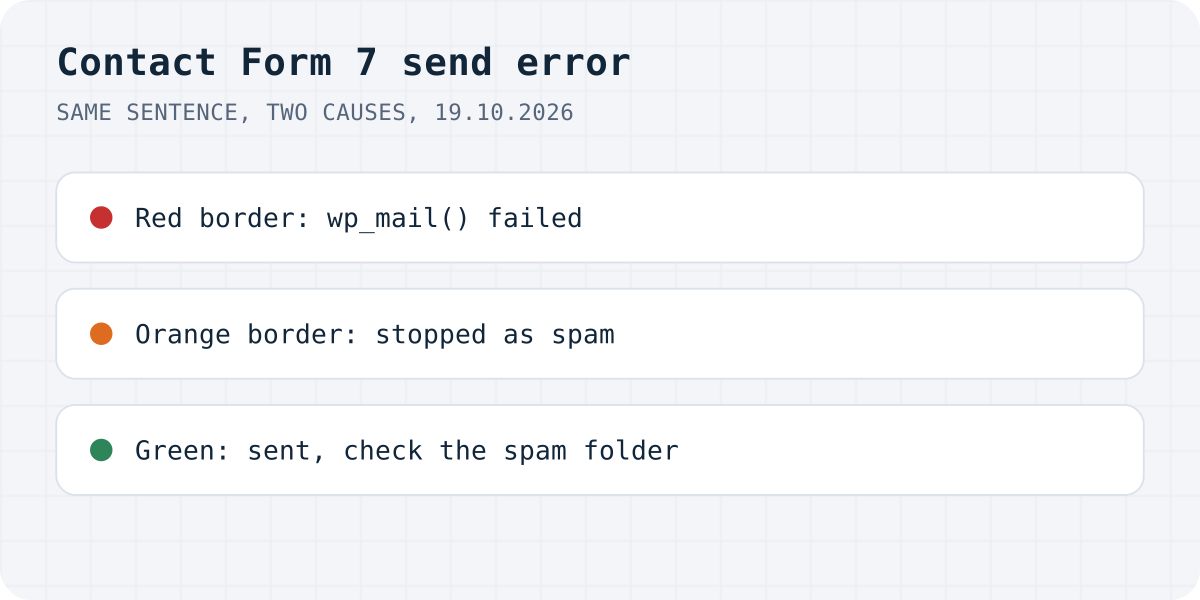
Same sentence, two different problems
"status":"spam" and the border was orange.Contact Form 7 uses one default text for two different events. In the plugin's own message list, “Sender's message failed to send” and “Submission was referred to as spam” both default to “There was an error trying to send your message. Please try again later.” The plugin's FAQ says the border colour is how you tell them apart. We checked every case on a test site:
| What the visitor sees | Border | status in the reply | What happened |
|---|---|---|---|
| There was an error trying to send your message. Please try again later. | Red | mail_failed | wp_mail() returned false |
| There was an error trying to send your message. Please try again later. | Orange | spam | A spam check stopped it; no email was attempted |
| One or more fields have an error. Please check and try again. | Yellow | validation_failed | A required field is empty or invalid |
| Thank you for your message. It has been sent. | Green | mail_sent | wp_mail() returned true |
| Nothing, the spinner keeps turning | None | no reply from the plugin | The REST API is blocked for visitors |
If the colours are hard to see in your theme, open DevTools, go to Network, send the form and click the request ending in /feedback. The status field in the reply says which case you have.
Red border: WordPress could not send the email
The plugin's FAQ puts it plainly: the red border means Contact Form 7 tried to send mail with wp_mail(), and it failed. Contact Form 7 hands the email to WordPress, and WordPress hands it to PHP's mail() unless a plugin changes that. On our test server there was no mail program, and WordPress reported “Could not instantiate mail function.” Many shared hosts switch mail() off or limit it to stop spam, so this is the most common red-border case.
WordPress does not show that reason anywhere. To see it, drop a small must-use plugin into wp-content/mu-plugins/. It writes every failure to a log file. Send the form once, read the file, then delete the plugin.
What usually fixes it:
- Send through SMTP or a mail API. An SMTP plugin makes
wp_mail()log in to a real mail server (your mailbox provider, or a sending service) instead of relying on the host. On our test site we replaced the mail step with a stand-in that reports success, and the same form showed “Thank you for your message. It has been sent.” with a green border, so nothing else in the form was wrong. - Put an address on your own domain in the From field. Contact Form 7's mail setup guide says to use an address that belongs to the same domain as the site, and to put the visitor's address in Reply-To instead. Many hosts and mail services refuse to send “from” someone else's Gmail.
- Do not leave the body empty or very short. The same guide warns that an empty or too-short body makes sending fail on some hosts.
If none of that helps, ask your host for the mail log. Contact Form 7's FAQ gives the same advice for a mail server that is down or unreachable.
<?php
// wp-content/mu-plugins/log-mail-errors.php
// Writes the real reason to wp-content/mail-errors.log whenever wp_mail() fails.
add_action( 'wp_mail_failed', function ( $error ) {
	file_put_contents(
		WP_CONTENT_DIR . '/mail-errors.log',
		gmdate( 'c' ) . ' ' . $error->get_error_message() . "\n",
		FILE_APPEND
	);
} );
Orange border: the message was treated as spam
The orange border means one of Contact Form 7's spam checks flagged the submission. The plugin's FAQ names Akismet, reCAPTCHA and the disallowed list. In this case nothing reaches wp_mail(): our log file stayed empty for the spam test, while the visitor saw the same sentence as before.
We triggered it with the disallowed list. WordPress keeps that list under Settings, Discussion, in “Disallowed Comment Keys”, and Contact Form 7 reads the same list. We put the word casino there, sent a message containing it, and the reply said "status":"spam". The plugin's code checks every field of the form, plus the visitor's IP address and browser user agent, and a line matches inside words. WordPress's own label for the box warns that “press” will match “WordPress”. So a short word you added years ago to stop comment spam can block a real customer.
Check the disallowed list first, then reCAPTCHA and Akismet if you use them. The FAQ suggests the plugin's spam logging feature to see which check fired.
Green message, but no email arrives
“Thank you for your message. It has been sent.” only means wp_mail() returned true. The FAQ says the same: after that point the mail can still be lost, and a spam filter at the receiving end is the usual cause. Check the spam folder of the address in the To field, then the From address (an address on your domain, with SPF and DKIM set up for whatever server sends it).
Contact Form 7 does not store messages. Its own docs say you may lose messages for good if the mail server has issues, and point to Flamingo, a free plugin by the same author that saves every submission in the database. Install it before you start debugging, so customers' messages are not lost while you test.
The spinner keeps turning and no message appears
The form sends its data to the WordPress REST API, under /wp-json/contact-form-7/v1/. Security plugins and firewall rules can block the REST API for visitors who are not logged in. We did that on our test site with a few lines of code: the request got 401 with rest_disabled, and after 15 seconds the form still showed the spinner and no message at all. The visitor gets no error and no thank-you, and the message is not sent.
Open the Network tab and look at the /feedback request. A 401 or 403 there points to a security plugin or a firewall rule. Allow the contact-form-7 route for visitors, or turn that option off. The plugin's FAQ adds plugin and theme conflicts for this symptom, so if the request never appears at all, test with other plugins switched off.
Or let something else send the email
Most red-border fixes are about making WordPress send mail it was never set up to send: an SMTP plugin, a mail account, DNS records for the domain. If the contact form is the only thing on the site that sends email, you can skip that part.
That is the problem we built Formgong around. The Formgong plugin for WordPress adds a form block and a shortcode, and the form posts to Formgong instead of going through your host's mail. Each submission lands in a web inbox first, then goes out by email and, if you want, to Telegram. If an email bounces, the message is still in the inbox. Formgong also has an AI help chat that answers visitors from your own pages, a review widget (we do not verify purchases, so you approve each review), and free templates with the form already connected.
Still red?
Which one was it on your site, red, orange or the spinner? Write to support@formgong.com with the message you see and what your browser's Network tab shows for the request. If it is a case we have not covered, we will reproduce it and add it here.
Frequently asked questions
What does “There was an error trying to send your message” mean in Contact Form 7?
Either wp_mail() failed (red border, status mail_failed) or a spam check stopped the submission (orange border, status spam). Contact Form 7 uses the same sentence for both by default.
How do I fix the red border error in Contact Form 7?
Find the real reason with the wp_mail_failed hook, then usually install an SMTP plugin and use a From address on your own domain. On a server with mail switched off, WordPress reports Could not instantiate mail function.
Why does Contact Form 7 show an orange border?
A spam check flagged the message: Akismet, reCAPTCHA or the disallowed list in Settings, Discussion, Disallowed Comment Keys. No email is sent in that case.
Why does Contact Form 7 say the message was sent but no email arrives?
The green message only means wp_mail() returned true. The email can still be filtered as spam later. Check the spam folder and the From address, and install Flamingo to keep a copy of every message.
Sources and documentation
Official references for this guide: Contact Form 7: FAQ, Contact Form 7: Best practice to set up mail, Contact Form 7: Save submitted messages with Flamingo, Contact Form 7: Spam filtering with disallowed list. WordPress, where data is stored.