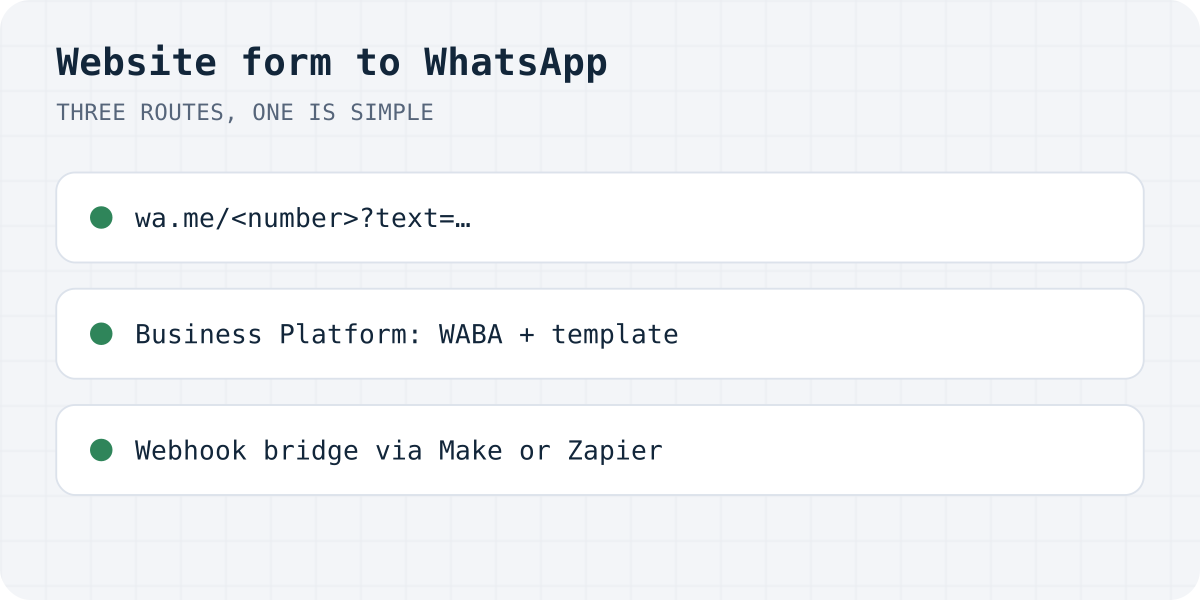
First decide which of the three you mean
| You want | The route | What it takes |
|---|---|---|
| Visitors start a WhatsApp chat with you | A wa.me click-to-chat link or button | One link; nothing to host or pay |
| The form's text arrives in that chat | wa.me with ?text= built from the fields | A few lines of JavaScript |
| A WhatsApp message to you on every submission | Business Platform via a provider, bridged from a webhook | WhatsApp Business Account, Meta Business Manager, a template, a provider |
The third row surprises people: WhatsApp has no personal-number API, so “just message me on submit” is the one that needs business infrastructure. If the point is an instant ping on your phone, the last section shows the shortcut most sites take.
Route 1: the wa.me link, straight from WhatsApp's docs
WhatsApp's click-to-chat page gives the exact format: https://wa.me/<number>, where the number is “a full phone number in international format”, and the page is explicit about the formatting: “Omit any zeroes, brackets, or dashes”. Add a pre-filled message with ?text= and URL-encoded text. Their own example: https://wa.me/1XXXXXXXXXX?text=I'm%20interested%20in%20your%20car%20for%20sale.
A plain “Chat on WhatsApp” button is this link in an anchor tag; WhatsApp publishes official button images and asks that they be used unmodified. It works on phones and WhatsApp Web, and it costs nothing. The limits are structural: the conversation happens in WhatsApp, so nothing lands in an inbox you can search or export, and a visitor without WhatsApp hits a wall, which is why this button belongs next to a form, not instead of one.
Route 2: pre-fill the chat from your form's fields
A small script can build the wa.me link from what the visitor typed, so the chat opens with the enquiry already written. Intercept the button click, assemble the text, URL-encode it with encodeURIComponent, and open the link:
const form = document.querySelector("#contact");
document.querySelector("#whatsapp-btn").addEventListener("click", () => {
  const data = new FormData(form);
  const text = `Hi, I'm ${data.get("name")}. ${data.get("message")}`;
  window.open("https://wa.me/15551234567?text=" + encodeURIComponent(text));
});
Route 3: a real WhatsApp message on every submission
To have WhatsApp itself deliver a message when the form is submitted, you are in Business Platform territory, and the requirements are Meta's, not ours. Meta's overview lists what an account needs: a display name, a phone number for the business, a WhatsApp Business Account, and a Meta Business Manager. On top of that, provider documentation (360dialog's, in our sources) states the template rule: a business cannot open a conversation with a freely composed message, so a business-initiated notification goes out as an approved template.
In practice almost nobody wires this by hand for a contact form. The working pattern is a bridge: the form backend fires a webhook per submission, an automation platform (Make, Zapier, n8n) catches it, and a WhatsApp provider step (Twilio and 360dialog are the common ones) sends the template message to your number. Formgong's signed webhooks are on every plan, so the bridge costs nothing on our side; the provider's requirements still apply on theirs.
The shortcut: the same ping without the Business Account
Step back to the actual wish, a message on your phone the second a form is submitted, and the Business Platform is the long way around. Telegram does exactly this natively: Formgong sends each submission to a Telegram chat on every plan, Free included, with Reply and Mark handled buttons, no template approval and no Business Manager. The setup is in website form to Telegram, and it coexists with a wa.me button for visitors who prefer WhatsApp: they write to you on WhatsApp, the form pings you on Telegram, and nothing is lost in either place because every submission also sits in the dashboard inbox and your email.
If your team genuinely lives in WhatsApp, route 3 is the honest answer and the bridge works; we simply will not pretend it is four clicks.
Which route did you ship?
Did the wa.me button cover it, did you build the provider bridge, or did Telegram win? Write to support@formgong.com and tell us what you built. The setups readers send are how these guides get better.
Frequently asked questions
Can a website form send submissions straight to my WhatsApp?
Not to a personal number: WhatsApp has no personal-number API. A real per-submission WhatsApp message needs the Business Platform — WhatsApp Business Account, Meta Business Manager, an approved template, usually a provider — typically bridged from a form webhook via Make or Zapier. The lightweight alternatives are a wa.me click-to-chat button, or Telegram delivery, which form backends offer natively.
What is the wa.me link format?
https://wa.me/<number> with the number in international format — WhatsApp's docs say to omit any zeroes, brackets, or dashes — plus an optional ?text= parameter with a URL-encoded pre-filled message. Their example: https://wa.me/1XXXXXXXXXX?text=I'm%20interested%20in%20your%20car%20for%20sale.
Why does my WhatsApp notification need a template?
Provider documentation for the Business Platform states that a business cannot start a conversation with a freely composed message; business-initiated messages use approved templates. Your form notification is business-initiated, so the template rule applies to it.
What is the cheapest way to get form submissions on my phone?
Telegram: form backends deliver there natively — Formgong on every plan, including Free — with no business account or template approval. Keep a wa.me button for visitors who want to chat on WhatsApp; the two solve different halves of the problem.
Sources and documentation
Official references for this guide: WhatsApp: how to use click to chat, Meta: WhatsApp Business Platform overview, 360dialog: messaging (template rule), Formgong: webhooks. HTML contact form, where data is stored.