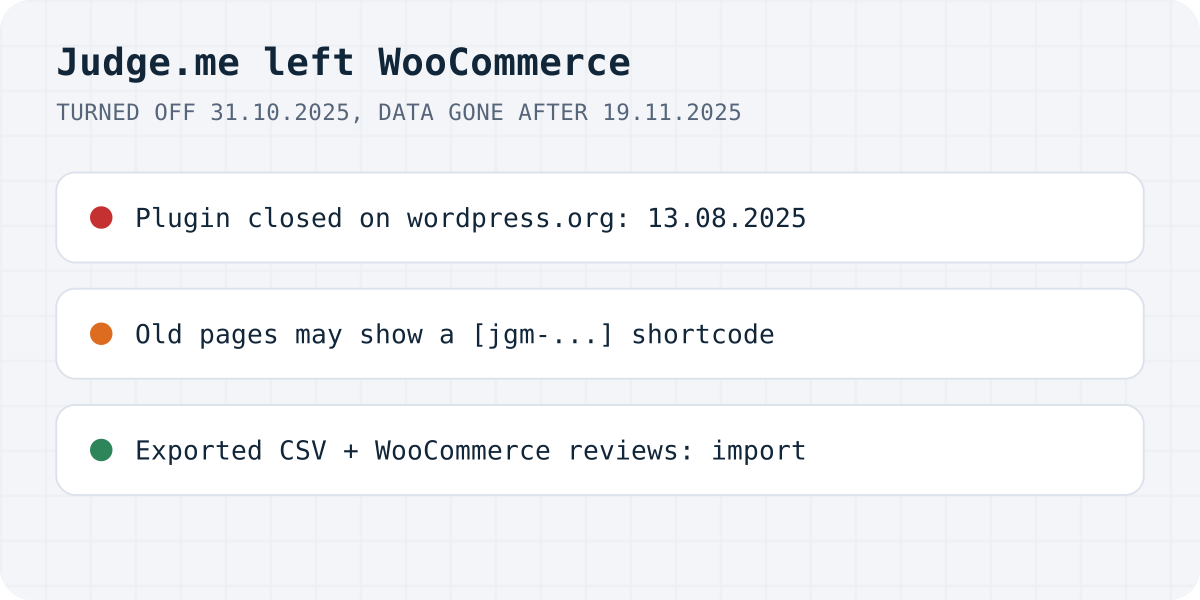
What Judge.me shut down, and when
If you ran Judge.me on a WooCommerce store, your review widgets went blank last autumn and the plugin can no longer be installed. Judge.me decided to put all its work into Shopify. Its help article now opens with one line: “We have now sunset Judge.me on all non-Shopify platforms.”
| Platform | Turned off | Data still reachable until |
|---|---|---|
| WooCommerce | 31 October 2025 | 19 November 2025 |
| Squarespace | 31 October 2025 | 19 November 2025 |
| Square | 31 October 2025 | 12 November 2025 |
| Duda | 31 December 2025 | not given |
| BigCommerce | 12 January 2026 | not given |
| PrestaShop | 31 January 2026 | not given |
The WordPress plugin went first. Its page on wordpress.org says it was closed on 13 August 2025 at the author's request and that the closure is permanent. So a store that had it installed kept a copy that receives no updates, and a new store cannot get it at all.
Judge.me's article also says that after the sunset date, access to all its features and data is permanently removed, and that the export steps it describes are no longer available. We checked both pages again on 22 October 2026.
Where your reviews are now
That depends on whether someone pressed Export before 19 November 2025.
If you did, you have a CSV file from Judge.me's Reviews Dashboard, one per review status (published, hidden, archived). Find it before anything else, because it is the only complete copy. Judge.me notes that videos were never part of the export, so customer videos are gone unless you downloaded them by hand.
If nobody exported, Judge.me's side of the data is gone. What you still have is whatever lives in WooCommerce itself. Open Products, Reviews in WordPress: reviews that customers left through WooCommerce's own review form are stored there as comments on each product, and no outside service can remove them.
There is one more thing to clean up. Judge.me's article says its WooCommerce shortcodes start with [jgm-. When the plugin that owns a shortcode is not active, WordPress prints the shortcode as plain text, so an old page can show [jgm-…] to every visitor. Search your pages, widgets and page-builder templates for jgm and remove those blocks.
How to move the reviews into Formgong
We build Formgong Reviews, so this is the route we know step by step. You need a free Formgong account and the Formgong plugin from wordpress.org (version 1.3.4 at the time of writing).
Start with a review site in the Formgong dashboard, under Reviews. Then bring in the reviews you have. A Judge.me CSV goes straight into Reviews, Import reviews: the importer knows Judge.me's columns. For reviews stored in WooCommerce, open Settings, Formgong in WordPress. Under “Bring your WooCommerce reviews” there is a Download WooCommerce reviews (CSV) button; upload that file on the same import page. It carries the rating, text, name, date, product, your reply and the status, and leaves the reviewers' email addresses in WordPress.
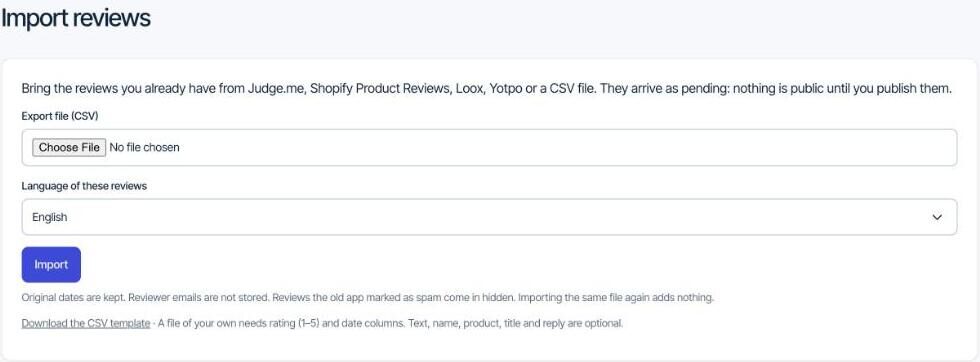
Imported reviews wait for your approval, so nothing appears on the store until you have looked at it. An export can include reviews Judge.me had marked as spam; those come in hidden.
To show them, paste the review site's Reviews key into the plugin's Product reviews row and tick “Show Formgong reviews on product pages”. You choose whether they replace WooCommerce's Reviews tab or sit in a second tab, and whether the rating goes into the product's structured data for Google.
Formgong's Google Shopping reviews feed leaves imported reviews out, so it fills up with new reviews only. The “Verified buyer” label on those new reviews comes from the order email, which the next section covers.
Getting new reviews again
Moving old reviews fixes the product pages, but new reviews came from Judge.me's email after each order. Few buyers come back to write a review on their own, so you need that email again.
WooCommerce now has a basic version built in: a “Customer review request” email that is still marked beta and is off by default. The Formgong plugin can send the request and one reminder instead, with a review form inside the email and an optional coupon. Our guide on WooCommerce review reminder emails walks through both, including the German consent rule.
Other plugins that replace Judge.me
Formgong is one option, and a new one. The simplest replacement is WooCommerce's own reviews: no extra plugin, a “verified owner” label, and now the beta review request email, though its docs mention no photos and no reminders.
Customer Reviews for WooCommerce, usually called CusRev, has been on wordpress.org since 2017 and has more than 80,000 active installs. Its free version sends reminders, gives coupons, takes photos and videos, adds product Q&A, has a Google Shopping reviews feed and imports reviews from CSV. ReviewX is smaller. Its free version has an import tool made for Judge.me reviews, ratings with several criteria and reminder emails, and it keeps video reviews for Pro.
We compared what each free version includes, cell by cell, in free WooCommerce review plugins compared. In short, CusRev has the longest track record and the most features in one plugin, and Formgong is the one where the follow-up reminder and the form inside the email are free.
What Formgong Reviews does
Reviews live on Formgong and show on your product pages through the plugin, so a theme change does not touch them. Photo and video reviews are part of the free plan, and written reviews wait for your approval by default. AI summaries and translation of reviews are paid extras. The Judge.me alternative page compares the two side by side.
The same Formgong account covers the rest of a small shop's site. Contact forms email you and post to Telegram, an AI help chat answers visitors from your own pages and can suggest products, and the free website templates come with the form already connected. Messages from all of them land in one inbox.
Did your reviews make it?
If you were on Judge.me and lost reviews in the shutdown, or found them somewhere we did not mention, tell us at support@formgong.com. We will add what you found to this page.
Frequently asked questions
Does Judge.me still work on WooCommerce?
No. Judge.me turned WooCommerce off on 31 October 2025, kept the data reachable until 19 November 2025, and closed its WordPress plugin on 13 August 2025. It now works on Shopify only.
Can I still export my Judge.me reviews from WooCommerce?
No. Judge.me's help article says its data was permanently removed after the sunset date and the export steps no longer work. Only a CSV you exported before 19 November 2025 still has them.
Why does my product page show a [jgm] shortcode?
The Judge.me plugin is no longer active, so WordPress prints its shortcode as text. Search pages, widgets and page-builder templates for jgm and remove those blocks.
How do I import Judge.me reviews into WooCommerce?
Upload the Judge.me CSV to a review tool that reads it. Formgong's Import reviews page reads Judge.me exports on the free plan, and ReviewX's free version has a Judge.me import tool.
Sources and documentation
Official references for this guide: Judge.me: sunsetting on WooCommerce, Square, Squarespace, BigCommerce, Duda and PrestaShop, WordPress.org: Judge.me Product Reviews for WooCommerce (closed), WooCommerce: Product Reviews, WordPress.org: Customer Reviews for WooCommerce, WordPress.org: ReviewX. WooCommerce, where data is stored.