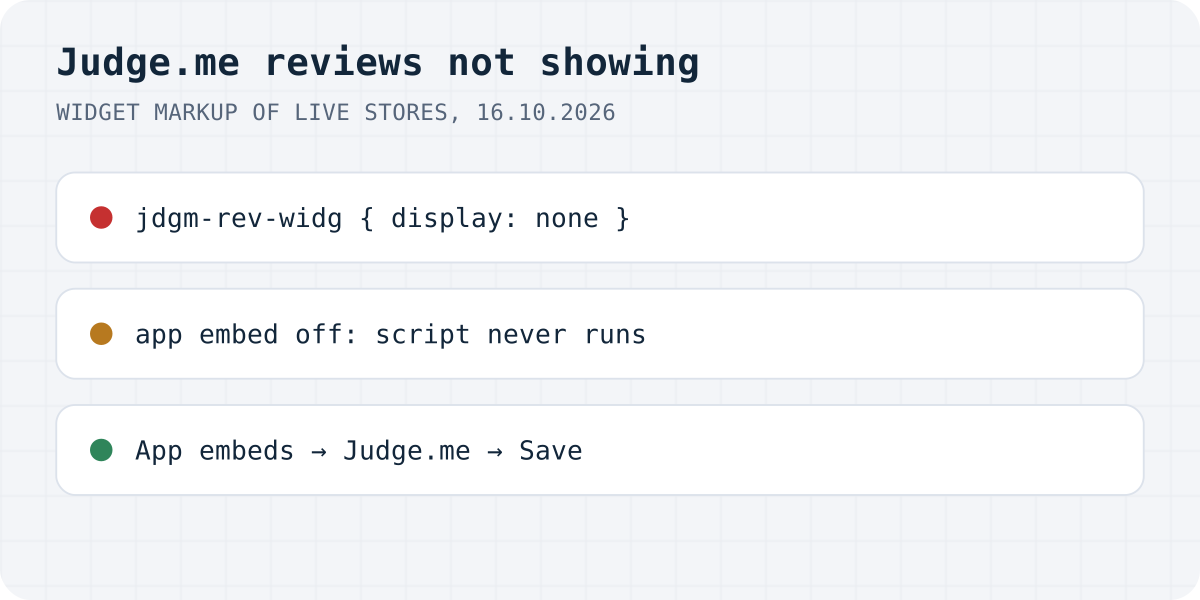
What is going on, in one picture
Judge.me keeps your reviews on its side, so when they vanish from the store, something on the store is keeping the widget off the page. Find your symptom here:
| What you see | Likely cause | Fix |
|---|---|---|
| No reviews and no stars on any product | The Judge.me app embed is off in this theme | Theme editor, App embeds, turn on Judge.me, Save |
| Missing only on products without reviews | A setting hides empty widgets | Change it, or wait for the first review |
| One new review is missing | The review is Pending, Hidden or Archived | Publish it in Judge.me's Reviews page |
| Some products show reviews, others do not | Those products use a template without the block | Add the Review Widget block to that template |
| Reviews by John Smith in the editor, nothing live | Those are sample reviews | Nothing to fix; real reviews appear once published |
| No Review Widget block in the Apps tab | A vintage theme | Install with Judge.me's Liquid code |
The Judge.me app embed is off
A Judge.me install on a current theme has two parts: an app embed that loads Judge.me's script on every page, and blocks that mark where the widgets go. The blocks alone do nothing. In the two stores we looked at, the review widget, the star badge and the carousel all arrive in the HTML with display: none, and only the script reveals them.
Shopify switches embeds off by default. Its developer docs say: “By default, app embed blocks are deactivated after an app is installed.” Judge.me's onboarding warns about it with this message: “App embeds missing from live theme. This is required for all widgets to show correctly. Click the button below and then Save”.
- In Shopify admin, go to Online Store, Themes, and open the editor of the theme you want to fix.
- Click the App embeds icon in the left sidebar.
- Turn on the Judge.me embed and click Save.
- Reload the product page in a private window.
Switching themes loses the embed too, because embeds and blocks are saved inside each theme, not in the app. We checked this on our own development store, which has our review app installed: the live Dawn theme holds the app's embed and its product reviews block in its settings files, and the unpublished Horizon theme on the same store holds neither. If that store published Horizon, its reviews would vanish while the app and every review stayed in place. Judge.me says the same about its own widgets: “When changing your Shopify theme, previously installed widgets and widget customizations are not automatically transferred to the new theme.”
Products with no reviews hide the widget
If the widget is missing only on new products, that is probably a setting doing its job. Three of them hide Judge.me widgets on products without a published review:
- The star badge has “Hide the widget if the product has no reviews”, and it is the default. The other option is “Always show the widget”.
- The new Review Widget has a theme-editor setting called “If no reviews show”. Its “Hide widget” option hides the whole widget until the first review arrives.
- In Judge.me's review collection settings, the Write a review button can be set to “No one”. Judge.me's docs say that then the button is hidden everywhere “and the Review Widget will be hidden on products with no review.” The fix is “Everyone (no restrictions)”.
We found the code behind the last one in Judge.me's widget script: when visitors are not allowed to write reviews, the script shows the widget only if the product has more than zero reviews. One more cause is leftover CSS. Judge.me's own customisation guide gives this rule for hiding the widget on empty products: .jdgm-rev-widg[data-number-of-reviews='0'] { display: none; }. If someone added it to your theme long ago, it still works.
The review is not published
A Judge.me review is in one of four states: “Published, Pending (also called To Curate), Hidden, or Archived”. Only Published reviews reach the store, and Judge.me's docs add that hidden reviews are also left out of the product's average, its review count and the star badge.
New reviews publish automatically by default. If someone turned on “Manually moderate all incoming reviews”, new reviews arrive as Hidden and wait for you. Rules that auto-publish only some reviews (by stars, for example) send the rest to Pending, and Judge.me says a pending review “won't appear on your storefront until you publish it manually, or until it auto-publishes after 14 days.” Open Reviews in the Judge.me admin, filter by status and publish what you want shown.
A rarer variant: a link ending in ?judgeme_review_uuid=… filters the widget down to one review. Judge.me notes the widget “may appear empty or broken if that specific review is pending, hidden, or archived.” Remove the parameter and reload.
The product uses another template
Shopify lets each product use its own template, chosen in the product's admin page under Theme template. A block you add while editing the default product template appears on every product that uses that template and on no other. So when reviews show on most products and not on a few, open one of the missing ones in admin, see which template it uses, open that template in the theme editor and add the Review Widget block there too.
Judge.me gives the same advice for stars on collection pages: “If your collection pages use more than one template, repeat these steps for each template.” Stars on collection cards have their own catch: Judge.me's star block fits inside product cards only on Shopify's Horizon family of themes. On Dawn and most other themes you use the Install button in Judge.me's Star Rating Badge settings or paste Judge.me's code into the card snippet. Our guide to Shopify reviews not showing explains why Dawn's own “Product rating” setting needs data from the app.
Reviews show in the theme editor but not on the live store
First check whose reviews you see. In the theme editor Judge.me shows sample reviews, and its docs say the “4 sample reviews from John Smith” are only visible there and never reach customers. Seeing them only proves the block is placed.
If your real reviews show in the editor and not on the live store, look at what differs between the two. The editor may be open on a theme that is not published, or on a template your test product does not use. We found three Shopify Community threads from 2023 and 2024 with exactly this complaint and no accepted answer, so if you have checked the embed, the template and the review status, send Judge.me support the product link.
A vintage theme or a page builder
Older themes do not support app blocks at all. Judge.me's sign that you are on one is the Apps tab saying “You don't have any apps installed. Find apps built for themes on the Shopify App Store”. On a vintage theme you install the Review Widget, star badge and Reviews Carousel with Liquid code from Judge.me's docs; the Cards, Testimonials and Videos carousels cannot be installed there at all.
Page builders are similar. Judge.me states that the new Review Widget “is not available if your product pages are built using a third-party page builder”, so a PageFly or GemPages product page needs the builder's own Judge.me element.
The same problems with Formgong Reviews
Some of these causes come from how Shopify themes work and would hit any review app, ours included. Here is how the list looks with Formgong Reviews, checked against our Shopify block and widget on 16.10.2026.
| Problem | With Formgong |
|---|---|
| App embed turned off | Our product reviews block loads its own script, so it works without an embed. Stars on product cards need our “Star ratings on product cards” embed, the same as with Judge.me. |
| Widget hidden on products with no reviews | Our Shopify block shows “Be the first to write a review” and the form. The plain script widget shows only a “Write a review” link until your first approval. |
| Review not published | Same idea. A written review waits for your approval unless you change that; a bare star rating can publish itself. |
| Theme switch | Same. Blocks live in the theme, so add ours again in the new one. |
Formgong Reviews is the review tool we build. Approved reviews show as stars and cards on each product page, Pro adds an AI summary written from the approved reviews, and you can bring old reviews in from a Judge.me, Yotpo, Loox or Shopify Product Reviews export. To collect new ones you send customers a review link after the order. Our Shopify app, which also publishes a Google product reviews feed, has been in Shopify's App Store review since 14.10.2026; until it is listed, the widget goes into a Custom Liquid section with one script line, as the review widget page shows.
The same account covers the rest of a small shop's site: contact forms that email you and post to Telegram, an AI help chat that answers visitors from your own pages, and free templates with the form already connected.
Still missing?
Did one of these bring your Judge.me reviews back, or is your case different? Write to support@formgong.com and tell us what you see on the page. If it is a case we have not covered, we will check it and add it here.
Frequently asked questions
Why are my Judge.me reviews not showing on Shopify?
Most often the Judge.me app embed is off in the theme, so the script that reveals the widgets never loads. Other causes: the review is not published, the product uses a template without the Review Widget block, or a setting hides widgets on products with no reviews.
Why do I see Judge.me reviews in the theme editor but not on my store?
The editor shows four sample reviews from John Smith that never appear to customers. If your real reviews show only in the editor, check that you are editing the published theme and the template your product uses.
Do I lose Judge.me reviews when I change my Shopify theme?
No. The reviews stay in Judge.me. The new theme only lacks the app embed and the blocks, so turn the embed on and add the blocks again.
Why does the Judge.me star rating not show on new products?
The star badge setting Hide the widget if the product has no reviews is on by default. Switch it to Always show the widget if you want empty stars.
Sources and documentation
Official references for this guide: Judge.me: Adding the Review Widget on your product page, Judge.me: Customizing the Review Widget (new version), Judge.me: Star Rating Badge, Judge.me: Publishing and hiding reviews, Judge.me: Reinstalling widgets when changing your theme, Shopify: Theme app extension configuration. Shopify, where data is stored.