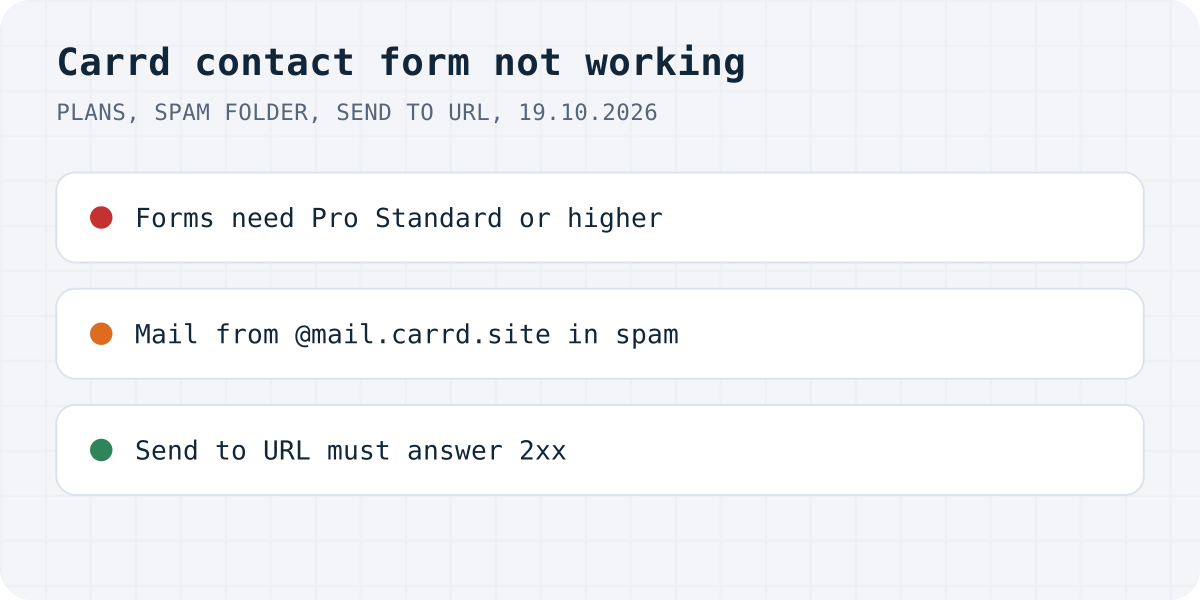
Three places a Carrd form breaks
Carrd's documentation is short and exact, and almost every form problem traces back to one of these:
| What you see | Likely cause | Fix |
|---|---|---|
| The site is on the free plan or Pro Lite | Those plans have no forms | Pro Standard for contact and signup forms |
| Custom form options missing | Custom forms need Pro Plus | Upgrade, or use an Embed (below) |
| The form says it was sent, no email arrives | Spam folder, or a recipient with delivery problems | Allowlist mail.carrd.site |
| Short messages never arrive | Filter messages is on | Untick it for one-word answers |
| Custom form shows an error | Field IDs or labels clash | Unique IDs: letters, numbers, - and _ |
| Send to URL form shows an error | The URL does not answer 2xx | Test the URL, fix the key or endpoint |
The plan decides whether the form exists
Carrd's docs mark each form type with the plan it needs. Contact and signup forms say “Requires Pro Standard or higher”. Custom forms, which can email you, send data to Zapier, Make, n8n, Airtable or a URL, or run your own JavaScript, say “Requires Pro Plus or higher”. Pro Lite has no forms at all; Carrd's plan page describes it as a fit for people who don't use “forms and widgets”.
Two plan situations catch people out:
- After the trial. Carrd's Pro trial includes a subset of features from across all Pro plans. If you built a custom form during the trial and then bought Pro Standard, you no longer have the feature. Carrd's answer is to change to the plan that has it.
- Moving a site. A site transfer fails when the recipient's plan lacks a feature the site uses. Carrd's example is a custom form on a site sent to someone on Pro Standard.
The form says sent, but no email arrives
Contact forms send to your Carrd account email unless you enter other recipients (up to five, comma-separated). Carrd says the messages come from @mail.carrd.site, and its troubleshooting page starts with the spam folder: mark the messages as not spam, or allowlist everything from @mail.carrd.site at your email provider. If they are not in spam either, Carrd asks you to make sure the recipient address works and has no delivery problems of its own. A full mailbox or a forwarding rule on a custom domain counts.
A contact form also has a “Filter messages” box that drops messages with common spam content. Carrd warns that it can catch legitimate short messages, such as one-word answers, and recommends unticking it when your form expects them.
A custom form shows an error
For custom forms in general, Carrd's troubleshooting page lists three fixes:
- Give each field an explicit ID made only of letters, numbers, hyphens and underscores.
- Make every label and every ID unique. Duplicates, Carrd says, “might throw things off”.
- If custom code changes a Fixed Value field, use a Hidden field instead.
Spam protection is another setting to check. Carrd forms can use Cloudflare Turnstile, Google reCAPTCHA v2 or hCaptcha, one provider per form, and the keys you paste come from that provider. Keys made for another domain usually make the check fail, so if you added a provider recently, test without it.
“Send to URL” fails: the reply must be 2xx
A custom form set to Send to URL can use three methods. With AJAX, Carrd sends the data in the background and reads the reply: Carrd's docs say a 2xx response such as 200 is success and anything else, such as 400, is failure. The troubleshooting page says the same about the error: make sure the URL “responds with 200 to indicate success, and any other code to indicate failure”. POST and GET are plain browser submissions that leave your page.
So when an AJAX form shows its failure message, the URL said no. Test it outside Carrd. We sent a made-up key to Formgong's endpoint, and it answered 404 with {"success":false,"code":"unknown_access_key"}. A Carrd form pointing there would show its failure state, which is what you want: the visitor knows the message did not go through. Check the URL, the format (Default, JSON or XML must match what the receiver expects) and any custom headers (up to five) you added for a key or token.
A form backend on Pro Standard
Formgong works with Carrd in two ways. On Pro Plus, a custom form set to Send to URL, AJAX, posts to Formgong; our Carrd guide has the settings. On Pro Standard, where custom forms are not available, Carrd's Embed element accepts “standard-issue HTML”, so a plain HTML form that posts to Formgong fits in an inline Embed. Carrd notes that embeds do not show in the builder, so publish to test it. Submissions land in a web inbox and go out by email and Telegram, and you are not tied to Carrd's mail domain.
The same Formgong account also covers an AI help chat that answers visitors from your own pages, a review widget (we do not verify purchases, so you approve each review before it shows), and free website templates with the form already connected.
Still not working?
Which plan is your Carrd site on, and which form type did you use? Write to support@formgong.com. Tell us which plan you are on and what the form does after you press the button. If it is a case we have not covered, we will look into it and add it here.
Frequently asked questions
Why is my Carrd contact form not working?
Check the plan first: contact and signup forms need Pro Standard or higher, and custom forms need Pro Plus. Then check the spam folder for messages from mail.carrd.site and the Filter messages option.
Why am I not receiving emails from my Carrd form?
Carrd sends them from @mail.carrd.site, and they often land in spam. Mark them as not spam or allowlist that domain, and make sure the recipient address has no delivery problems.
Why does my Carrd Send to URL form show an error?
With the AJAX method, Carrd treats any answer other than 2xx as a failure. Test the URL on its own and make sure it answers 200 when the submission is accepted.
Can I use a custom form on Carrd Pro Standard?
No. Custom forms need Pro Plus or higher. On Pro Standard you can use the contact form, or an Embed element with your own HTML form that posts to an outside service.
Sources and documentation
Official references for this guide: Carrd: Setting up a Contact Form, Carrd: Forms troubleshooting, Carrd: Setting up a Custom URL Form, Carrd: Pro plans, Carrd: Embedding custom code. Carrd, where data is stored.