What a form-to-Notion setup actually gives you
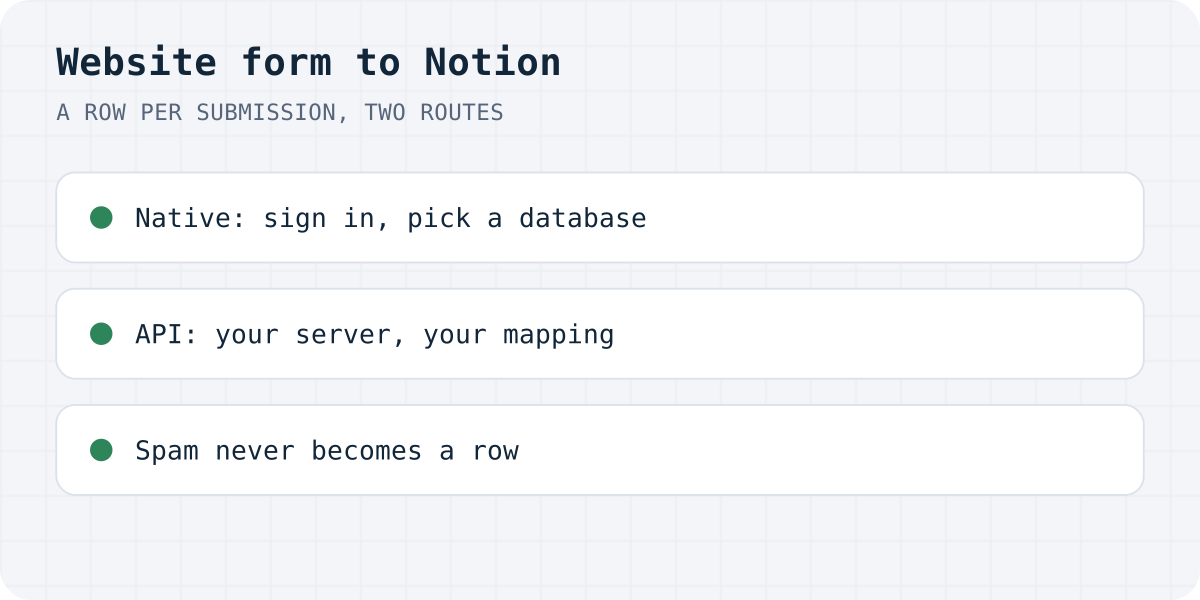
Email tells you a submission happened; Notion lets you work it. A database row per submission means statuses (new, replied, won), owners, filters by product or page, and the lead list living where your team already plans. The two routes below end in the same place, a row per submission, and differ in who maintains the plumbing.
| Form backend with native Notion | Notion API, your own code | |
|---|---|---|
| Setup | Sign in to Notion, pick a database, done | Create an integration, share the database, write and host the code |
| Schema | Columns created and extended from your form fields | You map every property yourself |
| Spam | Filtered before Notion; spam never becomes a row | Every bot submission is a row unless you filter |
| Failures | Retries, then an email; the submission stays in the inbox | Your error handling |
| Cost | Formgong: every plan, Free included | Notion API is free; your hosting is yours |
Route 1: a form backend with a native Notion connection
With Formgong the connection is part of the form settings; the steps below are from our Notion integration page, and every plan, Free included, can send each form to one Notion database.
- Open My forms → your form → Form settings and pick Notion.
- Click Connect Notion. On Notion's consent screen, select the pages or databases Formgong may use.
- Under Where should submissions go, pick a page (Formgong creates a database in it, named after the form) or an existing database, and click Use this.
- Click Add a test row, then send the form from your site once.
The mapping is automatic and survives form changes: the title column takes the visitor's name (or falls back to email, company or subject), “Submitted at” and “Page URL” columns are added if missing, each form field gets a text column named after its name attribute, and a new field simply adds its column on the next submission. If you retype a column in Notion as email, URL, phone, number, select or checkbox, values are converted to fit; a value that does not fit stays empty in Notion and intact in the Formgong inbox. Spam never becomes a row, and when Notion refuses a row (deleted database, unshared page), Formgong retries 5 times over about 42 minutes and then emails you once, with the submission still in the inbox.
<form action="https://formgong.com/submit" method="POST">
  <input type="hidden" name="access_key" value="fk_your_access_key">
  <label>Name <input type="text" name="name" required></label>
  <label>Email <input type="email" name="email" required></label>
  <label>Message <textarea name="message" required></textarea></label>
  <div style="position:absolute;left:-9999px" aria-hidden="true">
    <input type="text" name="botcheck" tabindex="-1" autocomplete="off">
  </div>
  <button type="submit">Send</button>
</form>
<!-- Every field lands as a column in your Notion database, named after the name attribute. -->
Route 2: the Notion API, your own code
Notion's public API does this without any form service: create an internal integration in Notion's settings, share the target database with it, and your server creates a page per submission with a POST to the pages endpoint, mapping each form field to a database property in the request body.
Two constraints decide the architecture. The integration token is a secret, and the API does not allow browser calls (no CORS), so the form cannot post to Notion directly: you need a server or serverless function in between. And the properties are yours to manage: a renamed column or a new form field means updating your mapping code. Budget for spam handling too, since every bot submission otherwise becomes a database row your team wades through.
This route earns its keep when Notion is one of several destinations in code you already run, or the mapping needs logic a generic integration cannot know.
The traps, whichever route you take
- Databases get moved. Sharing is per page tree in Notion: move the database out of the shared page, and writes stop. With the backend route you get a retry-then-email; with your own code, make the failure loud.
- Long answers. Notion caps rich-text blocks; Formgong splits long values into 2,000-character blocks, up to 200,000 characters per field. In your own code, split long text the same way or the API refuses the row.
- Notion is not your only copy. Treat the database as a working view, not the archive: keep the submissions exportable somewhere (the Formgong inbox exports CSV on every plan).
- One form, one database. Formgong writes each form to one database; two destinations means two forms or a webhook to your own code.
Rows arriving?
Did the four-click route work, or did you build the API version? Write to support@formgong.com and tell us what you built. The setups readers send are how these guides get better.
Frequently asked questions
How do I send website form submissions to Notion?
Either connect a form backend with a native Notion integration — in Formgong: Form settings → Notion → Connect Notion → pick a page or database, on every plan including Free — or use Notion's public API from your own server code, creating a page per submission in a database shared with your integration.
Can an HTML form post directly to the Notion API?
No. The API token is a secret and Notion's API does not allow browser (cross-origin) calls, so a server or serverless function must sit between the form and Notion. A form backend plays exactly that role without you hosting anything.
What appears in Notion for each submission?
With Formgong: a row whose title column carries the visitor's name (falling back to email, company or subject), “Submitted at” and “Page URL” columns, and a text column per form field named after its name attribute. New form fields add their columns on the next submission.
What happens when Notion rejects a row?
With Formgong: 5 retries over about 42 minutes, then one email to the form owner (at most one a day per form and channel), with the submission kept in the inbox for CSV export. In your own API code, that error handling is yours to write.
Sources and documentation
Official references for this guide: Formgong: Notion integration, Notion: build your first integration, Notion API reference: create a page. HTML contact form, where data is stored.