How to reset (clear) a form after submit in JavaScript
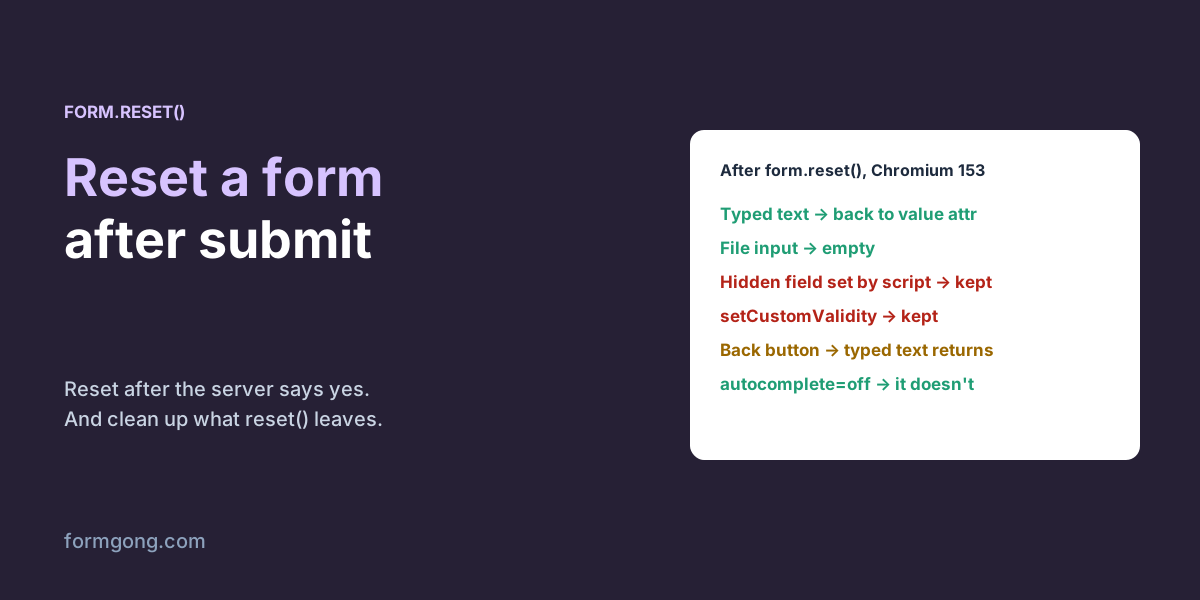
form.reset() doesn't empty a form, it puts back what the HTML said. In our test it also left a hidden field and a custom error message exactly as they were.
The short answer. If you send the form with fetch, call form.reset() once the server answers with success, not before. reset() puts every field back to the value written in the HTML, so prefilled fields come back prefilled, not empty. It does not undo hidden fields changed by a script or messages set with setCustomValidity, so clear those in a reset listener. If the form posts normally, the browser leaves the page and nothing needs resetting.
Formgong
How to reset (clear) a form after submit in JavaScript
When should you reset the form?
After the server has confirmed it received the message. If you clear the fields when the visitor clicks Send and the request then fails, their text is gone and they have to type it again, which most people won't do. So wait for the answer, check it, and only then call form.reset(). On an error, leave everything in place and say what went wrong.
What counts as “success” depends on the service. An HTTP 200 alone proves the request arrived, not that anyone will read it, so check the answer's own field. Formgong answers success: true with the submission's id once it has saved it; the email to you is sent after that, so a slow mail server doesn't keep the visitor waiting.
This only applies when you send with JavaScript. A plain HTML form that posts to its action makes the browser load a new page, the thank-you page, so there is nothing to clear. The code below is the fetch version, with the reset in the right place and the button locked while it sends, so an impatient double click doesn't send the form twice.
Reset a form after a successful submit (HTML)
<form id="contact" action="https://formgong.com/submit" method="POST">
  <input type="hidden" name="access_key" value="fk_your_access_key">
  <input type="hidden" name="source" value="footer" data-default="footer">
  <label>Name <input name="name" required></label>
  <label>Email <input type="email" name="email" required></label>
  <label>Message <textarea name="message" required></textarea></label>
  <button type="submit">Send</button>
  <p id="status" role="status"></p>
</form>

<script>
  const form = document.getElementById("contact");
  const status = document.getElementById("status");

  form.addEventListener("submit", async (event) => {
    event.preventDefault();
    const button = form.querySelector("button");
    button.disabled = true;
    try {
      const response = await fetch(form.action, {
        method: "POST", body: new FormData(form), headers: { Accept: "application/json" },
      });
      const result = await response.json();
      if (response.ok && result.success) {
        form.reset();                 // only after the server said yes
        status.textContent = "Thanks, we got your message.";
      } else {
        status.textContent = result.message || "That didn't go through. Please try again.";
      }
    } catch {
      status.textContent = "Network error. Your text is still in the form.";
    } finally {
      button.disabled = false;
    }
  });

  // reset() leaves two things behind; clean them up here.
  form.addEventListener("reset", () => {
    for (const el of form.elements) {
      if (el.dataset.default !== undefined) el.value = el.dataset.default; // hidden fields
      if (el.setCustomValidity) el.setCustomValidity("");                   // custom messages
    }
  });
</script>
What does form.reset() actually restore?
The defaults written in your HTML, which is not the same as empty. On 6 November 2026 we filled a test form in Chromium 153 and reset it:
Chromium 153, 6 November 2026. We filled every field, then called form.reset().
Field
Filled with
After reset()
Text input with value="Default name"
Ana Lima
Default name
Email input, no value
ana@example.com
(empty)
Select, Support pre-selected
Billing
Support
Checkbox, checked in HTML
Unticked
Ticked
Textarea with “Hi,” in it
Need an invoice
Hi,
File input
a.txt
(empty)
Hidden input value="footer", changed by script
pricing-page
pricing-page
Most rows behave the way you'd hope: the field goes back to what the page loaded with, and the file input empties. The last row is the surprise. A hidden input has no separate “default”, so when a script changes its value, say to record which page the visitor came from, reset() leaves the new value in place. The next submission from that page then carries the old value. The data-default attribute in the code above stores the original so the reset listener can put it back.
What counts as the default can change after the page loads. In a second test, setting input.value from a script did nothing to the default: reset() went back to “Default name”. Calling setAttribute("value", "New default"), or assigning input.defaultValue, did change it, and the next reset restored the new text. Use that when a form should come back prefilled with something you only know after load, such as the visitor's email after they sign in.
If you want a truly empty form, don't prefill it. Placeholders don't count as values, so placeholder="Your name" is fine; value="Your name" comes back after every reset.
What else does reset() leave behind?
We found more than that.
Custom error messages stay. We set setCustomValidity("Taken") on the email field, then reset the form. The field was empty again, but the browser still considered it invalid with the message “Taken”, so the next submission would be blocked for a reason that no longer applies. Clear custom messages in the reset listener.
No input or change events fire. The form fires one reset event and that's it. A character counter, a “3 of 5 fields done” bar or anything else that listens to typing won't notice the fields emptied, so update them from the reset listener.
That event comes before the fields change, not after. Inside our listener the name field still held “Ana”; it only went back to its default once the listener had finished. The event can also be cancelled: with event.preventDefault() in the listener, nothing was reset at all. So a listener that reads the fields sees the old values, and one that writes a field the reset also touches will be overwritten. The listener in our code is safe because the browser leaves hidden fields and custom messages alone; we checked that it puts the hidden default back and clears the message.
Anything that isn't a form field stays as it was. A rich-text box built on contenteditable kept the visitor's text, an aria-invalid="true" you set on a field stayed, and a button disabled by script stayed disabled. Error text you inserted next to fields is ordinary page content, so it stays too. Remove all of that yourself, and use the editor's own clear method if it has one.
One more trap: a field called name="reset". The form exposes its fields as properties, so form.reset then means that field, and calling it failed with “TypeError: f.reset is not a function”. Rename the field. The same happens to form.submit() with a field named submit.
How do you reset a form in React or Vue?
Reset the data, not only the page. In React, a controlled input takes its value from state, and in our test form.reset() did nothing to one: the field still said “Ana”, because React keeps the input's value attribute equal to the state, so the “default” the browser restores is the current text. Set the state back to its starting values instead, for example setValues(initialValues) after a successful send.
Uncontrolled inputs, the ones with defaultValue and no value, are ordinary DOM fields, so a ref to the form and formRef.current.reset() works. In React 19, if you pass a function to the form's action, React resets the uncontrolled fields itself once that function finishes without throwing. Its documentation warns that returning a validation error instead of throwing also counts, so give the fields a defaultValue from state if they must survive an error. With react-hook-form, its docs say not to call reset() inside onSubmit, and to call it in a useEffect that runs when formState.isSubmitSuccessful becomes true.
Vue goes wrong the other way. We bound a field with v-model, typed “Ana” and called form.reset(): the field emptied, but the reactive object still held “Ana”, so code that sends the object would send the old text. Reset the object, for example Object.assign(form, initialValues()), and the field follows.
Why are the fields filled again after pressing Back?
Because the browser remembers what was typed. We posted a form the plain HTML way, got a 303 redirect to a thank-you page, and pressed Back. Chromium brought the name, the email and the message back into the fields, ready to be sent a second time.
Adding autocomplete="off" to the <form> stopped that in our test: after Back, every field showed its default again. A common fix found online, resetting the form in a pageshow listener when event.persisted is true, did nothing here: persisted was false, so the page had not come from the back-forward cache, and Chromium still put the typed values back. If you need the fields empty after Back, autocomplete="off" on the form is the reliable switch, at the cost of the browser's own autofill suggestions in that form.
How Formgong's code resets the form
The snippets in our HTML forms docs and in the form generator do what this article recommends: they send with fetch, read the JSON answer, and call form.reset() only when success is true. If you'd rather not write JavaScript at all, post the form normally: Formgong answers with a 303 redirect to its thank-you page or to your own thank-you page, and the form is left behind.
After a reset, tell people it worked. The status line in our code has role="status", so screen readers read the thanks out without moving focus. If you hide the form and show only the message, also give the message tabindex="-1" and move focus to it, or keyboard users are left on a button that no longer exists.
Once the form is done, the same account can add an AI help chat that answers questions on the page and a reviews widget that shows what earlier customers said.
Did reset() leave something else behind?
If form.reset() missed a field type we did not test, or a framework kept old values after it, tell us at support@formgong.com. We will reproduce it and add it here.
Frequently asked questions
How do I clear a form after submit in JavaScript?
Call form.reset() after your fetch request returns success. On an error, keep the fields so the visitor doesn't lose their text.
Why doesn't form.reset() empty my fields?
reset() restores the values written in the HTML. A field with a value attribute goes back to that value. Use placeholder instead of value for hints.
Does form.reset() clear hidden inputs?
No, not if a script changed them. In our test a hidden field kept its script-set value. Store the default and restore it in a reset listener.
How do I reset a form in React?
Set the state back to its starting values. In our test form.reset() did nothing to a controlled React input. For uncontrolled inputs, call reset() on a ref to the form.
How do I stop the form refilling after the Back button?
Add autocomplete="off" to the form element. In our Chromium test the fields came back empty after Back.