HTML file input: accept, multiple, capture and size checks
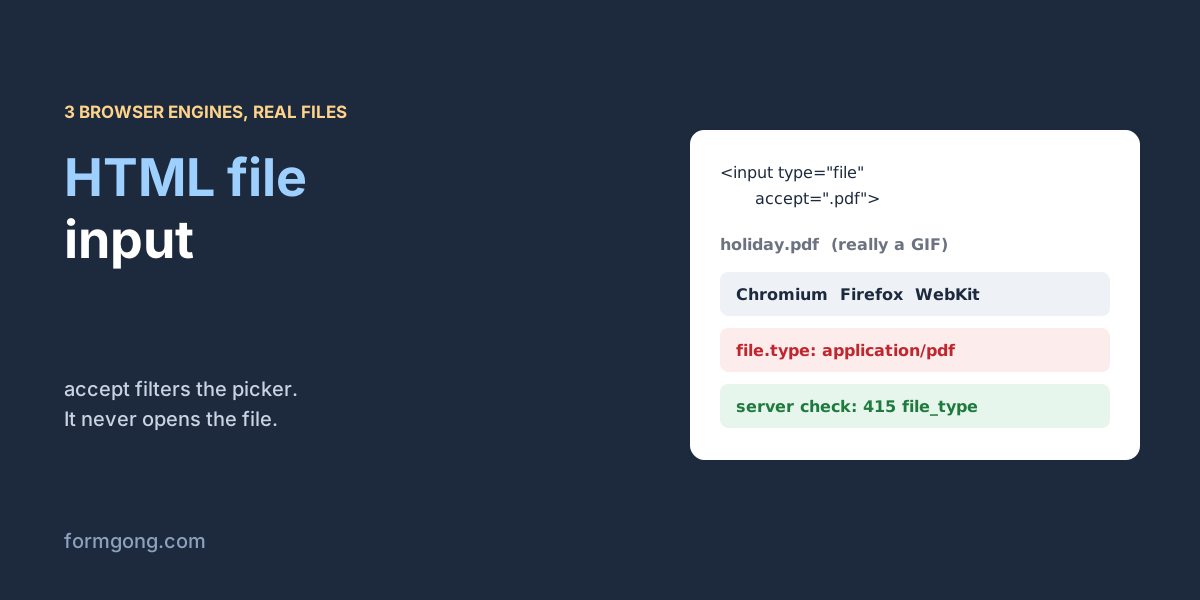
We handed real files to an HTML file input in Chromium, Firefox and WebKit. A GIF renamed holiday.pdf came out as a PDF in all three.
The short answer. An HTML file input is an input with type="file". accept narrows the file picker, multiple lets the visitor pick several files, and capture asks a phone to open its camera. None of them checks the file: in our test a GIF renamed holiday.pdf reported application/pdf in 3 of 3 browser engines, so the real check has to run on the server.
Formgong
HTML file input: accept, multiple, capture and size checks
Why does a file input let through files you did not ask for?
You set accept=".pdf", a visitor sends a photo, and your inbox gets something you cannot open. That is not a bug in your form. Every attribute on a file input is advice to the browser's picker. None of them inspects the file, and a file that reaches the input some other way skips the picker entirely.
To see how far that goes, on 3 November 2026 we handed real files from disk to file inputs in the three browser engines that matter: Chromium (Chrome, Edge), Firefox and WebKit (Safari). Then we posted them to a local copy of Formgong's form backend to see what a server gets. This page covers the input element itself. The whole upload setup, from storage to email links, is in our guide to the contact form with file upload.
What do accept, multiple and capture do?
Here are the three inputs most forms need. The labels matter: a file input's button text comes from the browser, so the label is the only place to say what you want and how big it may be. Our accessible contact form checklist starts with a visible label for every field.
HTML
<!-- One PDF, required -->
<label for="cv">Your CV (PDF, up to 5 MB)</label>
<input id="cv" name="cv" type="file" accept=".pdf,application/pdf" required>

<!-- Several photos -->
<label for="photos">Photos of the damage</label>
<input id="photos" name="photos" type="file" accept="image/*" multiple>

<!-- On a phone, open the back camera straight away -->
<label for="snap">Take a photo of the receipt</label>
<input id="snap" name="receipt" type="file" accept="image/*" capture="environment">
How strict is each attribute?
accept takes extensions (.pdf), exact types (application/pdf) or a family (image/*). List both the extension and the type, because some systems match one and some the other. The picker uses it to grey out other files. Files that reach the input another way are not filtered: our test tool put a .csv, an .HEIC and a file with no extension into an input with accept=".pdf,application/pdf", and all three engines took them.
multiple is a plain on or off switch. In our test all three engines held 3 of 3 files in the input's files list. There is no attribute for a maximum count, so a limit of three is something your script and your server enforce.
capture="environment" asks for the back camera and capture="user" for the front one. It only does something on phones. None of the three desktop engines we ran exposes it as a property; they keep the attribute in the HTML and do nothing with it. We did not test a phone, so treat camera behaviour as unverified here and try it on the devices your visitors use.
Can the browser tell what kind of file it is?
No. The browser fills file.type from the file name, not from the bytes. That is why a type check in JavaScript does not stop a renamed file:
The type each engine reported for real files picked from disk, 3 November 2026. Chromium 153, Firefox 155, WebKit 26.6.
File
Chromium
Firefox
WebKit
A real PDF, cv-oliver-bennett.pdf
application/pdf
application/pdf
application/pdf
A GIF renamed holiday.pdf
application/pdf
application/pdf
application/pdf
An iPhone photo name, IMG_0042.HEIC
(empty)
image/heic
image/heif
orders.csv
text/csv
text/csv
text/csv
README, no extension
(empty)
(empty)
(empty)
The renamed GIF was a PDF to every engine. The iPhone photo got three different answers, and Chromium gave none. If you filter by file.type in the browser, an HEIC photo from an iPhone can fail in Chrome and pass in Safari. Filter by extension if you must filter in the browser, and leave the real decision to the server.
How do you check the file size before upload?
There is no max-size attribute. Read file.size (in bytes) when the visitor picks a file and set a custom validity message. That way the browser's own form checks block the submit and show your text, the same way they do for an empty required field.
In our test a 6 MiB PDF made reportValidity() return false in 3 of 3 engines, and each showed the message from the script. Use the same limit as your server, so the visitor hears about it before a long upload instead of after it.
JavaScript
<script>
  var MAX_BYTES = 5 * 1024 * 1024; // 5 MB, the same limit as your server
  document.getElementById("cv").addEventListener("change", function (event) {
    var input = event.target;
    var file = input.files[0];
    // An empty message means "valid"; any text blocks the submit and is shown by the browser.
    input.setCustomValidity(file && file.size > MAX_BYTES ? "This file is over 5 MB. Please pick a smaller one." : "");
  });
</script>
Why does the value say C:\fakepath?
Read input.value after picking a file and you get C:\fakepath\cv-oliver-bennett.pdf, even on Linux and macOS. We saw exactly that string in all three engines. Browsers hide the real folder to keep your file system private, and the fake prefix is a leftover kept so old scripts do not break. Use input.files[0].name when you want the name.
Two more things trip people up. files is read-only, so you cannot splice one file out of it; you build a new list. And setting value to an empty string is the one change you may make to the value, which clears the input. In our run, removing the second of three files left a.png,c.png and clearing left 0 files, in every engine.
JavaScript
// FileList is read-only. To drop one file, build a new list without it.
function removeFile(input, index) {
  var list = new DataTransfer();
  Array.from(input.files).forEach(function (file, i) { if (i !== index) list.items.add(file); });
  input.files = list.files;
}

// To clear the input completely:
input.value = "";
What happens if the form has no enctype?
The form looks like it works and the file never arrives. Without enctype="multipart/form-data" the browser sends the form as URL-encoded text, and a file input in that format contributes only its file name. We tried both versions against our local backend with the same PDF:
What a local copy of Formgong's backend did with each post, 3 November 2026. File scanning was replaced by a stand-in that answers "clean"; the real scanner was not tested.
What we sent
What the server did
No enctype, a PDF picked
Stored as text: "attachment": "cv-oliver-bennett.pdf", no file
enctype="multipart/form-data", the same PDF
Stored: the message plus a 125-byte PDF
A GIF renamed holiday.pdf
415 file_type: "Only genuine PDF, JPEG and PNG files are accepted."
Four PDFs in one post
413 too_large
A 6 MiB PDF
413 too_large
A PDF to a form with attachments off
400 uploads_disabled
The first row is the classic silent failure: no error anywhere, a submission in the inbox, and a file name where the file should be. With fetch you avoid it by passing new FormData(form) as the body and leaving the Content-Type header alone, so the browser can add the multipart boundary. How the parts look on the wire is in how HTML forms work at a low level.
How do you send the file to a form backend?
Point the form at a backend that stores files, keep the method POST and the enctype multipart. With Formgong that is the form below. Turn on attachments in the form settings and add Cloudflare Turnstile, because a post with a file always needs a solved Turnstile check there, even on forms that do not ask for one on text. The settings are in the HTML form docs.
Formgong takes PDF, PNG and JPEG, up to 3 files, 5 MiB each and 10 MiB together in a plain form post. If you need the file to land somewhere else as well, the webhook docs show the attachment links the payload carries.
Where does Formgong check more than other form backends?
On the server, Formgong checks three things before it keeps a file: the extension, the type the browser claimed, and the first and last bytes of the file itself. That is how the renamed GIF above came back as file_type while every browser had called it a PDF. Formspree's guide to the HTML file input tells readers to validate types and sizes on the server, but it does not say what Formspree itself checks. The Static Forms article on accept, dated 20 October 2026, says its own documentation states the service does not enforce file-type validation. Both pages were read on 3 November 2026. The other side of the trade is that Formgong accepts only three file types, so a form that needs Word documents or ZIP files is better served elsewhere.
Did a file input behave differently for you?
If a phone opened the wrong camera, or a browser we did not test reported a different type, write to support@formgong.com with the device and the file name. We will add it to the table, with your permission.
Frequently asked questions
Does the accept attribute stop other file types?
No. It only filters the picker. Files that reach the input another way are not filtered, and a renamed file passes by its name. Check the file on the server.
How do I limit file size in an HTML file input?
There is no attribute for it. Read file.size in a change listener and call setCustomValidity with a message when the file is too big, then check again on the server.
What does capture do on a file input?
On phones it asks for the camera: environment for the back camera, user for the front. In our test none of three desktop browser engines supported it.
Why is the file missing from my form submission?
Usually the form has no enctype="multipart/form-data". Without it the browser sends only the file name. With fetch, pass FormData and do not set Content-Type.