Typeform not working or not loading on your website
We loaded the form from Typeform's own public embed demos on a test page and broke the embed on purpose. A blocked script left an empty white box, a wrong form ID put Typeform's marketing site inside the page, and an embed added late never loaded until we called one function.
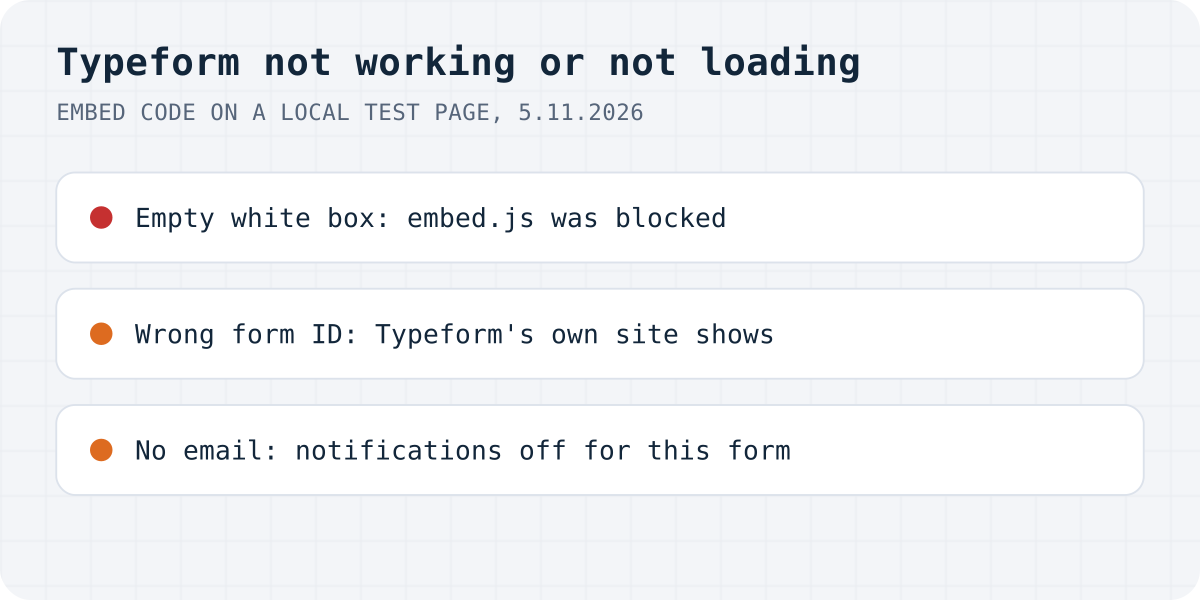
The short answer. An empty white box means Typeform's embed.js did not run: a Content Security Policy, an ad blocker or your site builder stopped it. A thin strip is a height problem, and Typeform's own website inside the box is a wrong form ID. If responses arrive but emails don't, Send email for new responses is off for you on that form.
Formgong
Typeform not working or not loading on your website
What does the embed show instead of your form?
yoursite.com/quote
Form
an empty white box, 500 px high
Embed code
<div data-tf-widget="…">
Get a quote
Nothing to fill in. The space is there, the form is not.
Consoleyour page
Loading the script 'https://embed.typeform.com/next/embed.js' violates the following Content Security Policy directive: "script-src 'self' 'unsafe-inline'"
Typeform's embed object
window.tf === undefined
The embed script never ranAllow embed.typeform.com in script-src.
Reproduced on 5.11.2026 in Chromium on a local page with Typeform's standard embed code and the form ID from Typeform's own public embed demos. With script-src 'self' in the page's policy, embed.js never loaded and the div kept its 500 pixels of empty space. An ad-blocker-style block on Typeform's domain gave the same empty box.
Typeform's embed code is a div with your form's ID and a script, embed.js from embed.typeform.com. The script finds the div and puts an iframe from form.typeform.com inside it. What you see in place of the form tells you which part failed, so look closely before you paste the code again:
Typeform not working or not loading: symptom, cause, fix (checked 5.11.2026)
What you see
Likely cause
Fix
An empty white box
embed.js is missing or was blocked
Allow embed.typeform.com; check ad blockers and your site builder
An error page inside the box
Your CSP blocks the frame
Allow form.typeform.com in frame-src
A thin strip instead of the form
A height of 100% in a parent with no height
Give the embed a height of 500px or more
Typeform's own website inside your page
The form ID is wrong
Copy the embed code again
Empty only on pages your app renders later
The div was added after embed.js ran
Call window.tf.load()
“form.typeform.com refused to connect”
Your page uses http, Typeform says
Serve the site over https
A message instead of the form
Response limit reached, or the form is closed
Plan & billing; Access & Scheduling
Responses arrive, no email
Notifications off for you on this form
Settings, Notifications, Send email for new responses
Is the embed script or the frame blocked?
Typeform's article on troubleshooting embedded forms describes the white box well: if the embed takes up its space on the page but shows only a white background, the HTML loaded and the script failed. It says this is very common in a CMS such as Wix, WordPress or Squarespace, and asks you to make sure the JavaScript part of the embed code is enabled and running there. If you pasted the code through a plugin, Typeform suggests trying it directly on the page and checking whether another plugin gets in the way.
We reproduced the white box two ways: with script-src 'self' 'unsafe-inline' on the page, and with an extension-style block on Typeform's domain. Both left window.tf undefined and the div empty. With the script allowed but frame-src 'self', the script ran and built the iframe, and Chrome refused it: “Framing 'https://form.typeform.com/' violates the following Content Security Policy directive: "frame-src 'self'"”. So a site with a CSP needs both hosts, each in its own directive. Merge them into your existing policy rather than replacing it.
If you cannot get the script to load at all, Typeform's fallback is a plain iframe of your form's address. Its help says you then get only the standard embed: no popup or slider modes, no custom launch options, nothing else that needs Typeform's JavaScript.
Typeform recommends an embed height of at least 500px, and warns against editing the embed's CSS. Its example of what goes wrong is a height of 100% inside a parent container that has no height of its own: “100% of 0 is 0”, so the form looks tiny or not there at all. We tried exactly that. The iframe came out 150 pixels high, a thin strip where the form's first question was cut off. A missing start button is often the same problem, and Typeform says raising the height above 500px may fix it.
Is the form ID right?
This one surprised us. With a made-up form ID in the embed code, Typeform did not show an error. Its server redirected the frame to Typeform's own marketing site, so our test page had a page of Typeform's website, menu and all, sitting where the form should be. If your embed shows Typeform's website instead of your questions, the ID in the code does not exist: copy the embed code again from your form's Share panel. The ID is also the part after /to/ in your form's public link, so you can compare the two.
Was the embed added after the page loaded?
Typeform's embed library initialises the embed codes that are already on the page when it loads. Its README on GitHub says so, and gives window.tf.load() for snippets you add later. A single-page app, a tab that renders its content on click or a page builder that inserts blocks after load can all add the div too late. We inserted the div three seconds after the page loaded: the box stayed empty. Calling window.tf.load() right after inserting it loaded the form.
Is your site on http instead of https?
Typeform's troubleshooting article says a “form.typeform.com refused to connect” error may mean your domain uses http, because typeforms can load only on a secure https domain. We could not reproduce this: our demo form loaded in a plain http page served from a local network address, in Chromium, on 5.11.2026. Typeform may apply the rule to some forms or browsers and not others, so if you see that message and your site is on http, getting a certificate is still the first fix.
Has the form hit its response limit or been closed?
When your form shows a message instead of questions, for everyone and on every page, look at your account before the code. Typeform's help on response limits says the limit is per month and shared by all the forms in your account. At 100% of it, your forms go into Private mode, and they become public again when the next month starts or when you upgrade. Typeform emails you at 90% and 100%. Deleting responses does not give any back, since deleted ones still count for that month. Your current total is under Plan & billing in the organization menu.
A form can also close itself. Under Access & Scheduling you can close it by hand, on a date or after a number of responses. Typeform's article on closing a form points out that a response limit counts from the moment you click Save, not from when the form went live, and that people who submit after the limit is reached see the closed message, and their responses do not appear in Results.
Why are Typeform notification emails not arriving?
If responses are in the Results tab and you get no email, start with the setting itself. Typeform's help says Send email for new responses is turned off by default, and that it applies separately to each Typeform user and each form. Turning it on for yourself does nothing for a colleague, and turning it on in one form does nothing for the others. It is under the form's settings, Notifications, where you also choose between complete responses only and complete and partial responses. If you also capture partial responses after every question, the email for a partial response comes about seven minutes after someone stops.
Typeform's article on missing notification emails adds the cases people run into after it worked once:
A duplicated form does not copy that setting or its automations, so you set them up again on the copy.
After changing settings, you may have to republish with the Share or Publish edits button.
Notifications apply only to submissions that arrive after you turn them on.
The emails come from notifications@typeform.com or notifications@followups.typeform.io. If either is blocked or filtered as spam by your mail provider, nothing arrives.
If you once unsubscribed from all Typeform emails, you were unsubscribed from those addresses too, and need to resubscribe.
Emails to your respondents are a separate thing, set up as automations in the Workflow panel. If those are the ones missing, check the recipients, subject and body of each action there.
Why does Typeform work differently on phones?
On phones, Typeform opens an embedded form as a full-screen pop-up by default. The visitor first sees a start screen with the form's name and a button, and the form opens over the page when they tap it. Typeform does this on purpose. If you want the form inline on mobile too, add data-tf-inline-on-mobile to the embed div, next to data-tf-live.
When the form fails on one phone or in one browser only, Typeform's first suggestion is its status page, in case the trouble is on its side. After that it asks you to open the form in a private window, which leaves out extensions and cached files. If it works there, clear the cache and cookies, or switch extensions off one at a time. Typeform also names Chrome's automatic page translation as something to turn off, which is easy to overlook.
How this works with Formgong
Formgong takes the form you already have. You keep your HTML form on your page and set its action to one Formgong address, so nothing has to load inside the page and there is no frame to size. If your site sets a Content-Security-Policy with a form-action rule, add https://formgong.com to it. The HTML guide has the whole setup on one page.
You don't have to switch notifications on. Every submission is emailed to you on every plan, to up to three addresses on the free plan, and posted to Telegram at the same time. Spam is filtered on the server, without a captcha, and doesn't count toward your monthly limit. Going over the limit does not lose submissions: they are saved, and nothing is charged automatically.
The same account covers customer reviews with a review widget that has no view limit, an AI help chat that answers visitors from your own pages, and free website templates with the form already connected.
Still not loading?
What did your embed show instead of the form? Write to support@formgong.com and tell us what you see. If it is a case we have not covered, we will check it and add it here.
Frequently asked questions
Why is my Typeform embed not loading?
Look at what shows instead. An empty white box means embed.js did not run, often because of a Content Security Policy, an ad blocker or a site builder. A thin strip is a height problem, and Typeform's own website inside your page means the form ID is wrong.
Why is my embedded Typeform just a white box?
Typeform's help says the HTML loaded but the script failed. Make sure the JavaScript part of the embed code runs on your site, and allow embed.typeform.com in script-src and form.typeform.com in frame-src if you use a Content Security Policy.
Why am I not getting Typeform notification emails?
Send email for new responses is off by default and applies separately to each user and each form. Turn it on under the form's settings, Notifications, republish if needed, and check that notifications@typeform.com is not blocked or in spam.
Why does my Typeform open full screen on mobile?
Typeform shows embedded forms as a full-screen pop-up on mobile by default. Add data-tf-inline-on-mobile to the embed div to show the form inline instead.
Sources and documentation
Official references for this guide: Typeform: Troubleshooting embedded forms, Typeform: What to do if your form isn't working, Typeform: Not receiving form notification emails? Here's what to do, Typeform: Receive email notifications from form responses, Typeform: Response limits, Typeform: Close your form, Typeform embed library README. HTML, where data is stored.