Why do most bug reports miss what you need?
"The checkout is broken" is a typical bug report, and you cannot act on it. You do not know which page, which browser, what the person clicked, or whether it is broken for everyone or only on one phone. So you write back, wait a day, and often never hear again. The fix is a form that asks the follow-up questions up front and fills in the technical part itself, so the reporter types only what only they know.
The template below does that in plain HTML and about 50 lines of JavaScript. We ran it on 3 November 2026 in the three browser engines that matter, Chromium, Firefox and WebKit, and posted it to a local copy of Formgong's form backend, once with JavaScript on and once with it off.
What should a bug report form ask?
Four questions do most of the work. A one-line summary becomes the title in your inbox. Steps to repeat it are what a developer needs most, so the template gives a numbered example as a placeholder. Expected and actual results tell you whether it is a bug or a misunderstanding, which is often the whole answer. A severity choice with plain words ("I cannot continue", "I can work around it", "It only looks wrong") lets you open the blocking reports first.
Everything else is optional: a screenshot, an email for follow-up questions, and the technical details. Keep it that way, because a short report beats none: the template requires only the summary, the steps, what happened and the severity. Our form design guide has more on keeping forms short. If you only need a quick version, our contact form examples include a shorter bug report form.
What does a working bug report form look like?
Put the first script as early as you can in the page's <head>, so it catches errors that happen before the form loads. The form itself posts to Formgong; swap in your own endpoint if you use another backend. Replace fk_your_access_key and YOUR_TURNSTILE_SITE_KEY.
<script>
  // First script on the page: keep the last 3 JavaScript errors so a bug report can carry them.
  window.__bugErrors = [];
  window.addEventListener("error", function (e) { window.__bugErrors.push((e.message || "error") + (e.filename ? " at " + e.filename.split("/").pop() + ":" + e.lineno : "")); window.__bugErrors = window.__bugErrors.slice(-3); });
  window.addEventListener("unhandledrejection", function (e) { window.__bugErrors.push("Unhandled promise: " + String(e.reason && (e.reason.message || e.reason))); window.__bugErrors = window.__bugErrors.slice(-3); });
</script>
The form
<form id="bug-report" action="https://formgong.com/submit" method="POST" enctype="multipart/form-data">
<input type="hidden" name="access_key" value="fk_your_access_key">
<input type="hidden" name="_subject" value="Bug report">
<input type="hidden" name="_page_url" value="">
<label for="bug-summary">What went wrong? (one line)</label>
<input id="bug-summary" name="summary" maxlength="120" required>
<label for="bug-steps">Steps to make it happen again</label>
<textarea id="bug-steps" name="steps" rows="4" placeholder="1. Open the cart 2. Change the quantity to 3 3. Press Checkout" required></textarea>
<label for="bug-expected">What did you expect?</label>
<textarea id="bug-expected" name="expected" rows="2"></textarea>
<label for="bug-actual">What happened instead?</label>
<textarea id="bug-actual" name="actual" rows="2" required></textarea>
<fieldset>
<legend>How bad is it?</legend>
<label><input type="radio" name="severity" value="Blocks me" required> I cannot continue</label>
<label><input type="radio" name="severity" value="Workaround"> I can work around it</label>
<label><input type="radio" name="severity" value="Cosmetic"> It only looks wrong</label>
</fieldset>
<label for="bug-shot">Screenshot (PNG or JPEG, optional)</label>
<input id="bug-shot" name="screenshot" type="file" accept="image/png,image/jpeg,.png,.jpg,.jpeg">
<label for="bug-email">Your email, if we may ask you a question</label>
<input id="bug-email" name="email" type="email" autocomplete="email">
<label for="bug-details">Technical details (sent with the report; edit or delete anything)</label>
<textarea id="bug-details" name="details" rows="6"></textarea>
<div aria-hidden="true" style="position:absolute;left:-9999px"><input name="botcheck" tabindex="-1" autocomplete="off"></div>
<div class="cf-turnstile" data-sitekey="YOUR_TURNSTILE_SITE_KEY"></div>
<button type="submit">Send report</button>
</form>
<script src="https://challenges.cloudflare.com/turnstile/v0/api.js" async defer></script>The script that fills in the details
<script>
  (function () {
    var form = document.getElementById("bug-report");
    // The page the visitor was on: the previous page of this site if they came from one, else this page. No query or hash,
    // since those can hold search terms, order numbers or tokens.
    var from = location;
    try { var ref = new URL(document.referrer); if (ref.origin === location.origin && ref.pathname !== location.pathname) from = ref; } catch (e) {}
    var page = from.origin + from.pathname;
    form.elements._page_url.value = page;

    function browserLine() {
      var d = navigator.userAgentData; // Chromium browsers only
      if (d && d.brands) {
        var brands = d.brands.filter(function (b) { return !/Not.?A.?Brand/i.test(b.brand); }).map(function (b) { return b.brand + " " + b.version; });
        return brands.join(", ") + " on " + (d.platform || "unknown OS") + (d.mobile ? " (mobile)" : "");
      }
      return navigator.userAgent;
    }
    function details() {
      return [
        "Page: " + page,
        "Browser: " + browserLine(),
        "Window: " + innerWidth + " x " + innerHeight + " (screen " + screen.width + " x " + screen.height + ", pixel ratio " + devicePixelRatio + ")",
        "Language: " + navigator.language + ", time zone: " + Intl.DateTimeFormat().resolvedOptions().timeZone,
        "Dark mode: " + (matchMedia("(prefers-color-scheme: dark)").matches ? "yes" : "no"),
        "Recent errors: " + (window.__bugErrors.length ? window.__bugErrors.join(" | ") : "none"),
      ].join("\n");
    }
    var box = form.elements.details;
    box.value = details();
    box.addEventListener("input", function () { box.dataset.edited = "1"; });
    form.addEventListener("submit", function () {
      // Errors that happened after the page loaded, unless the visitor already edited the box.
      if (!box.dataset.edited) box.value = details();
    });
    form.elements.screenshot.addEventListener("change", function () {
      var file = this.files[0];
      this.setCustomValidity(file && file.size > 5 * 1024 * 1024 ? "Please pick a screenshot under 5 MB." : "");
    });
  })();
</script>
How does the form capture the browser and OS?
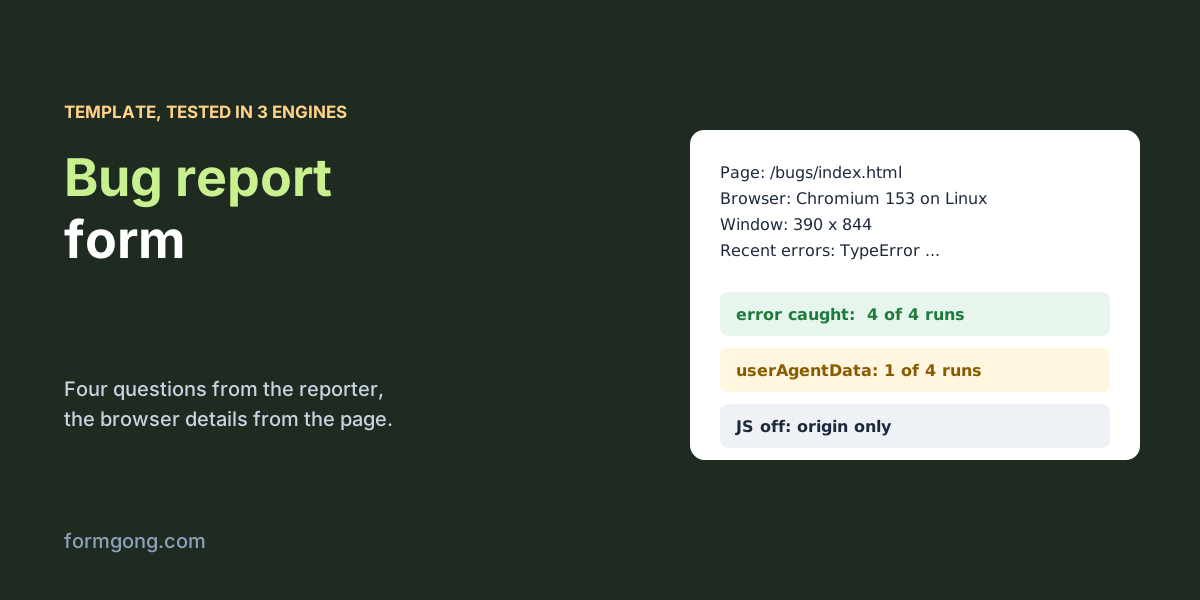
The script writes a short text block into the last textarea: the page, the browser, window and screen size, language and time zone, dark mode, and the last three JavaScript errors. For the browser line it first tries navigator.userAgentData, which gives clean brand names and the platform, and falls back to the user agent string.
| Browser run | userAgentData | Browser line | The error |
|---|---|---|---|
| Chromium 153, page on http (not secure) | No | The full user agent string | Caught |
| Chromium 153, page on a secure origin | Yes | HeadlessChrome 153, Chromium 153 on Linux | Caught |
| Firefox 155 | No | The full user agent string | Caught |
| WebKit 26.6 (Safari's engine) | No | The full user agent string | Caught |
Two things stood out. userAgentData existed in 1 of 4 runs, only in Chromium and only on a secure origin; on a plain http page Chromium hides it too. So on your live https site, Chromium browsers such as Chrome and Edge should give a tidy line, and Firefox and Safari users get the long user agent string, which still names the browser and version. The error catcher worked in 4 of 4 runs, though each engine words the same error differently, so search your reports by the summary rather than by the error text.
What should a bug report form not collect?
Collect what helps you reproduce the bug and nothing that identifies the device. The template leaves out the IP address, location, installed fonts and the detailed "high entropy" browser hints, and it cuts the query string and the #hash from the page address, because those can carry order numbers, search terms or login tokens. In our test the page was opened as /bugs/index.html?order=10442#cart and the report said /bugs/index.html.
The details sit in a visible textarea, so the reporter sees them and can edit or clear them before sending. That is honest, and it gives the reporter one more place to add context. If your form is used in the EU, mention the technical details in the notice under the form; our article on GDPR for contact forms has wording you can adapt.
How do you let people attach a screenshot?
A file input with accept="image/png,image/jpeg,.png,.jpg,.jpeg" and a 5 MB check in the script is enough. accept only filters the file picker, as our HTML file input test shows, so the server has to check the file again. The form also needs enctype="multipart/form-data", or only the file name arrives.
On Formgong a post with a file always needs a solved Cloudflare Turnstile check, which is why the template carries the widget. In our run the screenshot, a PNG drawn on the page, was stored next to the report. The full upload setup, with storage and download links, is in our guide to the contact form with file upload.
What arrives when JavaScript itself is broken?
Sometimes the bug is that the page's JavaScript does not run, and then a form that depends on it fails too. The template still works as plain HTML: with JavaScript turned off, the typed fields posted normally.
| Post | Fields | Page recorded | Result |
|---|---|---|---|
| JavaScript on, with a screenshot | All fields, the details box, a 3,770-byte PNG | The page path, from the template's hidden field | Stored |
| JavaScript off | The typed fields only; details empty, no Turnstile, so no screenshot allowed | Only the site's origin, from the browser's Referer header | Stored |
Without the script the details box is empty, and a screenshot cannot be sent, because Turnstile needs JavaScript. The page address also shrinks to the site's origin. Browsers send only the origin when a form posts to another site, which is why the template puts the page into a hidden _page_url field while the script can still run.
Where should bug reports go?
Send them where the person who fixes bugs already looks. A team chat works well for small sites: Formgong posts each report to Slack or Telegram with the fields in order. For an issue tracker, a webhook gets the same fields as JSON, and a small script or an automation tool can open the issue from it. Use the summary as the title and the severity as a label, and the reports sort themselves.
What does Formgong record that the form does not send?
Even with JavaScript off, Formgong stored the browser's user agent with each report, worked out the device type and browser family on the server, and printed "Direct · Desktop" and the site's address in the notification email. That is a fallback for the reports where the page's own script is the bug. The screenshot is checked by its bytes before it is kept, and in production each file goes through a virus scan, which our local run replaced with a stand-in. The two competitor templates we read on 3 November 2026 collect every technical detail with the page's script: the Static Forms example (23 September 2026) fills a visible textarea, close to ours, and the Forminit recipe (updated 1 November 2026) captures them "silently". Forminit does accept bigger screenshots, up to 25 MB with more than 50 file types, where Formgong takes PNG and JPEG up to 5 MB in a plain form post.
Does your bug report form ask something we left out?
If a question on your form saves you a round of emails, or a browser fills the details differently from our table, write to support@formgong.com. We will add the best ones to the template, with your permission.
Frequently asked questions
What should a bug report include?
A one-line summary, steps to repeat it, the expected result, the actual result and how bad it is. Add a screenshot and the browser details and you rarely need to write back.
How do I capture the browser and OS in a bug report form?
Read navigator.userAgentData where it exists (Chromium on https) and fall back to navigator.userAgent. Put the result in a visible field the reporter can edit.
Can a bug report form capture JavaScript errors?
Yes. Listen for error and unhandledrejection in the head, keep the last three messages, and copy them into the report when it is sent.
Can I add a screenshot upload to a bug report form?
Yes. Use a file input that accepts PNG and JPEG, post the form as multipart/form-data, and let the server check the file. Formgong also needs Turnstile for files.
Sources and documentation
Official references for this guide: Formgong: HTML file input, Formgong: Contact form with file upload. HTML forms, where data is stored.