Why does the input type matter if everything arrives as text?
You pick type="email" and type="number" so the form feels right on a phone and catches typos. Then the messages arrive and some of them are still wrong, like an email address you cannot reply to or a quantity of 125 when the customer meant 12.5.
That happens because the type was never a guarantee of clean data. It shapes the text the browser puts in the request and the check it runs before sending, and on a phone it suggests a keyboard. None of that stops a determined typo. Your server still receives plain name=value text for every field, the same as in our walk-through of how HTML forms work. To see where each type helps and where it does not, we built a form with one input of each type and posted it from Chromium to a local copy of Formgong's form backend.
What does each input type send?
We filled in the form the way a visitor would, ticked one box, chose one radio button and left a few fields alone. This is what Chromium put in the request body and what the backend stored.
| Type | Sent | What to know |
|---|---|---|
| text, search | Emma Clarke | Exactly what was typed, spaces included |
emma.clarke@example.com | The @ arrives encoded as %40 and is decoded back | |
| tel | +44 20 7946 0000 | Any characters at all |
| url | https://emmaclarke.example | Only after the browser accepted it as a URL |
| number | 3 | Text, not a number; your server has to convert it |
| range | 2500 | Never touched: the middle of 0 to 5000 was sent anyway |
| date, time, datetime-local | 2026-11-14, 09:30, 2026-11-14T09:30 | Always this format, whatever the visitor's locale shows |
| month, week | 2026-11, 2026-W46 | Chromium has pickers for both |
| color | #000000 | Never touched: black was sent anyway |
| password | correct horse | Plain text in the body, so only ever over HTTPS |
| checkbox, no value | on | When ticked; an unticked box sends nothing at all |
| radio | phone | The chosen value; with none chosen, the name is missing |
| file, no file chosen | attachment= | An empty value; files need multipart encoding |
| hidden | homepage | Visible and editable by anyone, so never trust it |
| disabled or without a name | nothing | Readonly fields are sent; disabled ones are not |
| submit button with a name | action=send | Only the button that was clicked |
Three rows cause most surprises. A range slider and a colour picker always send a value, even when the visitor never touched them, so you cannot tell “chose the middle” from “ignored it”. An unticked checkbox sends nothing, not “no”, so your server has to treat a missing name as unticked. And dates always arrive as YYYY-MM-DD, which is good news, because you never have to guess whether 03/11 means March or November.
What does the browser check, and what does it let through?
Next we typed values a person would call wrong, one key at a time, and asked Chromium whether the field was valid.
| Type | Bad values accepted | Details |
|---|---|---|
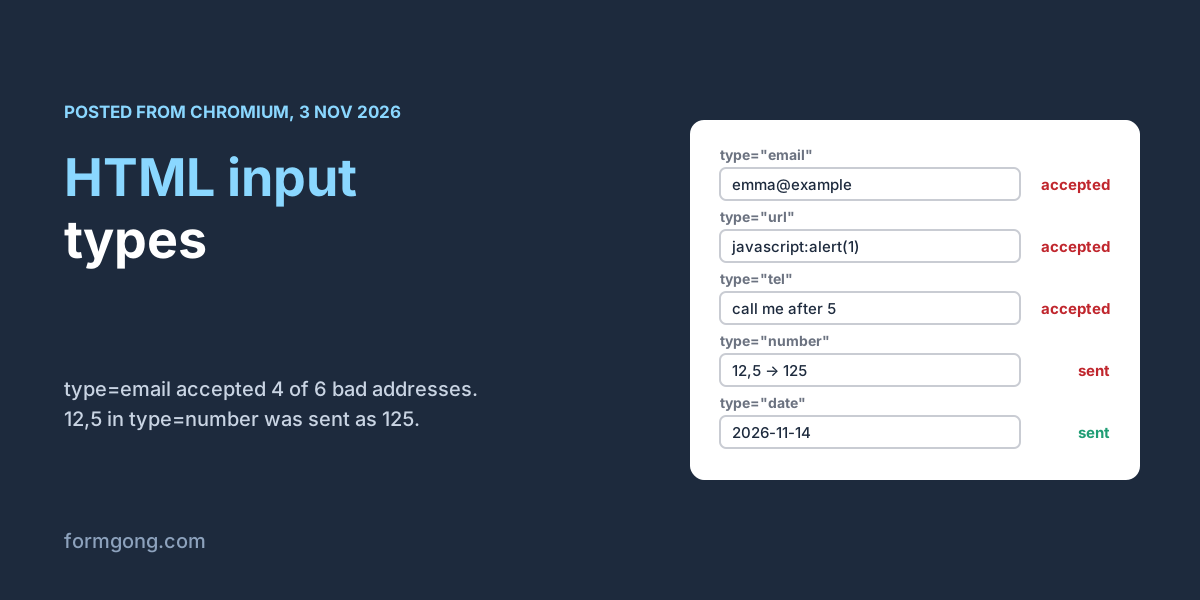
| 4 of 6 accepted | Accepted emma@example, emma@example.c, emma..clarke@example.com, emma.@example.com; refused emma@ and an address with a space | |
| url | 3 of 3 accepted | Accepted htps://example.com, javascript:alert(1), https://example, and refused the example.com and www.example.com that people actually type |
| tel | 2 of 2 accepted | call me after 5 and 12 both passed; tel has no format check |
| number | See note | Typing 12,5 sent 125; 12.50 was refused because the default step is 1; 1e3 and -3 passed; letters could not be typed |
| text with required | 1 of 1 accepted | Three spaces count as filled in |
The email check follows the HTML standard's own pattern for addresses, which allows a domain without a dot. So emma@example passes, and so do two dots in a row before the @. The URL check has the opposite problem. It insists on a scheme, so it refuses the addresses people really type and accepts a javascript: link. For a website field, type="text" with inputmode="url" and a check on the server serves visitors better.
The number field is the one to be careful with. In our English-language Chromium, typing 12,5, as much of Europe writes twelve and a half, silently dropped the comma and sent 125. A price of 12.50 was refused, because without step="any" the field only accepts whole numbers, and the error message (“The two nearest valid values are 12 and 13”) confuses people. Use type="number" for counts such as guests or nights. For amounts, use step="any", or a text field with inputmode="decimal" and a check on the server.
Which keyboard does each type open on a phone?
We did not test phone keyboards on real devices for this article, so this part comes from MDN's reference for the inputmode attribute, which we read on 3 November 2026. Email fields usually get a keyboard with the @ key on it, URL fields one with a prominent /, telephone fields a dial pad with digits, the asterisk and the pound key, and inputmode="numeric" a pad with just the digits 0 to 9.
The useful trick is that inputmode changes the keyboard without adding any checks. A postcode, an order number or a one-time code can be type="text" with inputmode="numeric": the visitor gets the number pad, leading zeros survive, and the browser does not turn it into a spinner. MDN is clear that inputmode enforces nothing, so pair it with a check where the value matters. Our checklist for an accessible contact form adds the autocomplete values that let phones fill these fields in.
What reaches the server when the browser check is skipped?
Everything. The browser's checks only run when a person submits the form in a browser. A bot posts to your endpoint directly, and a page with novalidate or a broken script sends whatever is in the boxes. We posted 18 wrong or awkward values from the test above straight to two forms on our local backend.
The form without field checks stored all 18, including javascript:alert(1) as a website and “call me after 5” as a phone number. The form with field checks refused 11 of the 18 with a 422 answer naming the field, for example {"field":"phone","code":"phone"}, and stored nothing. It refused both bad phone numbers, all three bad URLs, abc and 1e3 as numbers, and 4 of the 6 bad emails. It accepted example.com and www.example.com as websites, which is what you want, and also 12.50, 12,5 and -3 as numbers. It let through emma..clarke@example.com and emma.@example.com too, so our email check is looser than the strict rules for addresses.
If you write your own checks in JavaScript as well, our article on React form validation shows how to put the server's answer back under the right field.
Which types should a contact form use?
For most contact and booking forms, the form below is a good start. It uses email and tel for the keyboards, a text field for the website so “example.com” is not refused, date because the format it sends is unambiguous, and number only for a whole count with a minimum and a maximum. If you would rather not write it by hand, the HTML form generator builds one you can copy.
The form posts to Formgong, a form backend that sends each message to your email and Telegram. Under Settings, then Protection, then Field checks, you can mark any field as required or as an email, URL, number, date or phone number, on every plan including Free. Formgong then refuses a post that breaks a check, before anything is stored or counted, and the answer names each field. The two competitor guides we read on 3 November 2026 cover the types but not that step. The Static Forms guide to all 22 input types, dated 31 May 2026, rightly says client checks never replace server-side validation, and the only check it describes its own service making is a honeypot spam check. Formspree's guide to HTML input fields does not say what its servers check. The HTML forms docs list every field Formgong reads.
<form action="https://formgong.com/submit" method="POST">
  <input type="hidden" name="access_key" value="fk_your_access_key">

  <label for="name">Name</label>
  <input id="name" name="name" type="text" autocomplete="name" required>

  <label for="email">Email</label>
  <input id="email" name="email" type="email" autocomplete="email" required>

  <label for="phone">Phone (optional)</label>
  <input id="phone" name="phone" type="tel" autocomplete="tel">

  <!-- type="text" + inputmode: people type "example.com", which type="url" refuses -->
  <label for="website">Website (optional)</label>
  <input id="website" name="website" type="text" inputmode="url" autocomplete="url">

  <label for="date">Preferred date</label>
  <input id="date" name="date" type="date">

  <!-- a count: type="number" is fine; for money or 12.5, use step="any" or inputmode="decimal" -->
  <label for="guests">Guests</label>
  <input id="guests" name="guests" type="number" min="1" max="20" step="1">

  <label><input type="checkbox" name="newsletter" value="yes"> Send me the newsletter</label>

  <button type="submit">Send</button>
</form>
Did an input type surprise you?
If an input type behaves differently in your browser, or a phone shows a keyboard we did not expect, tell us at support@formgong.com. We will rerun the test with your case and update this page.
Frequently asked questions
Does type=email check that an email address is real?
No. It only checks the shape, and it accepts addresses without a dot in the domain, such as emma@example. Check on the server too.
What does an unchecked checkbox send?
Nothing. Its name is missing from the request, so treat a missing name as unticked. A ticked box without a value sends on.
Should I use type=number for a phone number or postcode?
No. Use type=tel for phones and type=text with inputmode=numeric for postcodes and codes, so leading zeros and spaces survive.
What format does type=date send?
Always YYYY-MM-DD, such as 2026-11-14, whatever date format the visitor's browser shows on screen.
Is browser validation enough?
No. Bots and scripts post to your endpoint without running it, so the server has to check the fields again.
Sources and documentation
Official references for this guide: Formgong: How do HTML forms work? The HTTP request, Formgong: React form validation without a library, tested. HTML forms, where data is stored.